Digital Asset Management Solution for Governments
Keep government archives secure, organized, and easy to find.

Keep government archives secure, organized, and easy to find.














Eliminate scattered drives and outdated files
Daminion unifies photos, videos, and documents into a searchable, well-structured archive accessible to every authorized department.
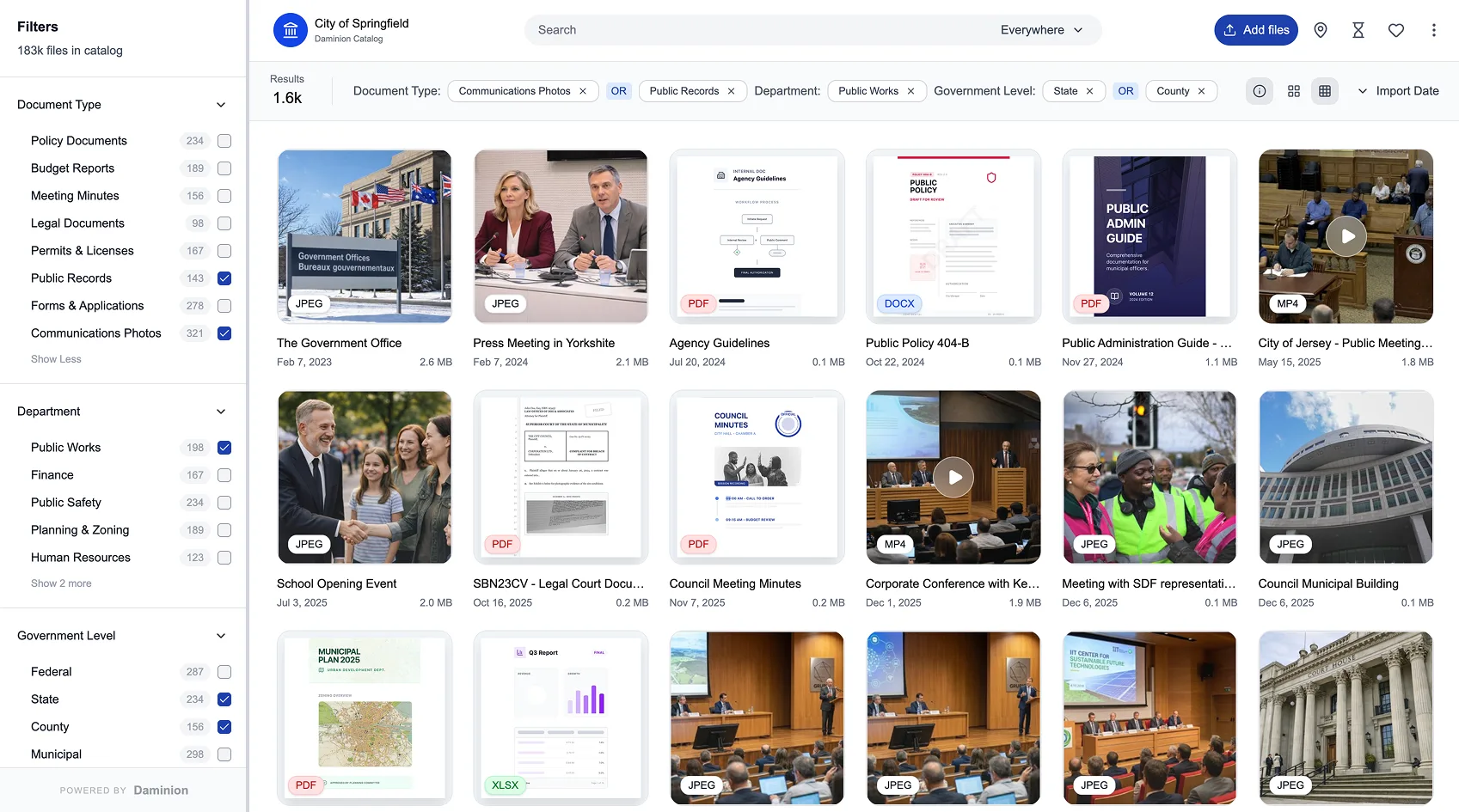
Secure, compliant, and efficient digital asset management for government agencies
Government departments and agencies generate large volumes of photos and media from inspections, public works, infrastructure projects, events, and community programs. A DAM brings all this content into one organized, searchable library instead of scattered network drives, emails, and personal folders.
Websites, press releases, public reports, social channels, and presentations all rely on visuals. With a DAM, teams can quickly find and reuse approved photos and media instead of repeatedly requesting files or recreating materials.
Facial recognition helps organize large collections of photos by people, making it easier to find images of public officials, speakers, staff members, or recurring participants across events and initiatives. This simplifies preparation of public communications, reports, and archives that rely on accurate, consistent visual representation.
Geo-tagging allows media to be tied to real locations – streets, facilities, districts, or regions. Teams can browse assets directly on a map, track changes over time at the same site, and understand how work is distributed geographically.
A DAM allows government agencies to define who can upload, edit, approve, and download media. Internal working materials can be separated from content cleared for public use, helping teams follow internal policies and reduce the risk of accidental misuse.
Built for the unique security and compliance needs of government agencies
Runs entirely on your infrastructure, with no reliance on external cloud providers. Fully compliant with government security standards.
Trusted by 800+ organizations worldwide to manage millions of assets securely and efficiently.
Supports the day-to-day work of communications, public affairs, and other teams with tools for organization, search, and collaboration.
Organize, protect, and distribute digital assets across departments and public services
How Daminion helps governments manage digital assets securely and efficiently
FedRAMP (or GovRAMP) certification is typically required for cloud services. Since Daminion is primarily an on-premises solution, all data stays fully under your agency’s control, behind your firewall, and does not require FedRAMP certification. This ensures maximum security and compliance with government IT policies.
Yes. Daminion supports locally hosted AI models for automatic tagging and facial recognition. All processing happens on-premises, fully behind your firewall. The quality is comparable to modern OpenAI models, but with no compliance risks.
Event photos from council meetings, press briefings, or public gatherings can number in the hundreds. On-prem facial recognition automatically identifies officials and staff, saving hours of manual tagging and enabling faster media releases and reports.
Very granular. Permissions can be configured per department, per user, or even per asset. You can also control who can view, edit, download, or share files.
By default, only the latest approved revision of each file is shown. Older versions remain archived for audit purposes but cannot be mistakenly reused. You can also enforce license tracking to prevent use of expired images.
Yes. With cloud DAMs, storage costs continuously increase as your archive grows — making long-term expenses unpredictable and often much higher. With Daminion’s on-premises deployment, storage runs on your own servers, so costs stay predictable and significantly lower over time.
No. Daminion works directly with your existing NAS or file server. You can keep your current folder structure intact, and Daminion will index the files to make them instantly searchable by metadata and tags.
Yes. Daminion runs on Windows Server and integrates with Active Directory for user management. You can apply your existing authentication policies and security standards without duplicating systems.
Yes. Administrators can configure file- or folder-level permissions, or even restrict access to specific catalogs. Sensitive or classified information can be limited to a defined user group, while other departments work freely with approved public assets.
Daminion’s metadata filters let you narrow results by date, event, location, or keyword. This makes responding to public records requests take minutes, not days — saving staff time and improving transparency.
Hear how government agencies use Daminion to secure archives, streamline communications, and improve public service
Each employee spends less time searching through folders and more time growing the company. As a systems director, it gives me a nice, clean feeling to know all our media is properly organized and can be located within a few short clicks.
I consider Daminion’s excellent support team to be one of the best insurance policies we ever bought.

Daminion strikes a perfect balance between standalone ‘wannabe’ catalog software and DAM suites that are way too expensive and complicated for our purposes.
During those hectic festival days without Daminion, we had to choose between getting some sleep and delivering the best results. Now, with Daminion, we can do both!