August 16, 2026
Updated



AI, AI, AI. You hear it from every corner nowadays.
With its new AI-tagging engine, Daminion 9.5 triples the quality and speed of media tagging, elevating auto-tagging to a whole new level (see the picture below).

This important barrier to DAM adoption has now been conquered. Here is what a DAM expert says about it:
The AI Tagging results are incredible. I would rate 9.9 of 10.

Senior Researcher and Digital Asset Manager at Juice Film Production
The new Daminion version is significantly better integrated with your local File Server-based storage. You can now invoke Photoshop or other local tools directly from your browser.
But that’s not all. We have added a bunch of other cool features that you have been eagerly awaiting, while keeping the interface simple, clean, and easy to use by anyone on your team.
Check out all the details below ->
Daminion’s advanced AI engine significantly enhances auto-tagging capabilities. With ChatGPT integration, the system now assists with image tagging by automatically generating AI-driven titles, descriptions, labels, and objects.
Not only can you create new labels and descriptions, but you can also ensure Daminion accurately matches tags from your existing tag vocabulary.
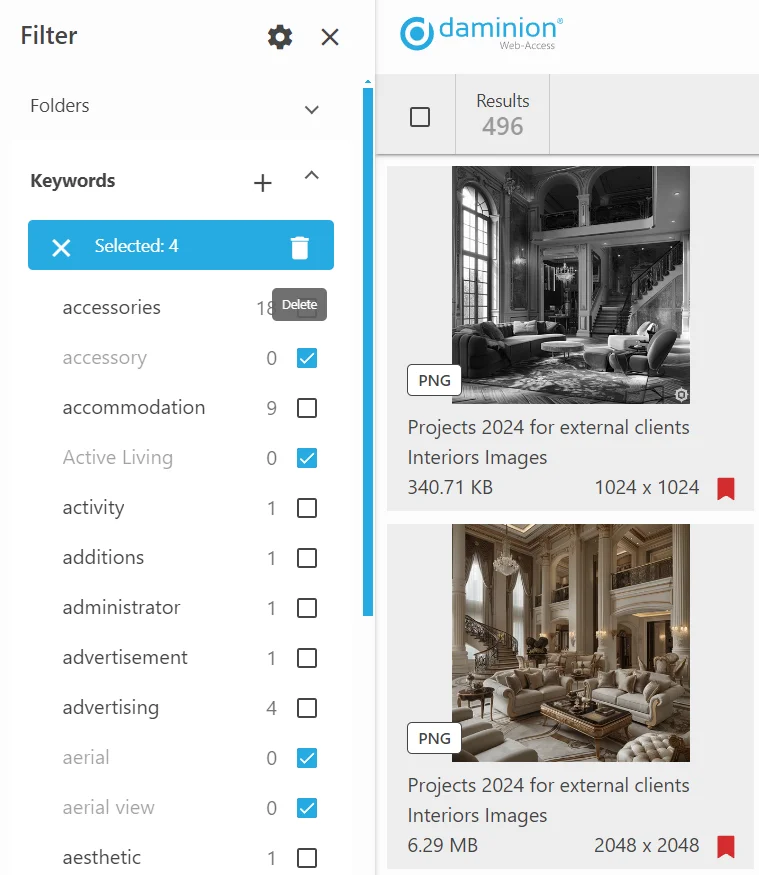
Besides AI, the tag management became easier with batch tag deletion. Daminion 9.5 allows users to select multiple tag values and delete them simultaneously, eliminating the tedious process of removing tags one at a time.
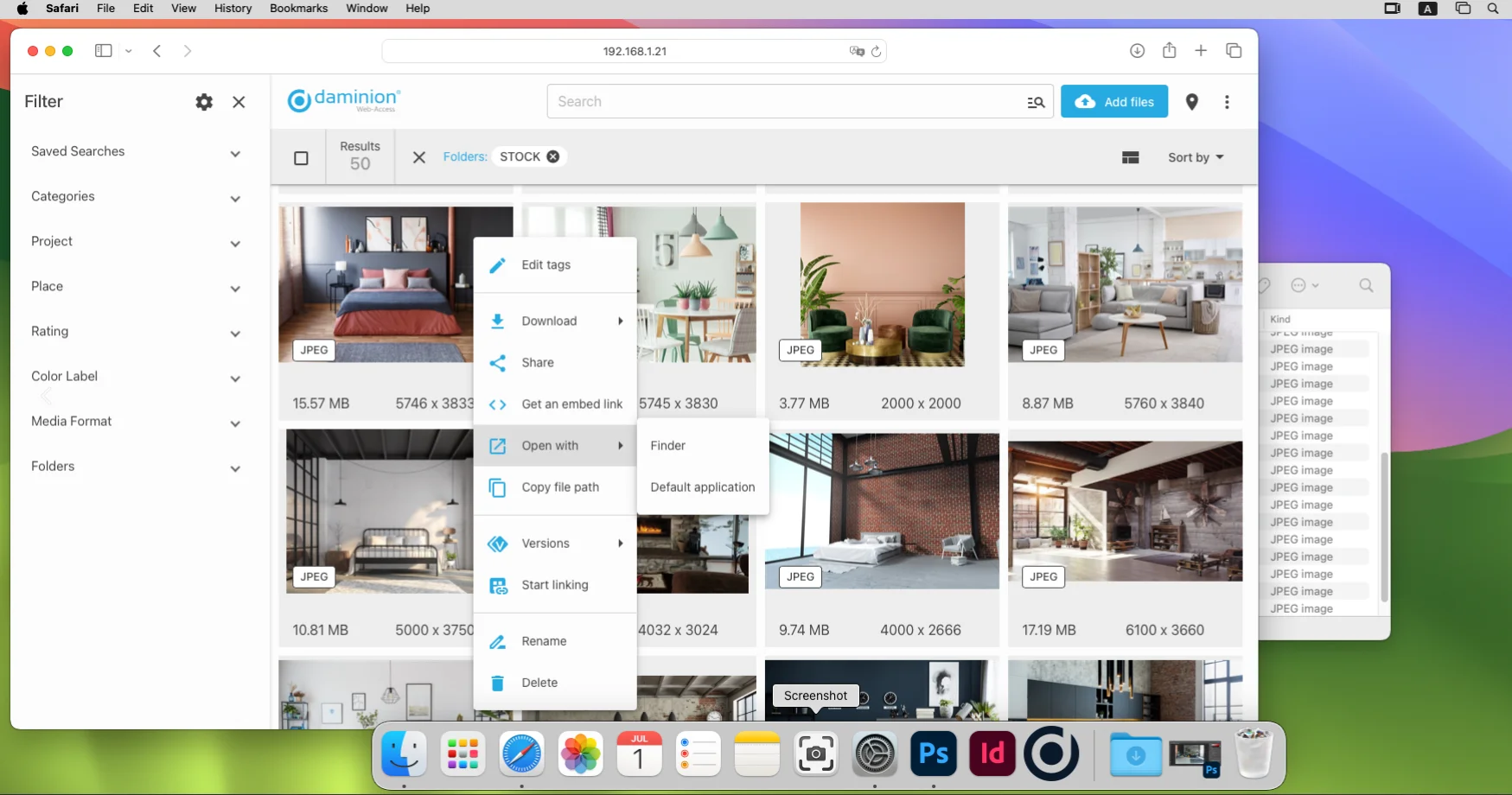
Web Client Assistant in now available not only for Windows, but also for macOS. Users can now open files directly in native applications and Finder from their browser on macOS.
Various usability improvements have been made to the WEB interface, enhancing the overall user experience.
Daminion now supports mapping IPTC tags with custom tags. Both reading and writing are supported.
This update includes server connection optimization and an option to disable broadcasting, improving performance and reliability.
Users can now view the shooting direction and field of view of photos, providing more detailed metadata for better content management.
Daminion 9.5 adds support for the AVIF format, expanding the range of available file types to uploading.
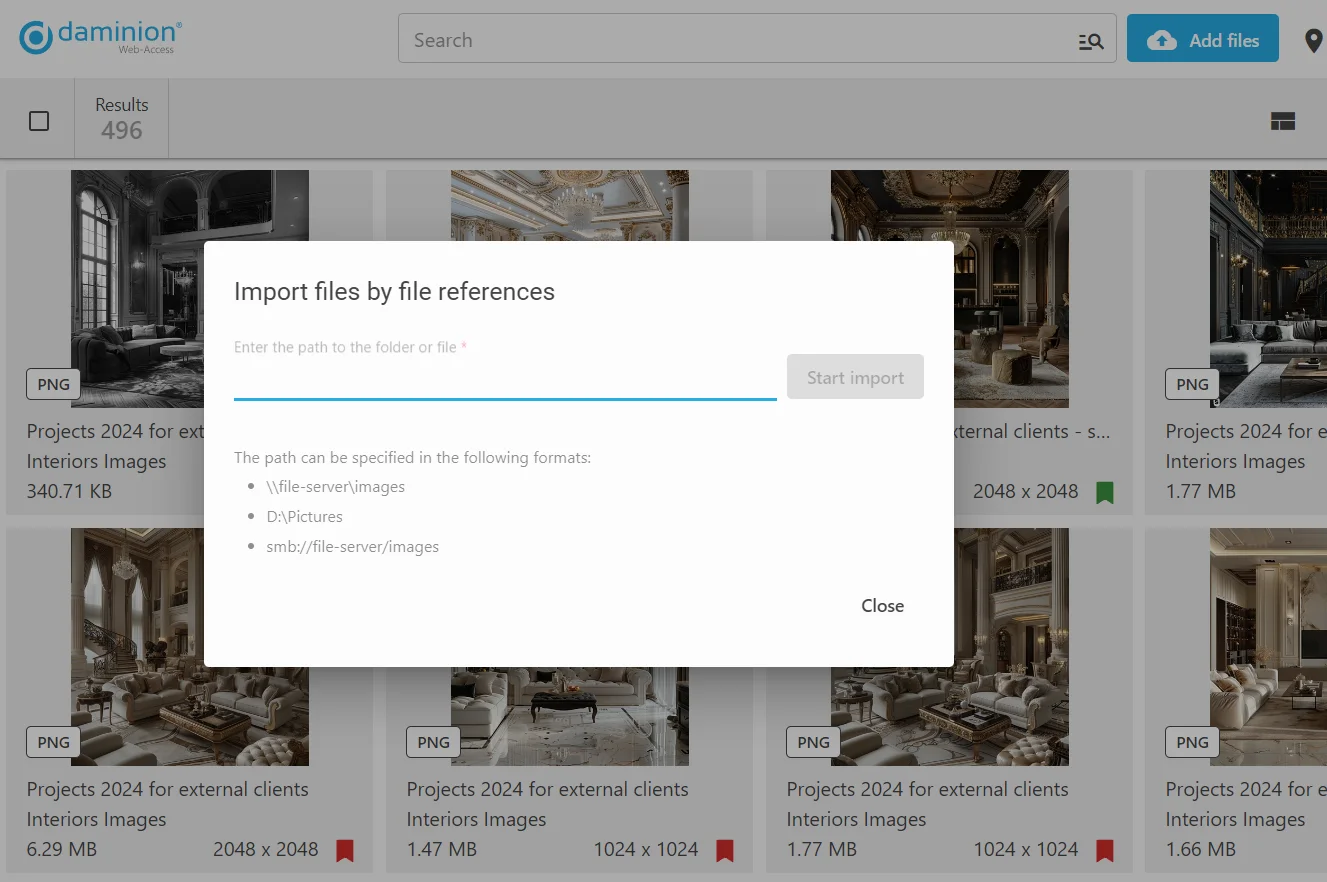
The import window now supports Mac paths, hides inactive import messages, provides tooltips for supported path formats, and includes a button for path conversion settings.
Color labels and favorites can now be applied to all selected files, improving the efficiency of tagging and organization.
The Filters panel is now specifically optimized for handling a large number of tags.
For better control and increased security, Guests are now prohibited from importing files through the Filters panel.
Enhanced with new capabilities for deletion, renaming, moving in the folder tree, as well as drag-and-drop file management from the thumbnail browser.
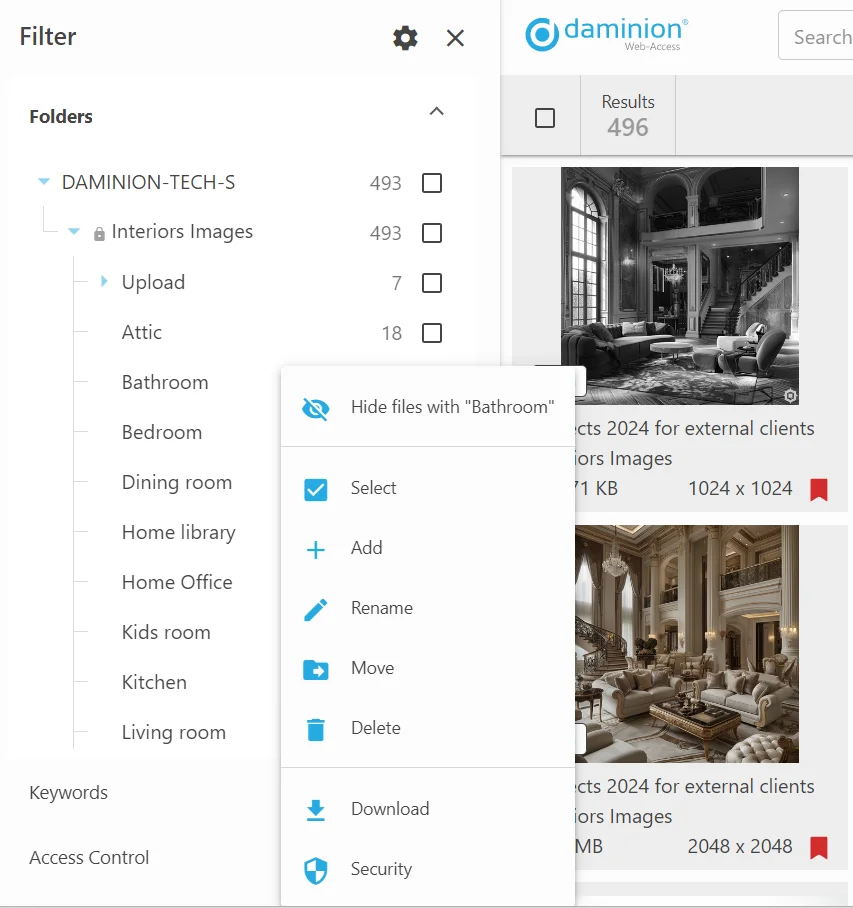
The ‘Select All’ function now includes a separate checkbox for better control.