August 16, 2026
Updated



A new minor Daminion update has at last been released! Launching the new version has taken a little longer than expected because our time has been occupied by the parallel development work we’ve been carrying out on our Daminion Server. We appreciate your patience.
To get the latest version of the program visit our Download page.
What’s new in this version:
In the previous version of Daminion, the synchronization process (tags with metadata) was launched automatically in the background after each tag assignment. When the syncing process was active it had an adverse effect on the program’s performance.

Previously, if you wanted to assign 4 different tags continuously to the same photo the synchronizing process would automatically start 4 times. Now you can pause/start this process before tag assignment and then relaunch it.
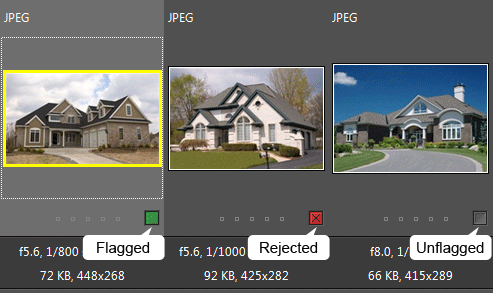
An image or document can now be marked as Flagged, Unflagged or Rejected.
To flag an image click on this button  . To reject a file hold down the Ctrl key and click on the same button.
On the previous version of Daminion you could add the selected files to the Tray using this button. Now files can only be added to the tray by dragging or via the menu.
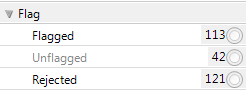
Flags are stored in the catalog. This means that you can see Flagged and Rejected files after the program restarts (unlike the files in the Tray). Flags can also be used as an extra criterion to filter your media archive.
Flagged and Rejected files can be accessed from the Catalog tags tree.
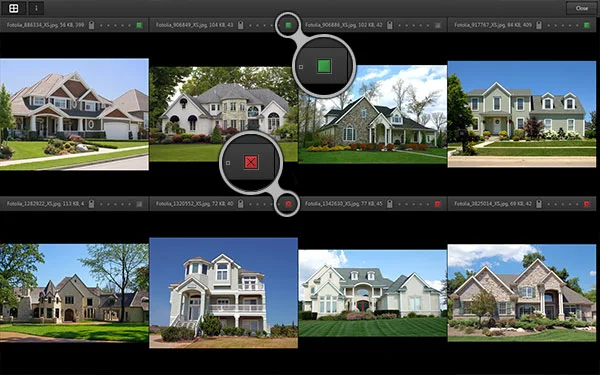
Now you can compare up to 8 images at a time. To mark an image as Rejected hold down the Ctrl key and click on the button. We have also fixed a few minor bugs in this window.
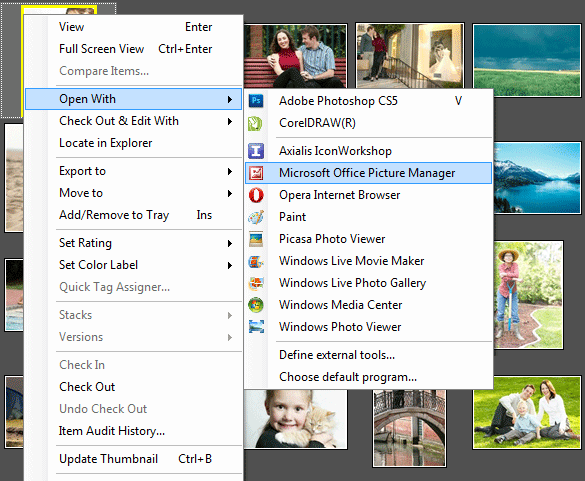
The list of external tools in the “Open/Edit With” menu has now been extended with a list of the applications which are registered (in Windows) for the selected file format.
Optimized Camera RAW format rendering speed. Now CR2, NEF and other camera raw formats are rendered for viewing up to x4 faster than before.
You can import DWG and DXF drawings into Daminion but, as yet, there is no preview or metadata support. However, with future versions of Daminion it will be possible to generate thumbnail previews of these imported files.
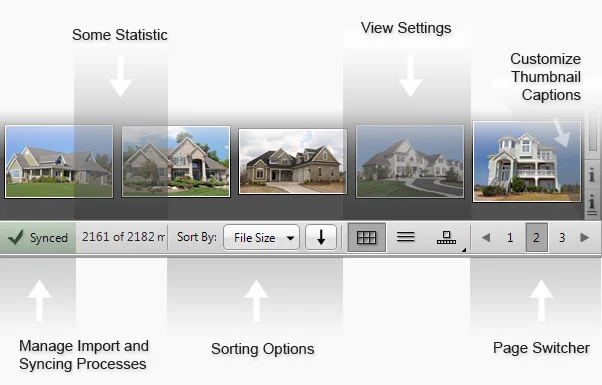
Improved Functions and Appearance for the bottom toolbar. You can now manage metadata synchronization and the file importing process. It’s possible to view the amount of time remaining before the import is completed. You can view and manage sorting options and quickly change the view settings.
About 20 improvements and bug fixes are being carried out on the Daminion Server. Although, it is not available to the public as yet while under active development.
Once we’ve fixed a few bugs it will be possible to download the Daminion Server Lite version for testing purposes.