November 12, 2025
Updated



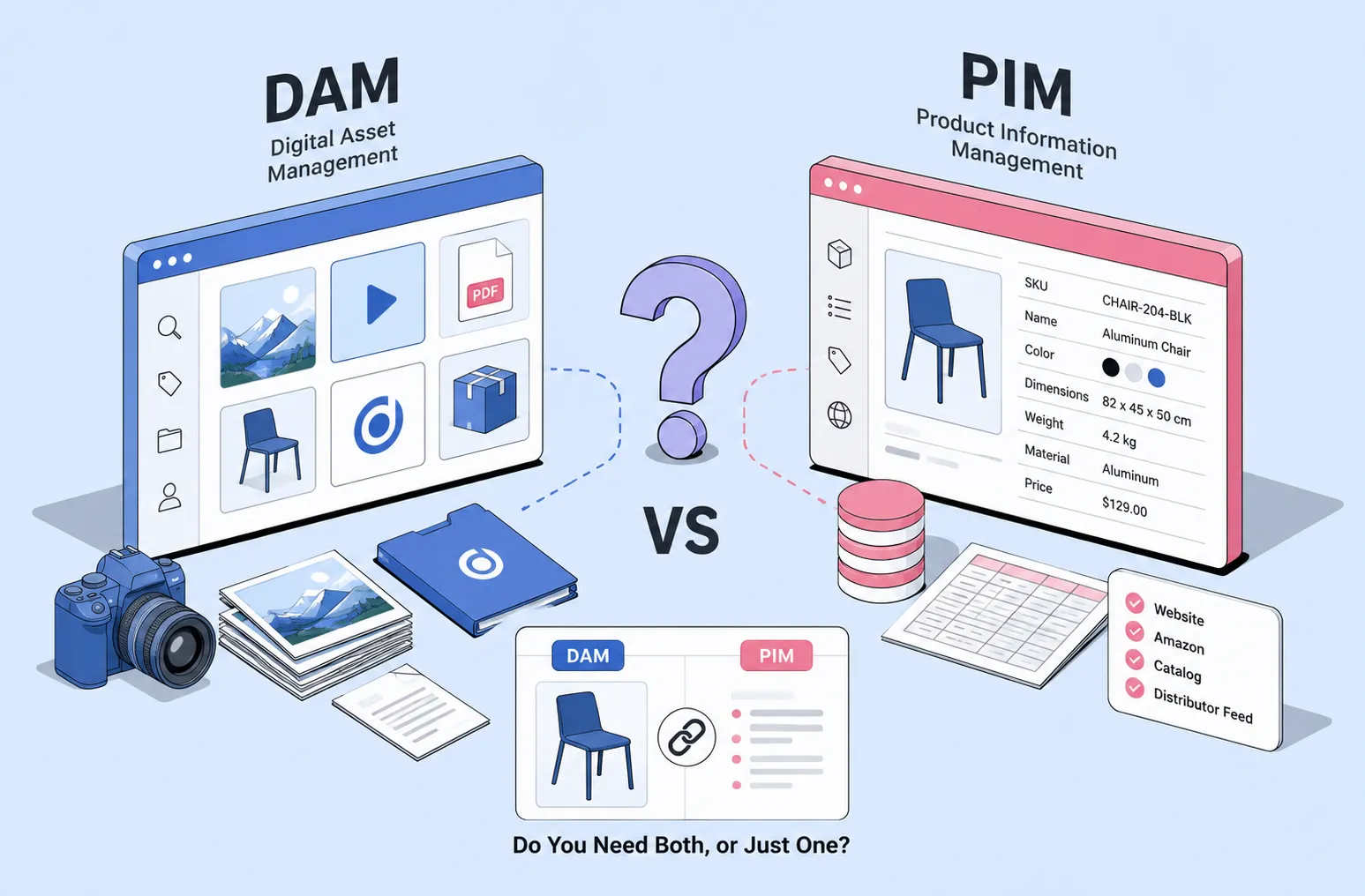
A DAM (Digital Asset Management) system manages your media files — images, videos, design assets — and their metadata. A PIM (Product Information Management) system manages structured product data — SKUs, attributes, descriptions, and prices. DAM answers “where is this image?” PIM answers “what are this product’s specs?”
That’s the textbook answer. In real teams, the line gets blurry fast.
Picture a mid-sized manufacturer. They’ve got product photos, spec sheets, installation videos, packaging files, SKUs, dimensions, regional descriptions, and pricing data scattered across folders and spreadsheets. Marketing cares about approved visuals and brand consistency. E-commerce cares about accurate product data across Shopify, Amazon, and distributor feeds. Both sides are frustrated.
So the practical question isn’t just “what’s the difference?” It’s: do you need a DAM, a PIM, or both?
Here’s the simplest way to think about it:
DAM manages files and visual assets.
PIM manages structured product information.
Some teams need both. Many small and mid-size teams can start with one.
Let’s break that down.
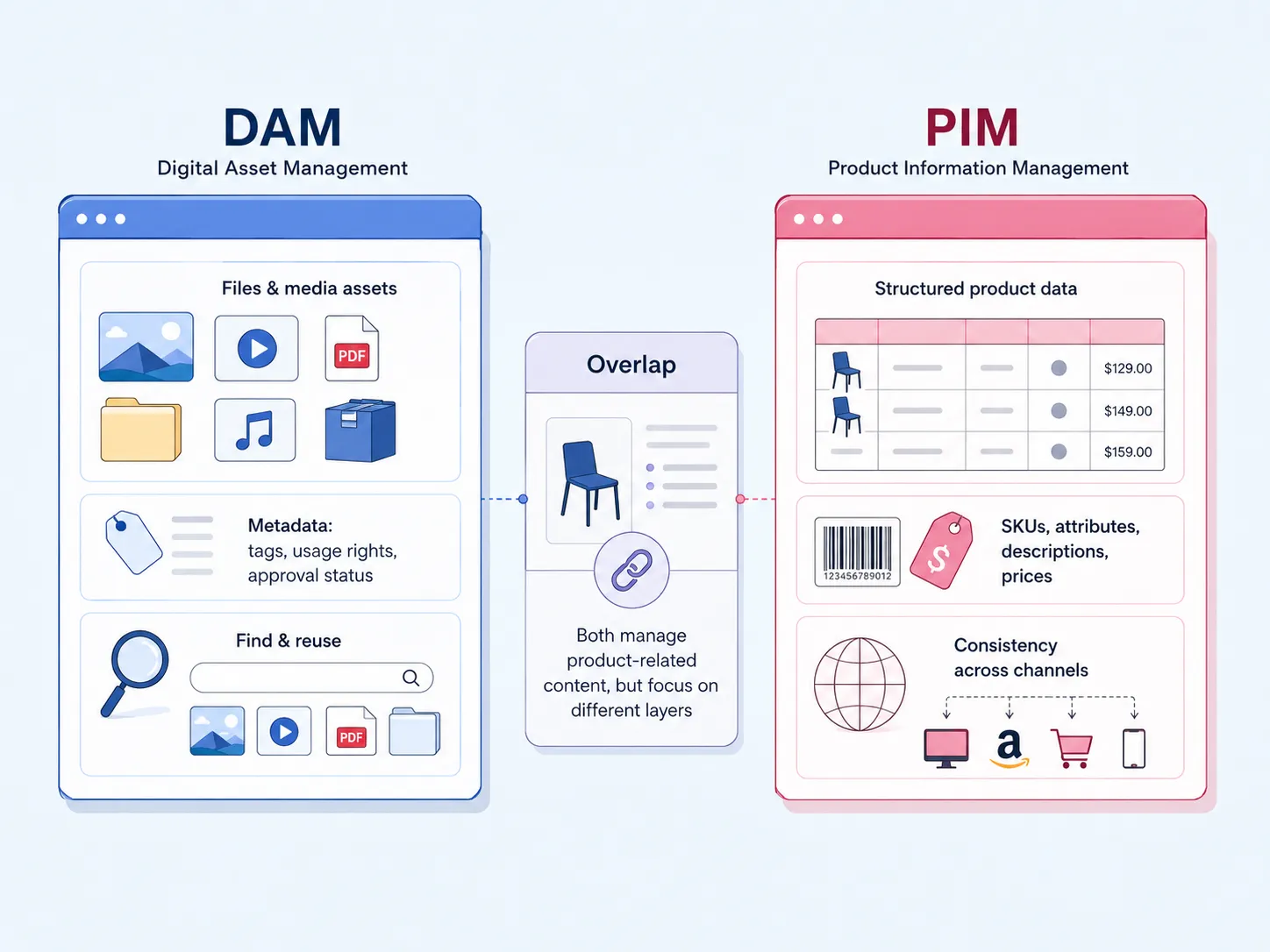
A Digital Asset Management (DAM) system helps you store, organize, search, share, and control access to digital assets — things like product photos, videos, logos, campaign graphics, CAD previews, PDFs, presentations, and brand files.
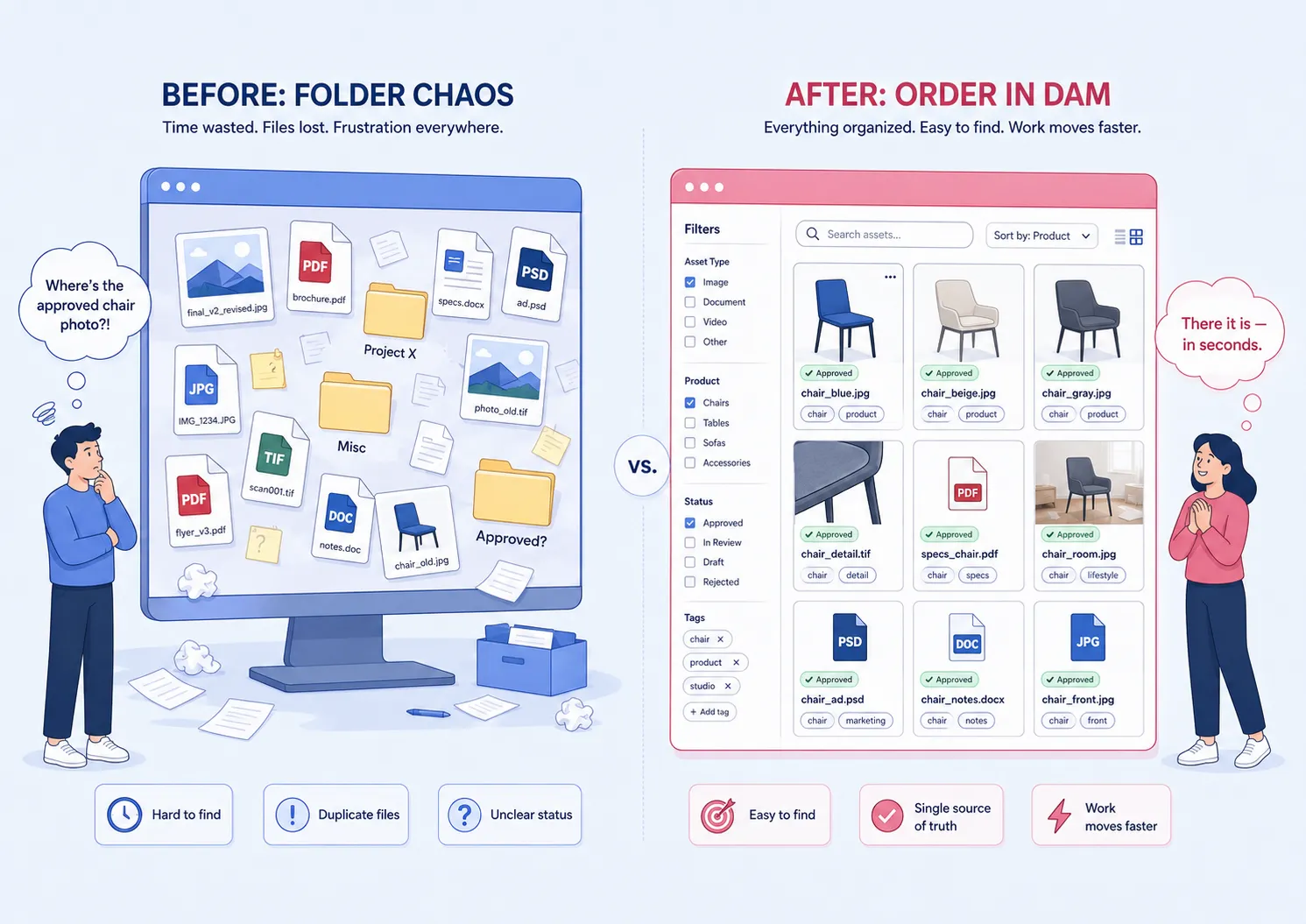
But a good DAM does more than just store files. It manages metadata: titles, descriptions, tags, usage rights, approval status, photographer, location, product line — whatever context your team needs to find and reuse assets without playing “guess the folder.”
The main job of a DAM: make digital assets findable and reusable.
Instead of asking “Where’s the latest approved product image?” or digging through a maze of folders, your team searches the catalog once and grabs the right asset — fast. DAM is especially useful for marketing, creative, AEC firms, manufacturers, media teams, museums, and anyone drowning in visual files.
A Product Information Management (PIM) system manages structured product data. We’re talking SKUs, product names, technical attributes, dimensions, weights, prices, descriptions, variants, categories, translations, compliance fields, and channel-specific content.
For a deeper definition of PIM and its role in commerce, Stimulus has a solid overview
The main job of a PIM: make product data accurate and consistent everywhere it appears.
Think of a company selling 50,000 products across multiple countries. The same product might need different descriptions for a website, a marketplace, a printed catalog, and a distributor feed. Without a PIM, someone is manually updating spreadsheets and praying nothing breaks. With a PIM, that complexity is managed in one place.
PIM is built for e-commerce teams, retailers, wholesalers, manufacturers, and brands with large product catalogs and many sales channels.
The core difference is what each system treats as the single source of truth. A DAM is the source of truth for media assets. A PIM is the source of truth for product data.

A simple example:
The PIM knows that a product is a black aluminum chair, SKU CHAIR-204-BLK, 82 cm high, available in three finishes, approved for US and EU catalogs.
The DAM knows where the approved lifestyle photo, cutout image, installation video, 3D render, brochure, and packaging artwork for that chair live.
If your team mainly struggles to find the right files, you probably need a DAM. If your team mainly struggles to keep product attributes consistent across channels, you probably need a PIM.
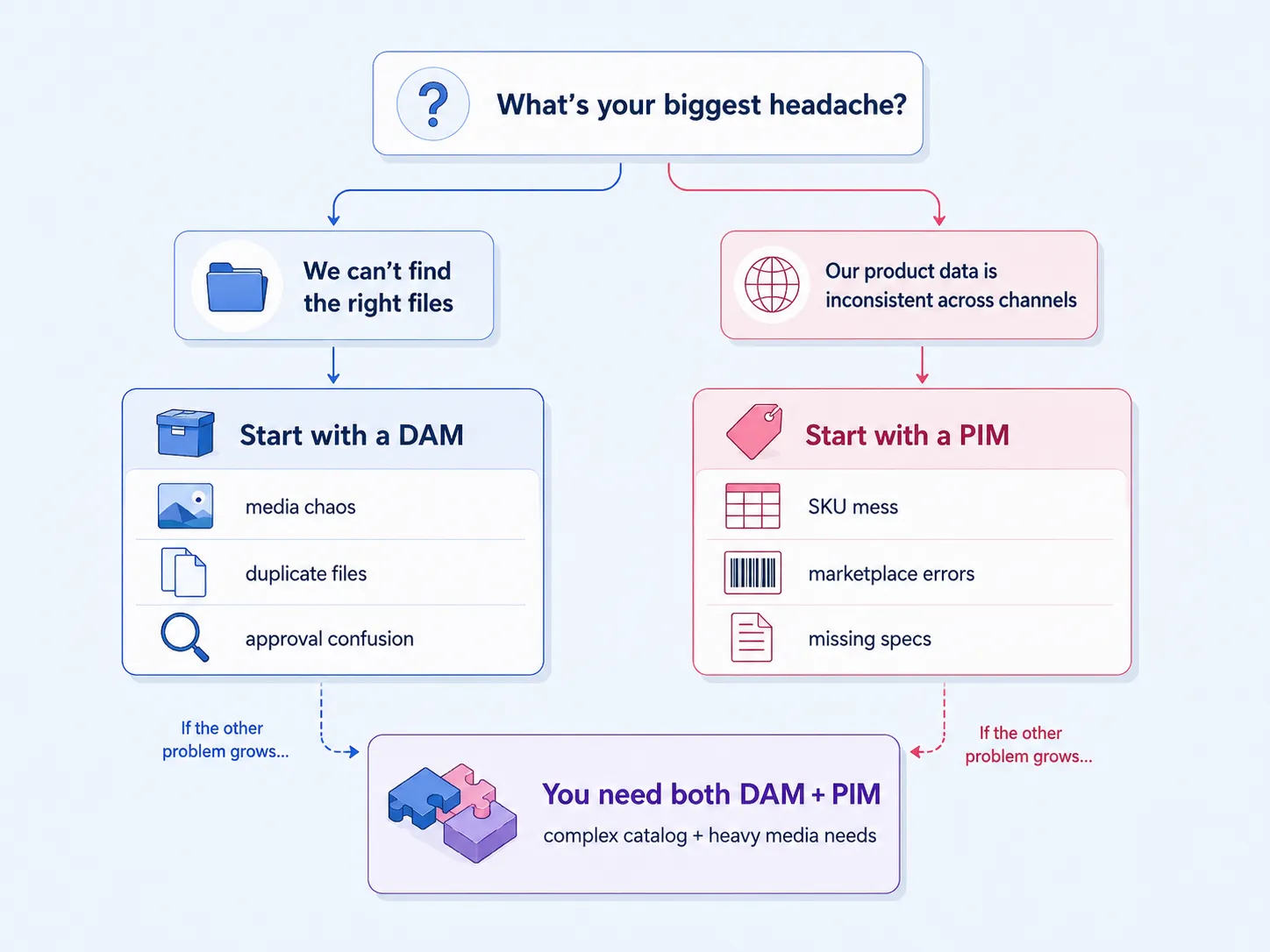
Your main headache is managing files and visuals—not a massive, complex product catalog. This is common for teams with thousands of images, videos, PDFs, design files, scans, or project documents. A DAM is likely enough if you need to
find approved product photos quickly
organize brand and marketing assets
control who can access or download files
stop the madness of duplicate files and outdated versions
add tags, descriptions, and a controlled vocabulary
support sales, marketing, creative, and proposal teams
This is exactly where a DAM like Daminion fits. It gives you a structured catalog for visual assets and metadata without the complexity of enterprise PIM software.
Take a mid-size manufacturer with hundreds or a few thousand SKUs. Their real pain isn’t pricing rules or marketplace feeds — it’s asset chaos: product photos, datasheets, logos, packaging files, manuals, and marketing visuals scattered everywhere. A DAM with metadata templates and controlled vocabulary can fix that without overkill.
A real example is IBC SOLAR, a German renewable energy manufacturer. Before Daminion, its marketing images and graphics were scattered across folders, while subsidiaries in different countries kept requesting the same materials from the central team. Daminion gave them one on-premise image database where approved visuals could be organized, shared with global teams, and protected with access control. It’s a good example of a company that didn’t need a PIM to solve its first problem — it needed a cleaner way to manage product and marketing assets.

That’s a classic DAM problem: the product data may be manageable, but the product and marketing assets need a system of their own.

Your main problem is structured product information, and your media workflow is simple. Think of an e-commerce team juggling thousands of product records, variants, translations, pricing rules, and technical specifications across multiple channels.
A PIM is your priority if you need to:
maintain SKU-level product data
manage product variants
publish consistent descriptions everywhere
keep pricing, dimensions, and attributes accurate
handle translations and regional fields
feed clean data into e-commerce platforms and marketplaces
If each product only needs one or two images — stored in the platform or a basic folder — a PIM might be enough. But if the same team starts losing control of approved visuals, campaign assets, videos, and brand consistency, a PIM alone won’t fix that.
You’re dealing with complex product information and complex product media. This is the reality for many larger e-commerce, retail, manufacturing, and consumer goods companies.
You probably need both if:
you manage thousands of SKUs
each product has many images, videos, documents, or localized assets
product data is published to many channels
marketing and product teams need to collaborate
regional teams need localized copy and localized media
assets must be connected to product records
In this setup, the PIM manages the product record, and the DAM manages the approved assets linked to it. Your product pages, catalogs, and sales portals pull both clean data and the right visuals — without anyone playing detective.
DAM and PIM work best when they don’t try to replace each other. A typical workflow:
Product data lives in the PIM.
Product photos, videos, manuals, and brand assets live in the DAM.
Each product record in the PIM links to approved assets from the DAM.
E-commerce, catalog, and marketplace systems receive both data and assets.
Teams update information in the system designed for that job.
Integration can be as simple as consistent product codes and shared metadata fields for small teams, or as robust as API connectors between DAM, PIM, ERP, e-commerce, and CMS platforms for larger ones. The key: don’t let your DAM become a messy spreadsheet, and don’t let your PIM become a dumping ground for media files.
Searches like “PIM vs DAM vs CMS” usually mean someone is trying to map where each tool belongs. Here’s the quick version:
DAM manages media assets and their metadata.
PIM manages structured product information.
CMS manages website content and pages.
MDM (Master Data Management) manages core business data — customer, supplier, product, location records — across the organization.
DXP (Digital Experience Platform) manages broader digital experiences across channels.
A product page might pull specs from the PIM, approved images from the DAM, and layout from the CMS. MDM is broader than PIM; it covers governance rules and multiple business entities, while PIM focuses on product enrichment and distribution. DXP sits on top, orchestrating everything for the customer experience.
For most small and mid-size teams, you don’t need all these systems at once. Start with the one that solves your most painful operational problem.
Enterprise software comparisons often assume you’re running a massive e-commerce operation: tens of thousands of SKUs, multiple countries, endless marketplaces, and a dedicated product operations team. That’s not every business.
If you’re a small or mid-size manufacturer, distributor, university department, architecture firm, museum, or marketing team, your immediate problem is usually simpler: product photos are scattered, brochures are duplicated, old images are still in use, nobody knows which assets are approved, and product-related files are mixed across folders. You don’t need a Salsify-level PIM. You need control over what you already have.
Starting with a DAM is often the more practical move.
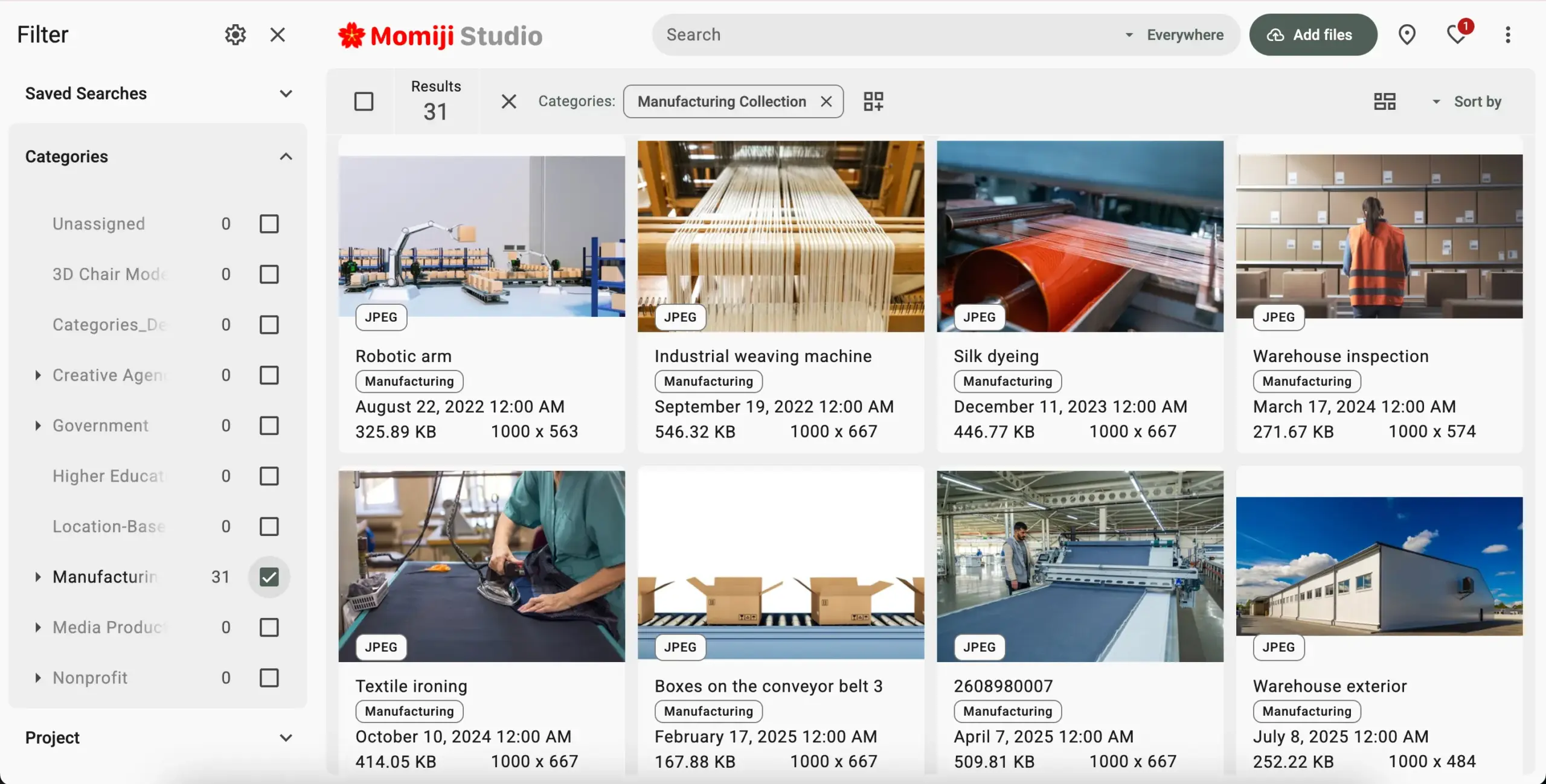
A DAM like Daminion helps you organize product-related media and metadata — photos, datasheets, manuals, videos, packaging files, brand assets, campaign visuals — all in one shared catalog. With metadata templates and controlled vocabulary, you can structure assets by product line, category, SKU, project, approval status, region, or usage rights. For a catalog of 500 to 5,000 SKUs, that covers the real operational need without adding enterprise-PIM complexity.
But here’s the honest limit: if you need complex pricing rules, heavy product variants, automated marketplace feeds, ERP integration, translations at scale, and strict product-data governance, you eventually need a dedicated PIM (like Akeneo, Salsify, or Plytix). Daminion is not a PIM replacement — it’s a DAM that handles practical product-catalog asset workflows for teams who aren’t there yet, and may never need to be.
See how Daminion helps manage product assets
If you’re not ready for enterprise PIM complexity but still need to get a handle on product photos, videos, manuals, brochures, and brand assets, a DAM is the right first step. Daminion helps you organize product-related media in a shared catalog, add structured metadata, control access, and make approved assets easy to find and reuse.
Explore Daminion features to see how DAM can support your product and marketing workflows — without the enterprise overhead.