
Top 5 Digital Asset Management Software for Small Teams


As a small marketing or communications team, you face the same pressure as bigger agencies: deliver top-quality work fast using limited resources and budget. Talk about Herculean tasks!
Your small team still succeeds because you're good at what you do: you're creative, and you understand your customers' needs. But too often, your talents are wasted sifting through a chaotic filing system, hunting for the right media files.
The good news? Your workflow doesn't have to be so complicated. With the right tool like Digital Asset Management software, you can efficiently manage your digital library or resources and free your and your team's time to be creative — without blowing your budget.
1. DAM software is a handy solution that helps you organize digital assets quickly, saving time and improving team efficiency along the way.
2. Google Drive and Dropbox can feel limited, as they lack advanced features like metadata search, version control, and collaboration.
3. Daminion is the most cost-effecient DAM solution for small teams that offers flexible pricing without compromising on features.

Discover How Daminion Can Work for You
Does Your Small Business Need DAM Software?
If you’re a small business, you need to work hard and fast to stay visible and competitive. You’re working with limited resources, you have no leeway if someone goes off sick, and you may take on ambitious projects with scary deadlines.
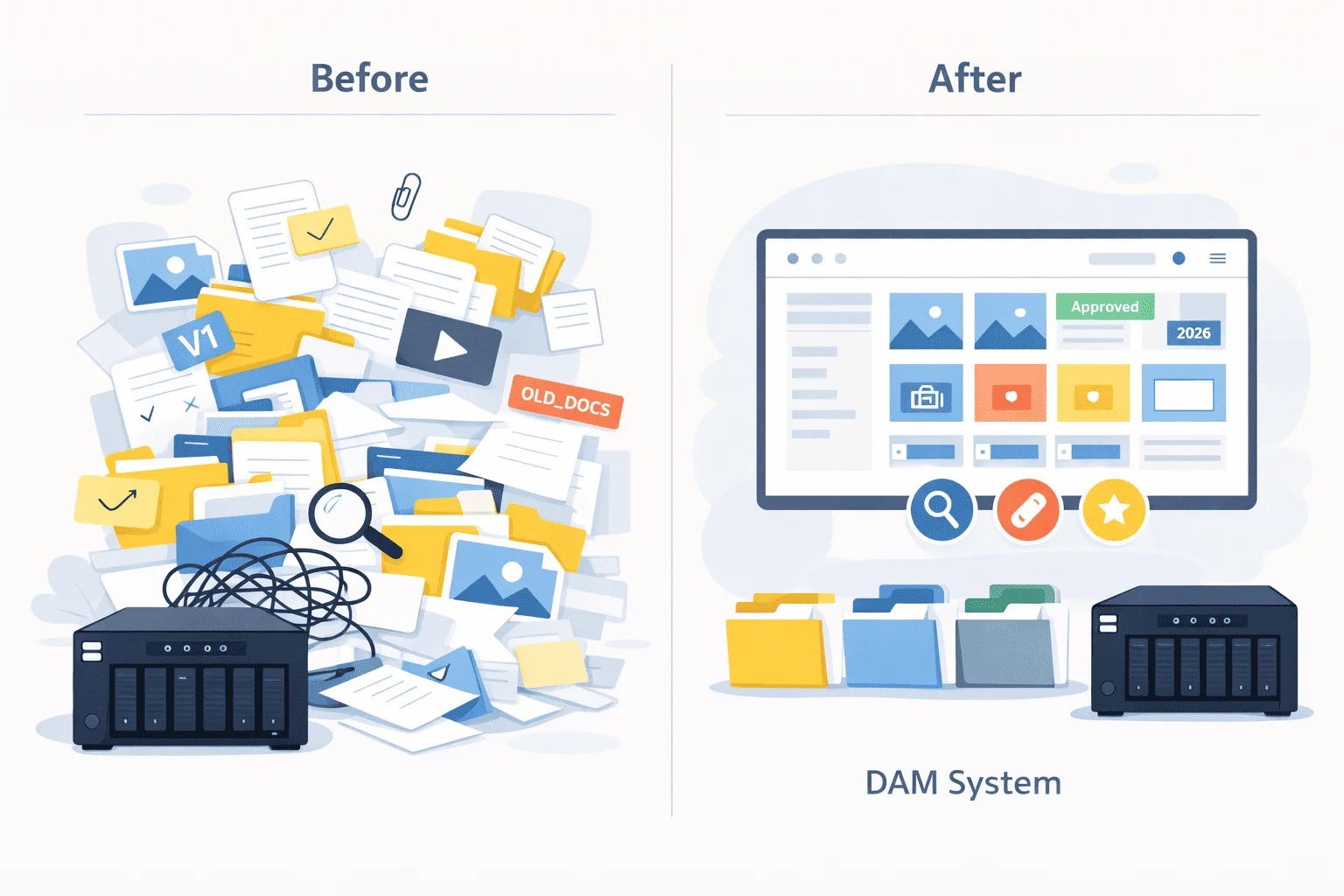
You’re creating content rapidly, and you don’t always have time to file your work logically. This can result in mayhem – lost files, mix-ups between old and new versions, and poor team communications.
Let’s look at a few scenarios and ways DAM for small teams can relieve these pain points:
1. Lost Files Aren’t Just Inconvenient—They Can Sink Small Projects
When you’re running a small business, every file matters. Losing assets doesn’t just waste time—it can mean missing deadlines or turning away clients.
For example, a small video production agency relies on a growing library of footage. Without proper organization, they’ve had to reshoot videos they knew they already had, wasting time and money.
DAM software such as Daminion can change all that.
With DAM, you can tag your assets in many different ways, including location, type of project, date, and any custom keys that have meaning for your team. You can instantly find all video clips relating to a specific location and narrow them down by date or other criteria. You need never lose another file.
2. Every Minute Counts: Stop Wasting Time Searching for Files
Did you know that a whopping 80% of employees waste at least 30 minutes per day searching for information? For small businesses, when time is of the essence, spending precious time hunting for files is a luxury you can’t afford. That’s time you could spend serving clients or building your business.
A DAM solution helps small teams drastically reduce their search time with customizable tagging, hierarchical organization, and advanced search criteria. Some DAM software like Daminion offers AI tagging and facial recognition that add an extra bit of efficiency when the project deadlines are truly tight.
Here’s the impact a DAM system can have on your team’s efficiency and costs:
By reducing search time from 25 hours to just 8 hours per month, a DAM system saves your team 17 hours and $250 every month. Over a year, that’s 204 hours and $3,000 saved—time and money that can be reinvested into growing your business.
These savings can make a difference for small teams working with limited resources.
3. Stop Paying Twice for the Same Content
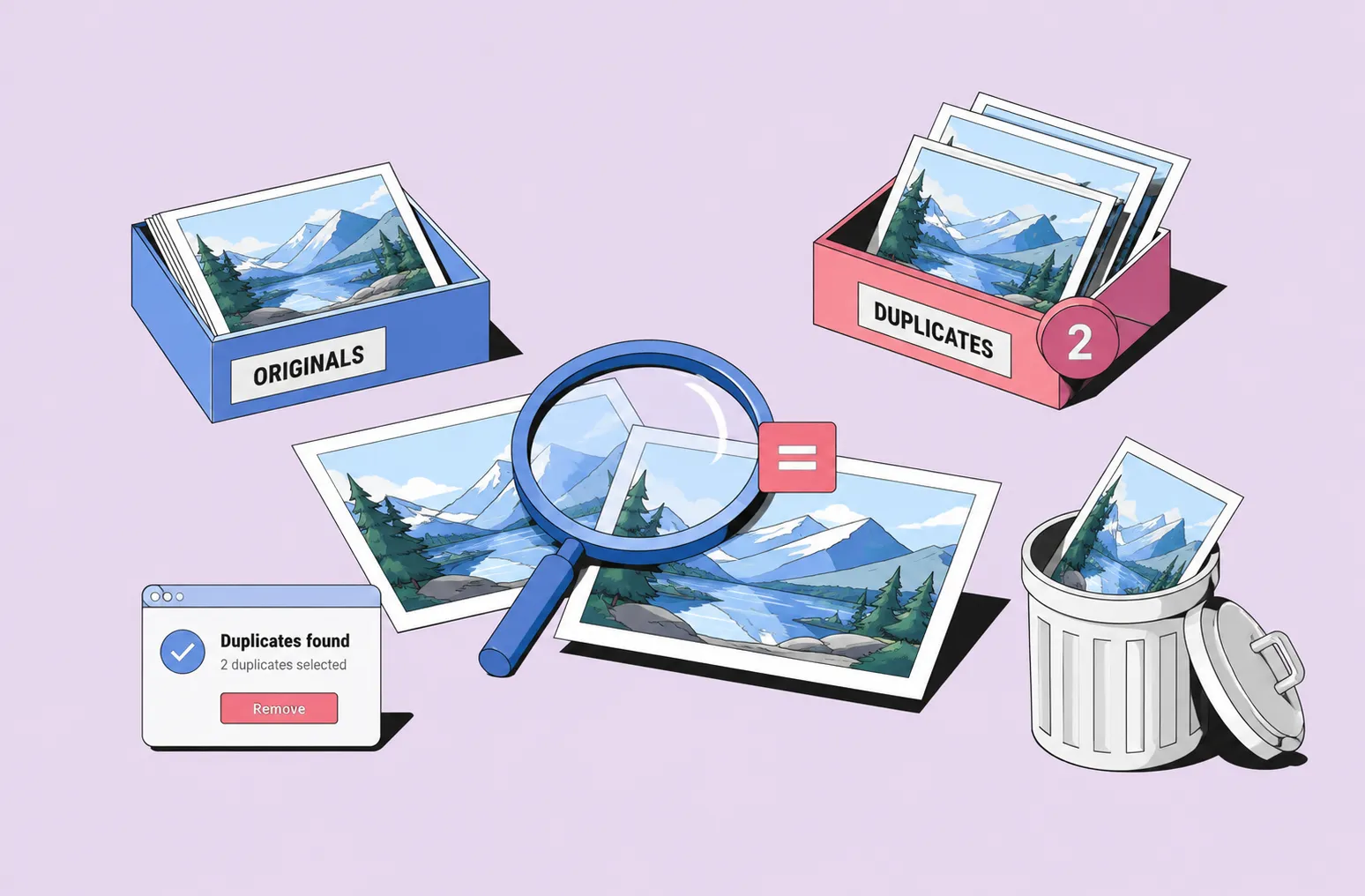
Suppose a graphics design company purchases stock photos from agents such as Shutterstock. They often reuse the same image as part of the branding for their best client. If they can’t find the image when they need it, they may have to repurchase it.
With DAM, you can have peace of mind that important images won’t be accidentally deleted or lost in a maze of files and folders. Coupled with efficient tagging, reliable backup, and strong security features, DAM software will keep your assets safe and accessible for years to come—no more unwanted expenses.
4. Collaborate Smarter to Meet Tight Deadlines
Collaboration is the heart of small team success. But it can only work if all members can be sure they’re aligned on the tasks they’re doing. What if one team member is still using a design that’s been rejected by the client? And what if another team member saves an older version on top of the design you’ve spent hours perfecting?
Good Dam software solves these problems by:
- Centralizing assets for easy access by everyone;
- Using version control to track changes and restore earlier drafts;
- Offering collaboration tools like comments, notifications, and approvals to align your team.
In a fast-moving environment where you have several projects on the go, keeping your digital assets well-organized and easy to find can be a nightmare. DAM software acts as a trustworthy librarian, keeping you on schedule and maximizing your team’s effort.
Dropbox and Google Drive: How Different Are They From DAM for Small Teams?
Cloud-syncing applications such as Google Drive and Dropbox offer centralized file storage for teams. They work well if you have a small number of files that you need to share occasionally. But they can quickly become cumbersome if you have an extensive collection and need to collaborate on projects regularly.
Let’s look at some of the problems you may encounter if you’re relying on simple cloud syncing with Dropbox or Google Drive to manage your digital assets:
1. Chaotic File Organization
Dropbox and Google Drive rely on simple folder structures to keep your files organized. If you’re working on multiple projects, and need to classify your assets in many different ways, things can quickly get messy.
With a DAM solution, you can go beyond basic folders. Using tags, metadata, collections, and filters, you can classify assets in ways that fit your workflow. This ensures assets stay easy to find, no matter how large your collection grows.
2. Inadequate Search Features
With services like Google Cloud and Dropbox, you must rely on your memory and good naming practices to find your images. New staff members won’t be familiar with your structure and may waste hours searching for files.
DAM software has many ways of indexing, searching, and filtering your collection.
- You can add custom tags that have meaning to your projects.
- Use AI auto-tagging to label images according to the type of content.
- Set hierarchical tags to filter and drill down to find the right image easily.
- Leverage Facial recognition to find all photos of a particular person.
- Search by metadata such as geographical location or camera exposure.
3. Inefficient Team Collaboration
Team collaboration is key to getting things done efficiently. It can be challenging to manage when you’re using simple cloud-syncing solutions. While they do offer simple commenting features, it’s all too easy to miss important comments, get old and new versions mixed up, and send out unapproved images to your customers.
With DAM, feedback is centralized and tracked through all projects. You can define proper approval workflows and version tracking to make sure everyone is working on the same page.
4. Weak Security Features
Some of your work may be highly confidential, and information leaks could, at best, lose important customers and, at worst, result in expensive lawsuits. Dropbox and Google Cloud have some privacy features, but they are difficult to manage efficiently. If they’re not set up properly, anyone who accidentally accesses a link to your files can copy them, delete them, or make unauthorized changes.
Security is inbuilt into DAM, with flexible, highly granular role-based permissions. Your confidential files will always remain safe and private.
5. Limited Room for Growth
As your digital library grows, you may find yourself held back in many ways. Searches become slower and more inefficient, files get lost, and you inevitably exceed your storage limits and must pay heavily for additional resources.
DAM systems are highly scalable and designed to grow with your organization.
The Top Criteria for Choosing DAM for Small Teams
How do you choose the best DAM software for your team? Most software offers a limited-period free trial, so it’s a good idea to try out a few different packages to see if they fit your needs. Let’s look at some of the things you need to investigate when you’re evaluating your options.
- Is the software easy to use? As a small team, you don’t want to spend weeks learning how to operate complicated enterprise software instead of focusing on important projects.
- Is it affordable? Good DAM software doesn’t have to break the bank. It’s worth noting that some packages, such as Daminion, offer flexible prices for those on a small budget and for non-profit organizations.
- Does it have flexible deployment options? Depending on your team’s needs, you can choose between on-premise DAM or cloud DAM. Cloud storage may seem convenient, but if you think your company is likely to go big in the future, the storage costs can skyrocket. In contrast, the on-premise solution can power the sustainable long-term growth of your business and offer better security for highly confidential data.
- Can it offer good collaboration features? Your team may be in different geographical areas. They may also need to access the system from different types of devices, such as Windows, Mac, Linux, and mobile.
- Do the security features meet your needs? Good security doesn’t have to be expensive. DAM systems for small teams such as Daminion offer customizable access controls to ensure your assets are safe.
- Does the vendor offer good customer support? If your team encounters any issues or just need advice, a good DAM provider should offer you a helping hand and reliable customer support.
Is Your DAM Investment
Going to Pay Off?

The Top 5 DAM Solutions for Small Teams
How do you choose between the many DAM options available in the marketplace? Some packages just don’t offer all the features you need to take the pain out of asset management. Others are priced way beyond the reach of small teams.
Let’s look at a few DAM applications that best suit small but highly productive teams.
1. Daminion
Daminion is specially designed for small to medium-sized teams. It’s versatile, easy to use, and highly scalable if your small organization becomes large. It meets the needs of industries across the board, including marketing teams, non-profits, media production outlets, and entertainment providers.
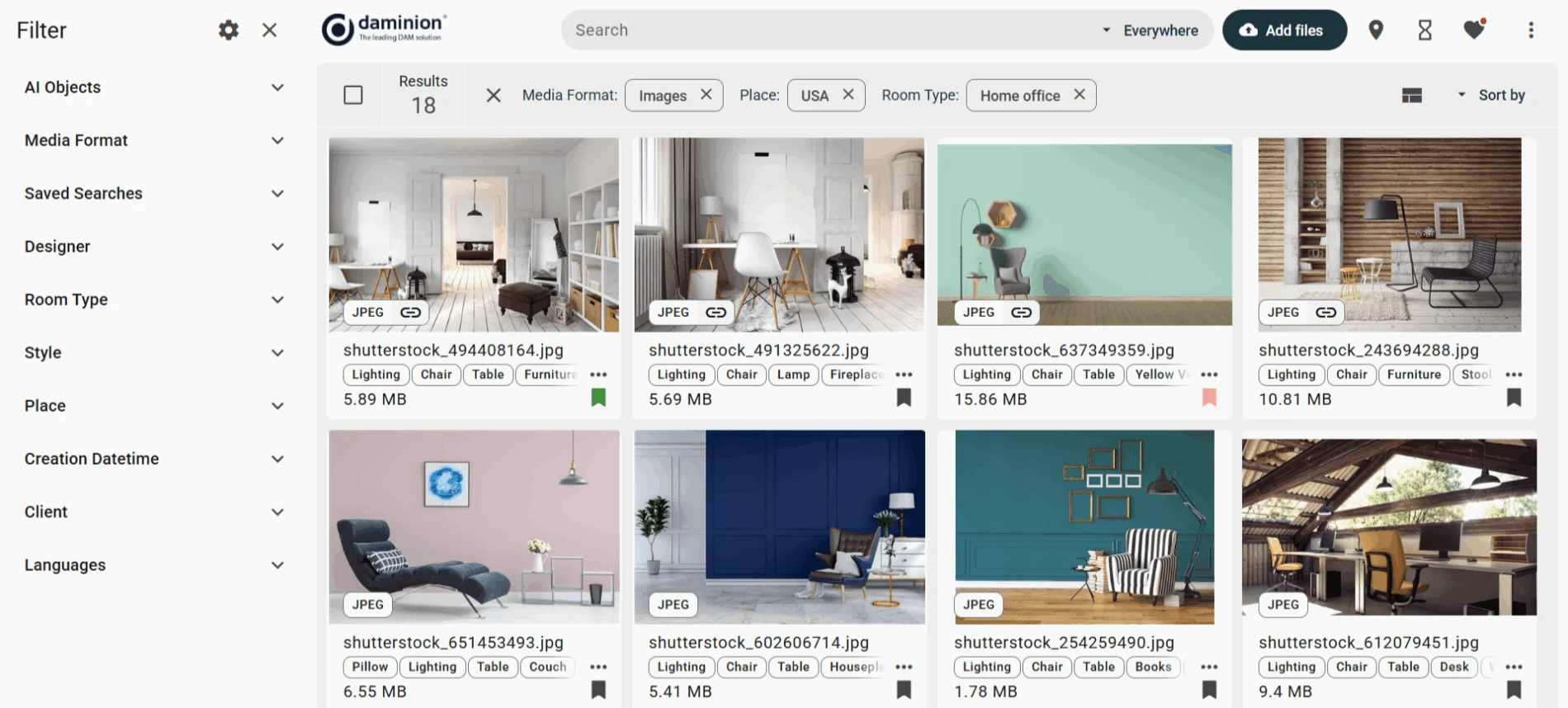
Here are some features that make Daminion great:
- Fast installation and onboarding: Unlike other solutions, Daminion doesn’t require complex and lengthy set-up procedures. A dedicated support team guides you every step of the way, making sure it’s ready to solve your asset management chaos almost immediately.
- Short learning curve. Dreading long training sessions that will pull your team out of completing important tasks? Daminion’s user-friendly and intuitive interface will help you get the most out of its features even if you don’t have extensive IT expertise.
- Smart asset management. Daminion has all the features you’d usually only find in expensive enterprise software. Hierarchical and custom tagging, searchable metadata, AI auto-tagging, and facial recognition all combine to make asset management a pleasure rather than a nightmare.
- Excellent collaboration tools. With Daminion, your team can seamlessly work together on projects, no matter where they are. Use commenting and collaboration features to keep everyone updated on important tasks.
- Robust security and version control. Simple yet effective customizable access controls ensure your data stays private yet easily accessible to the right people. Version control and version history features mean you never lose your work or include the wrong image in your Marketing Drive.
- Flexible deployment options and pricing. Daminion offers on-premise, cloud, and hybrid deployment options. Its flexible pricing structure means you pay only for what you need.
2. Pics.io
Pics.io is a comprehensive DAM solution offered at a price within reach of small teams. It has good categorization, search and filter features, although tagging is not as flexible as Daminion.
Its features include:
- Comprehensive search, filter, and asset organization;
- Cloud-based deployment;
- Good access and version control;
- Standard collaboration tools.
Pics.io can be interfaced with Google Workspace to allow you to use your existing storage space. It has good collaboration and security facilities.
However, it doesn’t support on-premise or hybrid deployment.
3. ImageKit.io
ImageKit is primarily a content delivery network (CDN), but it includes many of the features of DAM software. It offers basic tagging and search facilities in addition to the traditional folder structure, and has pretty simple access controls.
It features:
- Programming interfaces to allow automation of content delivery;
- Basic asset management facilities;
- Excellent image optimization and transformation
- Good access and version control.
It’s best suited to teams who want to deliver content to applications such as eCommerce websites, where its AI-powered image optimization and transformation are most needed. It may not be the best solution for storing and collaborating on collections of digital assets.
4. Cloudinary
Cloudinary’s primary focus is content delivery and providing a programming interface to automate media inclusion in websites. It has a DAM product, Cloudinary Assets, which features AI auto-tagging, metadata search and visual search.
Features include:
- Cloud-based deployment;
- Strong program interfacing tools to enable content delivery to other applications;
- Basic asset management, search, and filtering tools.
5. Asset Bank
Asset Bank has good tagging and metadata facilities and offers AI auto-tagging and facial recognition. It has role-based access control and fairly basic collaboration features. It supports various types of assets and file formats.
It offers:
- Excellent organization, filtering, and search facilities;
- Full range of deployment options;
- Comprehensive access and version control.
It’s a little pricey for small teams.
Comparative Overview of Top DAM Solutions for Small Teams
Let’s compare these 5 picks on the criteria you may use to evaluate the best solution for your team.
Daminion, Asset Bank, and Pics.io are geared solely towards asset management for business applications such as marketing, media production, and non-profit organizations. ImageKit and Cloudinary are better at delivering content for applications such as eCommerce.
Overall, Daminion offers excellent tagging, search, and filtering capabilities at an affordable price. It’s great for team collaboration and version control.
Conclusion
DAM software can save hours of work for small teams who need to organize, share, and collaborate on digital assets such as images, video clips, and 3D designs. No more lost files, no more missed deadlines, and no more collaboration mix-ups: you can be free to be creative and keep your customers happy.
Daminion shines in its flexible asset organization, robust collaboration features and flexible pricing and deployment options.
Why not go ahead and book a demo with Daminion today? Discover how efficient asset management will boost your team's productivity and collaboration.
Discover How Daminion Can Work for You
Daminion helps keep costs predictable, especially in on-premise deployments, because teams use their own storage and infrastructure instead of paying ongoing per-gigabyte cloud storage fees.
Yes. Remote users can connect securely through VPN in on-premise setups, or use a cloud deployment for easier access across distributed teams.


Explore our DAM system
with your personal manager
demo from your dedicated manager.