
Best On-Premise Digital Asset Management Software in 2026


On-premise digital asset management software helps companies organize, search, protect, and share digital assets while keeping the system and files within infrastructure they control.
That model has become more relevant again as organizations reconsider where sensitive data is stored, how much growing cloud libraries cost, and how dependent everyday work should be on external infrastructure.
At the same time, the on-premise DAM market is smaller than the cloud DAM market. Over the past decade, much of the software industry shifted toward standardized SaaS products, which are generally easier for vendors to deploy, update, and support at scale.
That does not make on-premise DAM obsolete. It simply means there are fewer products to choose from — and they differ considerably in how seriously they support local deployment.
This guide looks at Daminion, Portfolio DAM, FotoWare, Canto Cumulus, and Adobe Bridge. They are not direct equivalents. Some are full multi-user DAM platforms, one is an unsupported legacy system, and one is closer to a desktop asset organizer.
We will look at how they handle storage, metadata, search, collaboration, administration, AI, and everyday workflows — and what matters when selecting an on-premise system in 2026.
The 30-Second Read: What Matters in On-Prem DAM
- On-premise DAM makes the most sense when the files already have a good home. If a large archive lives on a NAS or file server, the goal is often not to move it, but to make it easier to search, organize, control, and reuse.
- Architecture matters as much as the feature list. Check whether the DAM can work with existing storage, how remote access is handled, where AI processing takes place, and how much control you retain over updates, backups, and infrastructure.
- The remaining on-premise options are quite different from one another. Some are full multi-user DAM platforms, some lean toward more complex media workflows, and others are legacy or desktop tools rather than direct alternatives.
- A good comparison should look beyond today’s functionality. Metadata and search, permissions, support for large files, pricing, AI, storage compatibility, and the vendor’s long-term commitment to on-premise deployment all matter when choosing a system you may keep for years.
What Is On-Premise Digital Asset Management?
A digital asset management system provides a structured way to organize and work with photos, videos, design files, presentations, documents, 3D models, and other digital content.
Instead of relying only on folders and filenames, a DAM adds searchable metadata, previews, tags, permissions, collections, version history, and other tools that make large media libraries easier to use.
If you need a broader introduction to what is digital asset management, we cover the underlying concept separately. Here, the important distinction is where the system runs and where the files remain.
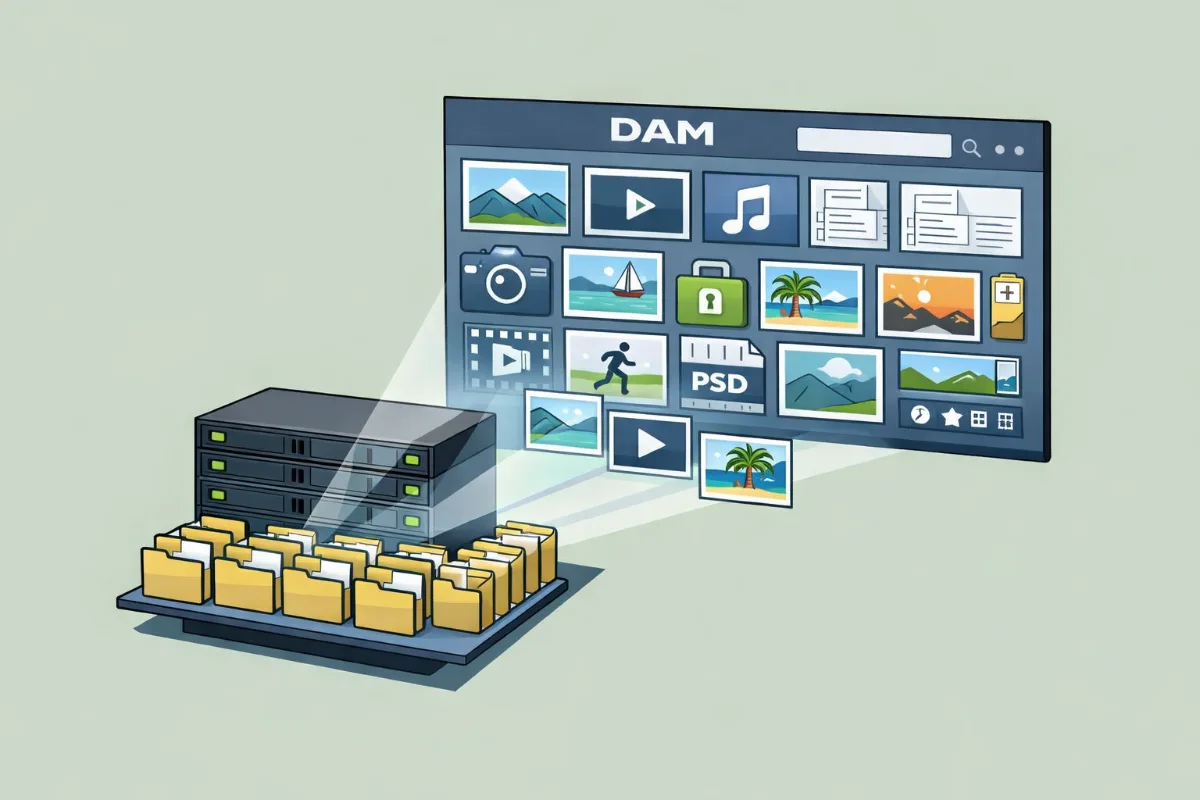
With on-premise digital asset management, the DAM server is deployed inside infrastructure controlled by the organization. In a common setup, the original assets remain on an existing NAS, SAN, or file server while the DAM catalogs them and provides a searchable interface on top.
That can be an important distinction.
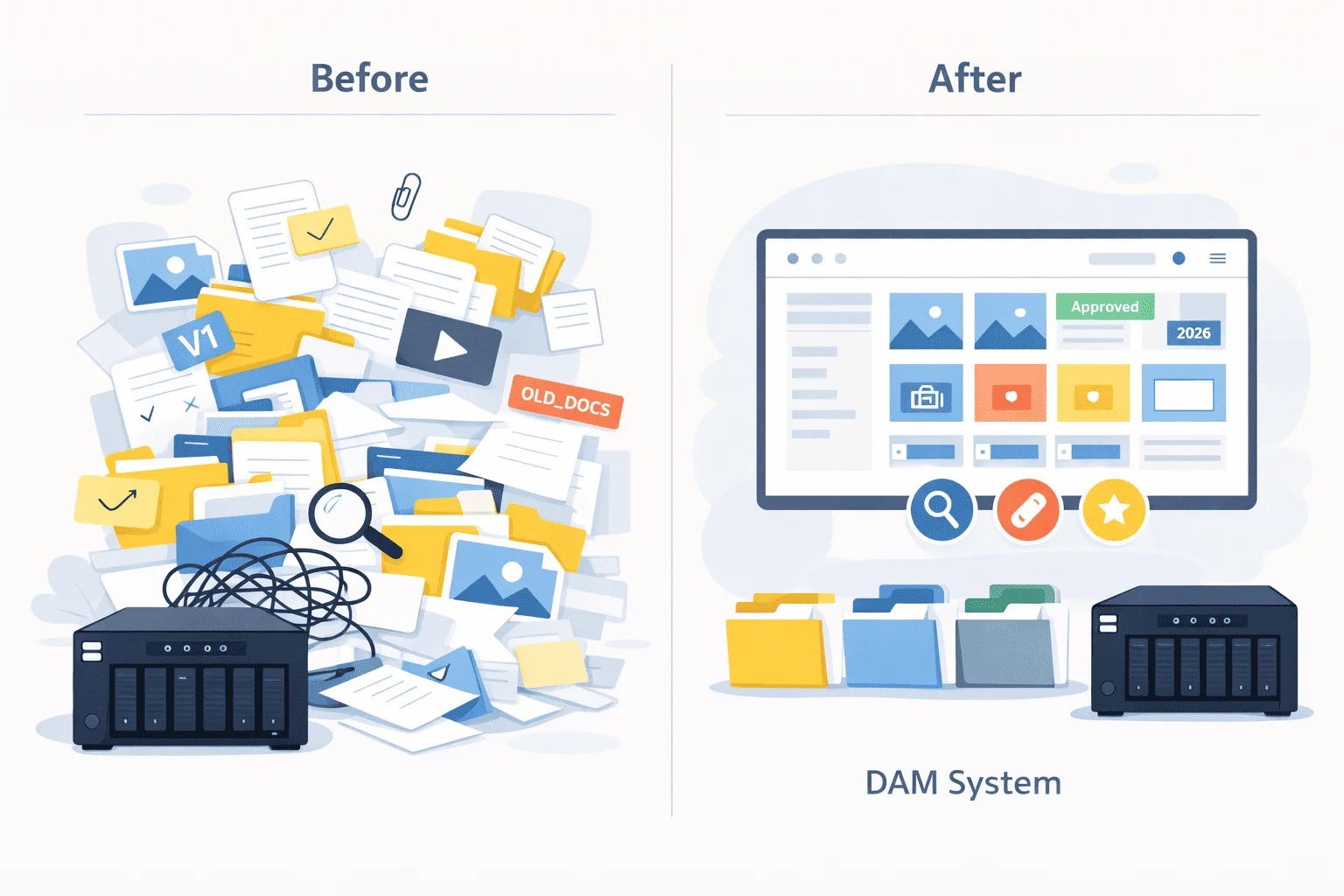
A company may already have 10, 20, or even 100 TB of media sitting on network storage. The storage itself may be perfectly adequate. The actual problem is that employees cannot quickly answer questions such as:
- Where is the latest approved version?
- Which images can we use for this project?
- Who changed this file?
- Where are all photographs from this particular site or location?
- Which version was approved by the client?
- Can a contractor see these files without getting access to the whole server?
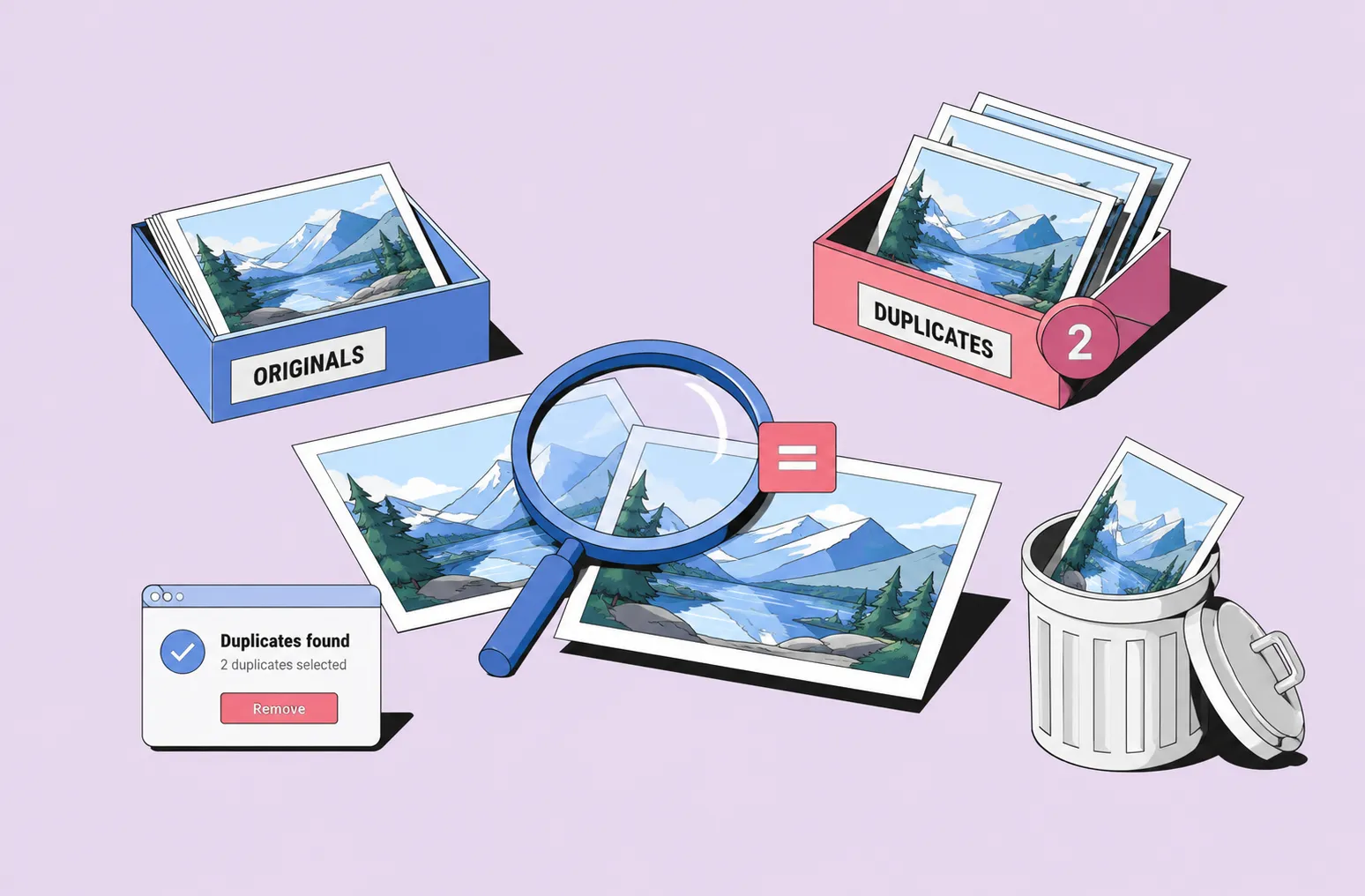
- Do we already have this image somewhere else?
A DAM addresses those problems without necessarily replacing the storage layer underneath it.
This is also where a DAM differs from a simple file server or a document-focused system. The distinction becomes particularly important with visual assets, rich metadata, previews, rights management, and multi-format media. We look more closely at digital asset management vs document management in a separate guide.
Who usually needs an on-premise DAM?
Local deployment tends to make the most sense when one or more of these conditions apply:
- Large archives already live on NAS or file-server storage.
- Moving all originals into another repository would be expensive or disruptive.
- Teams regularly work with large RAW, video, CAD, 3D, or other heavy files.
- Internal policies restrict where assets can be stored or processed.
- Internet bandwidth or reliability makes cloud-only workflows inconvenient.
- The organization wants direct control over backups, infrastructure, and upgrades.
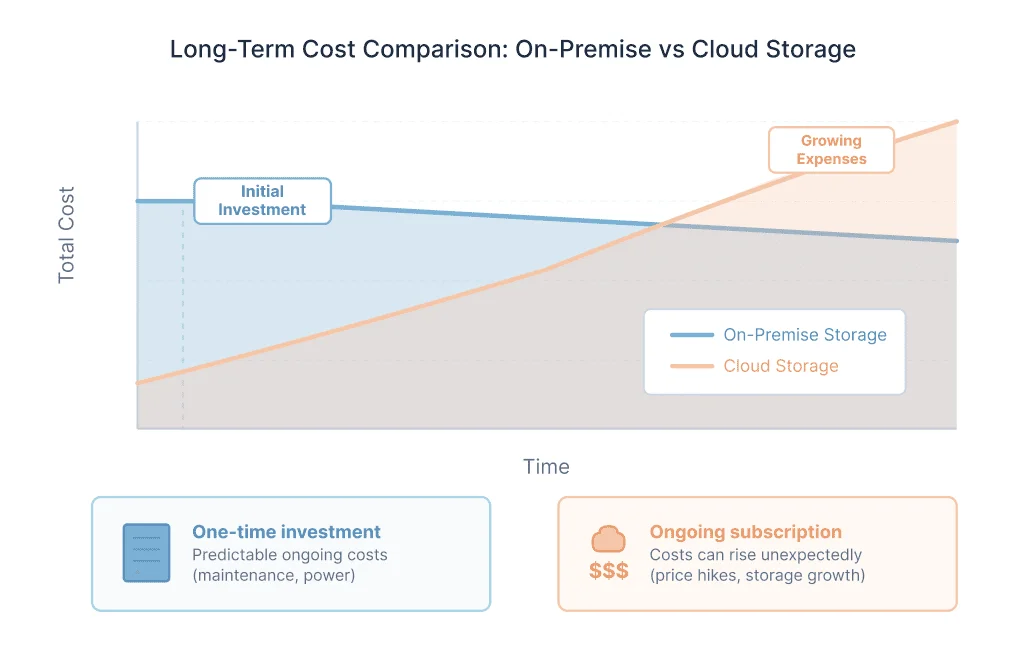
- Long-term cloud storage costs are becoming significant.
- Existing IT infrastructure is expected to remain in place for years.
- Some or all AI processing needs to stay inside the organization.
These requirements are common in manufacturing, architecture, construction, media production, universities, archives, government organizations, environmental teams, marketing departments, and internal creative teams.
On-premise is not automatically preferable simply because an organization owns a server. The question is whether local infrastructure solves a real operational, security, performance, or cost problem.
On-Premise DAM vs Cloud DAM
An on-premise DAM runs on infrastructure controlled by the company, while a cloud-based DAM is normally hosted and maintained by the vendor.
Both models can provide search, metadata, permissions, collaboration, and asset distribution. The main difference is where responsibility sits.
Cloud deployment can reduce the workload for an internal IT team and usually makes geographically distributed access straightforward.
On-premise deployment gives a company more control over where its data is stored, when software is updated, how backups are handled, and how the DAM connects with existing systems.
Cost works differently as well. With many cloud platforms, growing storage becomes part of the recurring DAM bill. With on-premise systems, the organization pays for its own storage capacity, while DAM licensing may instead depend on users, support, or other factors.
Neither approach is inherently right for every organization.
File volume, remote-access requirements, IT resources, security policies, infrastructure already in place, and expected growth all affect the decision. We examine these trade-offs in more detail in our cloud and on-premise DAM comparison.
One factor that is easy to overlook is vendor commitment. If you are selecting digital asset management on premise with the expectation of using it for many years, it matters whether local deployment is a core part of the vendor's roadmap or simply an older edition that receives less attention than its SaaS counterpart.
What to Look for in an On-Premise DAM
Feature lists alone do not tell you whether a DAM will work well in your environment.
When comparing digital asset management software, these are some of the most important questions to ask about an on-premise deployment.
1. Can it work with your existing storage?
For many companies, this is the starting point.
If your archive already sits on a NAS or file server, find out whether the DAM can catalog assets in place or whether originals must be imported into a proprietary repository.
Moving a few thousand files is one thing. Rebuilding a storage architecture containing millions of assets is quite another.
Systems that can work with existing network storage may also make pilots and migrations easier because the organization does not have to relocate everything before discovering whether the DAM suits its workflow.
2. How good are metadata and search?
Once an archive becomes large, folder navigation stops scaling well.
A useful DAM should search more than filenames. Depending on the assets and workflow, that may include:
- EXIF, IPTC, and XMP metadata
- Custom metadata fields
- Hierarchical keywords
- Controlled vocabularies
- Dates and locations
- People
- File properties
- Project or client data
- Usage rights
- Approval status
- AI-generated descriptions or tags
- Transcripts from audio and video
Metadata is ultimately what turns storage into a searchable information system.
3. What happens to large files?
High-resolution photography, video, 3D assets, CAD files, and layered creative files behave differently from ordinary office documents.
Check how the system generates previews and thumbnails, whether employees need to download an original simply to identify it, and how quickly the interface remains usable as the archive grows.
This is one area where local network access can be particularly useful.
4. How are permissions handled?
A shared folder often forces teams into broad access decisions: either someone can see the folder or they cannot.
DAM permissions can be much more granular.
Depending on the platform, administrators may control access by folder, collection, asset, role, department, or metadata criteria. For organizations already using Active Directory, Entra ID, LDAP, or SSO, authentication integration is also worth reviewing early.
5. Can people work remotely?
On-premise should not automatically mean office-only.
Modern systems can expose a controlled web interface for remote employees, contractors, partners, or occasional users while originals remain on company-controlled infrastructure.
The implementation is different from SaaS, though, so remote access should be tested rather than assumed.
6. How does the system handle AI?
AI has changed what teams expect from DAM.
Automatic image tagging, facial recognition, video analysis, transcription, semantic descriptions, and similar tools can reduce manual metadata work substantially.
For an on-premise buyer, there is an additional question:
Where does the AI processing happen?
Some systems send files or derivatives to external APIs. Others offer local processing. Some support both.
Organizations selecting on-premise specifically for privacy or confidentiality should check this before deployment rather than assuming that an on-premise DAM means every connected AI service is also local.
7. Does the pricing model remain predictable as the archive grows?
The cost of a DAM is not just its licence.
Consider:
- Number of users
- Storage costs
- Required server hardware
- Maintenance and support
- Backup infrastructure
- Optional modules
- AI processing
- Implementation
- Migration
- IT administration
For small organizations, the balance is different from a large enterprise deployment. Our comparison of digital asset management software for small business looks at that segment in more detail.
8. Is on-premise part of the vendor's future?
This deserves its own question.
Several established DAM products have moved toward SaaS or discontinued locally deployed editions entirely.
Look at recent releases, documentation, support policies, infrastructure requirements, product announcements, and roadmap language.
You are not only choosing the software that exists today. You are choosing the platform you expect to maintain for several years.
On-Premise DAM Software Compared
There is another terminology issue worth mentioning here. Digital Asset Management and Media Asset Management overlap considerably, particularly as DAM platforms add better video capabilities. If video production is central to your workflow, our dam vs mam comparison explains where the distinction still matters.
1. Daminion — For Teams With Existing NAS or File Servers
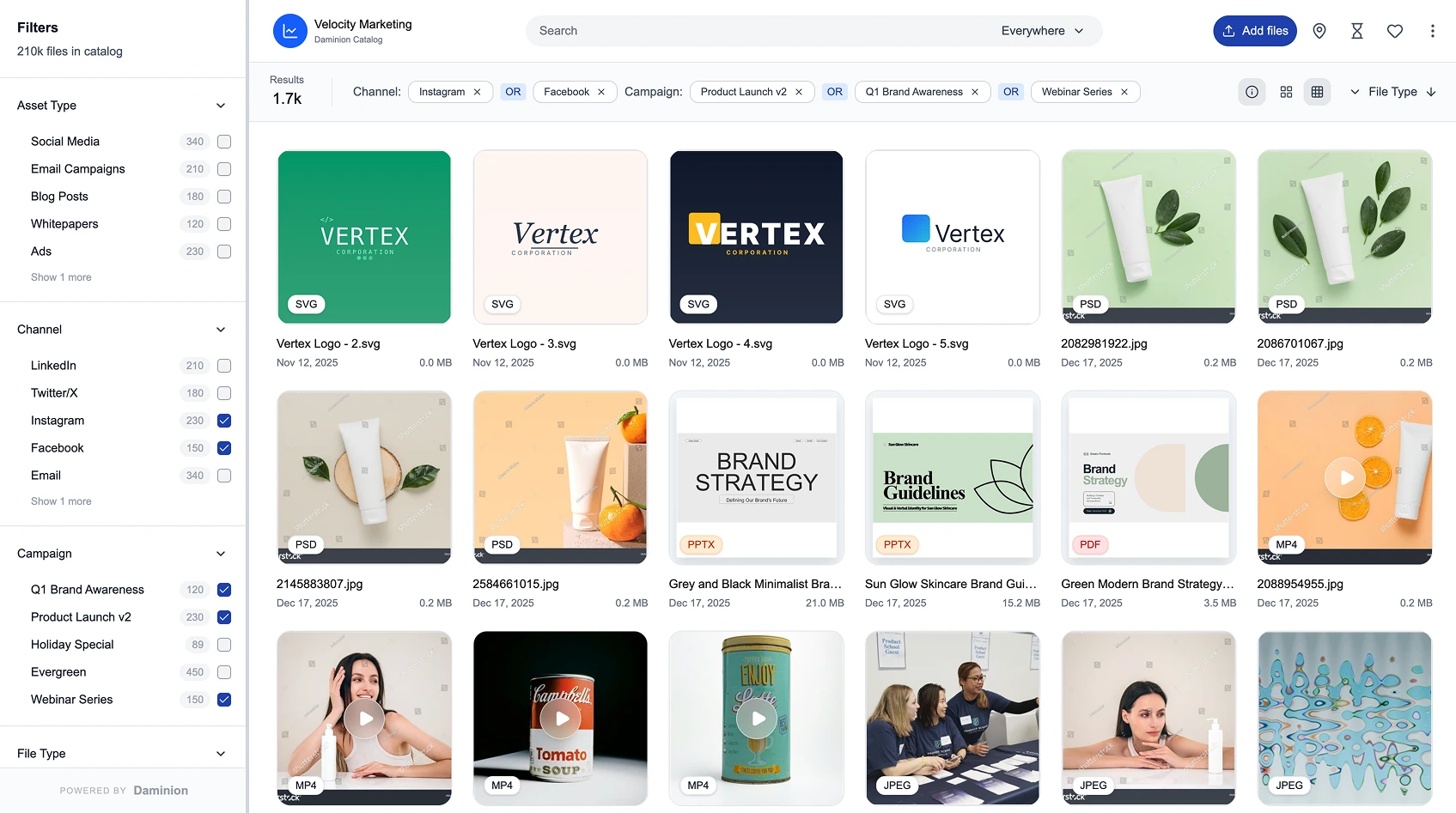
Daminion addresses a common problem: a company already has years of photos, videos, design files, documents, or other media on a NAS or file server, but employees struggle to find and reuse them.
Rather than replacing that storage or uploading every original into a vendor-controlled repository, Daminion adds a searchable DAM layer over the existing setup.
Files remain on company-controlled storage, while the DAM provides metadata, previews, fast search, permissions, collections, and version management.
Key strengths
- Works directly with existing NAS and file-server storage
- Metadata management and hierarchical controlled vocabularies
- Visual previews and fast database-driven search
- Role-based access and enterprise authentication integrations
- Version control and controlled sharing
- AI tagging for images and video
- Facial recognition
- Speech-to-text for audio and video
- Duplicate and similar-file detection
- Browser and desktop access
- Local AI deployment options
Best suited for
Daminion is most relevant for small and mid-sized teams that already use a NAS or Windows file server and want to organize their assets without rebuilding the underlying storage environment.
Typical users include marketing and communications teams, manufacturers, architecture and construction firms, universities, public-sector teams, archives, environmental organizations, and internal creative departments.
The basic idea is straightforward:
Keep the storage that already works and add DAM functionality around it.
That makes most sense when storage capacity itself is not the problem. The problems are search, metadata consistency, previews, permissions, duplicate assets, and version confusion.
Things to consider
An on-premise Daminion deployment still requires infrastructure planning.
Before implementation, teams should review server capacity, backups, remote access, authentication, integrations, database and thumbnail storage, and hardware requirements for local AI processing.
Companies that need AI but cannot send confidential media to external services can run supported AI processing locally. Other organizations can choose external AI services when that makes more sense for their workflow.
For teams whose main requirement is adding a DAM to an existing NAS rather than replacing the archive, that architecture is one of Daminion's main differentiators.

Daminion for On-Prem Teams
2. Portfolio DAM — An On-Premise Product With a New Chapter in 2026
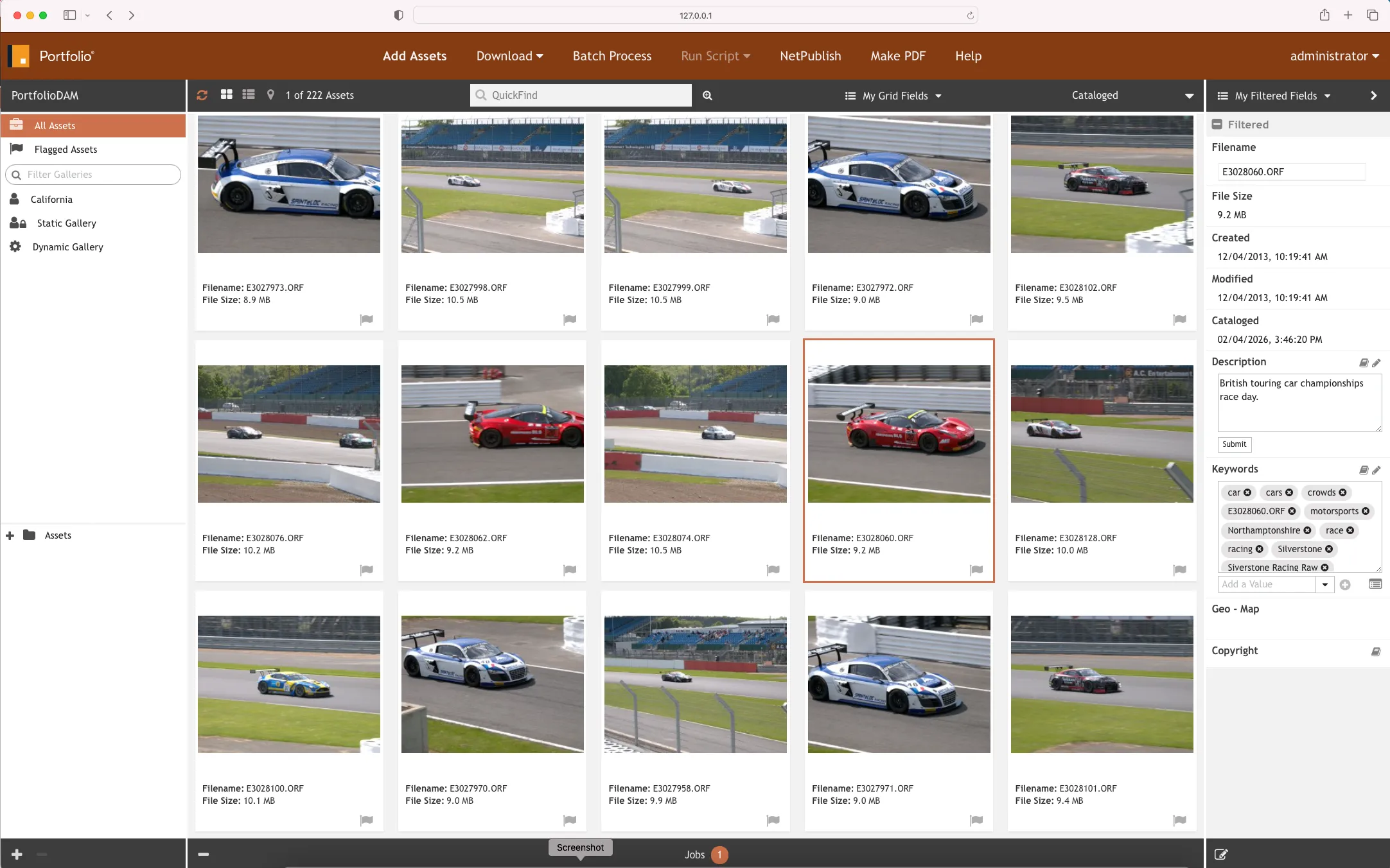
Portfolio DAM has been a recognized name in locally deployed digital asset management for many years, although its position changed substantially in 2026.
In March 2026, Axle AI acquired Portfolio from Extensis, a Monotype company.
Development, sales, and support moved to a dedicated Axle AI division called Portfolio DAM, LLC.
This is important because earlier concerns that Portfolio's on-premise product was approaching the end of its life no longer describe the current situation. Axle AI has returned the product's focus to on-premise DAM and has continued releasing updates.
Portfolio can catalog assets located on existing network storage and is designed for organizations that want their media to remain inside infrastructure they control.
Key strengths
- Focus on on-premise deployment
- Support for existing network storage
- Structured metadata management
- Advanced search
- Workflow automation and batch operations
- File conversion and download presets
- Adobe Creative Cloud and other workflow integrations
Best suited for
Portfolio DAM is relevant to creative departments, media teams, cultural institutions, and archives that want to retain control over their infrastructure.
Its processing and conversion tools can also be useful for teams with established workflows for ingesting, classifying, transforming, and distributing large volumes of media.
Things to consider
The 2026 acquisition substantially changes the outlook for Portfolio's locally deployed product.
At the same time, this is still a transition period. Buyers should review the current roadmap, recently released functionality, integrations, licensing terms, administration requirements, and storage compatibility rather than relying on older Portfolio reviews.
Daminion and Portfolio also approach similar problems from somewhat different starting points. Daminion is particularly straightforward when the primary problem is making an existing NAS or file-server archive searchable and accessible. Portfolio has a longer history in media-oriented processing and transformation workflows.
Our Extensis Portfolio alternatives guide discusses the earlier Extensis-era product. Keep in mind that the current Portfolio DAM roadmap under Axle AI has changed since that comparison was originally relevant.
3. Canto Cumulus — A Legacy DAM Many Companies Are Replacing
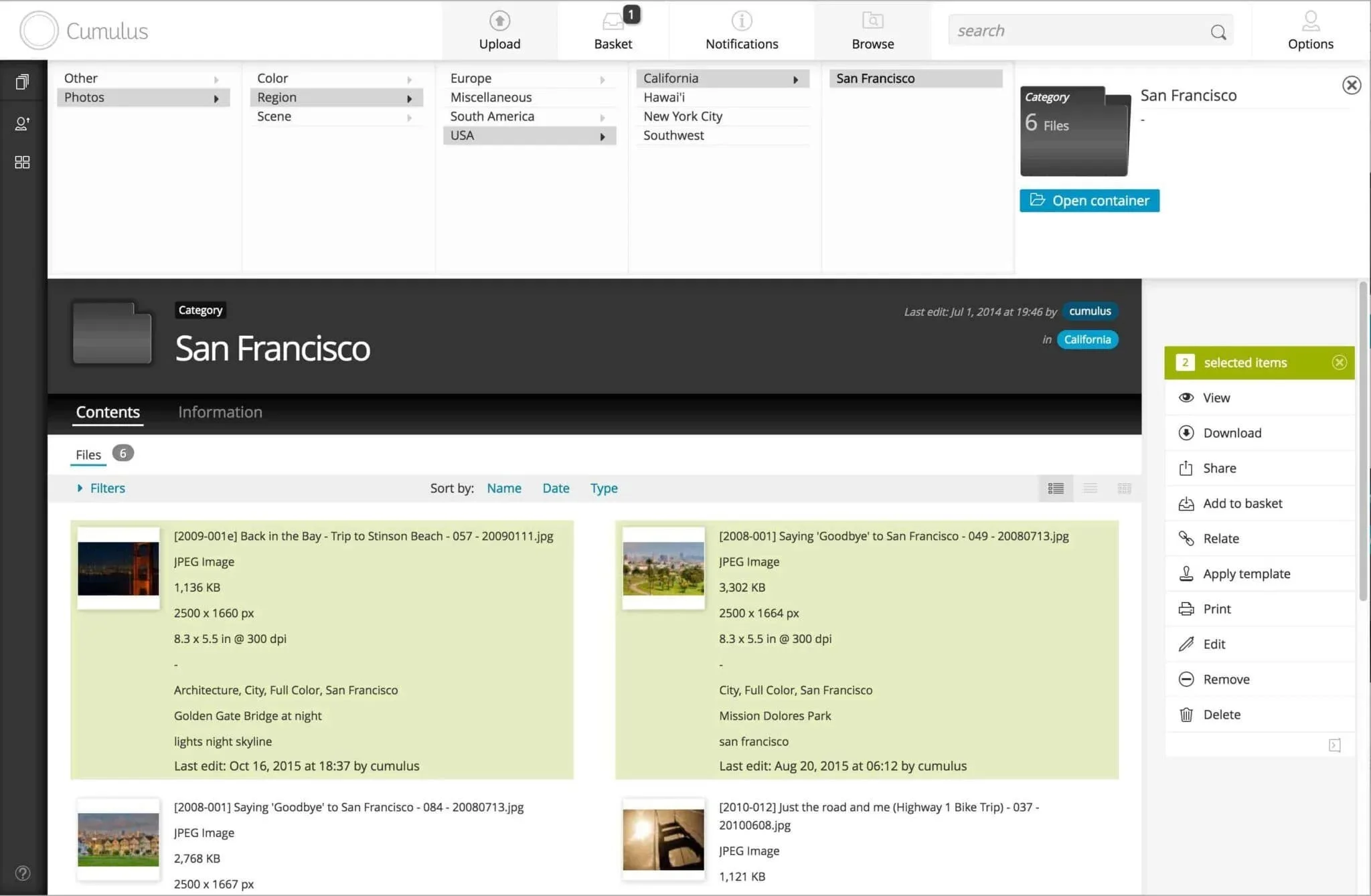
Canto Cumulus belongs in this comparison for a different reason.
For many years, Cumulus was one of the best-known locally deployed DAM platforms. Some organizations still rely on heavily customized installations containing years of metadata and established workflows.
But Cumulus is no longer a product a company should evaluate for a new implementation.
Canto ended support for Cumulus Workgroup and Entry at the end of 2022, followed by Cumulus Enterprise at the end of 2023. Existing installations can continue operating, but the software is no longer receiving normal vendor support and development.
What existing users may still rely on
- Mature metadata structures
- Customized catalogs
- Existing workflow rules
- Established user permissions
- Historical integrations
- Large archives accumulated over many years
Best suited for
Cumulus is relevant primarily to companies planning a migration from an existing installation.
The challenge is not simply replacing the application.
Years of metadata, custom fields, hierarchical categories, permissions, folder structures, automation rules, and integrations may represent as much value as the original files themselves.
Things to consider
Unsupported software does not necessarily stop working the day support ends.
Risk builds gradually as operating systems, databases, browsers, authentication services, security requirements, and connected applications continue to change around it.
A migration plan therefore needs to cover much more than copying original files.
Organizations should document:
- Assets
- Metadata
- Hierarchies and categories
- Custom fields
- User permissions
- Folder relationships
- Versions
- Integrations
- Automation
- Validation requirements
A replacement that can work with existing on-premise storage may simplify this transition because the catalog can potentially be rebuilt or migrated without simultaneously relocating every original asset.
4. FotoWare — For Complex Metadata and Compliance Workflows
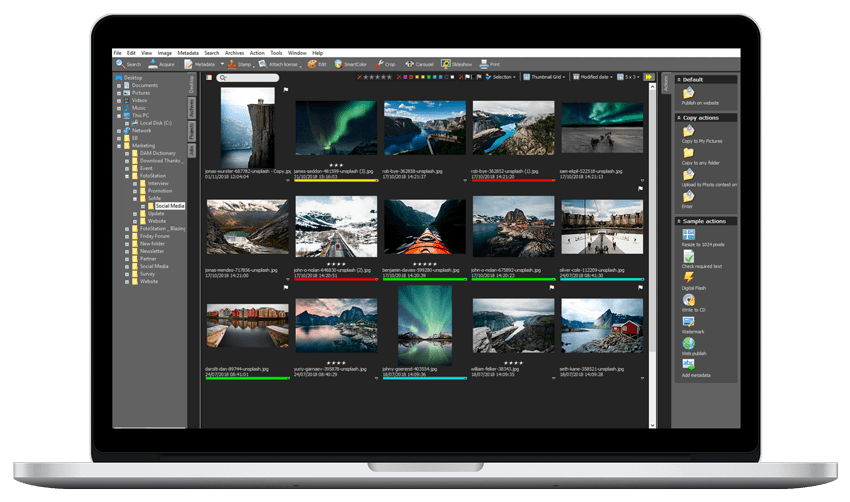
FotoWare is an established DAM vendor that continues to support on-premise deployment alongside SaaS and hybrid options.
The platform has a long history in detailed metadata, workflow automation, rights management, integrations, and controlled content distribution.
Key strengths
- Mature metadata management
- Advanced search
- Metadata-driven workflow automation
- Granular permissions
- APIs and integration options
- Version and approval workflows
- Rights management
- SaaS, on-premise, and hybrid deployment
Best suited for
FotoWare is particularly relevant for larger organizations with complex metadata, workflow, rights, or compliance requirements.
Its customer base includes environments such as government, healthcare, media, museums, archives, and other teams where consent, permissions, usage rights, and controlled distribution can become central requirements.
Things to consider
FotoWare still supports local deployment, but the company describes SaaS as the preferred model for many organizations.
Businesses that specifically intend to remain on-premise for the long term should therefore discuss roadmap, feature parity, upgrade models, infrastructure requirements, and future support before purchasing.
For a smaller team whose primary goal is organizing an existing NAS or file server, FotoWare may provide more workflow depth than necessary.
For an organization with extensive automation, compliance, rights-management, or integration requirements, that additional depth may be exactly the point.
5. Adobe Bridge — A Local Alternative for Small Creative Teams
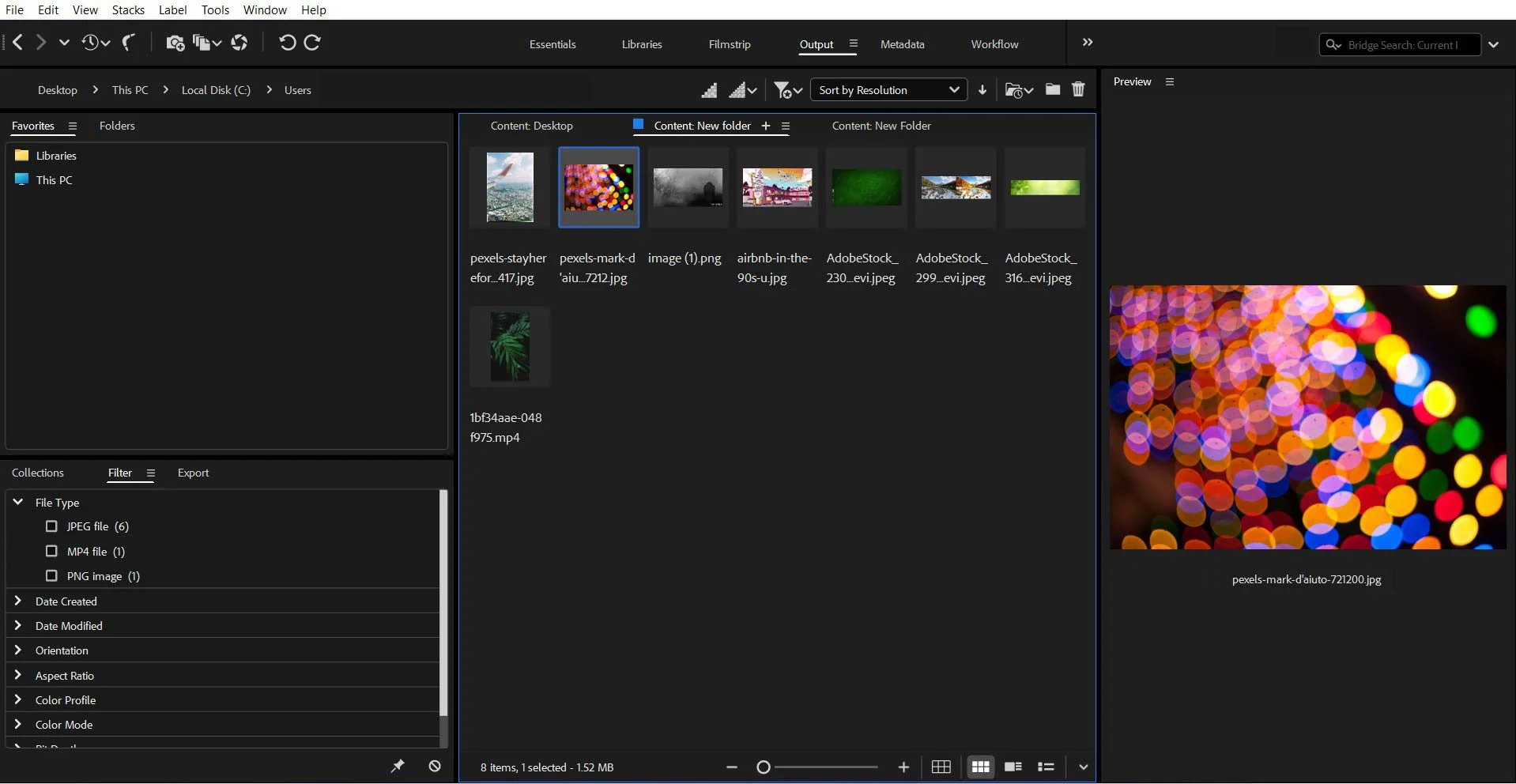
Adobe Bridge is different from every other product in this comparison because it is not a centralized, multi-user DAM server.
It is a local desktop application for browsing and organizing files.
For an individual designer, photographer, or very small creative team, that may be enough.
Bridge works directly with files and folders. Its support for XMP, Camera Raw, keywords, ratings, labels, and other Adobe workflows makes it useful when asset management is primarily part of one person's creative process.
Key strengths
- Visual browsing and previews for creative formats
- Keywords and XMP metadata
- Ratings and labels
- Search and filtering
- Collections and Smart Collections
- Batch renaming and export
- Adobe application integrations
- No separate DAM server required
Best suited for
Bridge is practical when one person or a small creative team controls most of the files, primarily works in Adobe applications, and does not require centralized administration.
It provides considerably more organization than simply navigating folders.
Things to consider
The limitations become more noticeable as additional people, departments, or external partners need access to the same asset library.
Bridge does not provide the same centralized infrastructure as a server-based DAM for capabilities such as:
- Shared role-based user administration
- Granular centralized permissions
- Controlled external portals
- Formal approval workflows
- Centralized audit trails
- Browser access for broad groups of users
- Server-managed version control
For a small creative archive, none of that may be necessary.
Once marketing, sales, communications, contractors, and other teams need controlled access to the same content, a full DAM becomes easier to manage.
Our Adobe Bridge vs digital asset management comparison looks at those differences in more detail.
Comparison Table: Daminion vs Extensis Portfolio vs Cumulus
Which of the three fits depends on where your files sit today. If they are on a NAS or file server you plan to keep, the fastest way to judge is to run Daminion against that storage yourself — it indexes files in place, so nothing has to be moved for a trial. If the deciding factor is budget rather than fit, start from pricing.
Calculate Your DAM ROI

What On-Premise DAM Looks Like in Practice
It’s one thing to compare deployment models and feature lists. It’s another to see where on-prem DAM actually improves day-to-day work.
The examples below illustrate the kinds of infrastructure, search, and governance challenges that local DAM systems are often used to solve.
1. West Gippsland CMA (Australia) — Local Servers + Spatial Tools
Thousands of geo-referenced photos stored across local servers created delays in environmental reporting. With Daminion On-Premise, the organization centralized its archive and connected it to spatial reporting workflows, making photo retrieval significantly faster.
2. Global Greengrants Fund — An Overgrown Local Server Archive
A crowded internal server made it difficult for the communications team to locate the right visuals for campaigns. After implementing Daminion On-Premise, the archive became structured, searchable, and easier to manage without moving assets outside the organization.
3. Hedrick Brothers Construction (USA) — Project Photos Spread Across File Servers
Years of site photography were scattered across folders, slowing down presentation and proposal preparation. With Daminion On-Premise, the team created a centralized library with searchable metadata and faster access to visual materials.

Want to Organize an Overgrown Local Archive?

When On-Prem DAM Makes More Sense Than Cloud
On-premise DAM is often the better choice when:
- Your assets already live inside your infrastructure,
- You frequently work with large, high-resolution or layered files,
- Confidentiality rules prevent external storage,
- You want predictable long-term budgeting,
- You require reliable LAN-speed performance,
- Your team prefers a system that complements the storage you already have.
These considerations often drive teams toward on-prem solutions — especially when confidentiality and control are non-negotiable.
As Mark Fugina, Head Librarian at Tim Barber Architects, shared in their review of Daminion’s on-premise deployment:
Conclusion: Which On-Prem DAM Is the Right Fit in 2026?
On-prem DAM is still the right choice for organizations that need to keep assets inside their own infrastructure, work with large files over local networks, and maintain tighter control over security, access, and long-term costs.
Among the systems compared here, Daminion stands out as the most balanced option for small and mid-sized teams that want modern DAM capabilities without giving up local deployment. Extensis Portfolio may still suit organizations with highly structured metadata workflows, while legacy Cumulus environments remain relevant mainly for enterprises with deeply customized setups.
In practice, the right choice depends less on feature checklists and more on operational fit: how well the system works with your storage, your governance requirements, your file volume, and the way your teams actually search for and reuse assets.
If your organization already relies on NAS or file servers and wants to make that environment more searchable, structured, and scalable, an on-prem DAM can be a practical long-term investment rather than just another layer of software.
Try Daminion on Your Own Infrastructure
On-Premise DAM: Questions Buyers Ask Before Committing
Do we have to move our files into the DAM?
Not necessarily. Some DAM systems import originals into their own managed repository, while others can catalog files where they already exist. Daminion, for example, can work with originals stored on an existing NAS or file server while keeping the current folder structure. If retaining existing storage is important, ask this question before evaluating secondary features. It fundamentally changes the scope of implementation.
What does an on-premise deployment actually require?
A Windows Server 2019 or newer machine, 8 or more cores, at least 16 GB of RAM, and SSD storage. A dedicated server is strongly recommended, with separate SSDs for the application, the PostgreSQL database and the thumbnail cache — thumbnails alone take roughly 20–30% of the size of your media archive.
Installation and the first import are normally done in a 1.5–2 hour session with a support engineer, including face recognition setup if you need it.
How is an on-premise DAM priced?
Per user, either as a perpetual licence or an annual subscription. The price does not scale with how much you store, which is the main difference from cloud DAM billing — adding terabytes to your own NAS does not change what you pay. Current options are listed on the pricing page.
Can remote teams use an on-premise system?
Yes, through two routes. The desktop client reaches an on-premise server over VPN. The web client can be published on a public IP address or a subdomain, so browser access works without VPN — useful for occasional users, contractors and reviewers who only need to search and download.
What leaves our network, and what does not?
With an on-premise installation, your files, the catalogue database and the thumbnails all stay on your own hardware. Access is governed by roles and folder-level permissions, and the system can authenticate against Active Directory, LDAP or SAML.
The one case worth planning for is AI tagging: it can run against a local model that stays inside your network, or against an external service such as OpenAI if you supply a key. Which of the two you use is your choice, and it is the only point where content would leave the perimeter.
Can we trial it before committing?
Yes. A local pilot runs free for the first 30 days on your own server, set up together with a support engineer and pointed at a real part of your archive. If evaluation needs longer, it can be extended month by month.
There is also a cloud pilot with nothing to install, limited to 15,000 files — useful for a first look, but it does not exercise the NAS integration, face recognition or folder-level permissions, so it is the weaker test for an on-prem decision.


Explore our DAM system
with your personal manager
demo from your dedicated manager.