
Version Control in Digital Asset Management: Why It Matters & Best Tools

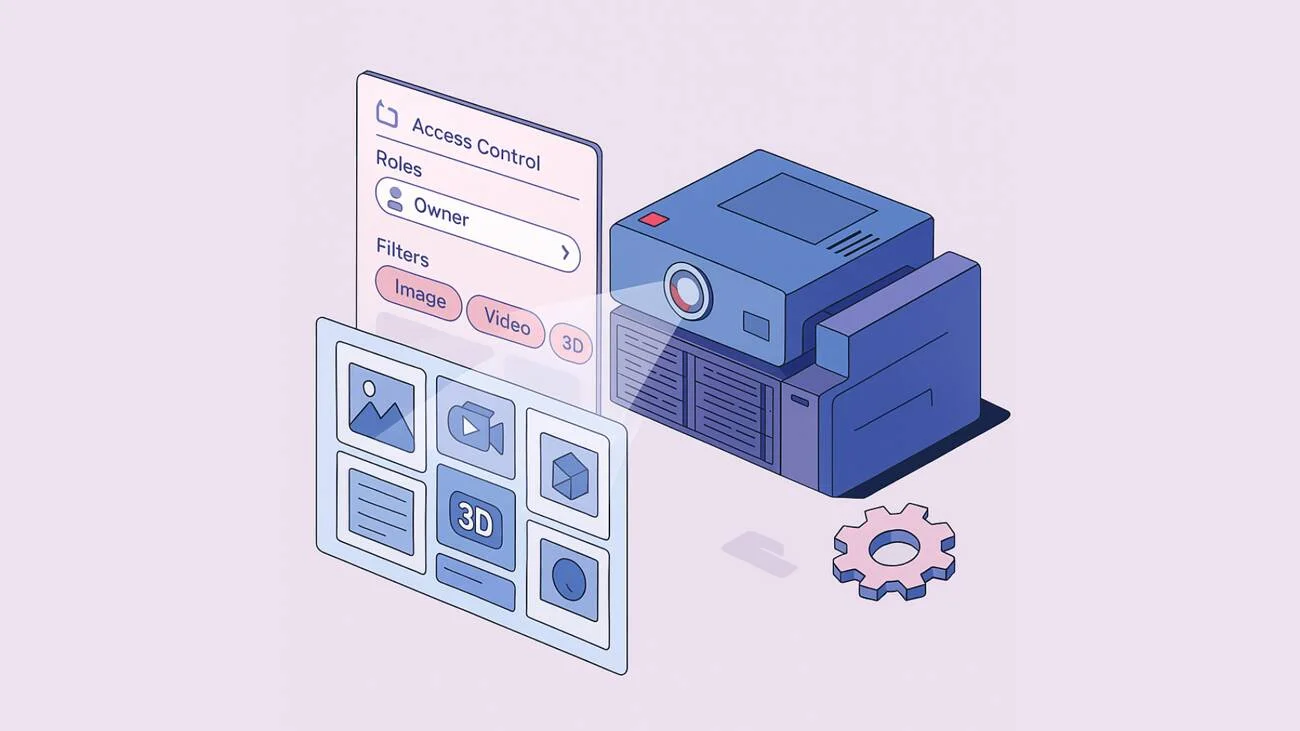
Every company that builds and maintains a digital asset catalog fights the same demons. Marketing departments waste countless hours searching through folders of nearly identical files, designers or architects accidentally work on outdated versions, and brand managers have to deal with wrong assets turning up on ads and web pages.
Let’s talk about version control in DAM: why “tried-and-true” solutions like network folders inevitably lose, how version control actually works in DAM, and when on-premise DAM systems are preferable to cloud DAMs.

Discover How Daminion Can Work for You
What Is Version Control in DAM?
When you store digital assets on a file server or network-attached storage (NAS), you have to get everyone in your team to adhere to the same principles: how you name the files, increment the version number, etc. That seems straightforward enough, so why does it fail?
The main reason is that simple solutions encourage everyone to do anything, and humans are inherently messy creatures. They cut corners and make mistakes, especially when working overtime and on tight deadlines.
DAM solutions help by enforcing a workflow that is very hard to work around creatively. Whether your files are in a cloud DAM or a network storage managed by an on-premise DAM, creating new versions is standardized for everyone.
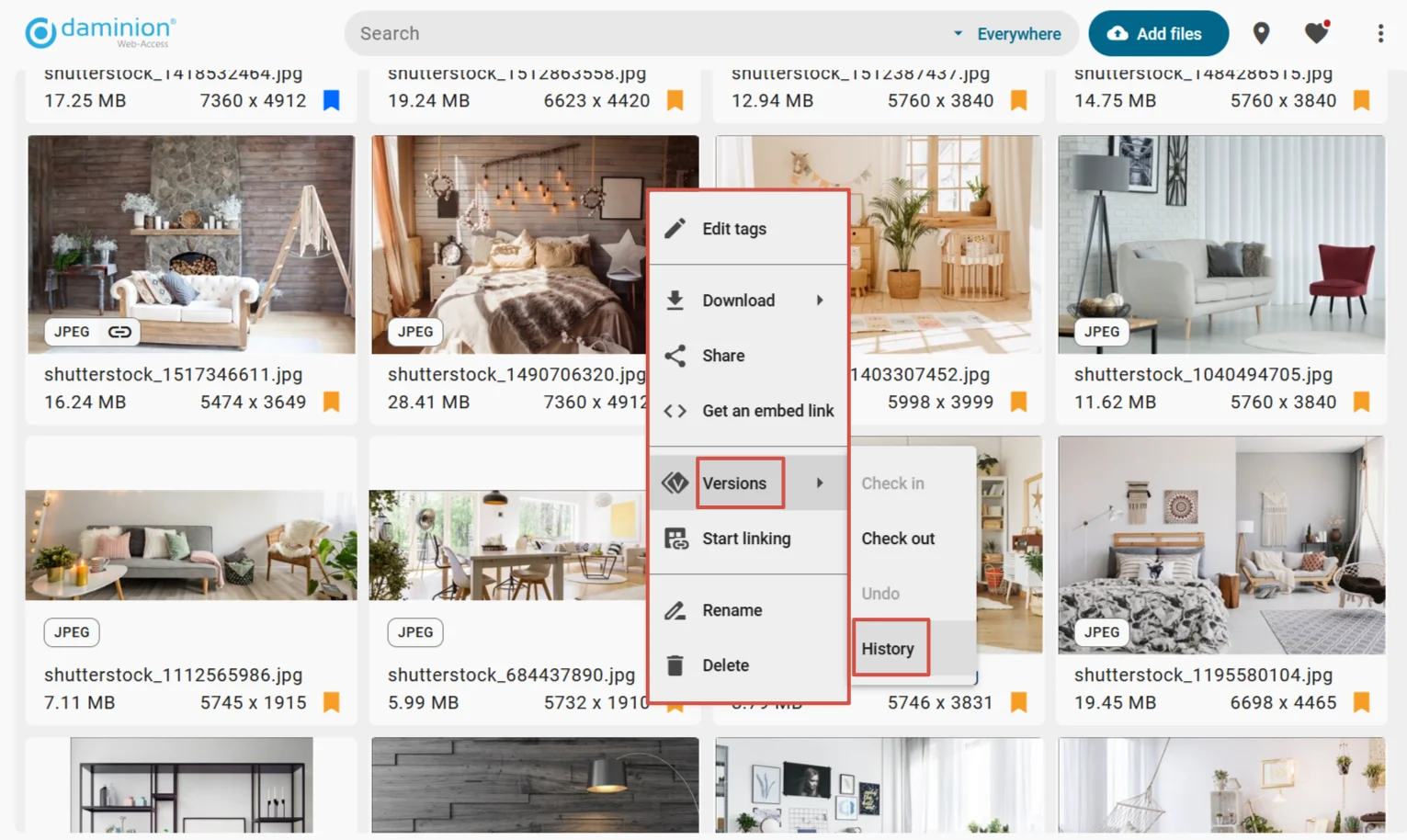
Every new version is automatically timestamped and incremented, often with a descriptive comment attached to it. The latest revision is always marked as such in a way that is impossible to misinterpret. Old revisions can be automatically “retired” to never be used again.
DAM vs. Traditional Version Control
Other than NAS, two commonly used solutions for version control of assets are cloud-based file-sharing services like Google Drive and Dropbox and version control systems like Git. File-sharing services are incredibly ubiquitous. An impressive number of agencies and in-house marketing teams use Google Drive to store design files, iterate on them, collaborate on creative briefs and marketing/ad copy, and manage content plans in Google Spreadsheets.
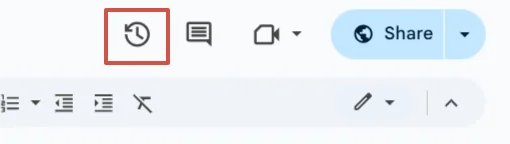
While most popular services today can store files of any type and have some form of version control built in, their simplicity has multiple downsides.
- Tagging support usually has various limitations (number of tags, hierarchy), so you can only find many files by searching or drilling into a folder hierarchy. When you organize photoshoots by the “YEAR/MONTH/EVENT” principle, you can’t easily do something like selecting all photos of a particular person from 2019 to 2023.
- The search capabilities are limited to searching by filenames and text content in documents. With filenames like “IMG_3089.CR3”, your chances of finding the right photo are slim at best.
- Preview options are usually limited to native documents (text, spreadsheets, slides), standard graphics file formats (JPEG, PNG), and PDF documents.
- On-premise is simply not an option for most commonly used cloud-based file-sharing services.
Compared to that, DAM solutions like Daminion have advanced tagging and search capabilities, support previews for many proprietary file formats, and can run on-premise.
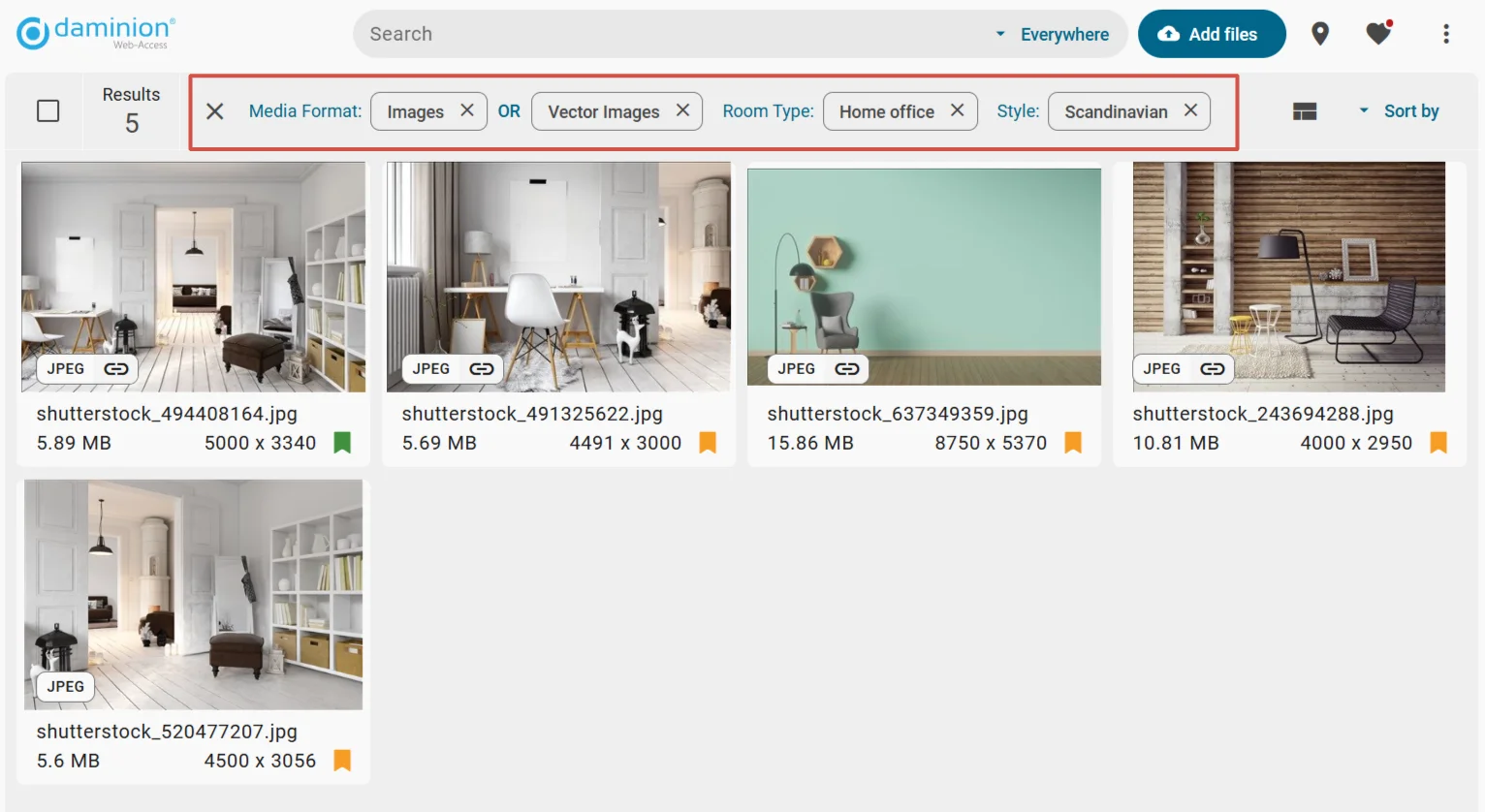
Please see our earlier article comparing Daminion to file-sharing services for more insights.
Version control systems (VCS), like Git, can store more than programs’ source code. You can use Git to version media files and run Git on-premise. Git also makes it possible to take a version of a file and create a variation with its own history of revisions.
All this power comes at a cost.
- Large Git-managed projects (also called repositories) tend to get sluggish when you need to view a log of changes or access a particular file version.
- Git doesn’t have built-in tracking of changes on the disk, so you must manually create versions.
- Access control is limited to read/write access. If you have read access to a Git-managed project, you see all of it without exception: files, the entire list of changes, emails of contributors, and more. If you have write access to it, you can change all of it. That is not nearly granular enough.
- While some Git-based services like GitHub can display revisions of images side by side, the list of supported file formats is not exhaustive and usually doesn’t include proprietary file formats. You’re out of luck if you want a preview of a Photoshop document or a Revit project.
Overall, version control systems work best when you manage plain text files. Using them to manage media files is cumbersome.
Compared to Git and other VCS, DAM solutions perform on extensive collections better because they rely on databases designed to access millions of items quickly. They also offer preview support for a wide range of file formats.
That said, the versioning capabilities of DAM solutions are more humble than those of Git. Usually, you get a simple linear history of revisions and the ability to open and download any previous version.
How DAM Systems Like Daminion Automate Versioning
On-premise DAM systems are designed to scan network folders and track various changes: new files, modified files, deleted files, etc. What they do next varies between vendors.
Some DAM solutions can automatically create a new version if a file has changed on the network disk. Others have various quality-of-life features. Daminion, in particular, can recognize access rights you already have on NAS and save these settings in the DAM. After that, you can granularly adjust user rights and control various access aspects: opening files, downloading them, etc.
Why Version Control Is Non-Negotiable for DAM
DAM solutions create a convenient abstraction for users to help quickly discover assets that are otherwise difficult to find. But they can do so much more when some form of version control is available.
1. Avoid Chaos: Track Asset History
It doesn’t take much convincing that tracking the assets’ version history should be an absolute baseline feature in DAM. Without a robust version control system, your entire operation exists in a constant state of uncertainty. Your team members question if they’re working with the most current assets, approvals get lost in email threads, and accountability becomes nearly impossible to establish.
Version control changes it all. You can finally be sure that your team always uses the latest version of brand elements and designs. Reviewing versions and providing feedback becomes simple and efficient. Accessing the entire audit trail is a few clicks away.
2. Streamline Team Collaboration
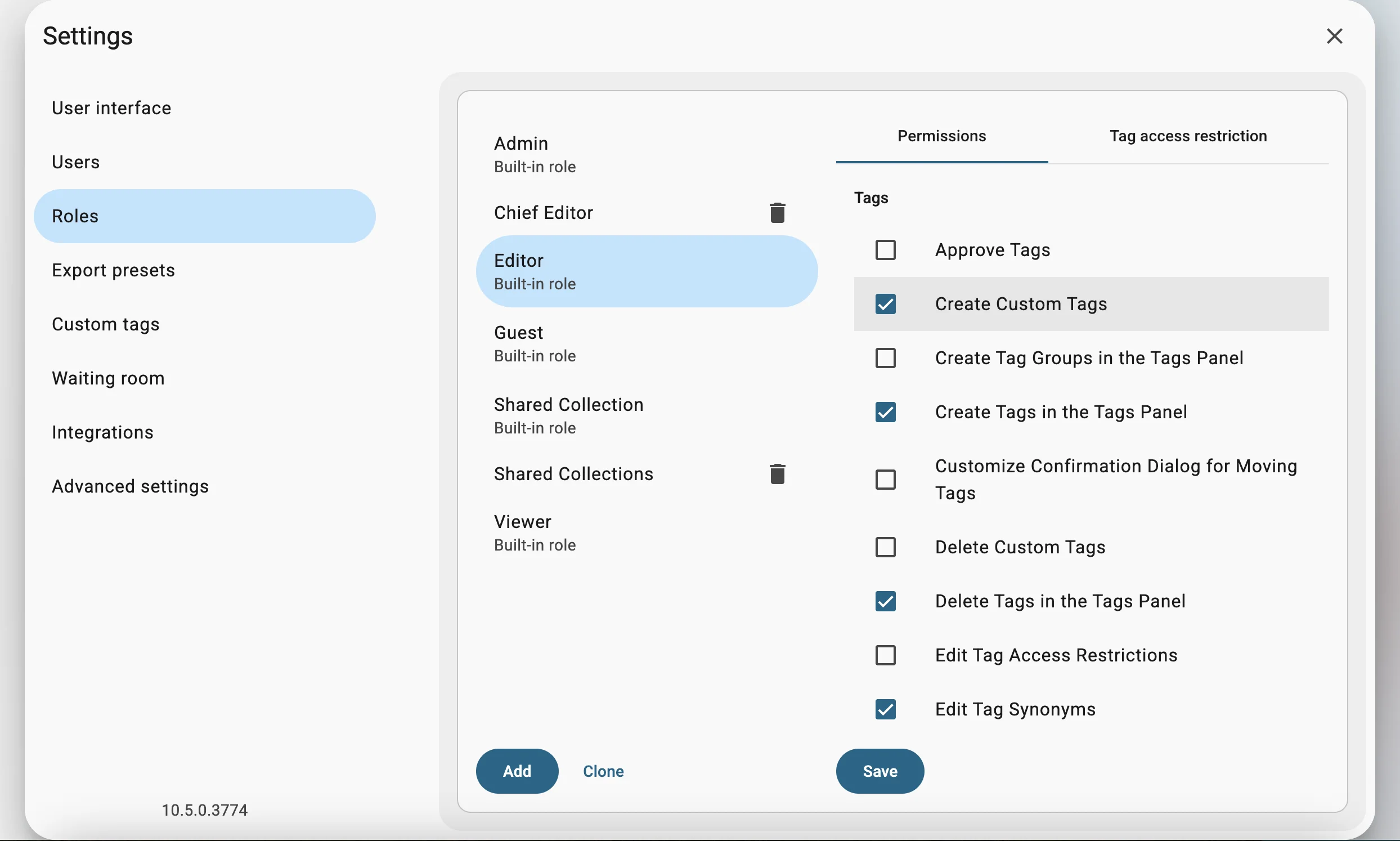
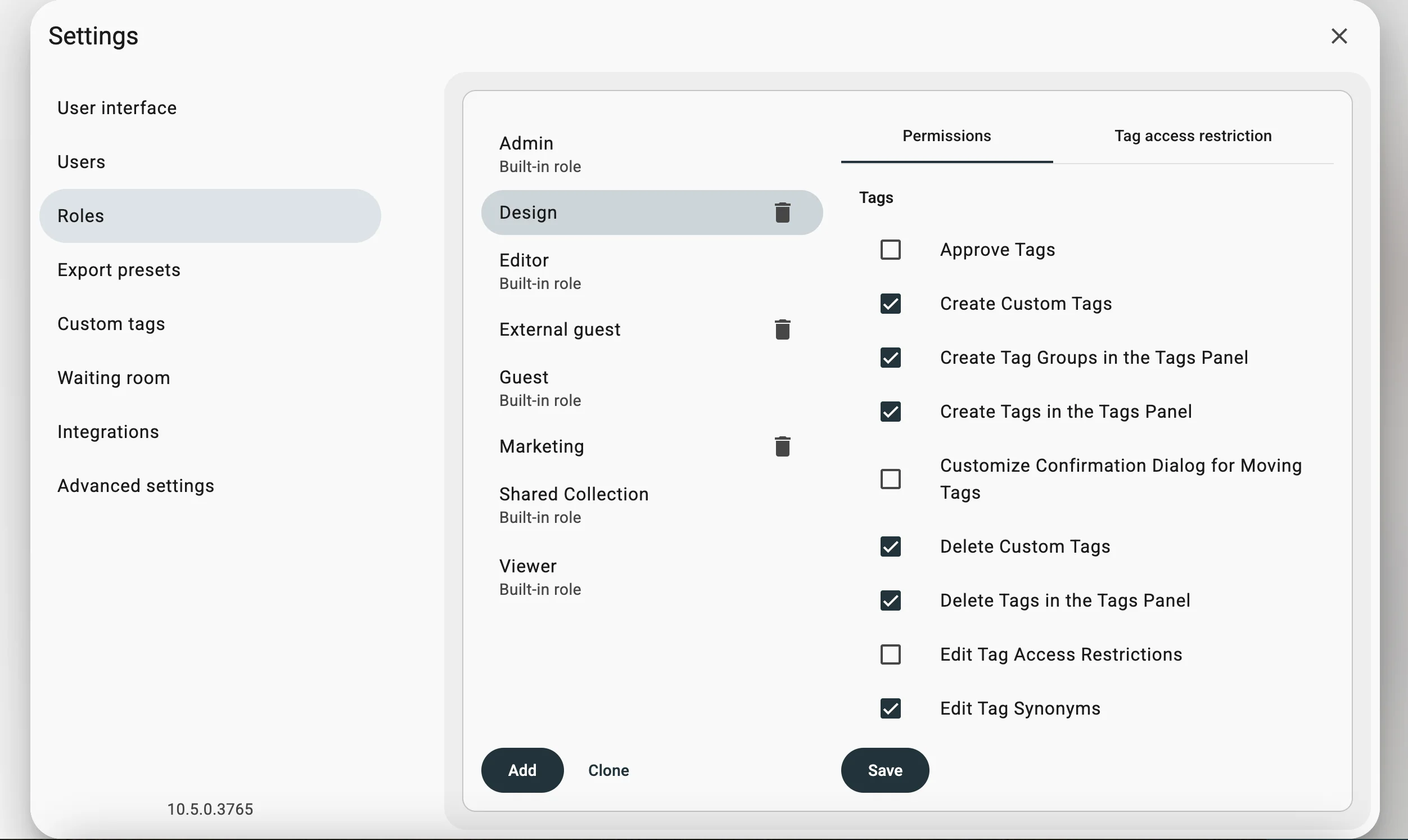
Most DAM solutions provide role-based access to assets. The flexibility varies greatly between specific systems. With Daminion, you can create any number of custom roles where each role grants a specific set of privileges. Here is a fairly common setup:
- Guest users can only search for files and view and export assets; they can’t manage tags, open assets in external applications or write comments.
- Users with a Creative Team role can upload assets, manage tags, create new versions, add comments, etc.
- Managers can do all of the above, plus relink folders, edit default importing settings, and more.
Administrators can do everything, including user management.
3. Disaster Recovery & Backup
Hardware fails, and people make mistakes, but neither should be a showstopper. DAM solutions typically offer some form of backing up and restoring where you can save a snapshot of the entire database with all the metadata and revert to it when necessary.
Daminion integrates with operating system tools to offers scheduled backups of shared catalogs for on-prem customers. You can set the frequency of backups for each catalog individually. For example, a catalog with textures and HDRIs for archviz doesn’t change often, so you can back it up weekly or even monthly. However, a catalog with project files changes all the time, so it’s best to back it up every night.
See this guide for details on how to set this up in Daminion.
4. Brand Consistency Across Channels
File names reflect brand standards. “Project_logo_v2.1.ai” gives clients, partners, and team members a sense of organized workflow, while “logo_project_v3_final_2_reallyfinal.ai” implies hasty decisions and a messy workflow.
DAM solutions like Daminion simplify managing brand consistency by enforcing a particular versioning scheme that your team can’t twist in a hurry.

Stay on Top of Your
Digital Assets
How Version Control Works in DAM Systems
Let’s talk about how version control works in DAM solutions. There are two essential concepts to understand: file-level vs metadata-level versioning and automatic vs manual versioning.
File-Level vs. Metadata-Level Versioning
There are two ways a DAM solution can version a file: by creating new physical copies of it or by tracking changes to its metadata and saving them to a database. Each approach serves different use cases. Here is how they work.
File-level versioning boils down to creating copies of the original file with a version number increment. A typical example would be going from “brand_logo_v1.webp” to “brand_logo_v2.webp”. Each new file is then available as a new version, so you can easily go back and forth between revisions.
This approach works best when you need to track visual changes between versions. On the flip side, physical copies need more storage, especially for large media files like high-res video renders.
Metadata-level versioning deals with changes in a file’s metadata, such as tags, categories, usage rights, etc. Typically, DAM solutions have more complex metadata support than authoring applications. Fetching changes in files’ metadata automatically has the danger of overwriting tags’ hierarchy that was added by the DAM solution. That’s why solutions like Daminion version-control files with metadata changes, but manage the metadata separately while allowing to read tags from files.
This approach is designed to track metadata changes, for example, for legal compliance reasons. It doesn’t work when you need to capture visual changes.
That said, while authoring and DAM programs can embed IPTC and XMP metadata into JPEG, PNG, TIFF, and PSD files, they can also create sidecar XMP files.
To sum it up:
- File-level versioning works best for visual changes between revisions.
- Metadata-level versioning best suits tracking metadata changes.
Automated vs. Manual Versioning
Both automated and manual versioning have advantages and drawbacks.
With automated versioning, a DAM solution detects that you saved a file on the storage and automatically creates a new version or prompts you to do that. There are several advantages to this approach.
Automatic versioning typically results in atomic changes between versions. This is often an inadvertent result of saving often to avoid losing work due to software crashes. But this makes it easy to roll changes back to a specific file state. It’s also straightforward for users: all they have to do is work normally, while the DAM system takes care of everything and keeps all the records of who changed what and when.
On the other hand, the frequent saving of large media files results in excessive storage use. Moreover, some users may prefer having more control and creating a new version only when necessary.
With manual versioning, the user checks out a file managed by a DAM system, makes edits locally, and then checks the changed file back in. This way, the user has the ultimate control over what qualifies as a new version and can add some context. This video demonstrates how it works in Daminion:
The human factor may be the most significant disadvantage of manual versioning because this approach relies heavily on user discipline.
In other words:
- Automated versioning works best for teams that make frequent updates when storage availability is not an issue.
- Manual versioning is preferable for teams where full control over versioning and storage efficiency are more important.
Daminion doesn’t support automatic versioning. However, AI tags automatically transition from one version to another.
On-Prem vs. Cloud DAM: Which Delivers Better Version Control?
Version control has been a standard DAM feature for years. All major solutions like Daminion, Bynder, Acquia DAM, Cloudinary, and Brandfolder have it. There are some interesting implementation specifics in all of the above, but the larger picture here is how your approach to versioning affects your choice between cloud DAM and on-prem DAM systems.
Cloud DAMs: Pros and Cons
We recently covered this topic in a dedicated blog post. Let’s summarize the key findings here.
Pros of cloud DAMs:
- The service provider takes care of all your increasing storage use demands. Data and service availability are part of the SLA, so you have backup and recovery figured out for you.
- A cloud DAM works just like a regular SaaS. There’s no need to fiddle with VPN connections.
Cons:
- Relying on a cloud DAM will likely be more expensive than using a self-hosted solution in the long term. This is because revisions of media files accumulate over time and require a lot of storage space, and cloud DAM service providers charge a premium for the service of managing the infrastructure.
- Cloud-based DAM solutions are usually more generic and offer limited customization, particularly in how they name file versions and increment version numbers.
- You have limited control over data safety. In fact, depending on your industry’s regulations, a cloud DAM may not even be an option for your organization.
Then, what would work for you?
Why On-Prem DAM Like Daminion Wins for Version Control
Cloud DAMs can be perfect for teams working in unregulated industries and without restrictive internal data management policies. For everybody else, an on-prem DAM solution may be preferable and often the only viable option.
Here are the major advantages of on-prem DAM solutions:
- Sensitive asset versions remain within the company’s infrastructure. This is especially important for companies in finance and healthcare where strict data regulations apply.
- Opening large media files such as video footage is much faster when the files are available locally.
- A self-hosted DAM system can be accessible by remote employees while, at the same time, it doesn’t need external Internet connectivity to function.
- Vendor lock is much less of an issue with an on-prem solution. You can run it as long as your infrastructure meets the software requirements, while a cloud service provider can go out of business at a week’s notice.
- Self-hosting a DAM is cheaper in the long run. Here is a breakdown of the total cost of ownership.
- On-prem DAM solutions like Daminion provide a detailed audit trail, ensuring compliance with internal policies and regulations.
Hybrid Workflows: Best of Both Worlds
In certain scenarios, it’s beneficial to use both cloud and on-prem DAM solutions. For example, if you are working on a brochure in Adobe InDesign and you need to make edits from multiple computers, e.g., do the layout and typesetting and then use InCopy to proofread, you likely want a cloud solution. But you also want the benefits of running an on-prem DAM system for enhanced data control.
For such creative workflows specifically, Daminion makes it possible to get a hybrid workflow using its Adobe CC Connector, which is available separately. The connector will sync files between on-prem Daminion and Adobe Creative Cloud to preserve links to images and vector graphics, with the added benefit of using medium-resolution versions of images to keep INDD files compact.
The connector supports both InDesign, Illustrator, Premiere, and Photoshop files.
Key Takeaways & Next Steps
Let’s review the key insights and highlight actionable best practices you can implement.
Version Control Best Practices
Here are some of the things you can do to ensure robust version control of your digital assets.
Use a DAM with at least some elements of automated history tracking. This will help create a transparent audit trail that eliminates confusion about asset history and development.
Restrict edits to approved users so that only authorized team members can create new versions. To do that, set up roles that support your existing workflows and align with information security policies.
Backup assets with metadata. Ensure your version control strategy includes backups that preserve not just the files themselves but all associated metadata, both embedded and available in sidecar XMP files.
Ready to Optimize Your DAM Workflow?
Daminion’s on-premise solution offers robust version control features that help teams maintain order even in the most complex asset libraries. Manual versioning gives you complete control over revisions, role-based access streamlines collaboration between team members, and advanced backup capabilities that protect your valuable assets.
Request a demo today to see how Daminion can transform your digital asset management workflow with professional-grade version control capabilities.
Discover How Daminion Can Work for You

Explore our DAM system
with your personal manager
demo from your dedicated manager.