
How to Use Images Legally with Creative Commons (CC) Licenses, Copyright Insights, and Best Practices

Understanding Copyright Law and Fair Use for Images
So, you’re looking to understand copyright law and fair use for images, right? No worries, I’ll break it down for you in a simple and friendly way. Grab a coffee, and let’s dive in!
First things first, let’s talk about copyright. In simple terms, copyright is a legal protection given to the creators of original works, like photos, illustrations, and designs. It gives them the exclusive right to use, reproduce, and distribute their work. When you want to use someone’s image on your website, blog, or marketing materials, you need to make sure you have the proper permission to do so.
Now, you might be wondering, “What about fair use?” Great question! Fair use is a provision in copyright law that allows for limited use of copyrighted material without obtaining permission from the copyright owner. It’s meant to promote creativity, innovation, and the exchange of ideas. However, it’s important to note that fair use is a bit of a gray area, and its interpretation can vary from case to case.
To determine if your use of an image falls under fair use, you’ll want to consider these four factors:
- Purpose and character of the use: Are you using the image for commercial or non-profit purposes? Is your use transformative, meaning you’ve added new meaning or value to the original work? Generally, non-commercial and transformative uses are more likely to be considered fair use.
- Nature of the copyrighted work: Is the original work more factual or creative? Using factual works (like maps, charts, or graphs) is more likely to be considered fair use than using creative works (like photographs, paintings, or illustrations).
- Amount and substantiality of the portion used: Are you using a small, insignificant part of the original work or a significant portion of it? The less you use, the more likely it is to be considered fair use.
- Effect on the potential market: Does your use of the image harm the copyright owner’s ability to profit from their work? If your use has a negative impact on the market for the original work, it’s less likely to be considered fair use.
Keep in mind that these factors are guidelines, not rules, and each case is unique. When in doubt, it’s always best to seek permission from the copyright owner or consult with a legal expert.
To make your life easier, there are some fantastic resources available for finding images you can use legally. Look for images with Creative Commons licenses, which give creators a simple way to grant permissions for their work, or check out stock photo websites and public domain images.
And that’s it! Now you’ve got a solid understanding of copyright law and fair use for images. Remember, always respect the rights of creators and stay on the right side of the law. Happy designing!
Licenses Eligible for Free Usage and Creative Commons Licenses
a. Where to Find Creative Commons Licensed Images
You know, there are tons of images out there, but we can’t just grab any of them and use them as we please. We have to consider image licenses and copyrights. Lucky for us, there are some options for free usage like Creative Commons licenses.
So, Creative Commons (CC) is a non-profit organization that offers a super user-friendly way to license images and other creative works. They’ve got a variety of license types that give us the freedom to use images for our projects without paying a dime. The best part? We still get to respect the creator’s rights! Isn’t that awesome?
Now, there are different CC licenses, each with its own set of rules. Some let us use an image for any purpose, while others might have some restrictions like not allowing commercial use or requiring us to give credit to the creator. The main thing is to check the license and follow the rules.
Now, you might be wondering where to find these CC licensed images. Don’t worry; I’ve got you covered. There are several websites where we can easily search and find images with Creative Commons licenses. Some of my favorites are:
- Flickr (flickr.com) – A huge platform for sharing photos, and many of them come with CC licenses. Just make sure you use the “Advanced Search” and check the “Creative Commons” box before searching.
- Unsplash (unsplash.com) – A fantastic collection of high-quality images that are free to use for any purpose, even commercially. The photographers just ask for attribution, which is a nice thing to do anyway.
- Wikimedia Commons (commons.wikimedia.org) – A massive library of media files, including images, that are either in the public domain or licensed under Creative Commons. Super useful for finding images related to specific topics.
- Google Search (images.google.com) -Select the appropriate usage rights filter from the dropdown list when searching. For example, you can choose “Creative Commons licenses” for general CC images or “Commercial & other licenses” if you need images for commercial use.
So there you have it! We can use Creative Commons licensed images and keep our projects looking fresh without worrying about legal issues. Just remember to double-check the license terms and follow them, and we’re good to go! Happy image hunting!
b. Can a CC licensed image’s terms change, and are penalties imposed for illegal usage?
In most cases, once an author has released an image under a Creative Commons license, they can’t just revoke that license for copies of the work that are already in circulation. However, they can stop distributing the image under the CC license and choose to release any future copies under a different license or not at all.
That said, you’re still allowed to use the image under the terms of the original CC license, as long as you obtained it while it was still under that license.
Can I Use Images Generated by MidJorney, Dall-E, or Other AI Services Legally?
AI-generated images are the new cool kids on the block, and they’ve got everyone talking. Not only do these services allow you to create stunning visuals with just a few simple instructions, but they can also save you tons of time and effort. But when it comes to using these images, are you on the right side of the law?
First things first, let’s talk about copyright. In general, copyright laws protect creative works, like images, from being used without permission. But here’s where things get a little tricky: AI-generated images might not always be considered “creative works” in the same way that traditional images are. This means that copyright laws might not apply to them in the same way.
Now, let’s talk about those AI services themselves. Companies like MidJorney, Dall-E, and others often have their own terms of service that govern the use of the images they generate. So, it’s essential to read and understand their terms before you start using their images. You might find that these terms grant you a license to use the images, or they might have certain restrictions.
For example, OpenAI, the creator of Dall-E, allows users to access their API and use the generated images under certain conditions. You might be able to use those images for personal or commercial projects, but it’s crucial to double-check the specific terms of service to make sure you’re in compliance.
Now, let’s say you want to play it extra safe and go for Creative Commons (CC) licensed images. These images come with built-in permissions, allowing you to use, share, and even modify them, depending on the specific CC license they fall under. Websites like Unsplash, Pixabay, and Pexels are excellent sources for CC-licensed images.
But what about AI-generated images with a CC license? While it’s not yet widespread, some AI services might offer CC-licensed images or allow you to choose a CC license for the images you generate. So, keep an eye out for that option when you’re exploring different AI services.
In conclusion, using AI-generated images legally boils down to understanding the copyright laws and the terms of service of the AI platform you’re using. It’s also a good idea to keep an eye out for AI-generated images with a CC license for added peace of mind. Happy image hunting, and stay creative!
How to Attribute Images Correctly on Your Website
First, let’s talk about why it’s essential to give credit where credit is due. Attributing images isn’t just a nice thing to do; it’s often a legal requirement. Plus, it helps support the hardworking photographers and artists behind the visuals you’re using.
Now, let’s break down the process of attributing images step-by-step:
- Find the source and license: Before you can attribute an image, you need to know who created it and under what license it’s being shared. You can typically find this info on the platform where you found the image, such as a stock photo site or the creator’s portfolio.
- Check the specific license requirements: Different licenses have different rules. For example, a Creative Commons (CC) license has various types, each with its own set of requirements. So, make sure you’re aware of the specific rules for the image you’re using.
- Include the creator’s name: As a general rule of thumb, always mention the creator’s name when you’re attributing an image. This can usually be as simple as adding a line like “Photo by [Name]” near the image.
- Link back to the source: If possible, provide a hyperlink back to the original source of the image. This helps direct your audience to the creator’s work and gives them proper recognition.
- Mention the license: It’s essential to include the type of license the image is under, especially if it’s a Creative Commons license. You can simply add something like “Licensed under CC BY-SA 4.0” to your attribution.
- Follow the format: While there isn’t a strict format for attributing images, it’s essential to keep it consistent. A typical format could look like: “Photo by [Name] on [Platform], licensed under [License].”
- Place it near the image: The attribution should be clearly visible and placed close to the image. It can be under the image, in the caption, or even as an overlay on the image itself.
So, there you have it! Just follow these simple steps to attribute images correctly on your website. By doing this, you’ll not only keep things legal but also show your support for the creators whose work helps make your website visually appealing.
The Benefits of Using Stock Photo Websites and Public Domain Images
First off, stock photo websites offer a huge variety of high-quality images for almost any topic you can think of. These sites are like treasure troves of visual content, and the best part is that the images are licensed for use.
This means we can use them without worrying about infringing on any copyrights. Some stock photo websites require a subscription or a one-time fee, but there are also many free options available, which is perfect for keeping our budget in check.
Now, let’s talk about public domain images. These gems are free to use because their copyright has expired or never existed in the first place. They’re available for us to use, modify, and distribute as we please, without any legal strings attached. This can be a real lifesaver when we need a specific image and don’t want to spend hours searching for the right one with the proper license.
So, what’s the bottom line? Stock photo websites and public domain images can be a game-changer when it comes to sourcing visuals for our projects. They save us time, help us avoid legal headaches, and often provide top-notch quality content.
The Role of Digital Asset Management (DAM) Systems in Avoiding Illegal Image Usage
If you’re a marketer, designer, or content creator, I’m sure you understand how important it is to use images legally on your website or in your campaigns. Nobody wants to deal with copyright infringement issues, right?
Well, that’s where Digital Asset Management (DAM) systems come into play. These handy tools help you avoid illegal image usage and make your life so much easier. Let’s dive in!
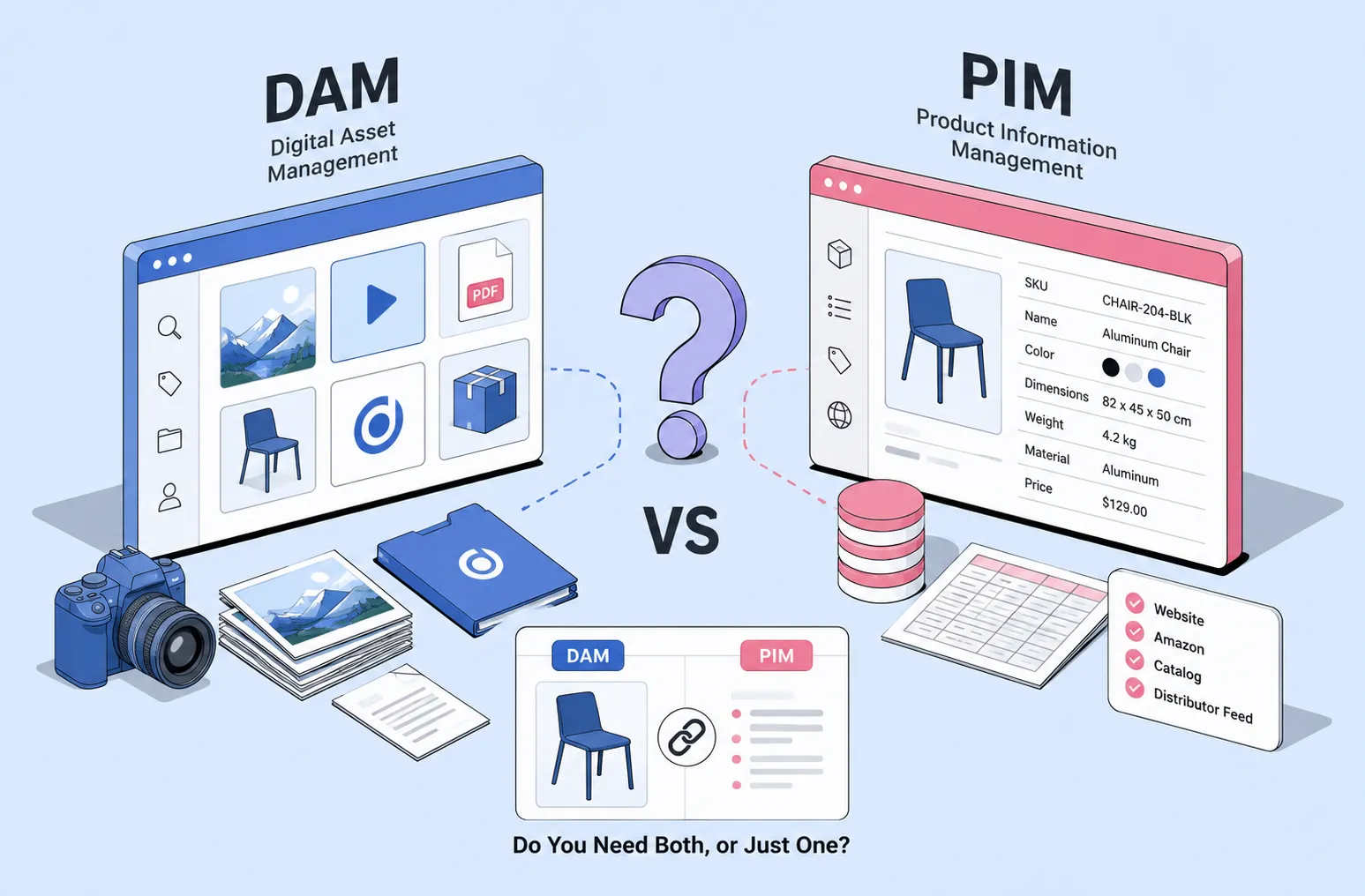
So, what’s a DAM system? In simple terms, it’s a centralized platform that helps you manage and organize all your digital assets, including images, videos, and other media files. With a DAM, you can easily find, store, and share your assets while keeping track of the necessary licenses and usage rights.
One decent DAM option you can consider is Daminion. It offers some useful features that can help you manage your assets and keep track of licenses effectively.
Let’s go over some of the key benefits of using a DAM system:
- License management: DAM systems help you keep track of all the licenses and usage rights associated with your images. This way, you’ll always know which images are okay to use and when it’s time to renew a license.
- Easy organization: With a DAM system, you can categorize and tag your images, making it super easy to find what you’re looking for in a snap. No more wasting time searching through endless folders!
- Collaboration: DAM systems make it simple to share images with your team, ensuring everyone is on the same page when it comes to legal usage.
- Version control: Ever accidentally overwrite a file or lose track of the most recent version? DAM systems help you maintain control over your files, ensuring you always have the correct and most up-to-date image.
- Security: A good DAM system, like Daminion, keeps your assets safe and secure, so you can have peace of mind knowing your images are protected from unauthorized access.
So, next time you’re worried about using images legally, remember that a DAM system can be a real game-changer. With powerful features and user-friendly interfaces, you’ll be able to manage your digital assets like a pro, avoid copyright issues, and focus on creating awesome content for your audience.
Ensuring Your Team Avoids Using Illegal Images
a. Educating Your Team About Image Copyright Issues
First and foremost, we need to ensure that everyone on our team is aware of image copyright issues. This means understanding that not every image we find on the internet can be used freely. We should hold a team meeting or workshop to explain the basics of image copyright, fair use, and Creative Commons licenses.
It’s important that everyone knows the difference between copyrighted images, public domain images, and those under a Creative Commons license. This way, we can all make informed decisions when selecting images for our projects.
b. Best Practices for Maintaining an Image Library for Your Organization
To help us stay organized and avoid legal issues, it’s a good idea to create an image library for our organization. This will make it easier to track and manage the images we use.
One excellent tool for managing our image library is Daminion, a Digital Asset Management (DAM) system. It allows us to organize, search, and manage all of our images in one central location. Plus, it has a fantastic feature that tracks license expiration dates, so we’ll always be aware of any potential issues.
Here are some best practices for maintaining our image library:
- Clearly label images: Make sure each image has a descriptive filename and is tagged with relevant keywords for easy searchability.
- Store license information: For each image, record the license type, source, and any other pertinent information. This will help us quickly determine whether an image can be used for a specific purpose.
- Set up alerts: Use Daminion’s license tracking feature to receive notifications when a license is about to expire. This way, we can take action before it becomes a problem.
- Keep it up-to-date: Regularly review and update our image library to ensure it contains only legally usable images.
By following these guidelines and using a DAM tool, you can make sure your team avoids using illegal images, keeping us out of any legal trouble and maintaining a professional image for your organization.
Legal Considerations for Using User-Generated Content and AI-Generated Images
When it comes to incorporating user-generated content (UGC) or AI-generated images into your marketing materials, it’s essential to tread carefully. You might be tempted to use that perfect customer photo or AI-created graphic without a second thought, but remember that you need permission from the content creators or owners.
For UGC, always ask for explicit consent from the person who posted the content. Keep in mind that just because someone shared a photo or video on social media doesn’t mean you have the right to use it in your marketing materials. Reach out to the content creator and obtain written permission before using their work.
AI-generated images can be a bit trickier. The legal landscape around AI-generated content is still evolving, and copyright ownership may not always be clear. However, it’s best to err on the side of caution and obtain permission from the AI software developer or the individual who used the software to create the image.
Penalties for Illegal Image Usage
It’s crucial to understand the potential consequences of using images without the proper licenses or permissions. Using copyrighted images without permission can lead to severe penalties.
a. Important Facts About Penalties for Copyright Infringement
Copyright infringement penalties can range from cease-and-desist letters to lawsuits demanding monetary damages. In some cases, you might be asked to pay a licensing fee for the unauthorized use of an image.
In more severe cases, you could face legal action that requires you to pay hefty fines, remove the infringing content, and cover the legal costs of the copyright holder.
b. Key Facts on Image Copyright Infringements and Penalties
Key Facts on Image Copyright Infringements and Penalties
- Infringement can be accidental: Even if you didn’t intend to violate copyright laws, you could still face penalties if you unknowingly used copyrighted material.
- Ignorance is not a defense: Claiming that you were unaware of the copyright restrictions won’t save you from penalties. It’s your responsibility to ensure you have the right permissions for using images.
- Penalties can be costly: Copyright infringement can result in fines of thousands of dollars, depending on the extent of the infringement and the financial losses incurred by the copyright holder.
To avoid these penalties, always do your due diligence when sourcing images for your marketing materials. Look for images with Creative Commons licenses, obtain explicit permission from content creators, or invest in stock photo subscriptions to ensure you’re using images legally and responsibly.
Responding to a Copyright Infringement Claim
So, you’ve just received a copyright infringement claim for an image used on your website or blog, and you’re not sure how to handle it. Don’t worry! I’m here to break down the steps you can take to address the situation.
- Stay calm: First things first, don’t panic. It’s important to approach the situation with a clear mind and a level-headed approach.
- Review the claim: Take some time to read the claim thoroughly. Make sure you understand what image is in question and why the claimant believes it infringes on their copyright.
- Investigate the issue: Look into the image’s origin, and check if you have the necessary permissions or licenses to use it. If you’re not sure, consult your image library, team members, or any agreements you may have with photographers or content providers.
- Assess your options: If you believe the claim is valid, you can: a. Remove the image: The simplest solution is to remove the image from your website or blog and replace it with a licensed or royalty-free alternative. b. Obtain a license: If you’d like to continue using the image, you can reach out to the copyright holder and negotiate a license or purchase the rights to use it. c. Contest the claim: If you’re confident that you have the right to use the image or believe the claim is not valid, you can contest it. However, be prepared for potential legal proceedings.
- Respond to the claim: Once you’ve decided on the best course of action, reply to the claimant. Be polite and professional in your response, explaining how you’ve addressed the issue or why you believe the claim is not valid. Keep records of all correspondence, in case you need it for future reference.
- Learn from the experience: Use this opportunity to review your image sourcing and usage practices. Make sure your team understands the importance of using images legally and how to find and use licensed or royalty-free images. This will help avoid future claims and keep your content on the right side of copyright law.
Remember, dealing with a copyright infringement claim can be a learning experience. By taking the right steps and ensuring your team is well-informed, you can minimize the risk of future claims and maintain a strong, legally compliant online presence.
Services to Monitor and Prevent Illegal Image Usage on Your Website
Let me share with you some awesome services that can help you monitor and prevent illegal image usage on your site. This way, you can avoid potential copyright issues and focus on creating amazing content for your audience.
- TinEye: TinEye is a fantastic reverse image search engine that can help you find the source of an image and its copyright information. Simply upload the image or enter the image URL, and TinEye will show you where it’s been used online. It’s a great tool to double-check the images you’re using and ensure you have the proper permissions.
- Pixsy: Pixsy is another great service that not only monitors your images online but also helps you take action against unauthorized use. It can scan the internet for instances where your images are being used without permission and help you initiate copyright infringement claims if needed. It’s perfect for content creators and businesses that want to protect their work.
- Copytrack: Copytrack is a platform that helps you find unauthorized uses of your images and assists you in recovering compensation for copyright infringement. It’s simple to use – just upload your images, and Copytrack will do the rest. They’ll notify you if they find any unauthorized use and guide you through the process of claiming compensation.
- ImageRights: ImageRights is a powerful service for photographers and businesses looking to protect their visual content. They offer image tracking, copyright registration, and infringement recovery services. ImageRights helps you stay in control of your content and take legal action when necessary.
- Google Images: While not a dedicated service, Google Images is still an excellent tool to find image sources and check copyright information. You can perform a reverse image search by clicking on the camera icon in the search bar and uploading the image or providing its URL. It’s a simple and effective way to check the legitimacy of the images you’re using.
Consider also using a DAM system like Daminion that prevents your team from publishing images with expired licenses.
By using these services, you’ll be well-equipped to monitor and prevent illegal image usage on your website. So go ahead and try them out! Your peace of mind and your website’s reputation will thank you.
Image Editing and Manipulation: Legal and Ethical Considerations
Navigating image editing and manipulation can be tricky, so let’s quickly cover the legal and ethical aspects you need to know:
- Legal Stuff: Stick to copyright rules and understand Creative Commons (CC) licenses. Make sure you have the rights to use an image, and always credit the creator when required.
- Ethical Considerations: Enhance images, but avoid deception. Don’t alter images in a way that misrepresents the truth or creates false impressions.
- Transparency is Key: If you make significant changes, let your audience know. Being open and honest helps build trust and credibility.
- Respect Privacy & Sensitivity: Consider the feelings and privacy of people in your images. Avoid edits that could cause distress or harm.
- When in Doubt, Seek Permission: If you’re unsure about an edit, ask the creator or the subject of the photo for permission.
Keep these points in mind, and you’ll create stunning visuals without crossing any lines!
Reverse Image Search: Finding the Source and License of an Image
So, you’ve stumbled upon a fantastic image, and you’d love to use it in your next project, blog post, or social media campaign. But wait! Before you hit “download,” it’s essential to make sure you have the legal right to use the image, and that’s where reverse image search comes in.
Let me walk you through the process of finding the source and license of an image using reverse image search. It’s super easy, and it’ll save you a ton of headaches down the line.
Choose your reverse image search tool
First things first, you’ll need a handy tool to perform the reverse image search. There are several options out there, but here are a few popular ones:
- Google Images (images.google.com): Just click the camera icon in the search bar and upload your image or paste its URL.
- TinEye (tineye.com): Upload the image or paste its URL, and TinEye will do the rest.
- Bing Visual Search (bing.com/visualsearch): Click the camera icon in the search bar and upload your image.
Perform the reverse image search
Once you’ve chosen your tool, upload the image or paste its URL into the search bar. The tool will then scour the web, looking for visually similar images and the websites they’re hosted on. This process might take a few seconds, so be patient.
Review the search results
After the search is complete, you’ll be presented with a list of visually similar images and their sources. Look for the one that most closely matches your original image, and click on the source link. This will lead you to the website hosting the image.
Find the license information
Now that you’ve found the source of the image, it’s time to check the license. Many websites provide license information directly on the image’s page, but if you don’t see it there, try looking for a “terms of use” or “licensing” link in the site’s footer.
Creative Commons (CC) licenses are quite common and straightforward. They’re usually indicated by “CC” followed by a combination of letters, like “CC BY” or “CC BY-SA.” Here’s a quick rundown of what those letters mean:
- CC BY: You can use the image for any purpose, as long as you provide attribution to the original author.
- CC BY-SA: You can use the image for any purpose, but you must provide attribution and share any derivative works under the same license.
- CC BY-ND: You can use the image for any purpose, but you can’t modify it, and you must provide attribution.
- CC BY-NC: You can use the image for non-commercial purposes, as long as you provide attribution.
- CC BY-NC-SA: You can use the image for non-commercial purposes, but you must provide attribution and share any derivative works under the same license.
- CC BY-NC-ND: You can use the image for non-commercial purposes, but you can’t modify it, and you must provide attribution.
Get permission if necessary
If the image isn’t licensed under Creative Commons or another permissive license, you might need to get permission from the copyright holder. This could involve reaching out to the website owner or the original author of the image. Just send them a quick email explaining how you’d like to use the image and ask for their permission. It never hurts to ask, and many people are happy to see their work shared (with proper credit, of course).
And that’s it! By following these simple steps, you can make sure you’re using images legally and respecting the hard work of photographers and artists across the globe. So the next time you find an eye-catching image, remember to perform a quick reverse image search and check the license before using it. Not only will this protect you from potential legal issues, but it’ll also help ensure that creators are fairly recognized for their work.
Custom Licenses for Company-Generated Images and Content
Let’s dive into this quick guide to effortlessly create custom rules for using your company’s images and content, tailored to your specific needs.
- Custom Licenses vs. Creative Commons: Custom licenses let you handpick the terms for using your company’s images and content, unlike one-size-fits-all CC licenses.
- Get a Template: Find a licensing agreement template online or through your company’s legal team.
- Terms of Use: Define how users can use your images and content, such as free or paid, and whether modifications are allowed.
- Duration & Territory: Choose the license’s length and the countries it covers.
- Attribution: Specify how users should credit your company when using your content.
- Warranty & Liability: Include clauses to protect your company’s interests and limit responsibility.
- Keep It Simple: Use plain language to make your custom license easy to understand.
- Review & Revise: Have your legal team review the license to ensure it’s comprehensive and clear.
Follow these steps to create a custom license that balances protecting your company’s interests with accessibility for users. Happy licensing!

Explore our DAM system
with your personal manager
demo from your dedicated manager.