August 15, 2026
Updated



A specialist wine photographer tested seven AI metadata setups on the same images, gradually turning a generic description prompt into a detailed specification for his archive. The result was not perfect automation. It was something more useful: searchable metadata that made tens of thousands of previously difficult-to-find photographs accessible again.
When Per Karlsson began experimenting with AI tagging in Daminion, he was not looking for a clever caption writer.
He had a more demanding problem: how do you make a specialist photography archive searchable when manual tagging has covered only a fraction of it?
Per is the co-founder and editor-in-chief of BKWine Magazine, a wine journalist, and a professional photographer specialising in wine and travel. Together with Britt Karlsson, he runs BKWine, which combines wine journalism, photography, books, and specialist wine tours.
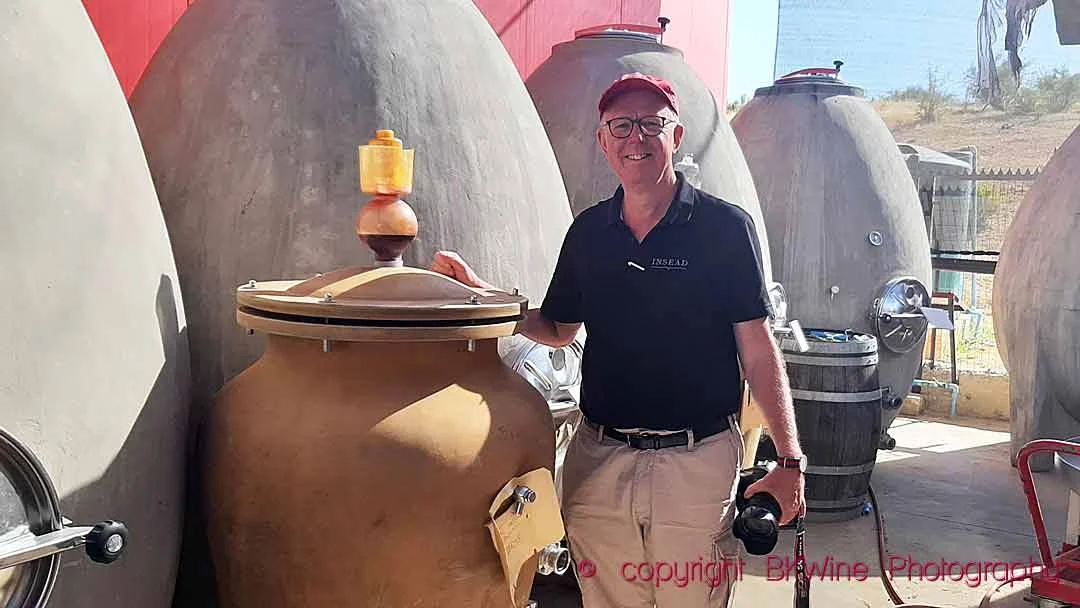
In parallel with their journalism, Per and Britt also run BKWine Wine Tours, organising specialist wine trips around the world. These tours are also the source of many of the photographs in their archive, which now contains a couple of hundred thousand images.
At that scale, metadata stops being an administrative detail. It becomes infrastructure.
An image that cannot be found is an image that can barely be used.
For a larger archive, this is also why having a consistent metadata management strategy matters: AI can generate information at scale, but that information still needs to support the way people actually search and organise assets.
AI-generated descriptions looked close to the answer — and also close to being dangerous.
The descriptions were often useful. But when Per started looking closely at the results, he began to notice patterns that made some of them much less useful as metadata.
Some were verbose, subjective, or overly confident. A plain agricultural landscape might acquire a story about sustainability. A person holding a camera could be described as having an interest in “capturing memories.” Even harmless filler such as “the image depicts” diluted the words that actually helped search.
“Tagging is one of the major hurdles to getting the images productive,” Per says.
At first, however, he assumed that this behaviour was largely fixed.
Per believed Daminion was sending images to the AI through a predefined request or prompt that users had little control over. At one point, he suggested that Daminion should change the prompt so descriptions would stop repeatedly beginning with phrases such as “the image depicts.”
That was when he discovered something that changed the direction of the entire experiment.
Daminion administrators can define the AI Description prompt themselves.
“My reaction was basically: ‘What? I can define it myself?’” Per recalls.
He could not only replace the default instruction but make the prompt much more detailed: specify what information mattered, define specialist terminology, tell the model what not to infer, and control the style of the resulting metadata.
That discovery led directly to an experiment with 18 images and seven different configurations.
The challenge was no longer simply to generate more metadata.
It was to generate metadata that could be trusted.
Per did not simply try one new prompt and decide whether he liked the result.
He built a controlled comparison designed to show which changes actually affected metadata quality.
The cost figures are point-in-time customer observations. Actual costs may vary by model, enabled AI outputs, Daminion configuration, provider pricing, and image volume.
A good DAM description has a different job from a well-written paragraph.
It should identify what is visibly present, use precise terminology when confidence is high, transcribe useful text, and stop before observation turns into interpretation.
It should behave like a meticulous cataloguer — not a travel copywriter.
This matters in any digital asset management system, but it matters even more in a specialist archive.
“Bottle of red wine” may be safer and more useful than inventing a grape variety. “Person wearing a chef’s jacket” may be more accurate than assuming that the person is a chef.
For BKWine, valuable details can include vineyard structures, cellar equipment, bottle labels, grape varieties, food, winemaking actions, locations, weather, and photographic composition.
But specialist terminology is helpful only when the image genuinely supports it.
That became the central principle behind the experiment.
Or, put even more simply:
A DAM caption isn’t literature. It’s metadata.
Daminion can generate several types of AI metadata, including AI Labels, AI Objects, AI Titles, and AI Descriptions.
All four help make images easier to find, but they capture information in different ways.
AI Labels identify general subjects, scenes, and concepts. AI Objects focus on specific elements detected within an image. AI Titles provide a short summary, while AI Descriptions offer more detailed information about what is visible, including relationships between objects, context, and other potentially useful details.
These outputs can overlap, and they often complement one another. For someone searching a large photo archive, as Per does, they all contribute to the same goal: finding the right image.
However, detailed descriptions also give AI more opportunities to introduce subjective language, unsupported assumptions, or irrelevant information.
That is why Per focused his experiment on AI Descriptions. He wanted to understand whether a carefully developed prompt could make them more accurate, restrained, and useful for search.
Could changing the instructions make those descriptions more factual, restrained, and useful for search?
Readers looking for a broader introduction to automation and AI across a DAM workflow can see our guide to AI-powered asset management. For a comparison of tools built around photo organisation and automated tagging, see our image tagging software comparison.
Daminion users can also find a more technical explanation of the distinction between AI Labels and AI Objects in the documentation.
Here, however, the focus is narrower: what actually happens when you change the instructions behind AI-generated descriptions?
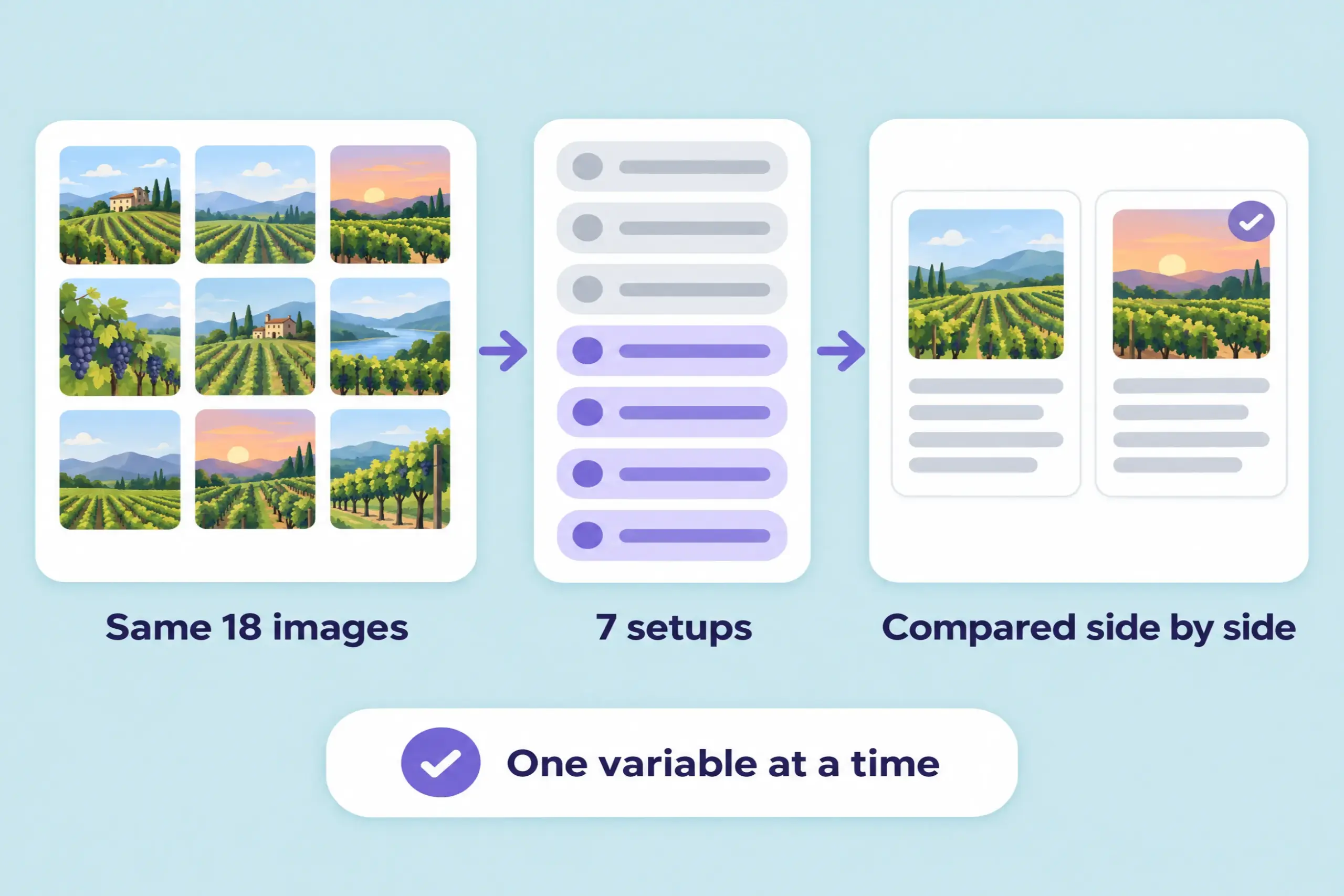
Per created a benchmark of 18 images and ran them through seven different setups in Daminion, all using GPT-4o-mini.
The first three runs kept the default Daminion prompt and changed the relevance setting. The remaining runs used progressively more specific custom instructions.
The setup was deliberately controlled: the same images, the same model, and the same DAM, with one meaningful variable changed at a time.
That made differences easier to attribute.
It also turned the 18 photos into something more useful than a one-off experiment: a benchmark that could be used again when the prompt, model, or configuration changed.
Across relevance settings of 0.3, 0.6, and 0.9, the descriptions changed — but not in a way that made the settings easy to distinguish.
Per’s conclusion was that the differences seemed small and sometimes almost arbitrary.
If the columns had been hidden, it would have been difficult to identify reliably which relevance setting had produced which description.
The prompt variants were different.
Their effect was immediately visible.
That does not mean relevance controls are irrelevant. Different image collections and recognition tasks may respond differently to configuration changes.
But for this dataset and model, the highest-leverage work was elsewhere.
A clear editorial specification did more for the quality of the resulting descriptions than adjusting the threshold.
For this experiment, the sensible order became:
One of the shortest prompts produced one of the experiment’s most useful failures.
The model was asked to write a description suitable for a professional stock photography library.
That sounds reasonably specific.
It was not.
Instead of simply becoming more factual, the model supplied its own idea of what a stock library description should sound like.
Descriptions drifted into commercial commentary. An image was described as “excellent for editorial and lifestyle use” or as emphasising “the beauty of wine production.”
Those sentences may sound polished.
They are still poor metadata.
They describe how an image might be marketed rather than what the image actually contains. They also introduce subjective interpretations and words that may later pollute search results.
The lesson goes beyond photography.
For metadata work, observable rules are much more useful.
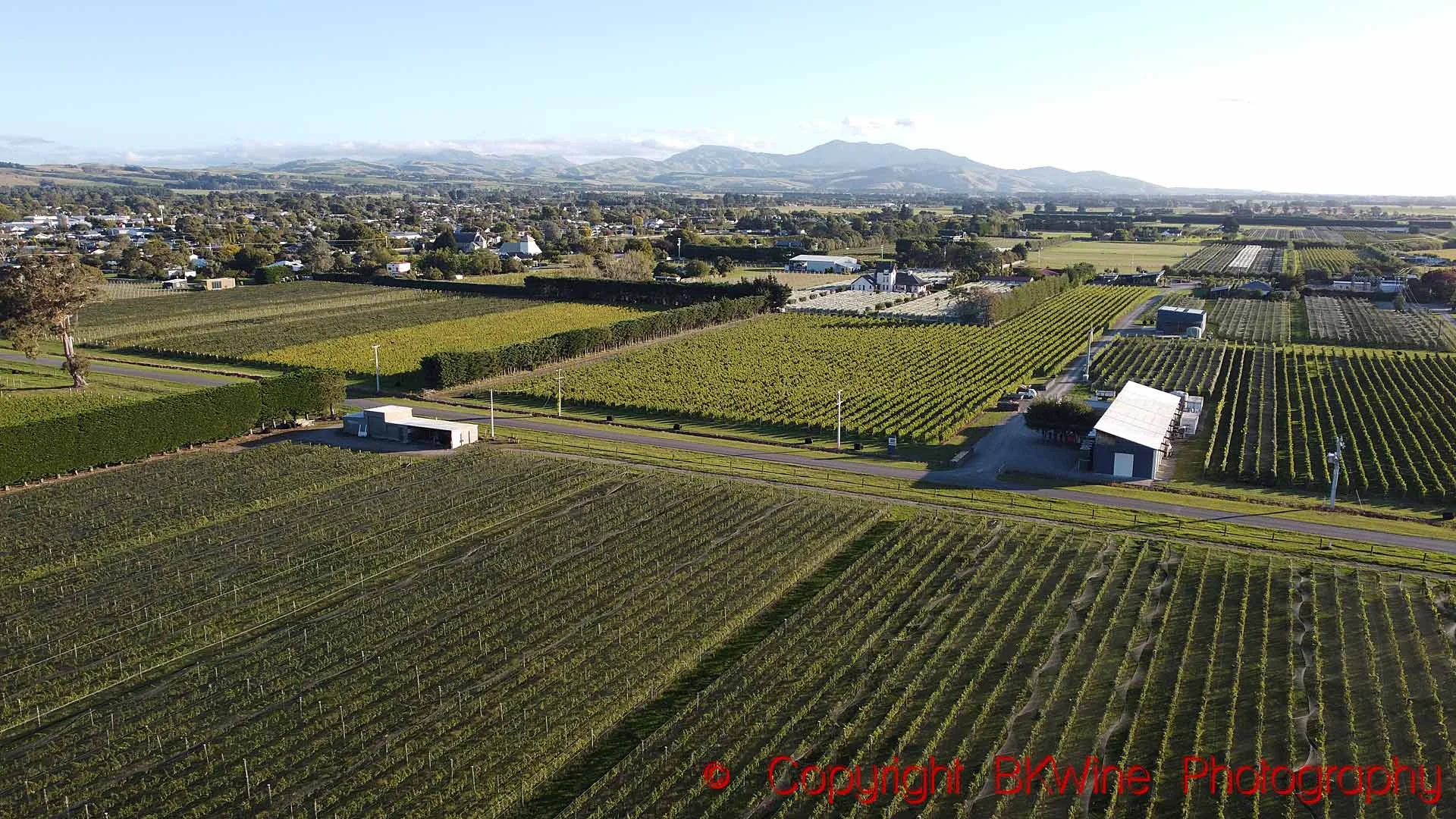
One vineyard photograph provides a particularly clear example of how the prompt changed the output.
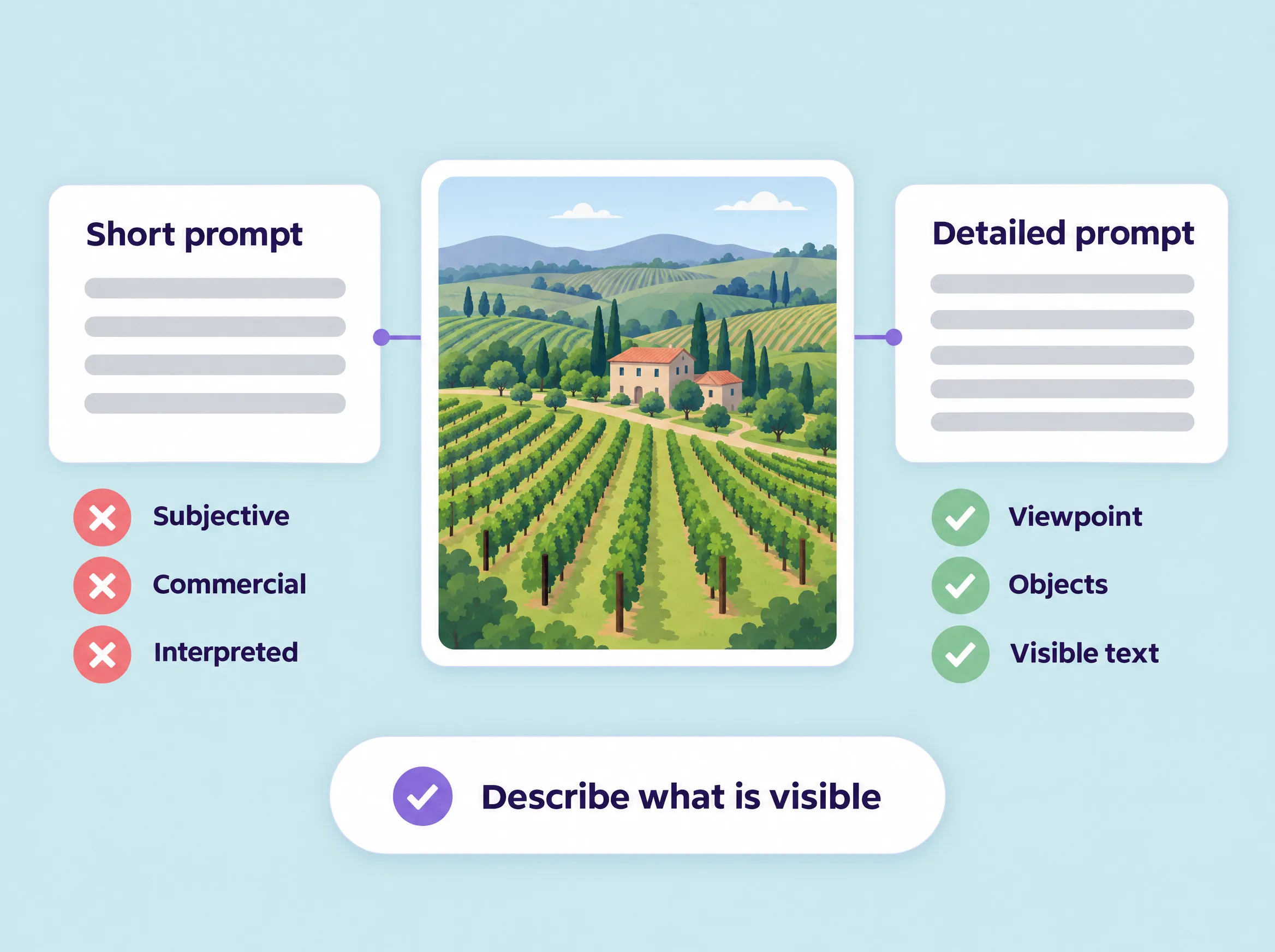
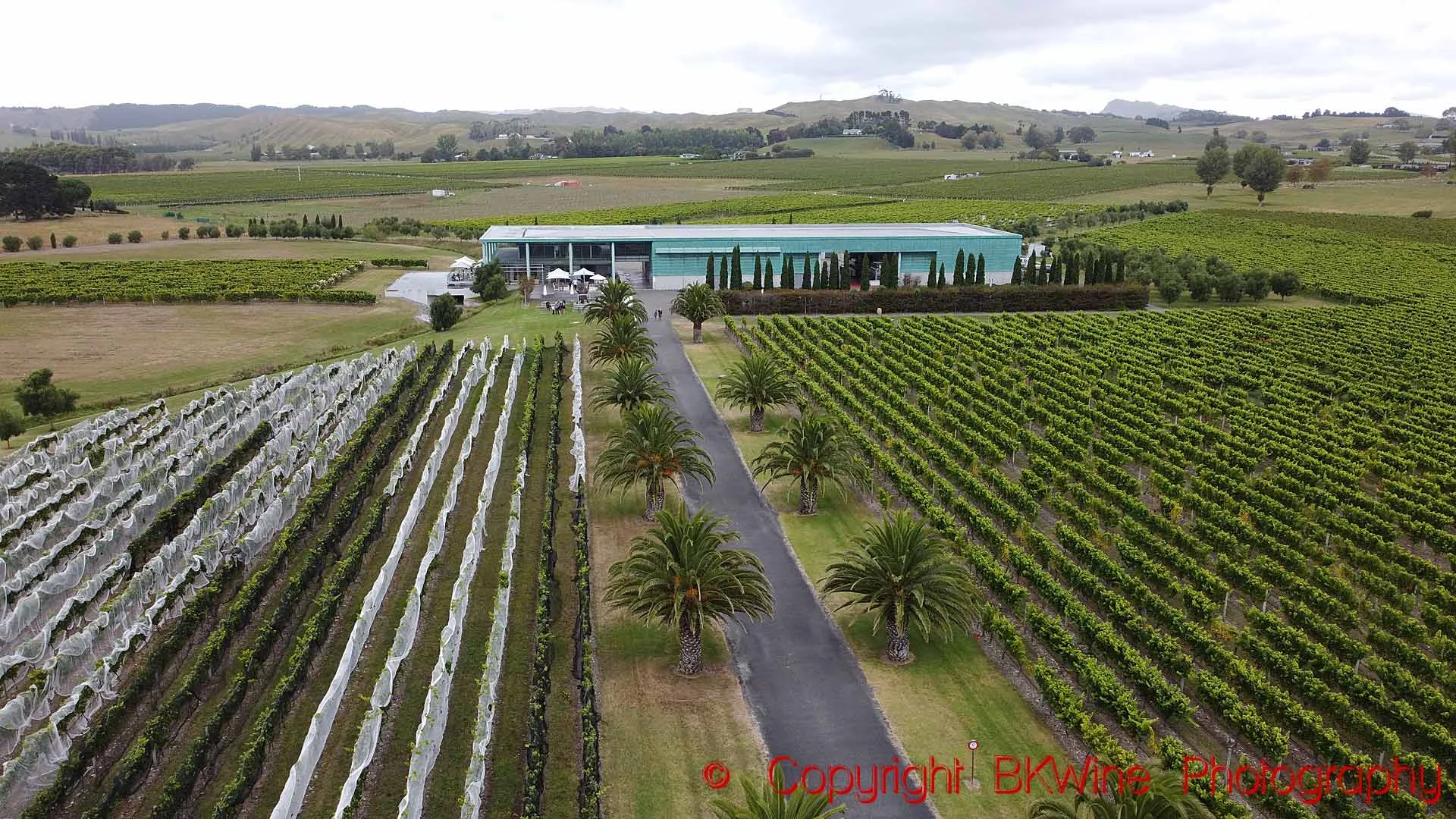
“Aerial view of a sprawling vineyard landscape… This serene setting emphasizes the beauty of wine production, making it an excellent image for editorial and lifestyle use in the wine and travel industries.”
This description contains several metadata problems:
“Aerial view of a vineyard landscape featuring rows of grapevines stretching across the foreground and background. On the left, the vineyard is neatly organized with overlapping white protective cover on some vines, indicating care for the crop. In the center, a pathway leads to a modern building with a green roof, flanked by palm trees and a backdrop of rolling hills. The sky is cloudy, suggesting an overcast day, adding a muted light to the scene. The environment is tranquil, with well-maintained grounds and no visible people.”
The advanced result is substantially more concrete.
It identifies the viewpoint, vineyard rows, protective covering, pathway, building, green roof, palm trees, hills, and cloudy sky.
But it is still not perfect.
Remaining problems include:
That is precisely why this example is useful.
It does not present prompt engineering as a miraculous before-and-after transformation.
It shows measurable improvement while keeping the remaining limitations visible.
The advanced prompt did not work merely because it was long.
It worked because it converted editorial judgement into more explicit behaviour.
The prompt told the model to:
The amount of text was not the improvement.
In fact, a shorter description is often better.
There is only so much relevant information in one image, and adding more words does not automatically add more searchable value.
The aim of the detailed prompt was to increase the proportion of useful observation while reducing filler, interpretation, and unsupported detail.
Daminion administrators can replace the generic AI Description prompt with instructions tailored to the content of their own archive. The Custom Prompts documentation shows how this works and gives another domain-specific example.
The wider setup, including enabling AI Auto-Tagging and configuring the AI service for a catalog, is covered separately in How to Enable AI Auto-Tagging.
The important distinction is that the prompt is not simply a writing instruction.
For a specialist archive, it becomes part of the metadata standard.
The individual mistakes in the experiment can be grouped into a relatively small number of recurring categories.
The experiment did not eliminate every error.
It changed their frequency and severity.
The default and short-prompt descriptions regularly introduced atmosphere, commercial use, and speculative meaning. The advanced prompt pushed the model towards concrete observations, leaving a smaller set of milder and more predictable mistakes.
That distinction matters operationally.
Predictable mistakes are easier to detect, review, and correct.
Generic AI recognition is often good at identifying common objects.
Specialist archives create a different problem.
A model may recognise a vineyard while missing the significance of visible protective netting. It may identify a bottle while misreading a label. It may call a piece of winemaking equipment a generic container, or confidently assign the wrong grape variety.
This is why Daminion’s custom prompting option mattered to BKWine.
Per’s prompt instructed the model to pay particular attention to wine, viticulture, winemaking, food, and gastronomy.
At the same time, it explicitly told the model not to use specialist terms unless the image actually supported them.
That balance is essential.
A subject-specific prompt should make the model more attentive, not more imaginative.
The same principle can be applied to other specialist collections:
AI-generated metadata should still fit into a wider organisational structure.
For teams developing that structure from scratch, our metadata management strategy guide covers fields, naming conventions, consistency, and governance, while our guide to taxonomy and controlled vocabulary in DAM looks more closely at hierarchical classification.
The custom prompt does not replace that structure.
It connects the AI model to it.

Per noticed another important detail: two runs using apparently similar settings did not always produce identical AI Labels, Objects, or descriptions.
That is an important consideration when evaluating generative and vision models.
Teams should avoid drawing broad conclusions from one isolated word or caption.
Instead, the aim is to identify recurring tendencies:
A benchmark should measure patterns.
It should not require identical wording every time.
The advanced prompt substantially improved the results, but it did not make them flawless.
One description still ended with “no visible people,” despite an explicit instruction never to describe what was absent.
Other outputs retained interpretive bridges such as “suggesting,” “indicating,” and “emphasising.”
These were milder than some of the earlier problems, but they revealed a persistent model tendency to narrate or interpret.
This is where prompt engineering begins to show diminishing returns.
Once the main error categories are controlled, adding another several hundred words to the prompt may produce only marginal improvement. It can also make the instructions harder to test and maintain.
The more sustainable approach is to collect failures rather than react to every individual caption.
An individual mistake may never occur again.
What matters is a pattern.
Once the same type of problem appears repeatedly, it becomes useful evidence for changing the instructions.
A prompt should evolve in response to systematic behaviour, not every unusual output.

In a separate small comparison, Per found GPT-4o-mini more useful than GPT-5-mini for this particular task.
His recollection was that GPT-5-mini produced richer but less precise descriptions, with more irrelevant information and inference. In one example, it introduced sustainability into the description of an ordinary landscape.
The takeaway is not that one model is universally better.
The useful question is much more task-specific:
Which model would you trust most if nobody ever reviewed the image again?
Visual metadata extraction under editorial constraints is different from general writing or reasoning.
The task rewards restraint, consistency, and predictable errors.
Greater eloquence can actually become a disadvantage if it introduces interpretations that do not belong in the archive.
For metadata, consistency can be more valuable than brilliance.
The original 18-image benchmark suggested that the cost of generating metadata was small.
A later accident gave Per a much better real-world measurement.
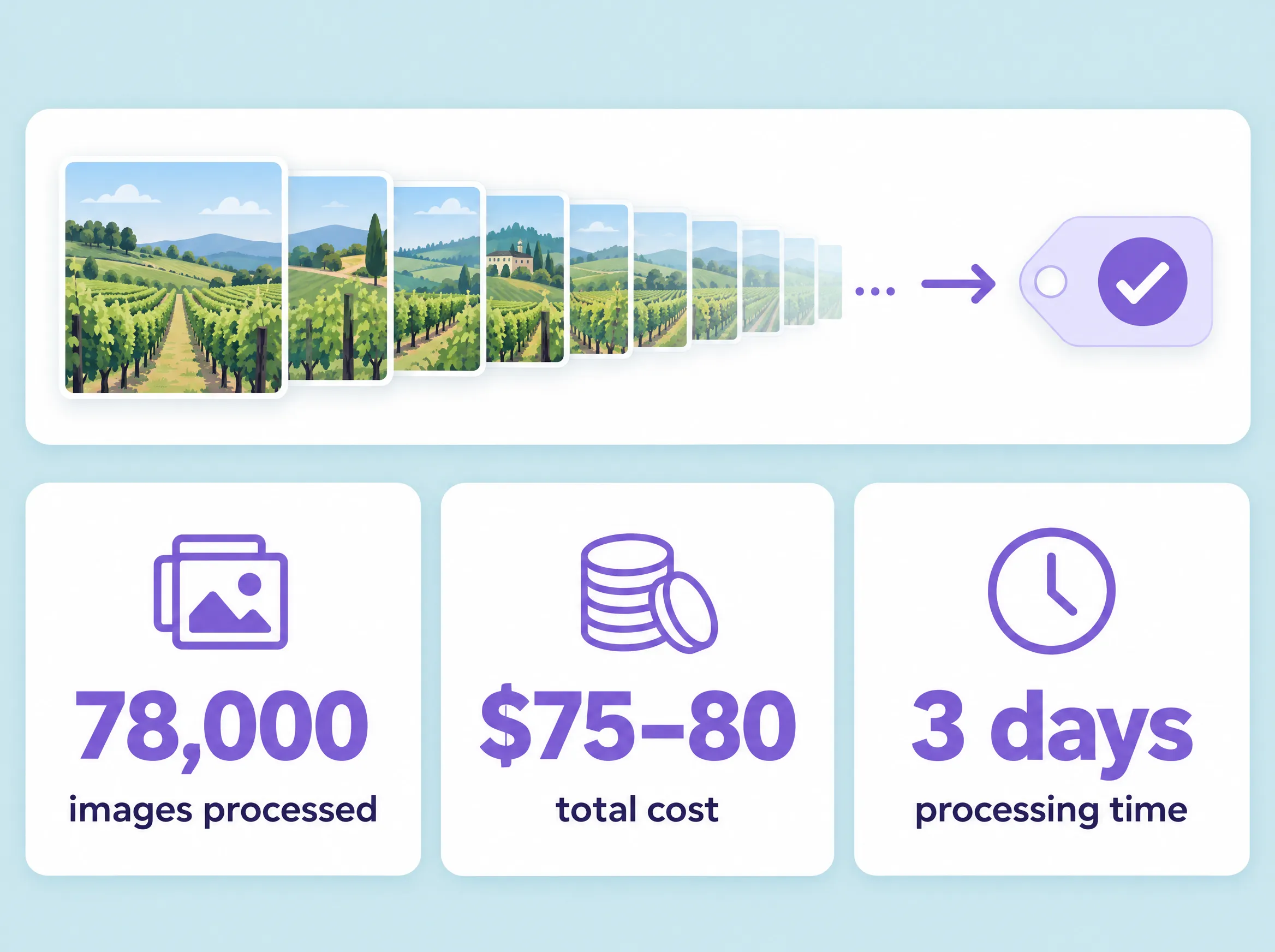
By mistake, he sent approximately 78,000 images from one of his catalogs for AI processing.
Fortunately, there were no videos in that particular catalog.
All four AI tagging options were enabled.
“That’ll cost me plenty, I thought,” Per recalls.
It did not.
The entire run cost approximately $75–80.
Processing the batch took considerably longer — around three days — making processing time more noticeable than the AI cost itself.
The accident also exposed one practical improvement Per would like to see: a way to cancel a large tagging job after it has been submitted.
The exact price should be treated as a point-in-time customer observation rather than a universal estimate. Costs can vary according to the selected model, provider pricing, enabled outputs, configuration, and usage.
But for Per, the conclusion was simple:
“The cost of AI tagging is insignificant.”
That changes the economics of the archive.
Instead of deciding which small fraction of the collection deserves manual description, AI can create an initial searchable layer across tens of thousands of assets.
Human attention can then be reserved for the files where precision matters most.

Per’s conclusion is deliberately nuanced.
He would not yet use the AI-generated output as final metadata for a commercial stock photography library.
In that environment, inaccurate or speculative terms can be actively destructive. Customers rely on precise captions, and incorrect metadata can affect both search and trust.
For BKWine’s own archive and publications, however, the value is much greater than the remaining imperfections.
Only a portion of the historical archive had been manually described.
AI-generated metadata gives older images a practical path back into search and reuse, even when a human still needs to refine selected records.
This distinction is useful for any DAM team.
Do not ask only:
Is the AI accurate enough?
Ask:
Internal discovery, first-pass enrichment, and collection exploration may tolerate a very different confidence level from customer-facing licensing metadata, rights information, compliance data, or public archives.
AI does not need to replace the entire professional metadata workflow in order to create significant value.
An AI-generated description is useful only if people can use it to find the asset again.
That is where the DAM layer matters.
Daminion combines generated information with catalog metadata, custom fields, hierarchical tags, filtering, and full-text search.
A user might search for a vineyard, bottle, person, activity, or location, then narrow the results by project, year, client, file type, or another custom field.
The Filtering and Searching in the Web Client documentation shows how quick search can be combined with catalog tags and Boolean filters. More complex queries can be built with Advanced Search, including searches across text descriptions and other metadata fields.
Where an organisation already uses its own terminology, generated metadata can be reviewed and aligned with that vocabulary rather than allowing the archive to fill with inconsistent classifications.
Daminion users can build hierarchical tag structures using the Web Client tagging tools and create custom tags for organisation-specific fields.

BKWine’s experiment suggests a workflow that other teams can adapt without copying Per’s exact prompt.
Decide what counts as useful information, what should be omitted, how uncertainty should be handled, and which specialist terms matter.
“Write a good description” is not a standard.
“Describe only visible information, use specific terminology only at high confidence, transcribe labels, and avoid interpreting intent” is much closer to one.
Include straightforward images as well as ambiguous scenes, people, visible text, specialist equipment, indoor and outdoor locations, and examples where an incorrect description would matter.
A benchmark should represent the real archive — not only its easiest images.
AI Labels, Objects, Titles, and Descriptions can all make images easier to find, but they provide different levels of detail and context.
Some information may overlap between fields, while other details may appear only in a description or a specific object tag.
Consider how these outputs complement one another in your own archive and whether they help people find the images they need.
For BKWine, all four were useful. The experiment focused specifically on improving descriptions because they offered the most room for refinement through custom prompts.
Daminion users can explore the available processing options in How to Auto-Tag Your Photos.
Keep the benchmark images and model stable while testing one prompt revision or configuration change.
If the dataset, model, prompt, and settings all change at the same time, it becomes difficult to explain the result.
Look for invented claims, filler, omissions, useful terminology, and failures to follow constraints.
The nicest caption is not necessarily the best metadata.
Collect descriptions that trigger the reaction:
“I wish it hadn’t done that.”
Do not rewrite the prompt for every mistake.
Wait until enough examples exist to reveal recurring categories.
Once the prompt performs well on the benchmark, try it on a larger but still reviewable part of the archive.
That may reveal problems that were absent from the original 18 images.
And before processing 78,000 files, double-check the selected batch.
Per learned that one the hard way.
Use broad automation where the goal is internal discovery and enrichment.
Add stricter human validation when metadata is public, commercial, legal, connected to rights, or otherwise business-critical.
When the model, prompt, settings, or Daminion configuration changes, rerun the same images.
The new setup should have to beat the existing baseline rather than a vague memory of previous results.

There was one unexpected complication after Per's larger tagging run.
When he accidentally sent the entire catalog for processing, the descriptions on the original test images were regenerated using his newest prompt.
The earlier descriptions in those fields were overwritten.
For Per, that was not a major issue. Any future modification would in any case be compared with the latest prompt rather than every historic version.
It does, however, illustrate a useful lesson for controlled AI testing:
The 18 images themselves remain useful as a benchmark.
When the model, prompt, or configuration changes, the same set can be processed again and evaluated using consistent questions:
The durable asset is therefore not the exact wording of one prompt.
It is the specification behind it:
Those principles can survive a change of model.
For Per, the most important result was not that the AI had become perfect.
It was that a previously difficult-to-search historical archive became practically accessible.
He is equally clear about the limitations.
“It is not perfect and will never be. It’s not at stock-library level, but today most of my images are for our own use and our own publications, and for that it is more than enough to be worth doing.”
His conclusions after the experiment are straightforward:
Per also plans to write about the experiment on his own site and share the custom prompt he developed, providing a practical example of what a detailed domain-specific description prompt looks like in real use.
Yes.
Daminion administrators can define custom instructions for AI Descriptions rather than relying exclusively on a generic prompt.
For Per, discovering this capability was what triggered the entire 18-image experiment.
The Custom Prompts documentation explains how the prompt can be adapted to the content of a particular catalog.
Not simply because it was longer.
The strongest prompt performed better because it contained clearer rules about accuracy, confidence, specialist terminology, interpretation, structure, and unwanted language.
A shorter description can still be better than a longer one when it contains a higher proportion of useful searchable information.
In BKWine’s test, the differences between the relevance settings were relatively small compared with the differences produced by changing the prompt.
That does not mean every archive will behave the same way.
The practical lesson is to test configuration changes on representative assets rather than assuming that one setting will always be best.
Per later processed approximately 78,000 images with all four AI tagging options enabled.
The total cost was approximately $75–80.
This should be treated as a point-in-time customer observation rather than a universal pricing estimate.
Approximately three days in Per’s case.
At that scale, processing time became more noticeable than the AI cost.
Not in Per’s view.
For commercial stock photography, incorrect or speculative metadata can directly affect customers and licensing workflows.
For BKWine’s own publications and internal archive search, however, the descriptions were more than useful enough to justify processing previously under-described parts of the collection.
No.
In Per’s small comparison, GPT-4o-mini produced more useful results for this particular task than GPT-5-mini.
Metadata generation rewards precision and restraint. A model that produces richer or more elaborate prose is not automatically the better cataloguer.
Use a representative set of the same images and change one meaningful variable at a time.
Keep examples of recurring failures, but avoid rewriting the prompt in response to every unusual output.
The goal is not to produce a perfect caption.
It is to increase the amount of accurate, searchable information in the archive.
AI-generated metadata does not eliminate metadata strategy.
It makes metadata strategy more important.
Without a clear standard, automation can scale filler, inconsistency, and unsupported inference.
With a standard, it can make a large archive dramatically more searchable at a scale manual description cannot easily match.
BKWine’s experiment offers a practical model:
The goal is not to make the AI sound intelligent.
It is to make the archive useful.
Daminion combines AI-generated metadata with structured tags, custom metadata, controlled vocabularies, filtering, and advanced search — with cloud and on-premise deployment options.
Explore Daminion AI Tagging or contact the Daminion team to discuss your archive and workflow.