
Best Digital Asset Management for Popular NAS Vendors

Managing a corporate NAS can feel like juggling multiple demands at once. The Marketing team needs better content organization, IT seeks smoother integration with existing on-premise infrastructure, and various departments are asking for faster, more reliable access to files.
Amidst these pressures, inefficient asset management practices sneak in deeper than daily operations, resulting in unexpected IT spending. In fact, up to 30% of your IT budget might be wasted on poorly organized digital assets.
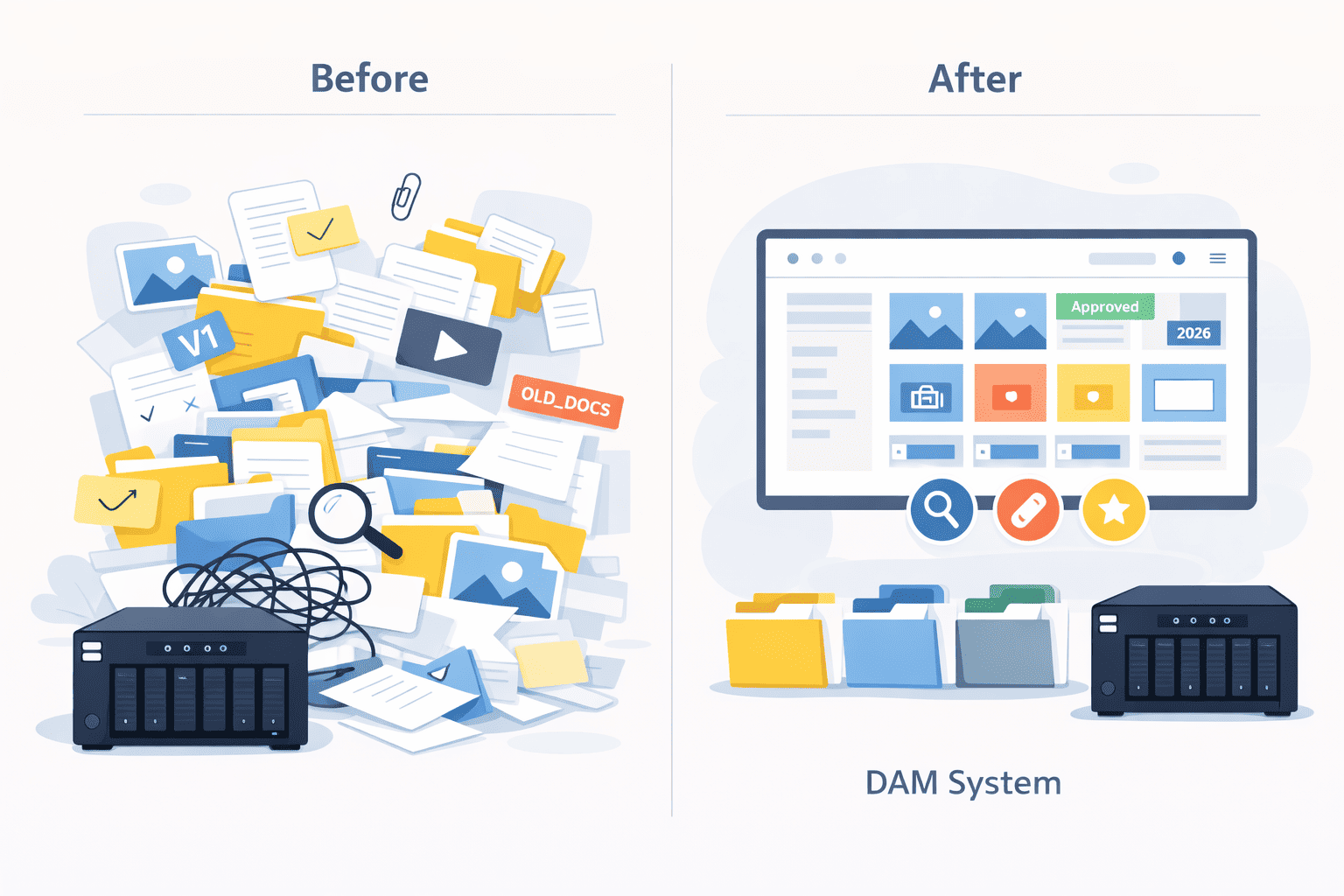
Luckily, there’s a practical solution to these challenges — Digital Asset Management (DAM) integrated with your Network-Attached Storage (NAS). This software streamlines file organization and boosts cross-departmental collaboration, helping your team stay focused on what matters, not the endless search for files.
In this article, we’ll find out how DAM for NAS can improve your workflow, key features to consider when choosing the right DAM for NAS system, and how Daminion can make it all come together.
1. Searching for files on a corporate NAS server wastes precious time, slows down your teams, and strains your IT resources.
2. A DAM solution eliminates the chaos by organizing assets, accelerating search, and improving collaboration.
3. When choosing DAM for NAS, ensure it can connect to your NAS (Synology, QNAP, Dell, etc.), supports file formats that your teams use, and has automatic tagging tools.
4. Daminion is the most versatile and easy-to-use on-premise DAM solution that works seamlessly with popular NAS servers. It simplifies asset management with AI-based tagging tools, advanced search filters, support for 100+ file types, and Adobe Cloud integration.

Discover How Daminion Can Work for You
What is DAM for Network Attached Storage?
Digital asset management software solves several major issues all at once, and it does so without blowing up your existing IT infrastructure.
While cloud-based DAM solutions require moving your content to their servers, one-premise DAMs like Daminion complement your existing infrastructure. You don’t replace your NAS, you just run additional software on top of it.
Here is how it works:
- You install the DAM software on a server that you host.
- The software connects to your NAS, makes a list of all the assets on it, extracts their metadata, and puts it into a database.
- After that, it runs AI tools in the background to analyze visual assets and add additional metadata, such as objects and their colors, faces, etc.
Now you can use a search query such as “nursery bed” and get a sensible selection of all visual content that matches this description. You can further refine search results by file type, date, category, licensing terms, and so on.
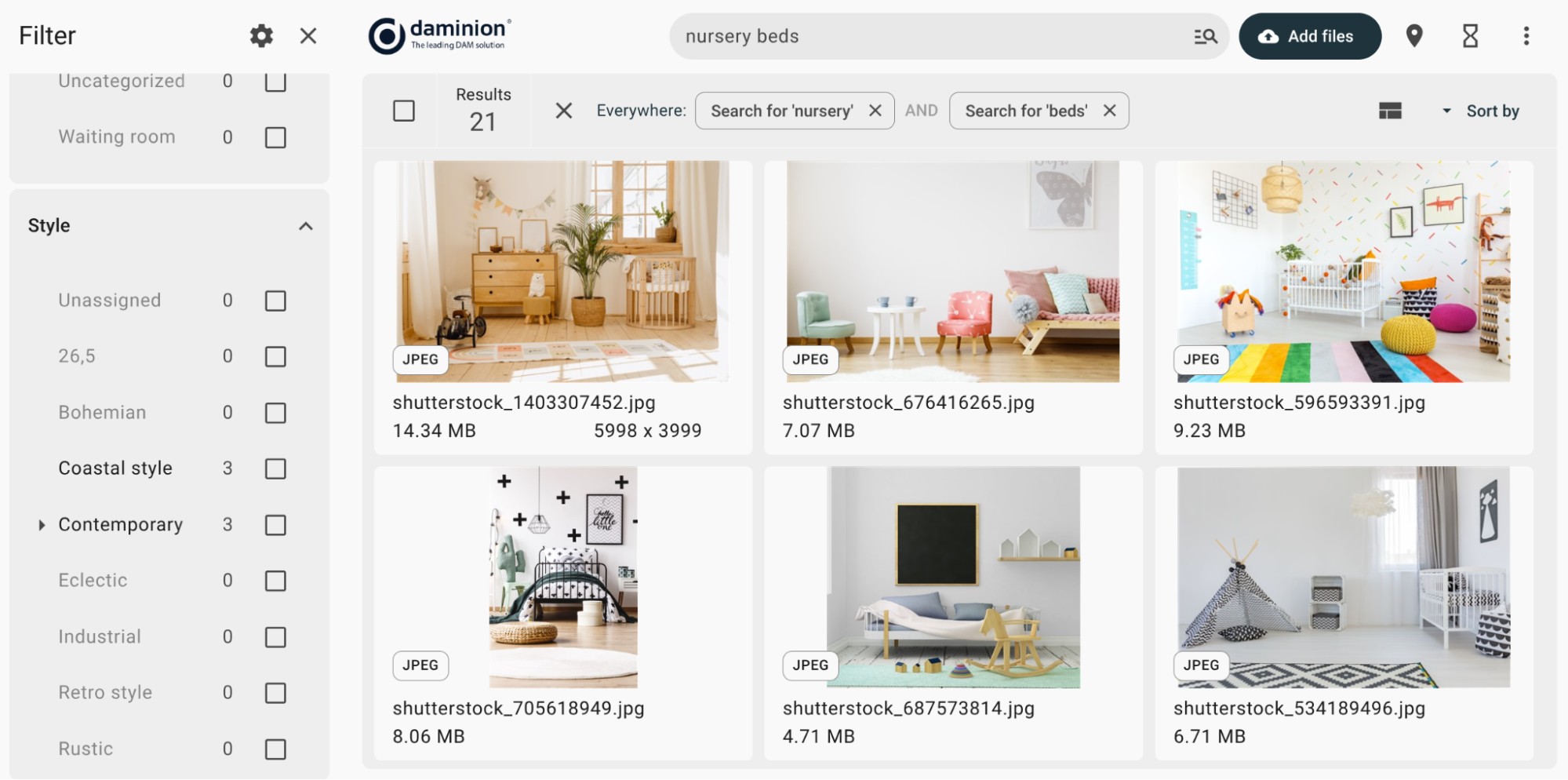
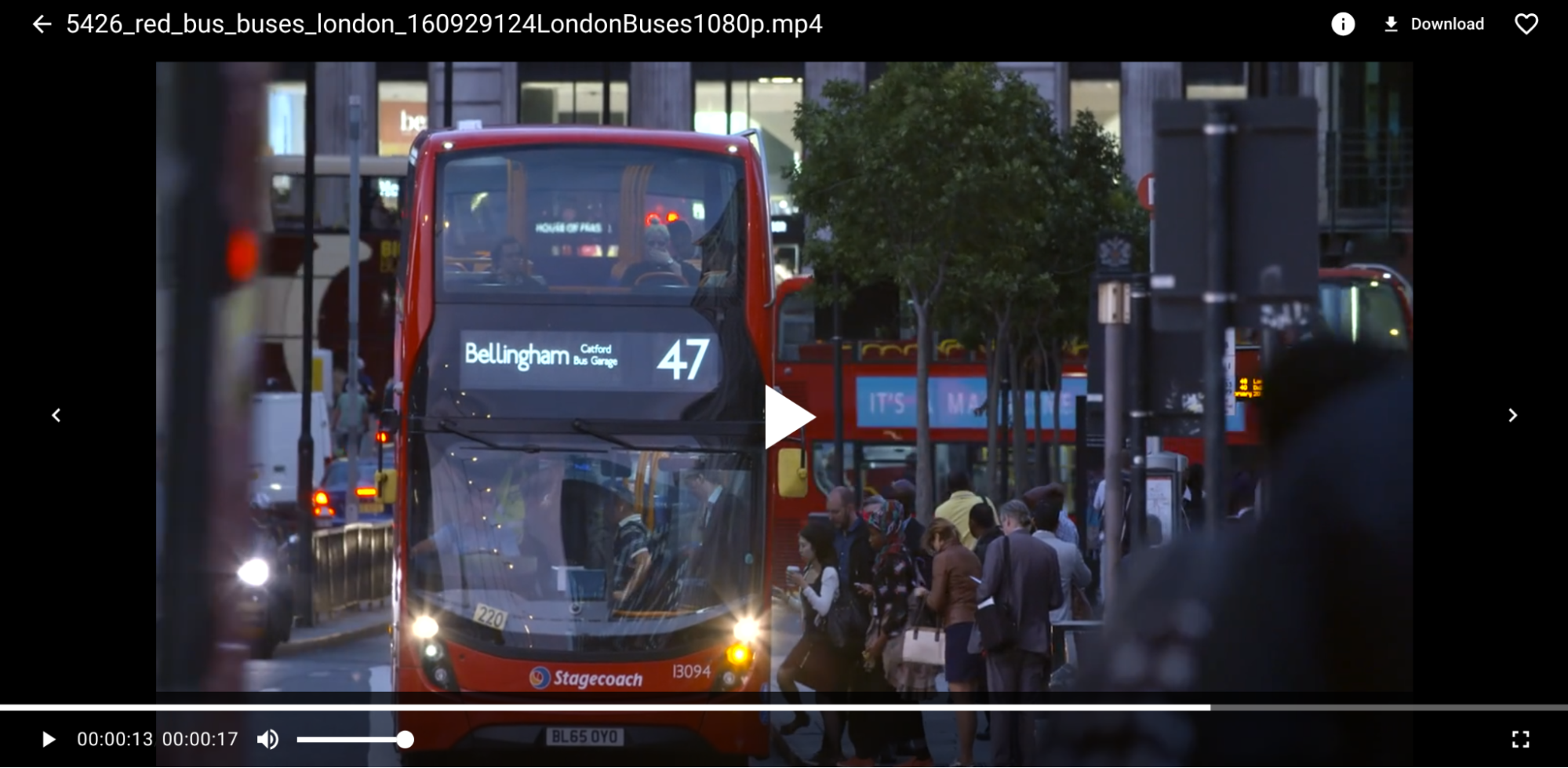
DAM systems will also display previews for many file formats. If you have gigabytes of video footage to reuse, you don’t need to wait for it to download and open locally so you can pick the right files. You can preview them right in the browser.
To create a revision of an asset, you check it out for local editing. As long as it’s checked out, no one can create a conflicting revision.
Once you check the new revision back in, it automatically becomes available by default. So anyone downloading that asset will get the latest revision. That means no more obsolete logos in designs. Also, no confusion about who botched a specific revision.
When you have new assets to drop into the NAS, you don’t manually sort them across folders. You simply drag and drop them into the DAM, and the system does the rest for you.
Note how in all the use cases above you don’t wrestle with the folder hierarchy or spend hours finding the right assets. Instead, you get a great user experience, and you change absolutely nothing about where or how the existing assets are stored.
For a more detailed look into the mechanics of DAM, please read an earlier article by the Daminion founder.
If your files already live on the NAS and you would rather test than read, you can point Daminion at that share — it indexes assets where they are, so nothing has to be copied or restructured for a trial.
Key Features to Look for in a DAM for NAS
DAM solutions are something you keep using for years, so it’s essential to pick the right option early on. Here are some of the major considerations.
1. Actual NAS support (Synology, QNAP, and More)
The entire point of having a DAM running on top of a NAS is having zero service disruptions and little-to-no additional infrastructure costs. Some vendors recently canceled on-premises versions of their DAM software in favor of a cloud-only service. So make sure the solution you are interested in will run on top of your NAS.
Don’t hesitate to ask the vendor for a demo, explain your use cases and requirements, and let them guide you through setting up their DAM for use with a Synology or a QNAP NAS.
2. Broad file formats support
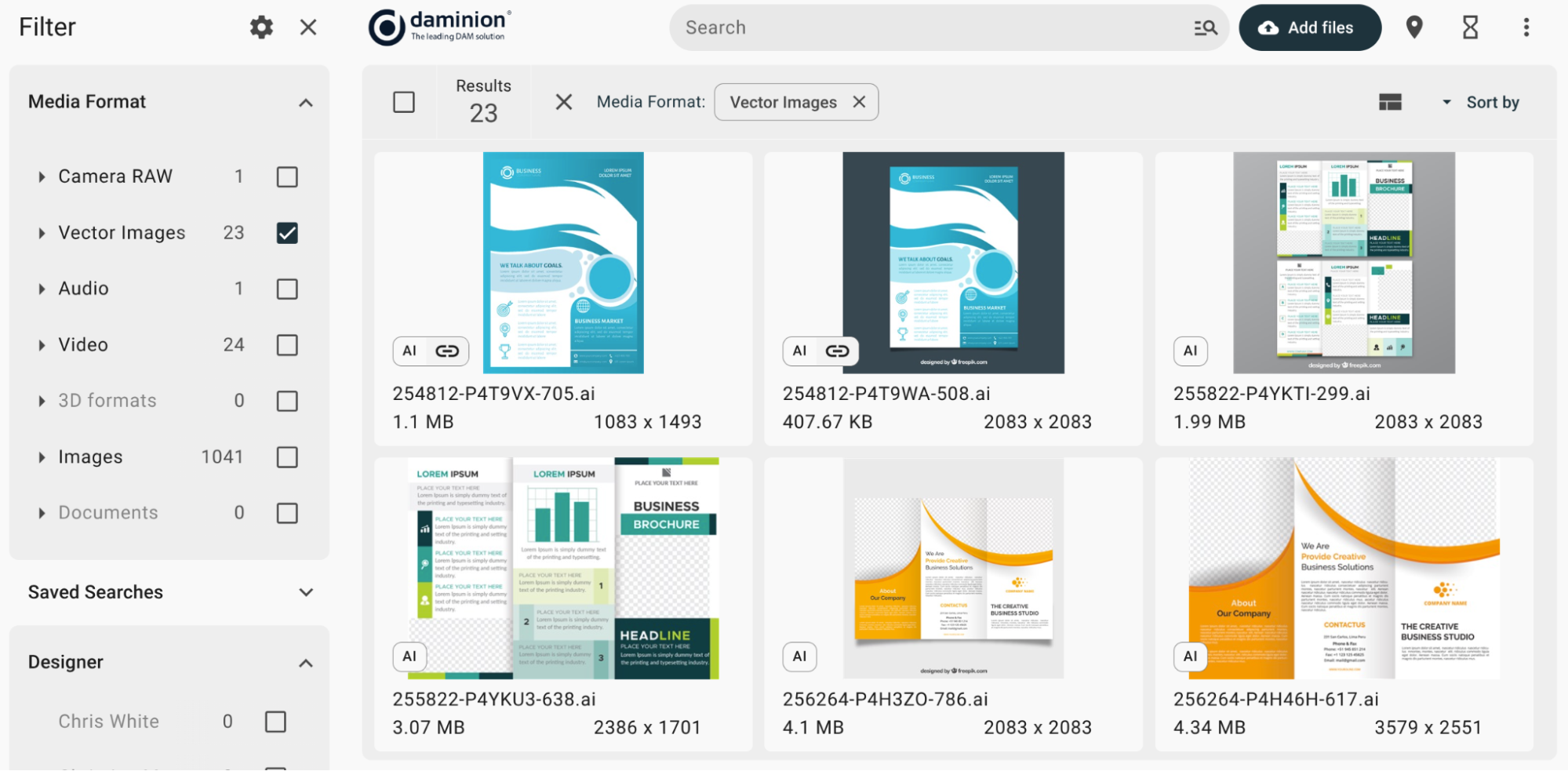
Native NAS file managers and search tools typically have limited preview support. For example, most of them won’t show thumbnails for RAW photos, Adobe project files, and 3D scenes. This adds a lot of guesswork to your workflow, as you have to open it over the network in a heavyweight application, which clogs the bandwidth and wastes a lot of time.
When choosing a DAM solution, ensure it supports rendering previews for the file formats you actually use. In that case, a glance will tell you if the asset you are looking at is the right one.
3. Advanced tagging and metadata management features
To make assets easy to find, you need to add metadata that describes them: tags, categories, and more. Some NAS vendors, such as Synology and QNAP, support essential Exif image metadata as search parameters, but this is where metadata support usually ends.
What you are looking for in a DAM solution is support for three things:
- Controlled vocabulary and custom categories
- AI-based tagging for visual content
- AI-based face recognition for photos
These three features require minimal initial effort — mainly to build the vocabulary — and then do the boring work for you.
4. Version history tracking
Advanced search is of little help when you have dozens of previews that look almost identical because the DAM software treats revisions as separate, unassociated assets.
Choose the DAM solution that has version history management. You should be able to upload a modified asset as a new revision and write an optional comment. The DAM should also be able to display version timestamps and revision authors to give you an audit trail.
5. Role-based access control
NAS vendors typically allow setting up basic access rules with users and user groups. For example, a user can belong to a group that can open and save files in one folder and only open files in another folder.
This is the absolute baseline that the DAM solution for Synology, QNAP or any other NAS vendor must support. Better yet, it should provide role-based access to assets to give you even more control. For instance, you should be able to create a role that allows a group of users to view and comment on assets, but not modify their metadata or create revisions.
6. Secure sharing and external access
If you work with contractors or need to share assets with clients, you have to be able to make a selection of your files accessible to users outside your organization.
Choose a DAM solution that matches these specs:
- Can limit access to registered users only
- Can password-protect shared files
- Has an access timer
Best DAM Systems to Pair with Your NAS
1. Daminion
Daminion is an on-premises DAM solution, aimed at a wide range of companies that need efficient and secure access to assets. Daminion has been successfully used by hundreds of organizations in conjunction with NAS systems by Synology, QNAP, NetApp, Dell, Western Digital, and others.

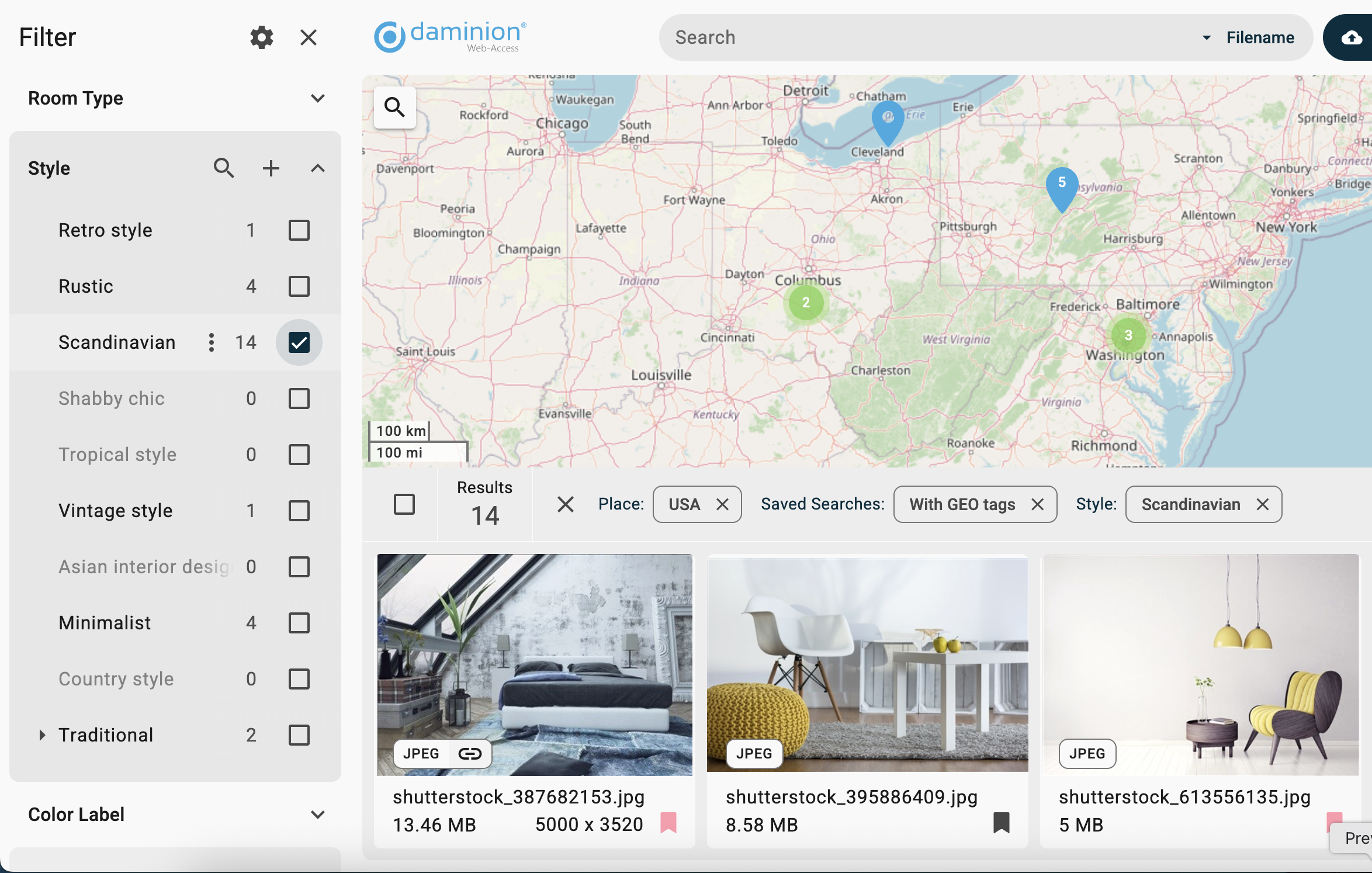
Key features:
- On-premise hosting: Daminion is designed to run on companies’ own infrastructure, which is essential for companies with strict data management policies or under federal data hosting regulations.
- Advanced metadata management: Daminion’s workflow ensures consistent use of custom tags and categories. Various AI-based features, such as facial recognition, geo-tagging, and automatic video transcription significantly decrease the amount of time it takes to make new assets searchable.
- Preview for various file formats: Daminion supports well over 100 file formats, including high-resolution images, videos, PDFs, Adobe and Affinity design files, 3D models, and more. This makes Daminion a great choice for companies that produce a lot of digital content.
Daminion’s strengths:
- Scalability: Daminion is routinely used for managing catalogs with hundreds of thousands and even millions of assets. You can expand your library of digital assets on the corporate NAS server as much as you need to. Daminion will keep delivering instant search results.
- Interoperability: For companies that store design projects on NAS and also require cloud storage support for collaborating with contractors, Daminion integrates with Adobe Cloud.
- Security: Daminion provides both folder-level and role-based access control. This covers virtually all possible use cases, including scenarios where users need to be granted a fine-grained set of permissions.
Overall, Daminion is best for companies that prioritize data security and handle giant catalogs of media content stored on NAS servers. Its focus on efficient organization, quick search, and local data control makes it a trusted choice in various industries.
Licensing is per user and does not scale with how much you store on the NAS — the pricing page lists the on-prem options.
Still Deciding?
Take Daminion for a Test Drive

2. Cavok
Cavok is a proprietary DAM platform designed for marketing teams to organize, share, and distribute brand assets to external stakeholders.
Features: Brand portals, advanced metadata tagging and search capabilities, workflow automation for asset approval.
Strengths: Advanced access control features.
Limitations: Insufficient documentation, users report problems uploading and handling large files.
3. ResourceSpace
An open-source digital asset management system with a strong focus on accessibility for nonprofits and public sector organizations.
Features: Configurable metadata fields and resource types, built-in image editing and format conversion tools.
Strengths: A decent set of features and a great support team.
Limitations: A steep learning curve, some features are difficult to master.
4. Nuxeo
Nuxeo is an enterprise-grade content services platform designed to efficiently work with large datasets and complex workflows.
Features: Focuses on digital content management and offers automated workflow options.
Strengths: Best for large organizations working in media-rich environments that require strong organizing and cataloging tools.
Limitations: Steep learning curve, incomplete documentation, not well-suited for smaller organizations price-wise, requires developer-level customization.
5. Razuna
Razuna is an open-source digital asset management solution offering cloud and self-hosted deployment options.
Features: Multi-tenant architecture supporting multiple organizations or brands, customizable user permissions and sharing controls.
Strengths: Good customization options.
Limitations: Auto-tagging can be inaccurate.
Top DAM for NAS Comparison Table
Space
The table answers what each tool can do; it does not answer how it behaves on your particular share. That part is quick to check yourself — install Daminion alongside your NAS and let it index a folder you already know well. If budget is the deciding factor rather than features, start from pricing instead.
Why Daminion Is the Best Digital Asset Management Solution for NAS
Among the options we reviewed in this articles, Daminion checks all the boxes for teams that need secure and smart asset management for their NAS:
- Supports NAS by vendors such as Synology, QNAP, and others.
- Easily scales to handle millions of assets.
- Has smart file management, AI tagging, and powerful search tools.
- Untangles complex workflows with version history and permission control.
- Provides secure access to your files at predictable cost.
- Trusted by 800+ teams worldwide.
Request a demo today to see how Daminion can deliver a superior user experience to your trusted NAS.
Discover How Daminion Can Work for You
DAM and NAS: Practical Questions
Which NAS vendors does this work with?
Any NAS the server can reach as a network share. Synology and QNAP are the ones most often asked about, but the mechanism is the same for TrueNAS, Windows file servers and enterprise SAN volumes: Daminion mounts the share and indexes it in place.
Can one catalogue span several NAS units and other storage?
Yes. External volumes can be added from different devices, so a catalogue can cover two NAS boxes, a SAN volume and a local drive at once, and search works across all of them. To the user it looks like one library, regardless of where each file physically sits.
What happens if someone moves or renames a file on the NAS directly?
The catalogue entry keeps the metadata but loses the link to the file until the folder is re-indexed. This is the main reason to point watched folders at the shares people actually work in — new and moved files are then picked up automatically instead of drifting out of the catalogue.
How long does indexing a large NAS archive take?
Hours rather than days for typical archives, and it runs in the background. The heavier part is thumbnail generation, which is why thumbnails belong on SSD on the server: they take roughly 20–30% of the size of the media archive.
Will indexing slow the NAS down for everyone else?
Indexing reads files once and then works from the database, so day-to-day search does not touch the NAS at all. The load is concentrated in the initial import and in the periodic scan of watched folders, both of which can be scheduled outside working hours.
Does this work in a network with no internet access?
The core does. Indexing, search, metadata and permissions run entirely inside your network. The exception is AI tagging against an external service — in an isolated network you would either run a local model or leave auto-tagging off.


Explore our DAM system
with your personal manager
demo from your dedicated manager.