September 21, 2026
Updated


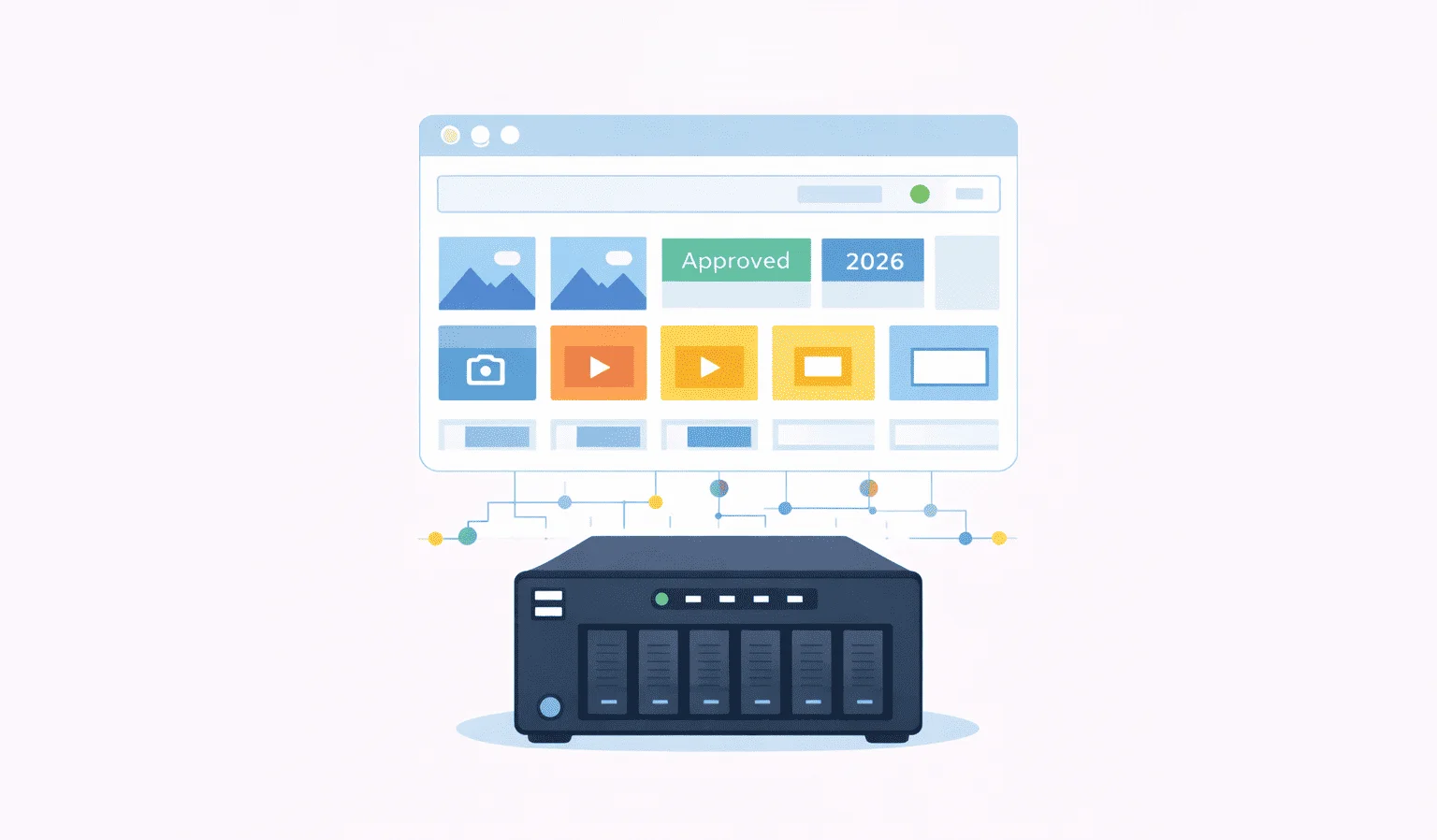
Synology NAS has long been a trusted companion for many local teams: reliable, secure, and capable of storing terabytes of digital files. But as your organization’s digital library grows, the system’s efficiency starts to crumble.
Your Marketing, Communications, and Design teams are frustrated by the time wasted searching for the right visuals, while IT professionals are pressured to maintain an increasingly complex folder structure that wasn’t built to scale.
What if you could upgrade your Synology NAS with a smart search system that organizes every photo, document, and video file and can find it instantly? That’s essentially what an on-prem Digital Asset Management (DAM) system does.
In this article, we’ll explore the main challenges of managing assets on Synology NAS and explain how pairing it with an on-prem DAM can transform daily operations.
If your Synology already holds the archive, the shortest test is to run Daminion against that NAS — it indexes shares in place and leaves your folder structure alone.

Every consumer-level NAS released in the last 20+ years ships with its own operating system that covers the basic needs. Typically, you get access controls, data management and backup tools, media playback, and search in one package.
Synology’s DiskStation Manager (or DSM) is no different. It’s a pretty generic operating system, which is both a blessing and a curse. Generic tools are usually easy to master, but they lack flexibility and often don’t scale well. And that’s a problem, because NAS solutions are supposed to handle terabytes of data.
The distinction that gets lost here is between storage and retrieval. A NAS is engineered for the first: it will hold terabytes reliably and serve them quickly to anyone who already knows the path. What it was never designed to do is answer “which photos from the Rotterdam site show the finished façade?” — that requires an index of what is inside the files, not just where they sit. This is the specific gap a DAM for a corporate NAS fills, and it is why the two are complements rather than alternatives.
Here is what enterprise users complain about the most. Running the catalogue on your own hardware is the whole point here, and the wider case for a self hosted dam applies to Synology as much as to any other NAS.
Because you have to actively maintain the folder hierarchy, it’s very easy to get to the point of complete hopelessness. Even with policies for naming files and creating subfolders, different departments often develop their own logic.
For instance, Marketing might name images by campaign, while Communications uses event dates. The result? Duplicate files, version confusion, and wasted time.
Admittedly, DSM does have some tools that help with keeping file names consistent, such as autorenaming files based on metadata. However, the file format support for that is limited.
Synology introduced it in February 2017 and stopped active development later the same year. The built-in indexer does extract existing metadata from files, and you can search for it.
You just can’t add anything to make the metadata more descriptive. For example, you can’t add extra tags, such as “Autumn 2025 campaign”.
Numerous users have complained over the years that indexing assets crunches the CPU and makes DSM less responsive. This affects everyone in the company, from IT running backups to marketing teams trying to browse shared folders.
The built-in access control dashboard in DSM allows you to create users and user groups, as well as set read/write access. But that’s as far as you can go with access granularity with default tools. So the IT team has to come up with ad-hoc permission workarounds, which are often manual and error-prone.
In other words, while Synology is great for storage, these limitations begin to impact your productivity as your archive grows. This is where the digital asset management (DAM) layer changes the game.
Digital asset management solutions make a world of difference for teams across departments. They eliminate the need to manage folder hierarchies directly and make finding files blazing fast, even if you have hundreds of thousands of assets in the catalog.
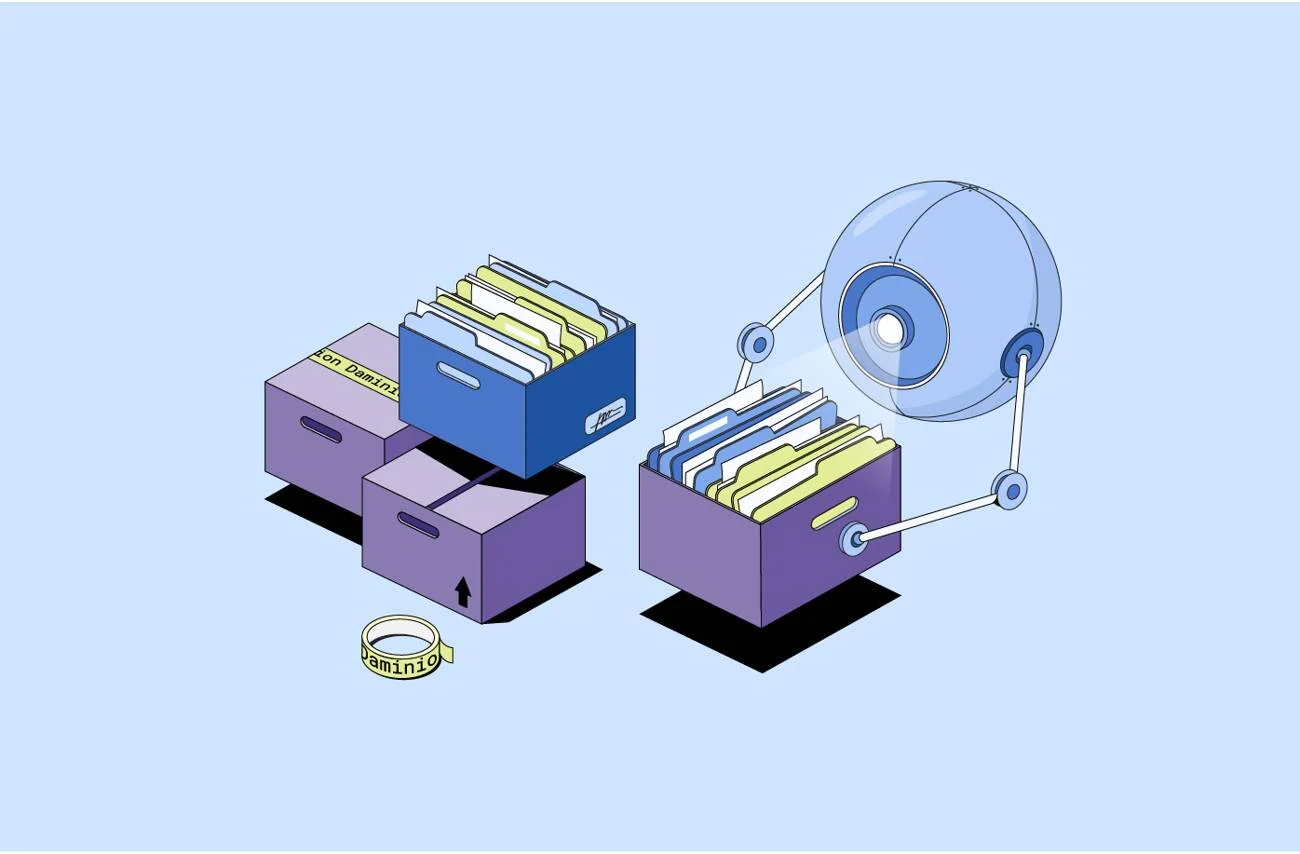
Here’s how it works: the DAM software scans your NAS, extracts metadata from each file, and organizes everything into a searchable database. From that moment, finding an asset is as simple as typing a keyword. The system handles the rest in seconds. Our earlier article explains all that in greater detail.
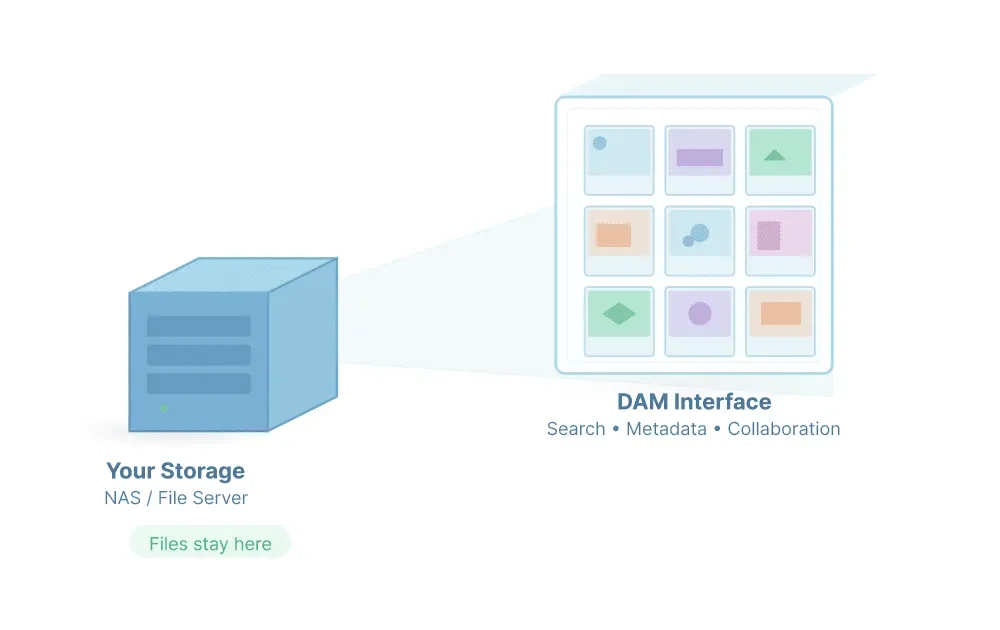
What DAMs do is close to what Synology provides with Universal Search, but DAMs don’t stop at extracting the existing metadata. They also let you add your own metadata, manually or with AI. That’s useful because the more descriptive the metadata is, the easier it is to find an asset.
Your average photo taken directly from the camera may have the photographer’s name, geo tags, and the usual Exif metadata. The same photo in a DAM will also have a list of objects or people found by the AI, and you can easily find all photos that match that description.
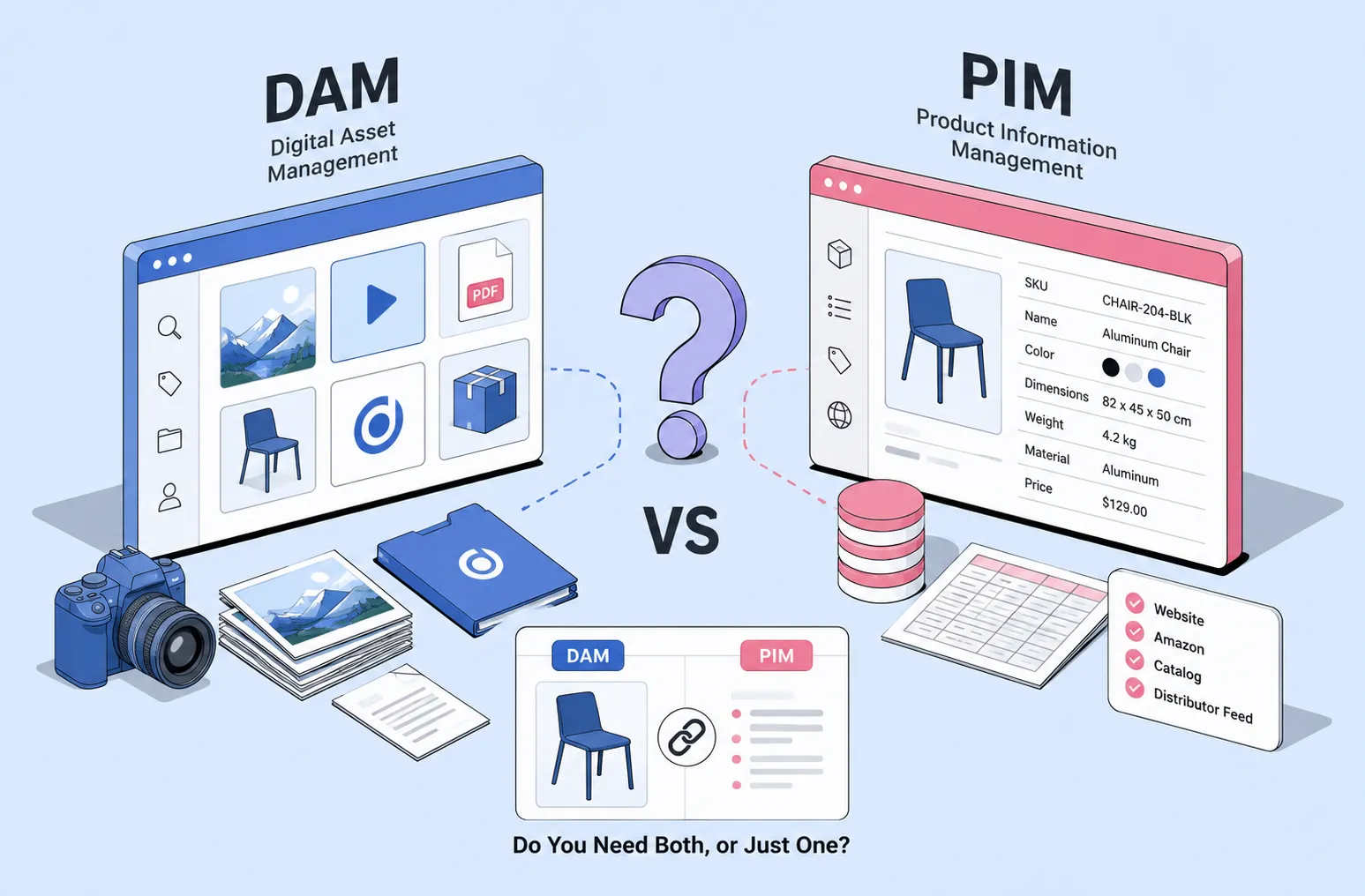
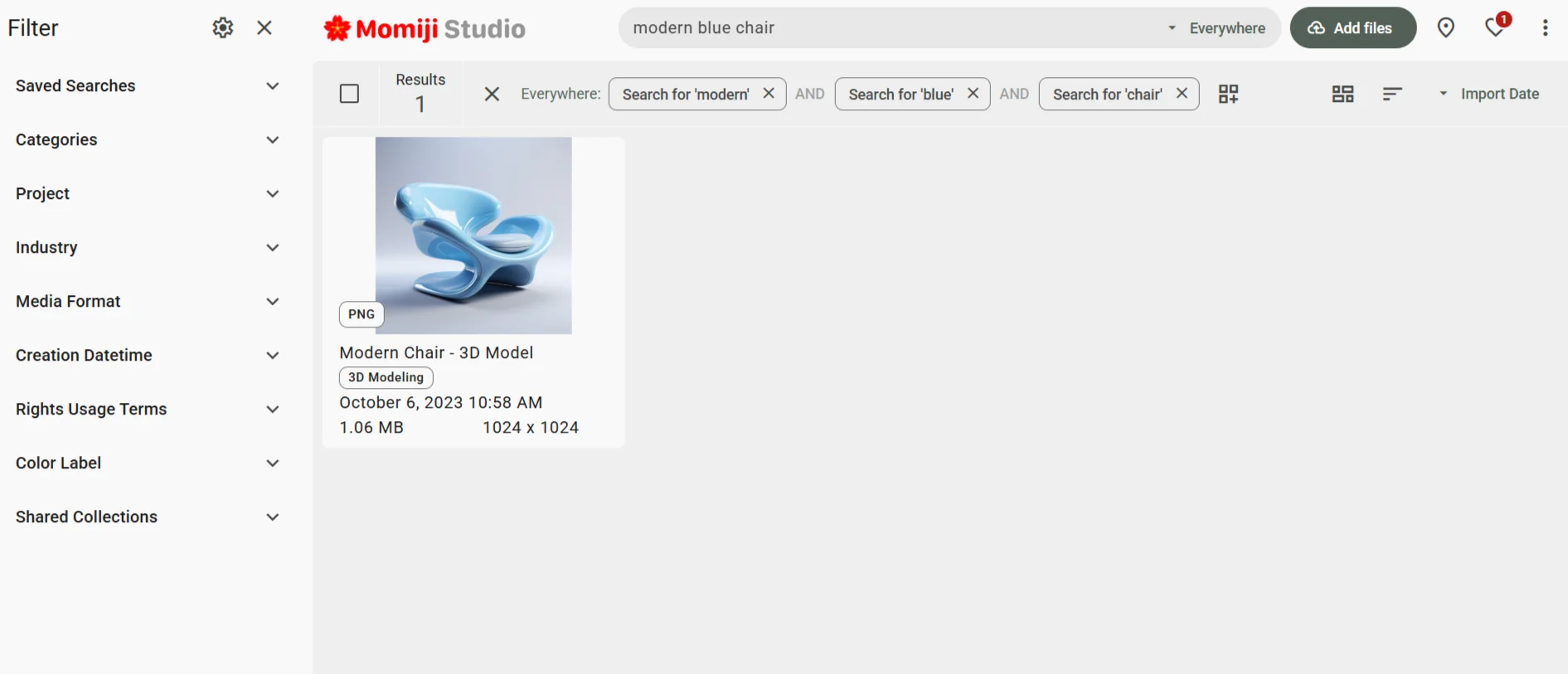
For example, instead of scrolling through folders named “Campaign_2024_Photos,” your marketing team can simply search for “Modern blue chair” and instantly find every matching image..
With DAMs, you also typically get role-based access controls with detailed permissions. For example, you can create a guest role that allows someone to access only the general catalog, view and comment on assets, but not download them or create revisions.
The trick is to find a DAM solution that will actually work with your existing NAS. Most DAM solutions on the market are cloud-based and store all data on AWS S3 or a similar storage system.
What you need instead is on-prem DAM software that runs on your local network, connects to your NAS, and maybe even sits behind a firewall for extra protection. Daminion ticks all these boxes.
Daminion is one of the leading on-prem DAM solutions that is compatible with popular NAS vendors (Synology, QNAP, etc.). It connects directly to your existing setup, so your storage structure remains unchanged.
Hundreds of organizations, from creative agencies and architecture firms to local governments, already use Daminion with Synology to bring order, speed, and data transparency to their archives while keeping everything behind their own firewall.
Here are the main reasons why Daminion and Synology NAS make a great combo.
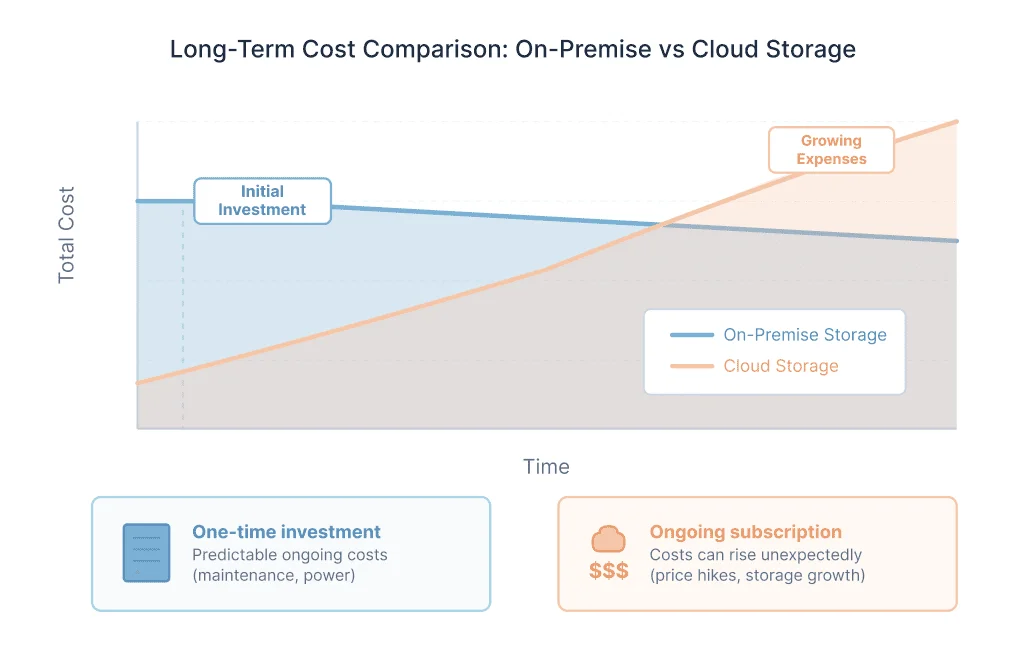
While many DAM solution vendors drop their on-prem options, Daminion doubles down on providing a solution you can host on your infrastructure. It’s also more cost-efficient as compared to cloud-based solutions with a monthly/annual subscription fee.

The steps aren’t numerous, and they are well-documented. The team also provides migration and onboarding services to all customers. With a trained professional, you can get to a functional DAM in hours.
💡 Find out more about the DAM implementation process in our latest article.
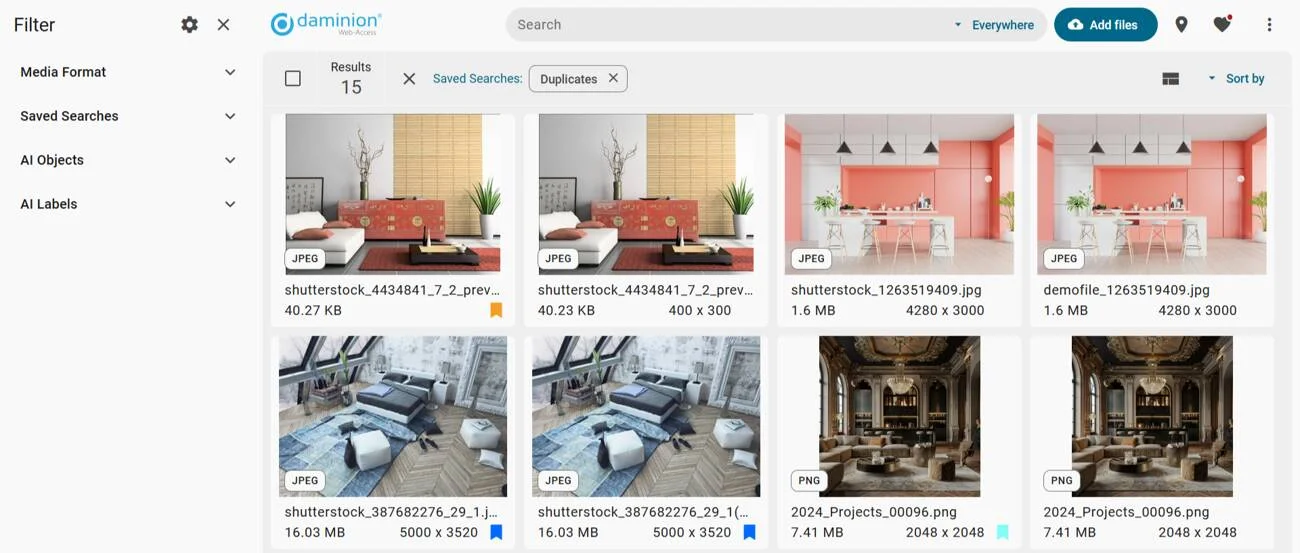
If your use of the NAS has been chaotic over the years, you can easily clean up the mess and free up space for new assets using built-in tools. A communications department used Daminion to remove over 30 GB of duplicate event photos to free the space and simplify backup routines.
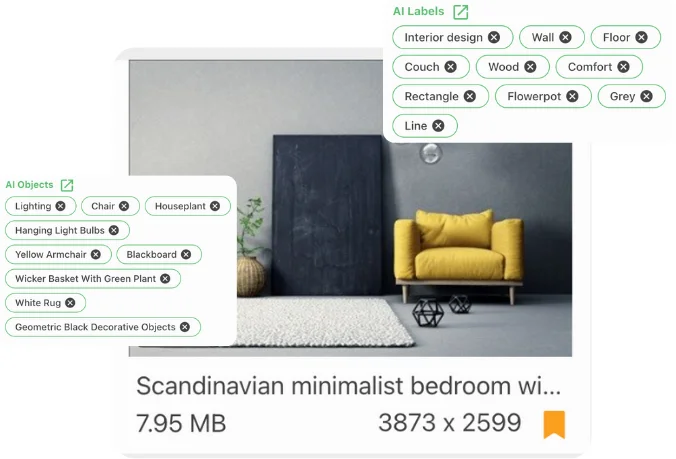
Daminion has AI tagging and face detection tools that help make your assets even easier to find by description. Daminion also automatically generates video transcriptions. This helps production companies search for videos by their actual content.
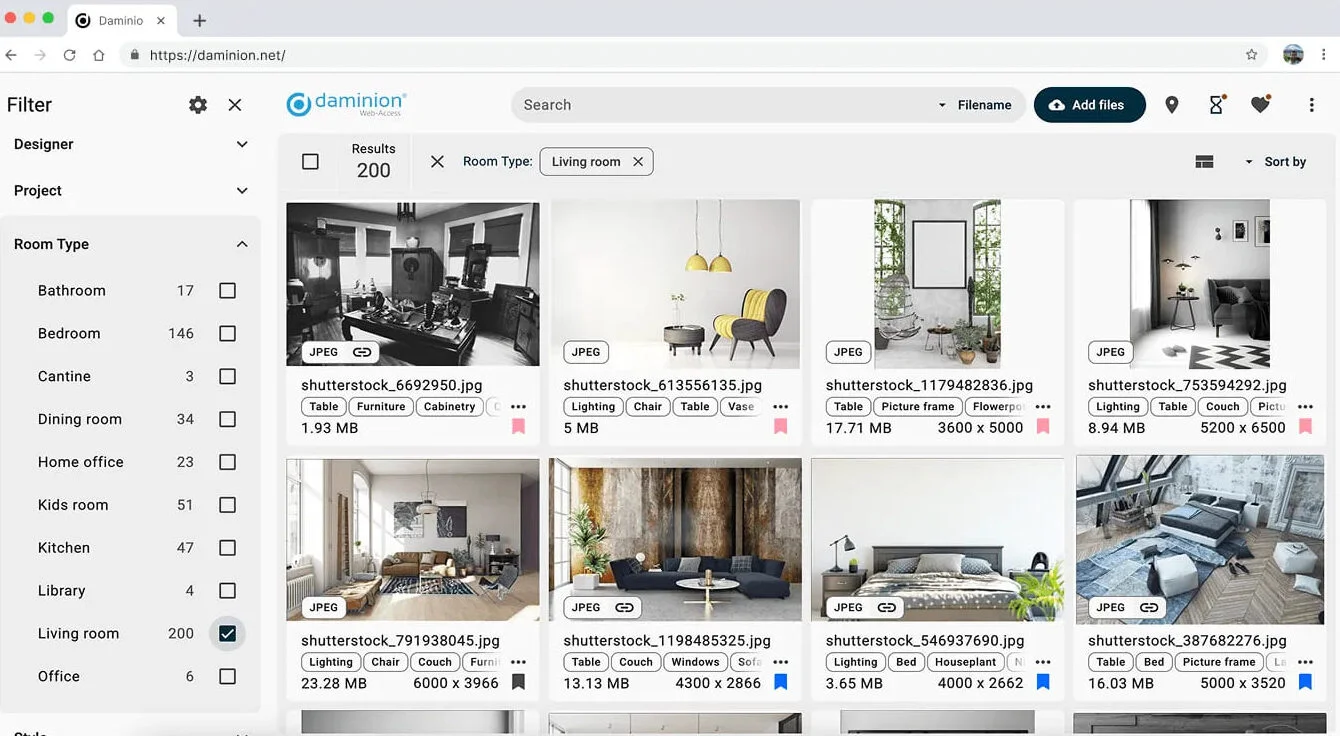
Forget about searching by file name and wondering if you took a good guess. Daminion looks into metadata and finds matches instantly. You can narrow down search results with convenient filters. Find matches by keywords, then narrow down search results to a specific client, geolocation, or date.
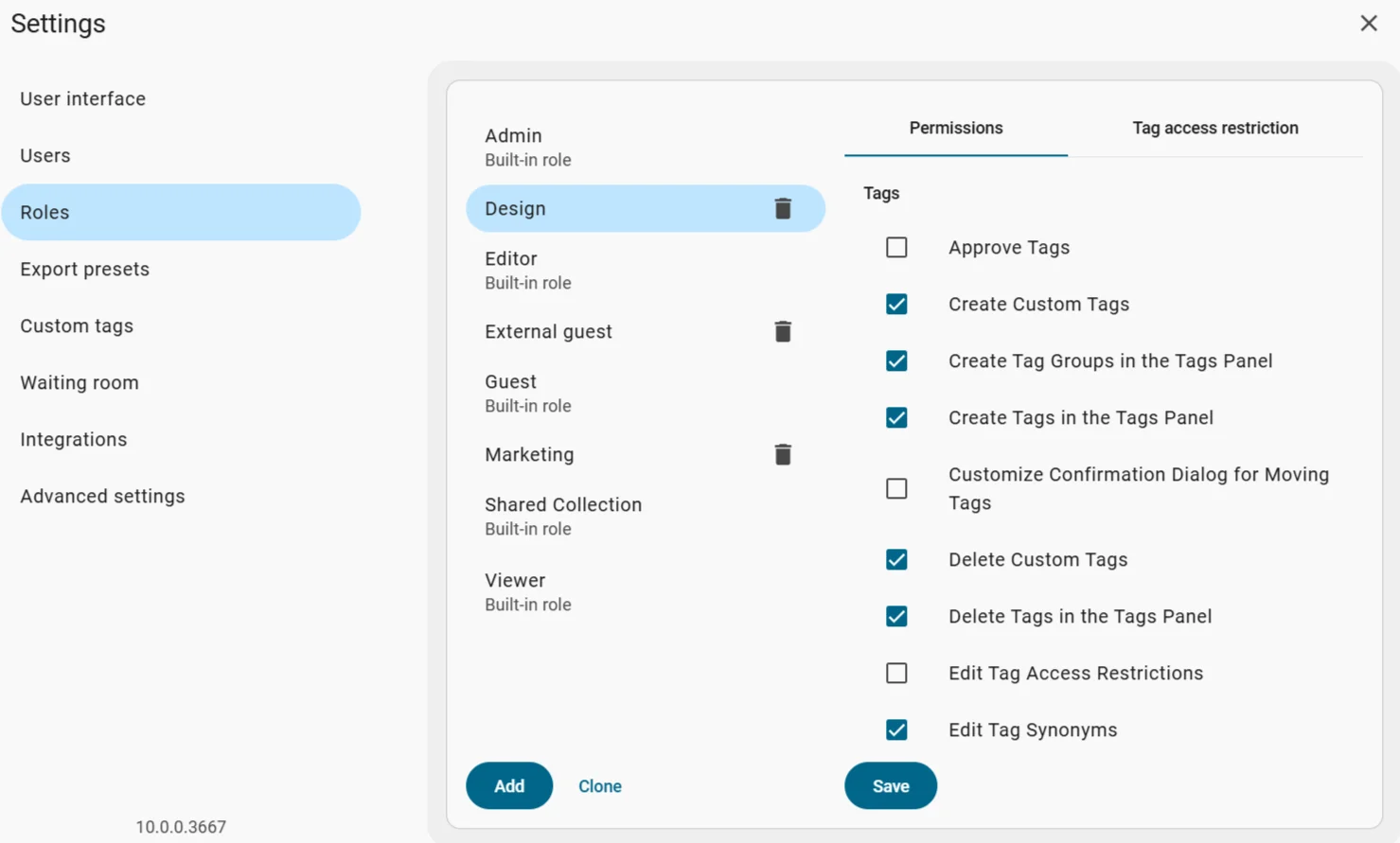
With Daminion, you can create any number of roles for users, each with a very specific set of permissions and privileges.
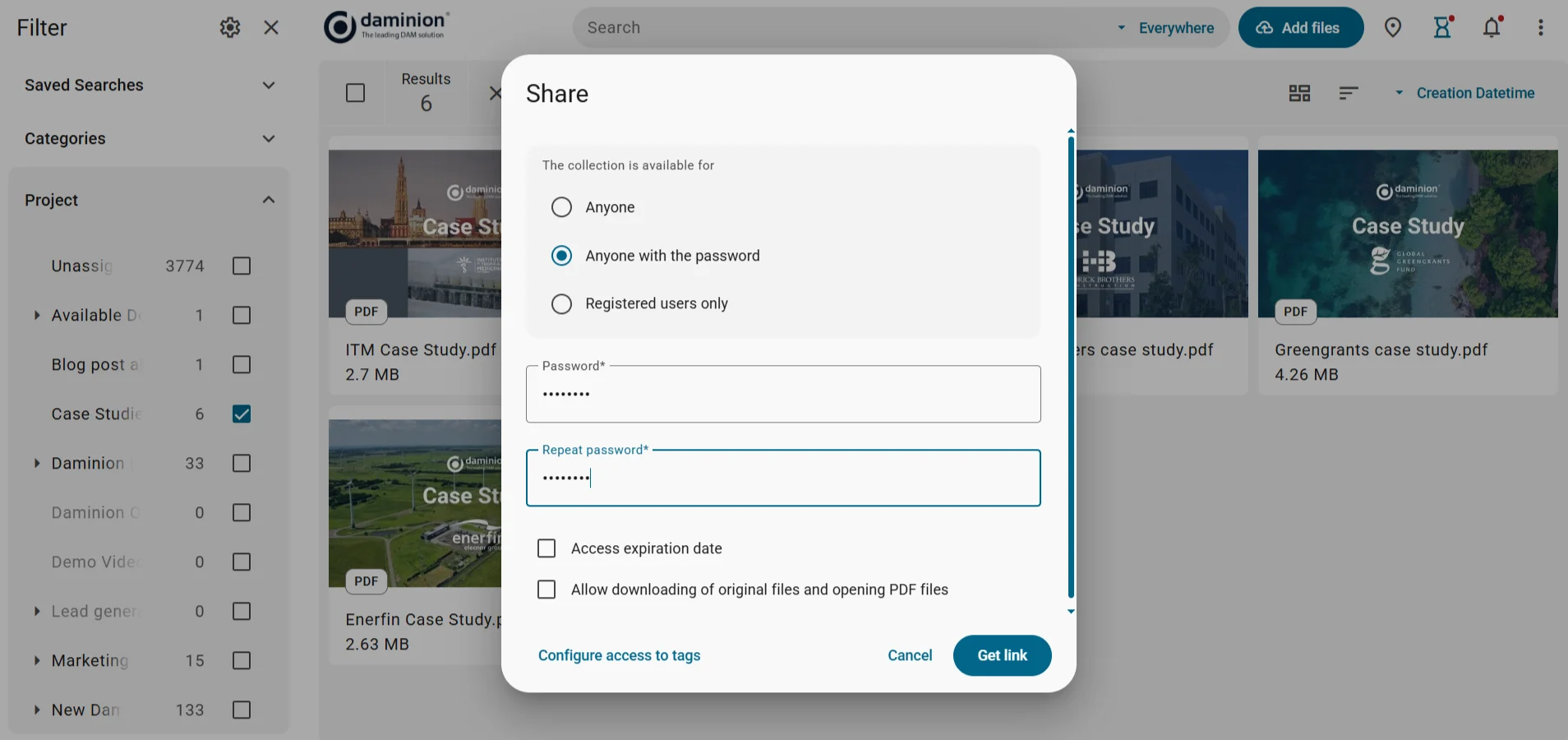
Just like with Synology’s DSM, you can select files and make them accessible to arbitrary remote users, then set an access password and an expiration date.
Daminion was built for both non-technical users and IT administrators, so there is no steep learning curve or complex reorganization involved:
Most teams start working productively within the first week of deployment.
Daminion extracts metadata from original files, enhances it with AI tools, and stores it in a database. Performing a search across a database takes a lot less time than going over each physical file and reading its metadata to see if it’s a match.
Companies typically run a free trial for 1 or 2 weeks to test the system on a smaller catalog and refine details, such as metadata taxonomy and other key aspects. Actual installation, setup, and full indexing will take several hours, depending on the size of the catalog. Giving your staff initial training will take 3-5 hours.
Daminion deals with metadata first, so the existing folder structure is not very important. However, if you expect to control access to assets on a per-folder basis, you may want to revisit the existing structure to determine how well it suits that use case. See if files with confidential information are stored in a separate folder.
Daminion also has a full-featured web version of the app for browsing and tagging assets.
No, Daminion extracts some metadata from the files it manages. You can add more metadata with AI tools.
Daminion will display previews for well over a hundred file formats: the most popular office file formats, RAW photos, vector and bitmap graphics, including Adobe Illustrator and Photoshop files, 3D files, and more.
The workflow is simple: check out the current version of an asset, edit it, and check it back in. Daminion will automatically create a new revision, timestamp it, and record the name of the last editor. Whenever someone opens that asset, they will automatically see and use the latest revision. They can also access older revisions.
Your Synology NAS is a great foundation for storing and protecting your digital assets. But storage alone isn't enough when your catalog grows from a hundred files to hundreds of thousands.
The folder hierarchies that initially worked become unmanageable, and DSM's Universal Search simply can't keep up with modern demands.
That's why adding an on-premise DAM layer like Daminion will transform your Synology NAS from a simple storage box into a professional-grade asset management system.
With Daminion, you will gain fast metadata-based search, AI-powered tagging, and granular access controls. And the best part is that you can keep your trusty NAS infrastructure and avoid overspending on recurring subscription fees.
Request a demo today to see how Daminion can level up your Synology NAS for digital asset management.
Ready to see it on your own NAS? Download the on-prem trial and point it at a single share to start; the pricing page lists the licence options for on-premise setups.
Daminion extracts metadata from original files, enhances it with AI tools, and stores it in a database. Performing a search across a database takes a lot less time than going over each physical file and reading its metadata to see if it’s a match.
Companies typically run a free trial for 1 or 2 weeks to test the system on a smaller catalog and refine details, such as metadata taxonomy and other key aspects. Actual installation, setup, and full indexing will take several hours, depending on the size of the catalog. Giving your staff initial training will take 3-5 hours.
Daminion deals with metadata first, so the existing folder structure is not very important. However, if you expect to control access to assets on a per-folder basis, you may want to revisit the existing structure to determine how well it suits that use case. See if files with confidential information are stored in a separate folder.
Daminion also has a full-featured web version of the app for browsing and tagging assets.
No, Daminion extracts some metadata from the files it manages. You can add more metadata with AI tools.
Daminion will display previews for well over a hundred file formats: the most popular office file formats, RAW photos, vector and bitmap graphics, including Adobe Illustrator and Photoshop files, 3D files, and more.
The workflow is simple: check out the current version of an asset, edit it, and check it back in. Daminion will automatically create a new revision, timestamp it, and record the name of the last editor. Whenever someone opens that asset, they will automatically see and use the latest revision. They can also access older revisions.