Looking for digital asset management software to help quickly locate and preview your drawing and renders? Let’s explore how DAMs are different from standard storages, how to choose the right system, and what the top three choices are for the AEC industry.
As a visualization lead, BIM/VDC manager, system admin, or principal at an architectural firm, you've seen it all. You've seen the eyeroll when someone has to open a massive AutoCAD or Revit file just to scan a floor plan. You know the sigh when a new team member has to ask—yet again—where to find a specific reference material.
For this piece, we spoke with Canadian architect Lukasz Kos, Principal and Founder of the award‑winning KOS Architecture & Interiors. He shared: “Project teams know where to find their project files; others have to ask them. We have to include file‑structure training in the onboarding process, led by HR or an office admin, alongside other things.”

Discover How Daminion Can Work for You
Team Morale Isn’t the Only Casualty
Minutes spent chasing down digital assets—layout plans, drawings, 3D models, renders, photos, and videos—quickly add up to hours, and then to days. That’s valuable time your team could be investing in iterating on design options, developing material palettes, or creating winning RFP responses.
Before you know it, your digital assets are in chaos. Your team starts missing RFP deadlines, your public portfolio grows stale, and your social media pages go silent.
Your search for a solution will lead you to digital asset management (DAM) software. But what separates a DAM from standard cloud storages like Google Drive or Dropbox? Let’s break it down.
When Dropbox, SharePoint, Google Drive, and Adobe Bridge Don’t Make the Cut
If you've worked in AEC for long, you've seen scenarios like these:
- The file named Lobby_Final_Final2.psd shows up in a press kit with last month’s massing.
- The printed competition board skews warm because someone exported it without the studio’s required CMYK profile.
- A favorite pendant used in three past projects is discontinued. No one has a pre-approved alternative, so the client sees a cheaper lookalike late in the design development phase.
- A junior designer remodels a storefront mullion from scratch because the "good" Revit family is trapped in a past project's archive.
- A LEED submittal stalls because the required Health Product Declaration (HPD) is buried in a project manager’s inbox from two years ago.
Relying on generic cloud storage causes these problems, as platforms like Google Drive were never built for the specific needs of architects and designers.
To understand the difference, just look at the features generic storage is missing. Think native previews, version control, asset relationships, rights and licensing management, design-native search and taxonomy—and that's just for starters.
As Lukasz Kos put it:

Just like nature, the software market abhors a vacuum. Dozens of DAMs came to the rescue, filling the gaps overlooked by traditional file storages. But one DAM is not like the other.
Some of the solutions are made with AEC needs in mind, while others focus on industries like eCommerce or publishing. Let’s see what features a DAM for interior designers, architects, and engineers needs to have.
Top 6 Criteria: Choose the Right DAM Software for AEC
Don’t let choice overload paralyze you when looking for a DAM solution for architecture, engineering, construction, and design. While many companies claim that any business will find their software useful, make sure you know these six criteria to make the right call:
1. Visual Search
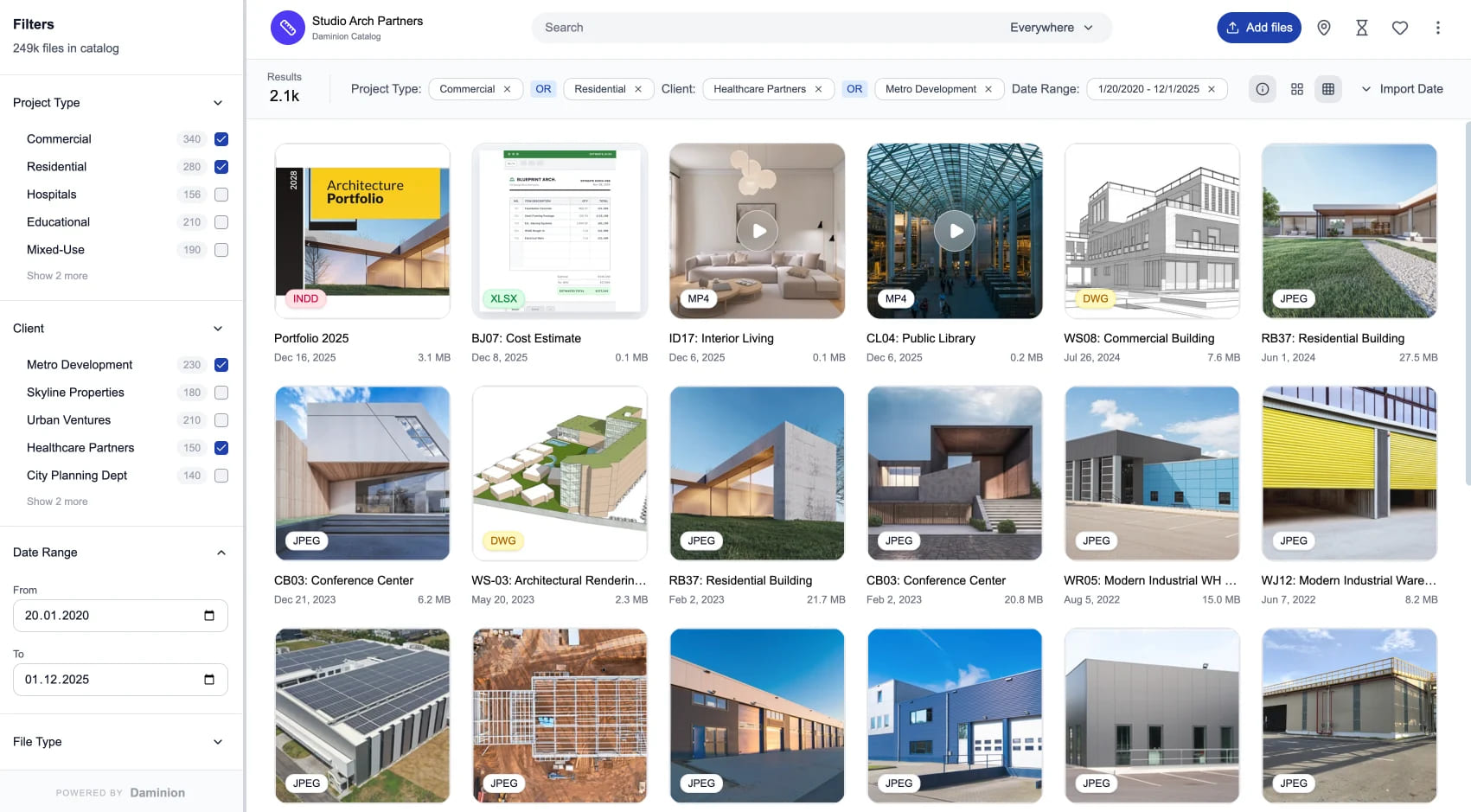
AutoCAD, Revit, and other large files take time to open as their layers and configurations load. But sometimes you just need to cast a quick look at a floor layout plan to decide whether this is the file you are looking for or not. Native previews and custom thumbnails will help you navigate digital assets without opening them.
2. Advanced Search Filtering
Your digital assets may have multiple tags, such as photographer, usage rights, material, product, project, phase, and more. Unlike Dropbox or Google Drive, a good DAM will enable you to filter your file search using a sophisticated yet easy-to-use taxonomy.
3. Drag‑Drop Into Design Tools
Nobody likes browsing through file paths and dialog windows. Industry-leading DAMs let you drag-and-drop digital assets right into applications like SketchUp, Revit, or InDesign.
4. Roles and Versions
You might be familiar with Google Drive’s version history. A decent DAM takes this concept further by introducing an advanced role system. As a result, you always know who opened and edited a digital asset and when they did so. You can compare the current file with previous revisions and revert changes as needed.
DAMs like Daminion also offer check-in/check-out workflows and permission tiers. This feature allows junior designers to view files, but not overwrite them.
5. On‑Premises Deployment
Some projects require more privacy than others. Modern cloud storages offer robust access control, but leaks still happen to the most secure providers and often lead to devastating consequences. The most private way to host and manage your project files is on your local computer network, but not all DAMs offer such an option.
As Lukasz noted:
In other words, without proper version control, cloud files get overwritten when multiple people access them, making changes difficult to track.
6. Low Tagging Overhead
Tags and other metadata make it easier to search files. But it’s not worth it if you have to fill in countless meta fields. Look for a DAM that allows you to bulk-edit metadata and automates the process with AI-powered features like object recognition and autotagging.
Now that we’ve outlined the main criteria, let’s take a look at the best digital asset management software for architecture companies and design studios.
Top 3 DAM Solutions for Architecture, Engineering, Construction, and Design
Many DAM solutions meet one, two or more of the above criteria. In this article, we’ll review three systems that best satisfy your AEC needs.
1. Daminion
Architecture and design teams choose Daminion because it helps them save time on opening large files, navigating thousands of media files, and syncing up. Another major bonus: This DAM lets you host your files locally and doesn’t charge you for cloud storage.
Pros:
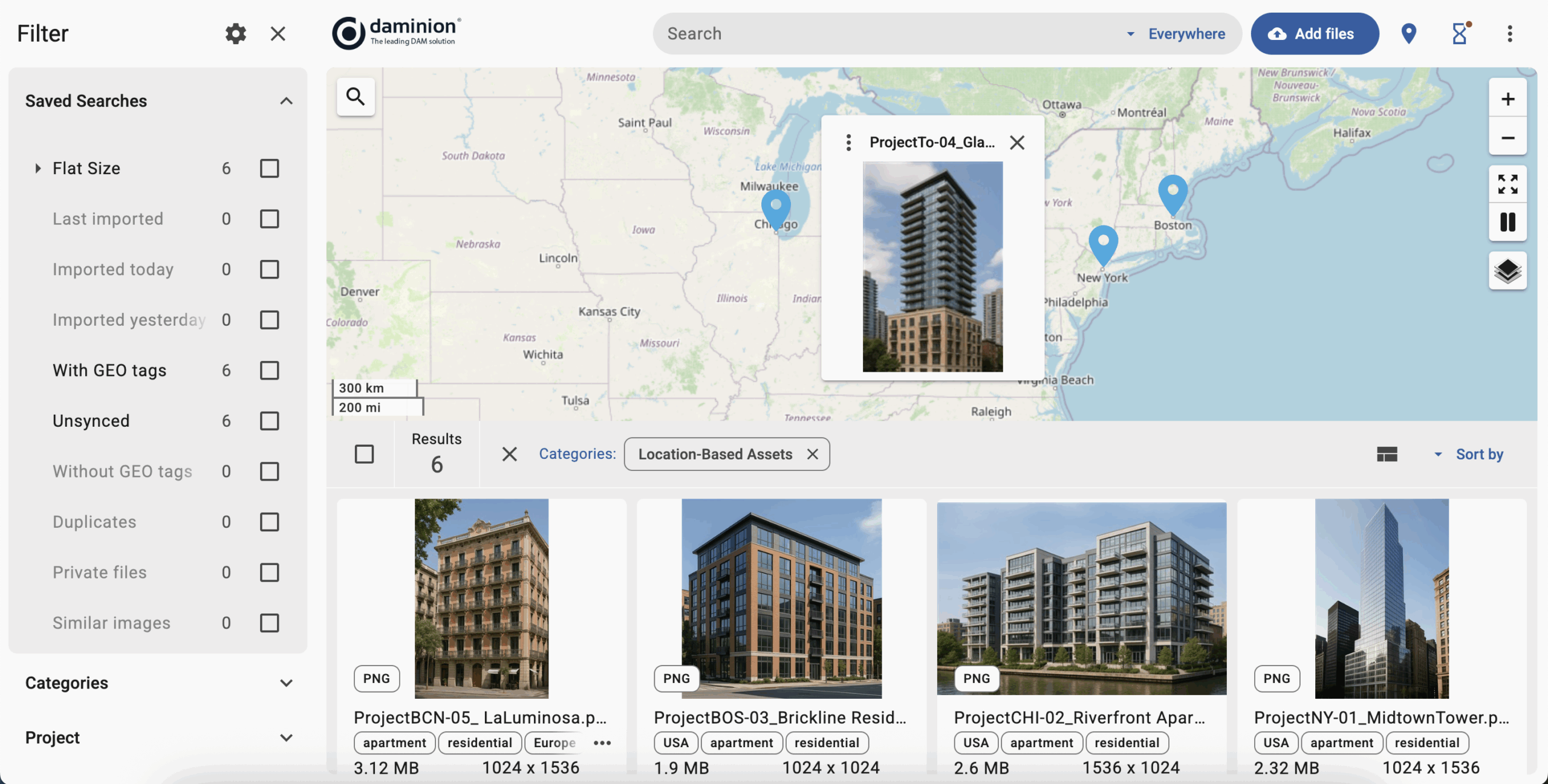
- Visual search: Daminion follows the golden standard by allowing you to preview files without opening or downloading them.
- Advanced search filtering: You can enter something like “a three-bedroom house with a front garage” in the search bar and get precise results. And even if that’s enough, you can use multiple filters like photographer, location, and others.
- Drag-drop into design tools: Open files in the respective software without chasing them across file paths.
- Roles and versions: You can easily ensure that architects, designers, and marketers have access to role-relevant files and don’t have to figure it out for themselves. Check-in/check-out workflows help avoid unauthorized overwrites, while allowing everyone to view relevant files.
- On-premises deployment: Install Daminion on your local network and keep private project files under your control. When using the cloud version, share access via expiring links.
- Low tagging overhead: Add a file and let the AI fill in the metadata automatically. You just need to review and approve suggestions.
- Centralized file library: Keep your digital assets organized and accessible in one secure repository.
- Large file support: Work with more than 150 file types including CAD, 3D models, high-resolution photos, videos, PDFs, MS Office docs, and more.
- Simple, intuitive UI: Architecture and design teams often end up using Daminion after searching for “something robust yet easy for everyone in the office to use.” The drag-and-drop feature is extremely popular.
 BONUS INSIGHT: Daminion’s developers are building a project-based workflow feature designed for AEC teams. It’s set to go live within the next few months as of this publishing.
Cons:
- Limited cloud deployment: While you can use Daminion with cloud storage, the DAM’s development team focuses on the on-premises version, rolling out new features every quarter.
Still Deciding?
Take Daminion for a Test Drive

2. OpenAsset
OpenAsset positions itself as a project-based DAM for AEC businesses with an emphasis on marketing and human resources. Creating documents like winning proposals and resumes is the common topic across OpenAsset’s website.
Pros:
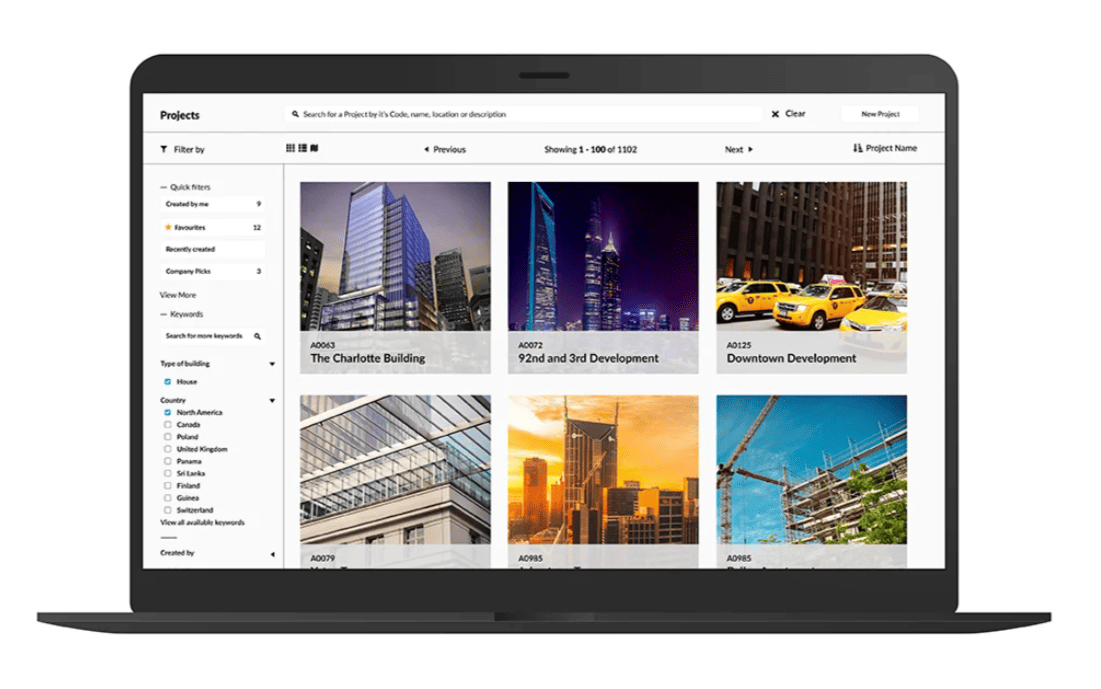
- Visual search: OpenAsset allows you to preview visuals from different angles without opening them.
- Advanced search filtering: Just like Daminion, this DAM comes with powerful search features like filtering by usage rights, visual match, helpful previews, and others.
- Drag-drop into design tools: Open files in programs like InDesign and Revit without clicking through windows and file paths.
- Low tagging overhead: Let the AI generate keywords for your newly added files to reduce manual work.
- Single source of truth: OpenAsset claims to offer an AEC-specific centralized database for managing visuals, proposals, templates, and other assets.
- Content assist: Let AI help you by automatically generating project descriptions.
- Document creation: Use templates and other tools for creating RFPs and other documents.
- Employee module: Create professionals’ profiles, both for internal and client-facing purposes.
Cons:
- Limited roles and versions: Only three access levels are available. Compare it with Daminion’s diverse system based on multiple preset and custom roles alongside file/folder level or tag-level access controls.
- Cloud-only deployment: OpenAsset requires that your files live on external servers and charges a storage fee without the on-premises option.
- Functionality beyond DAM: This software may feel like overkill to some companies as it offers a much broader functionality than you would expect from a DAM. It comes with great content management features which you may not need.
- Search inefficiencies: Many G2 users note that search with OpenAsset could be made more intuitive and take less time to figure out.
Overall, OpenAsset’s functionality is very similar to Daminion’s, but it has a broader focus, including content management features like document creation.
3. Kontainer
A “file and image bank for architects, engineers and contractors” and an “image archive for architects and contractors” – this is how Kontainer positions itself. The software combines two larger modules: DAM and Product Information Management (PIM).
Pros:
- Visual search: Kontainer allows you to preview heavyweight visuals from different angles before you open them.
- Advanced search filtering: Locate files using a custom-configured set of parameters.
- Drag-drop into design tools: Use basic drag-and-drop actions to open design files in the respective software.
- Roles and versions: Set up permissions across four levels for each folder wihin one screen and let everyone subscribe to notifications on permitted files and folders. You can also use basic version control actions like tracking changes, reverting to previous versions, and ensuring asset integrity.
- Centralized library: Store your assets in a centralized location and customize the interface with your brand features like consistent colors and logo.
- File usage tracking: Share files over time-limited links and track usage like downloads.
- Landing pages: Create pages for color guides, font usage, guidelines, collections, and more using simple drag-and-drop tools.
- Integrations: Connect the DAM to Adobe, Magento, Office, WordPress, Canva, and other similar software to drag-and-drop files around. Use the full API to connect the DAM with your ERP, CMS, and other systems.
Cons:
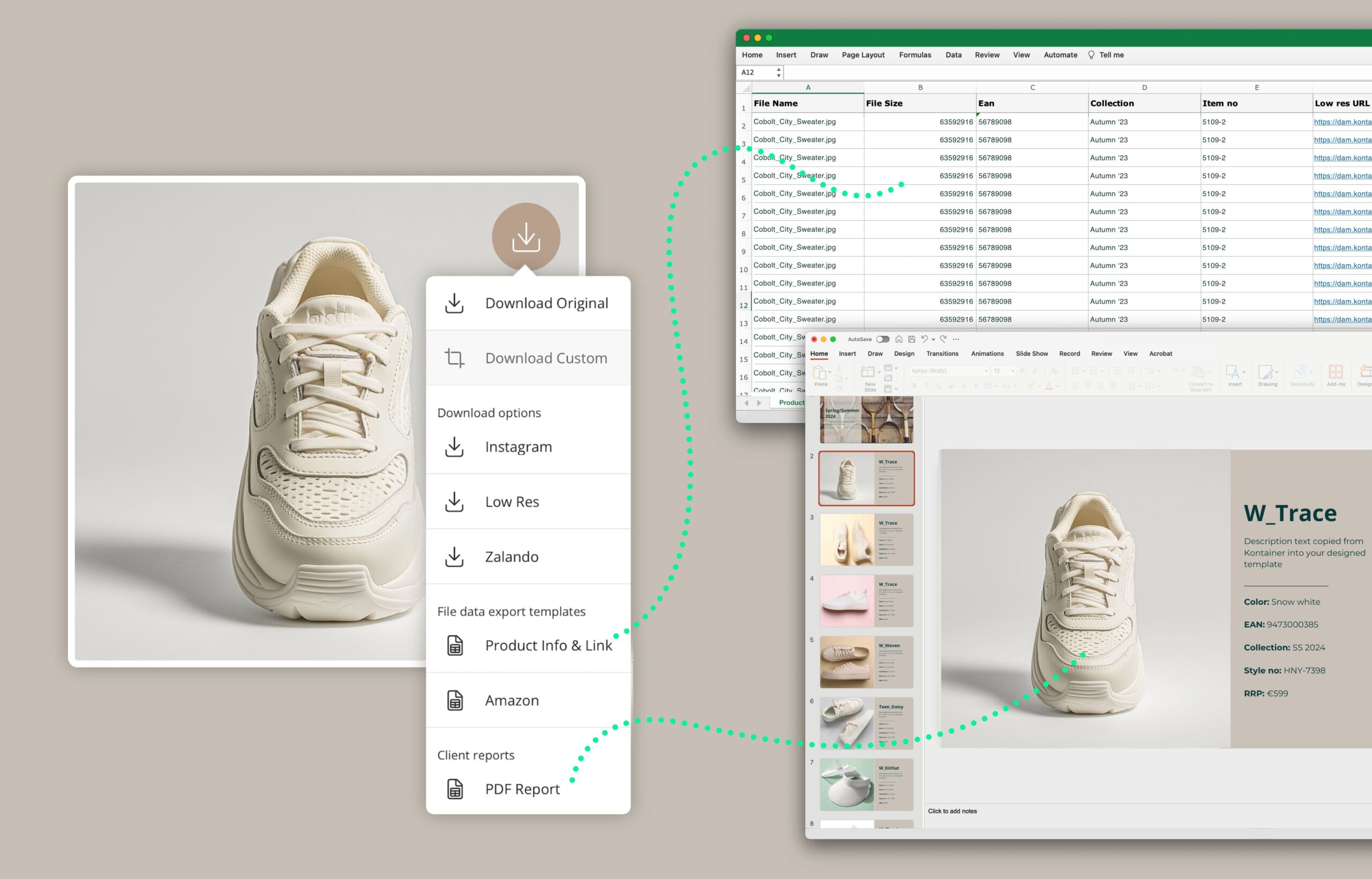
- Tagging overhead: You can upload an Excel file to bulk upload files with preset tags, but it’s not clear whether Kontainer offers AI-powered automation for metadata.
- Cloud-only deployment: You will be charged for storage space starting from 100 GB and can’t host this DAM locally.
- Complex folder structure: Alongside advanced taxonomy, Kontainer offers four types of folders which will likely take time to adopt. Reviewers on G2 note learning difficulties related to this feature.
- Feature overload: Some G2 reviews suggest that you need to use this DAM a lot before you get accustomed to its advanced technical features.
Two Architectural Success Stories Powered by Daminion
Let’s look at how two architecture firms use Daminion to improve their processes.
1. Leroy Street Studio
An award-winning architecture firm, Leroy Street Studio was founded in New York City in 1995. Since then, it has accumulated a lot of uncategorized project files, making finding the right digital asset a headache.
Picasa was the first DAM they tried. But, as we previously mentioned, not all DAM software serves the purposes of AEC companies equally well. Frustrated with the experience, LSS switched to a custom solution based on an online search engine. However, search engines like that come with limited control over metadata, permission settings, and other crucial functionality.
LSS ended up using Daminion. In their own words:
The studio created its own custom taxonomy and organized its digital assets into two catalogs: one for the architects and one for the marketers. Each team got the functionality they needed in their daily work.
2. DC8 Studio
As an Australian multidisciplinary team of architects, urban planners, interior designers, and visual designers, DC8 stored a lot of reference materials as books on shelves. At some point, this just didn’t work for the team anymore.
The studio searched for software it could use to navigate visuals at a glance – without opening each and every file in Revit or AutoCAD. Daminion met them right there. After implementing this DAM, the studio took full control of their library and stopped recreating visuals from scratch because files no longer got lost.
Take Control of Your Drawings, Renders and Proposals
Managing digital assets makes up a large part of your daily work, and no other software can help improve your results like the right DAM.
Pick a system that will put you in control with respect to your current workflow. Like a digital exoskeleton, it will make your team enjoy their work more, cut time from creation to final approval, and let your marketers move forward with confidence.
Daminion checks all the boxes. Request a free demo, get a custom pricing plan tailored to your unique needs, and start managing your designs like the professional you are.