
DAM for Local Governments: Key Features, Real Use Cases, and Top Tips

Digital asset management for local governments isn’t just a nice-to-have. It’s becoming essential as government agencies face the same challenges as everyone else: the rapid growth of data, fragmented IT systems, and a public cloud expenses hangover. But the scale and the nature of their challenges are mind-blowing.
Municipalities accumulate so much information that in countries like the UK, their cloud expenses almost tripled between 2017 and 2022.
The variety of data is unparalleled: documents, images, videos, building and infrastructure designs, geospatial information, and much more. In fact, as Esri Canada’s recent study suggests, between 60 % to 80 % of all data held by government organizations has a spatial component.
What’s also different about them is that they are some of the most heavily regulated organizations in the world. And they are under constant scrutiny for the quality of their public service.
In this post, let’s talk about the challenges that local governments face when managing digital assets and how DAM solutions address issues such as fragmented storage, insufficient control, and tight budgets.

Discover How Daminion Can Work for You
What Is a DAM System and Why It Matters for Local Governments
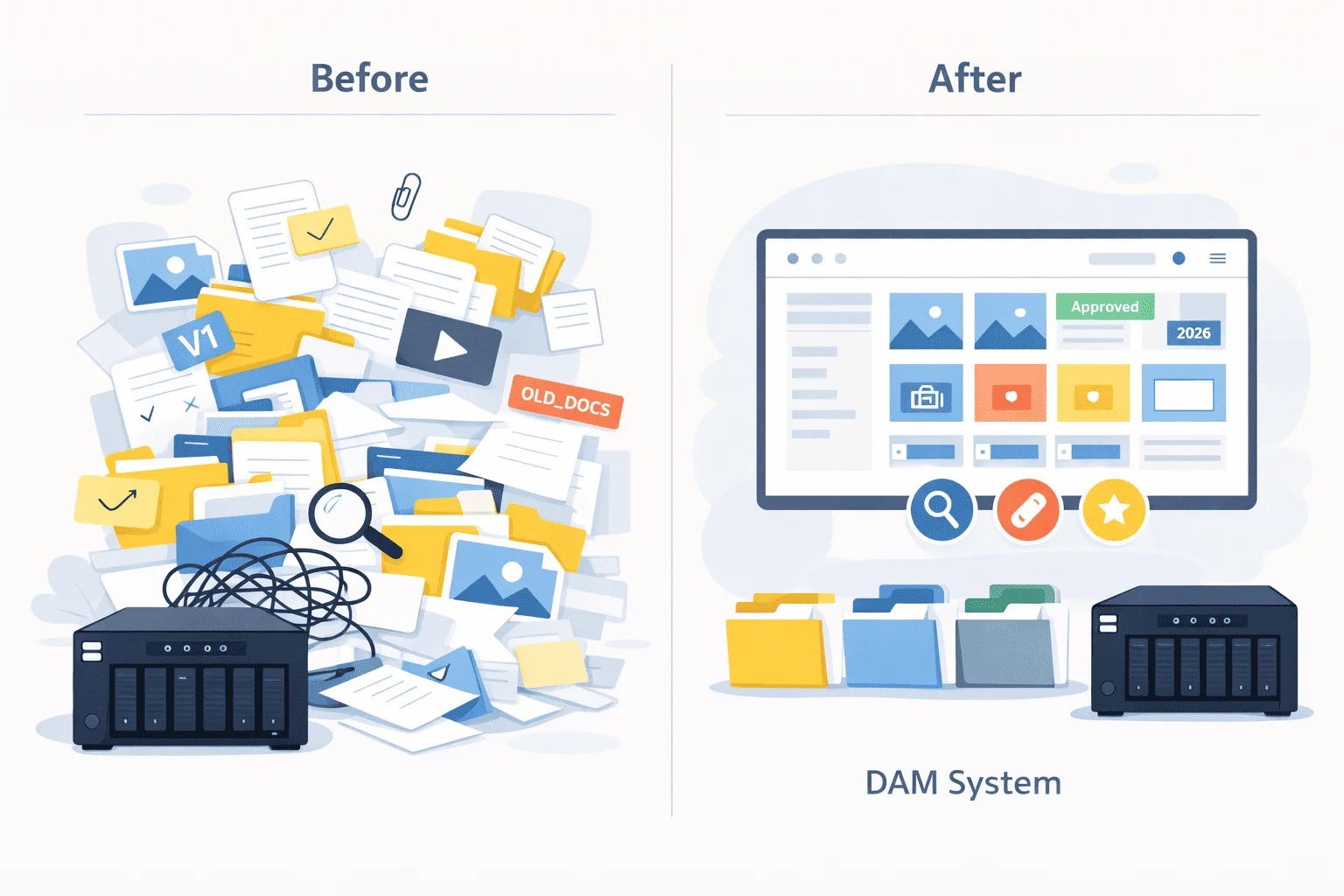
Digital asset management (DAM) solutions keep millions of digital files in one secure location rather than scattered across local and remote servers and drives. These systems provide previews for numerous file formats, version control, automatic tagging, and powerful search tools.
Compare that to a common scenario where no two departments in a government agency use the same type of file storage, version management is manual, and both tagging and search tools are limited to what the operating system or the cloud service provides, which is not much. Simply put, generic solutions don’t scale.
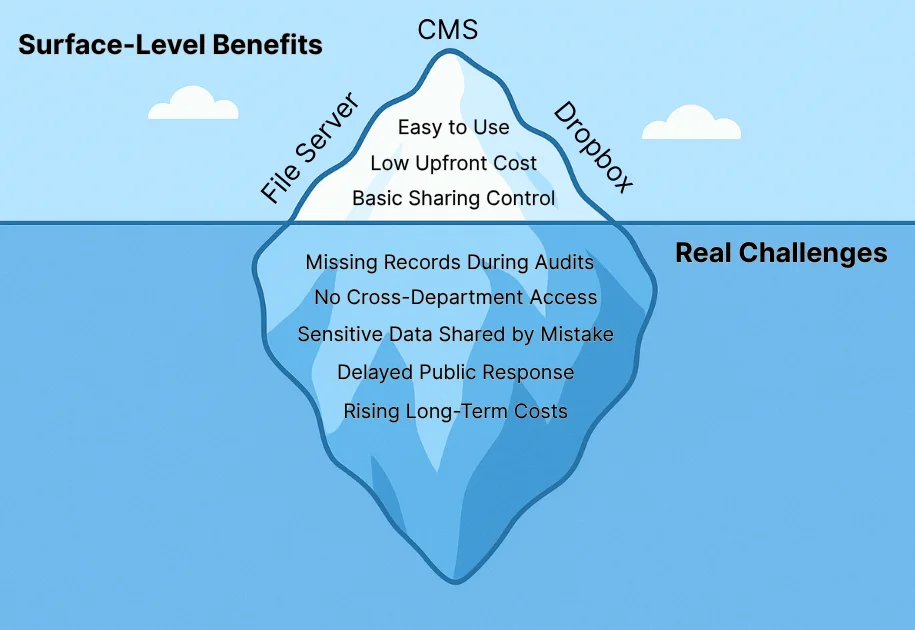
- File servers. They work just fine for long-term archival, that is, if you don’t expect the files to ever see the light of day again. However, if you need file servers to be any efficient for discovering and retrieving files, it’s going to take some effort. You need to teach your employees to follow a folder and file naming policy to keep everything neatly organized. And even then, you will struggle managing versions or finding particular files.
- Dropbox-like solutions. They are great for sharing content between members of small teams. Some form of versioning is typically available. In some cases, a limited number of tags can be attached to a file. However, preview options are available only for common file formats like JPEG, PNG, PDF, etc. Licensing metadata is completely unaccounted for. And the total cost of ownership goes through the roof in the long term due to recurring payments.
- Content management systems. Those are ideal for publishing public-facing information, but they are not designed to handle the complexity and scale of digital asset management needed by local governments. File format support is limited, and so are the searching capabilities and role management.
Handling these solutions concurrently is hard enough, but it’s just the tip of the iceberg.
Top Challenges in Local Government Digital Asset Management
So, how badly can things spiral out of control without a proper DAM solution? Here are some of the most common challenges:
1. Dispersed files across departments and devices
Files are typically stored on a variety of cloud services like Dropbox or Google Drive, on network file servers, and even on personal devices. This makes the information hard or impossible to find.
2. Poor discoverability due to a lack of metadata
No matter how hard you try, you won’t be able to fit all the important information into a file name. For example, if you need to locate all photos with a government official from a given timeframe, regular search tools won’t help you. What would work best here is a system that recognizes faces, tags them, and provides searching by tags.
3. Version control and duplication issues
Without a DAM, local governments have to develop policies for managing versions: use a specific versioning scheme, manually move files with obsolete versions to archive folders, etc. But when different departments use different storage solutions and share data, they tend to accumulate duplicates, which complicates locating the correct file.
4. Rights management and copyright tracking
When you buy a digital asset with a time-restricted license, the licensing information is typically saved in the metadata of that asset. However, cloud storage services and local file servers do not display it and will not warn you about the license expiration.
5. Budget and IT resource constraints
Local governments typically operate under tight budgets. At the same time, their reliance on manual or outdated systems, such as spreadsheets or basic file storage, leads to hidden costs, such as staff time, inefficiency, and higher risk of errors or data loss.
Daminion has helped us create a centralized archive and facilitates the process of searching photos.
Key Benefits of Implementing a DAM in the Public Sector
Let’s take a closer look at how DAM solutions help overcome all the challenges we outlined above.
1. Centralized, Searchable Asset Storage
DAMs store all your files in one place, provide powerful tools for adding metadata both automatically and manually, and support searching within that metadata.
2. Automated Versioning and Approval Workflows
DAM solutions provide straightforward versioning that works out of the box. Everybody in the team has access to the same iterations of a document and can’t create a concurrent revision while somebody else is already working on it. This reduces the versioning hell.
3. Role-based Access and Permissions
You can create fine-grained roles for accessing and managing files. View, but not download? Easy. View, download, create new revisions, but not edit metadata? Easy. Only manage users and relink folders? Easy.
4. Consistency Across Official Communications
You can set up a file obsolescence policy so that only the latest versions of branding assets are accessible for use at any time. Obsolete files will be preserved but made just hard enough to access to prevent their accidental use.
5. Cost Savings via Reduced Duplication and Faster Access
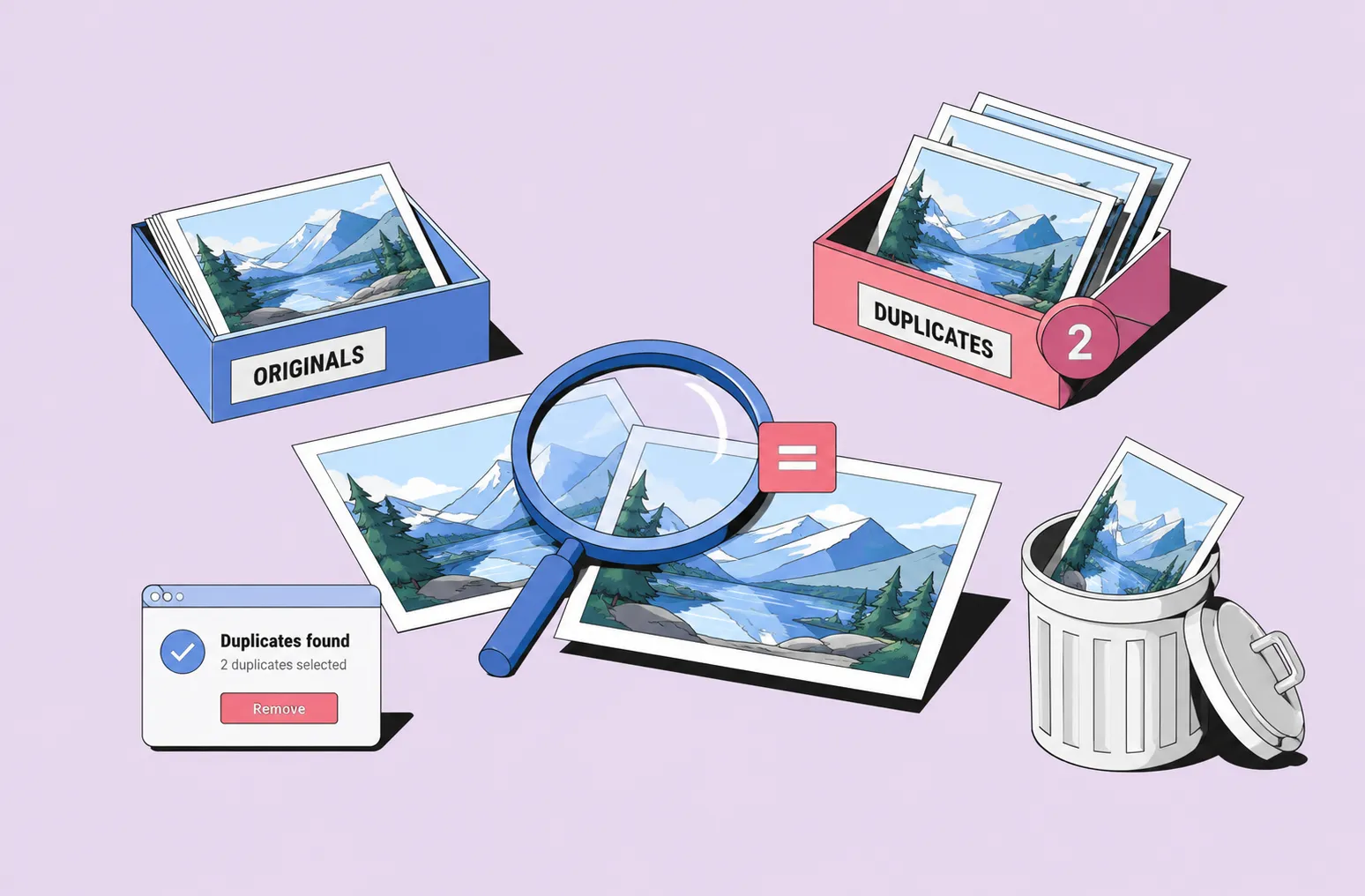
Manually managed file servers and cloud-based solutions accumulate duplicates, which results in higher storage costs. DAMs are designed to disallow duplicates and have deduplication tools for when you migrate to them.
6. Streamlined Collaboration Across Departments
With centralized storage, role management, and easy-to-use version control, collaboration between departments finally works as expected.
You also benefit from long-term archiving and disaster recovery, as DAM solutions typically have dedicated backup and disaster recovery tools to keep your information safe from data loss. You can also move rarely used files to cheaper storage like HDD drives for long-term archiving.
What’s more, you ensure better citizen transparency and access when needed. With a fast, metadata-based search, you can respond to public records requests more quickly. This reduces the workload for your employees and improves the public service.
Is Your DAM Investment
Going to Pay Off?

Use Cases by Department
The uses of digital assets vary greatly between departments. When you begin planning a transition to a DAM system, you will need a clear understanding of each department’s specific needs. Here is a brief overview to help you get started.
- Communications & PR – this team needs to manage brand assets and guidelines, media kits, event photos, press releases, crisis communication materials, campaign materials, promotional videos, etc.
- City Planning / Development – this department needs to manage zoning maps and documentation, development proposals, survey data, historical building documentation, aerial photography, construction progress photos, and more.
- Public Works – this team needs to organize before/after infrastructure photos, asset condition reports, maintenance records, equipment manuals, safety documentation, etc.
- Clerk’s Office – this department mainly handles text documents: meeting minutes, permits, public notices, ordinances, resolutions, council agendas, legal documents, contracts, voter registration materials, election documentation, public records requests, etc.
- Parks & Recreation – they manage event photos/videos, facility documentation, program materials, safety certifications, maintenance schedules, promotional content, seasonal decorations, equipment inventories, etc.
- Emergency Services – the media side of the catalog is often training videos, but this department also manages incident documentation, standard operating procedures, equipment manuals, emergency response plans, personnel certifications, and more.
- IT Departments – they manage system documentation, user manuals, training materials, software licenses, security policies, backup procedures, network diagrams, vendor contracts, compliance certificates, and other information.
Key Features to Look For in a Government-Ready DAM
There are at least two dozen DAM solutions available on the market today. Feature-wise, they have a lot of overlap, so you need to look at certain specifics that may or may not work for you. Let’s break down the features you should be looking for.
1. Smart Metadata Tagging Tools
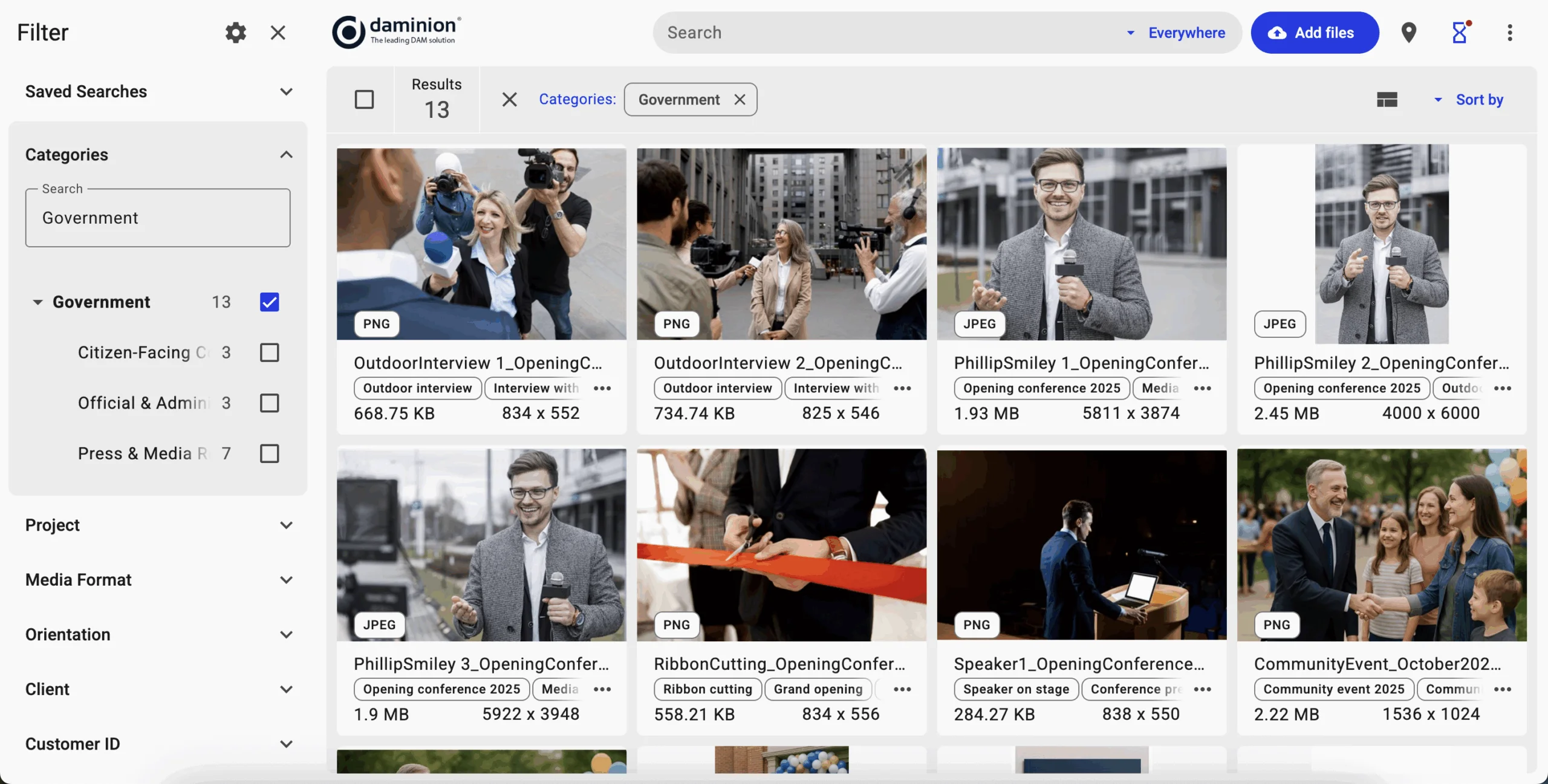
For government agencies that handle hundreds of thousands of images, videos, and other files, manual tagging is simply not an option. A digital asset management solution should support AI tagging. It’s best when your DAM system, such as Daminion, provides a controlled vocabulary, so that the use of tags is consistent across the entire catalog.
2. Advanced Search with Filters
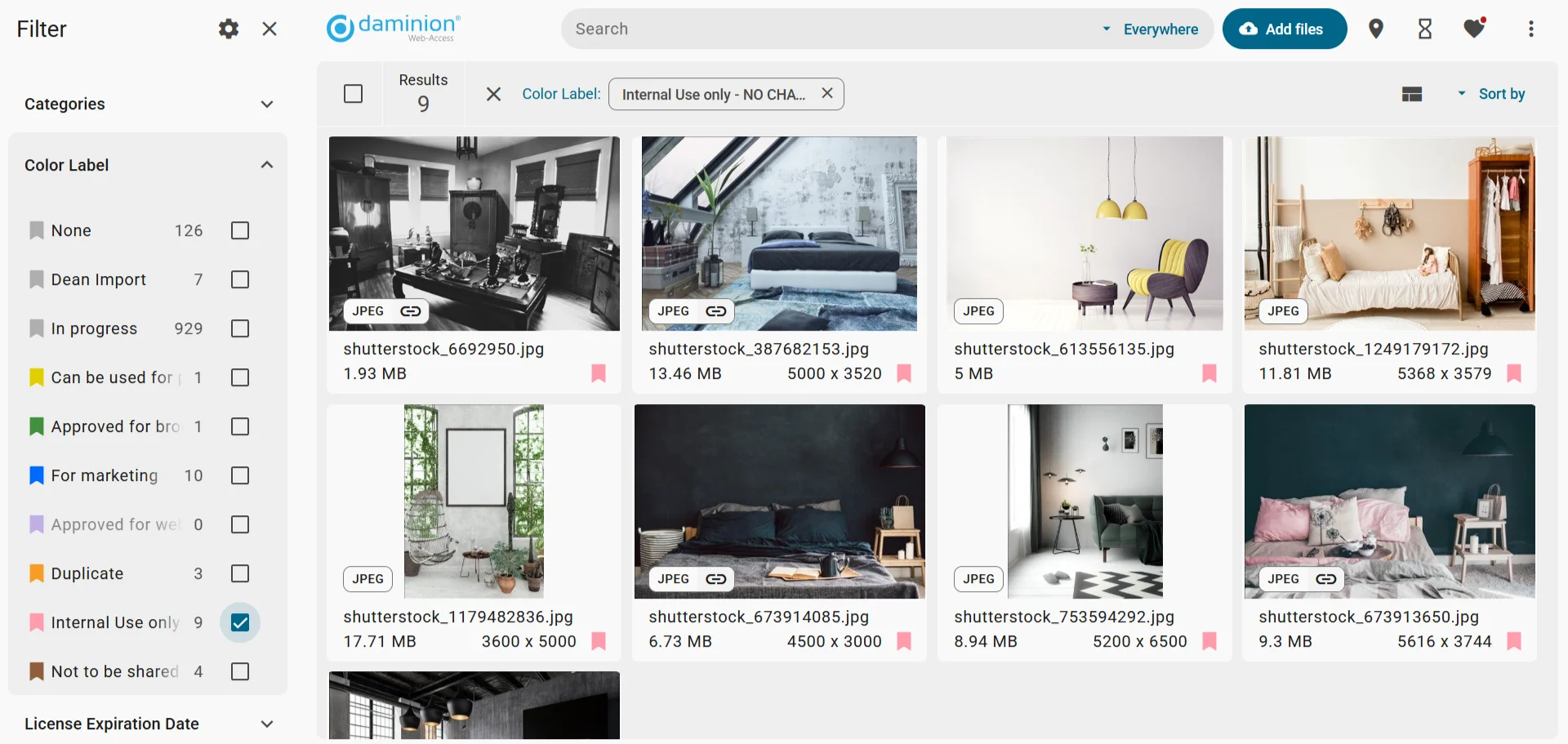
Locating a specific file among hundreds of thousands of other files becomes easy when a DAM system has a way to narrow down your search. With Daminion, you can create fine-grained filters that use all possible metadata fields, such as AI labels and keywords, categories, color labels, creation and import dates, license expiration dates, and more.
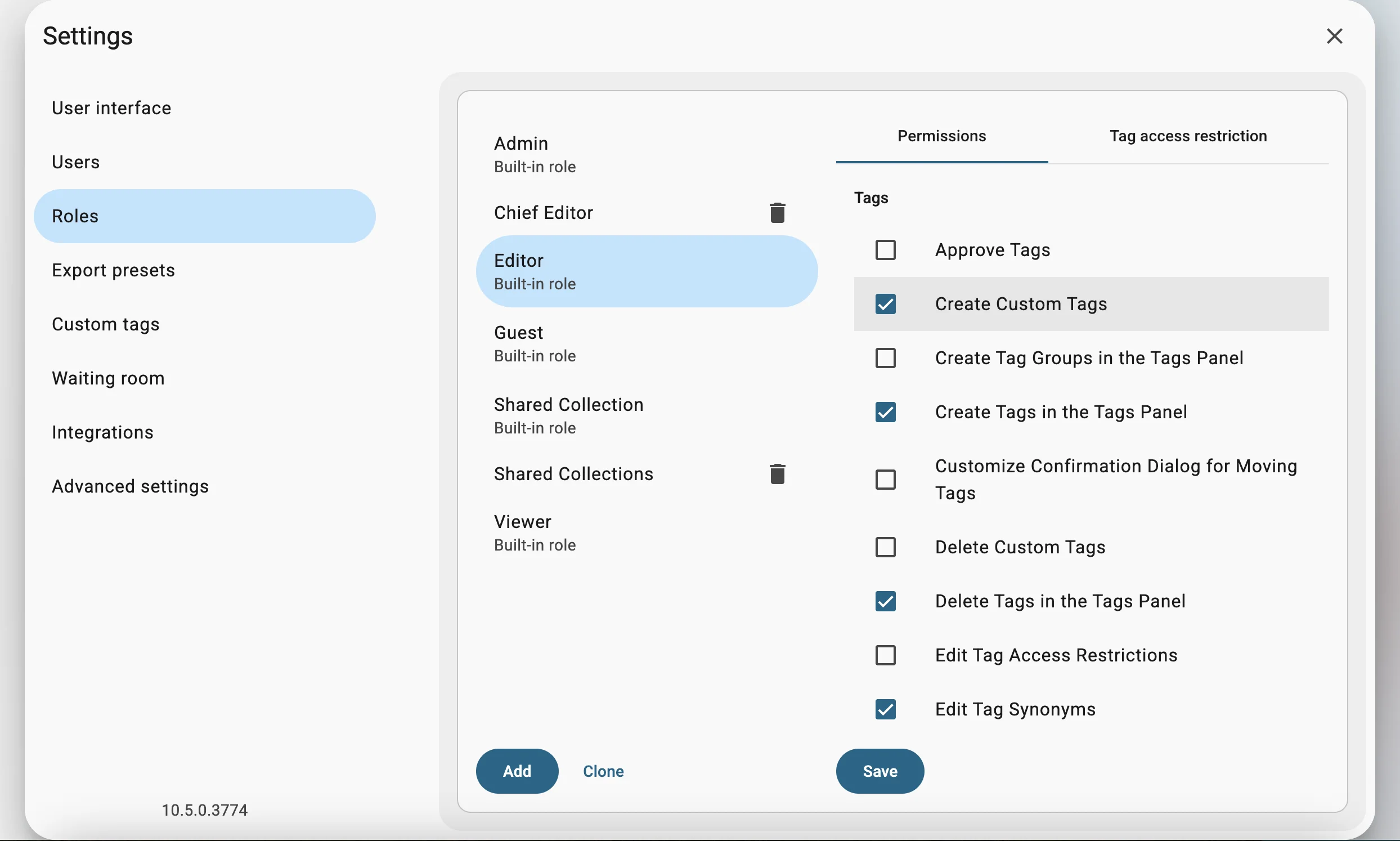
3. Granular Permissions and Roles Management
The DAM solution should provide a way to create custom roles, each with a specific set of permissions, such as managing users, creating and removing tags, commenting on assets, downloading versions, editing import filters, etc.
4. Version Control with Rollback
A DAM system should provide a simple way to create a new version and go back to any previous revision. It should also keep records on who created what version.
5. Precise Facial Recognition
Manually tagging officials on photos takes a lot of time. It’s best when the DAM solution can run facial recognition and automatically add tags with people’s names. Daminion can run facial recognition on-premise, so no data is shared outside the security perimeter.
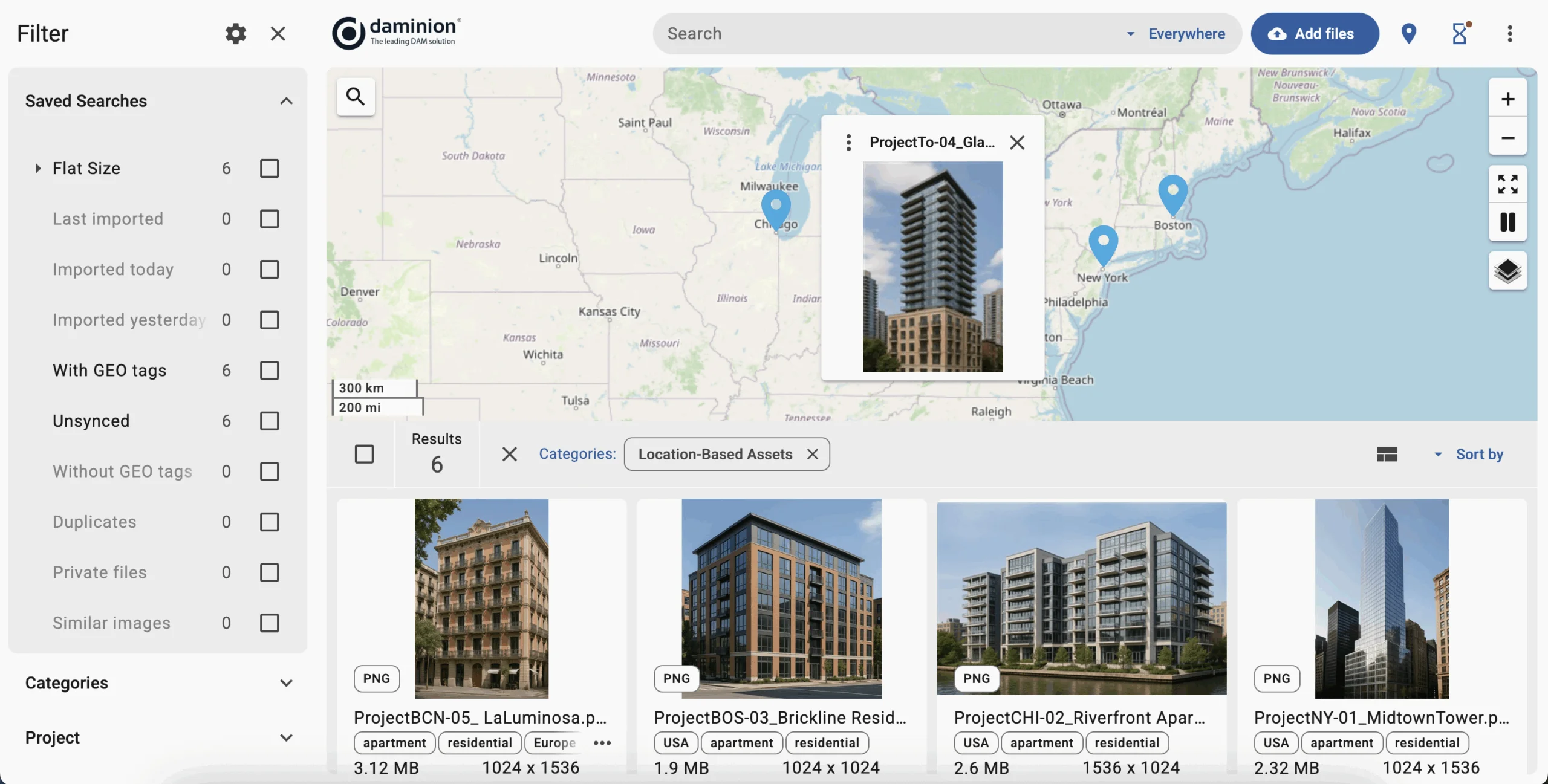
6. Geotagging and Support for Spatial Metadata
For your public infrastructure projects, the DAM should support both geospatial metadata in images and common GIS file formats. Daminion reads the existing geopositioning metadata from files and has AI tools for quickly adding it when it’s missing.
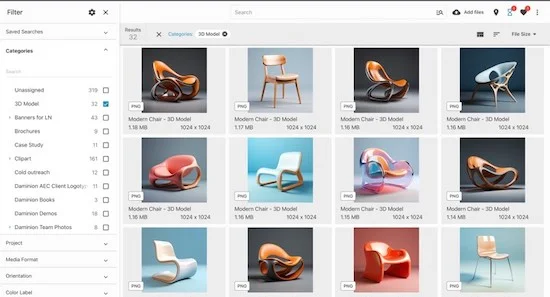
7. Multi-Format Preview Support
File previews in DAMs help you understand if the file you are about to check out is the right one. All DAM systems show previews for images, videos, and office documents. However, very few display previews for project files created in Adobe Creative Cloud, CAD software, or GIS programs. Make sure your DAM of choice supports what your departments need.
Our cooperation is a success and I happy that we started using the DAM system.
On-Premise vs Cloud DAM: What’s Right for Local Governments?
The ease of using cloud DAMs is very attractive, but it simply won’t work for local governments. Here are some of the major reasons for that:
- ⚠️ Strict Regulations. While this varies between countries, government agencies are typically prohibited from using arbitrary cloud services. For example, US government agencies may use cloud services in only two cases: either the service is already on the FedRAMP marketplace, or the service provider is willing to undergo government authorization to work with this agency specifically.
- ⚠️ Vendor lock-in. With cloud DAM solutions, your organization becomes dependent on a specific provider’s infrastructure, pricing models, and feature updates. While you can download the entire catalog when switching between service providers, it’s cumbersome, and moving all the metadata between services is not guaranteed. Meanwhile, on-premises DAM solutions keep your data and systems under your direct control.
- ⚠️ Recurring costs. Cloud DAM platforms always have recurring payments. They may have a low cost initially, but over the long term, the total cost becomes higher than managing an on-prem solution, and that’s with the IT personnel expenses included.
This is why government agencies that need to comply with regulations typically opt for on-premise solutions.
💡 Did you know? Daminion is one of the very few products on the market that can be deployed in a private cloud.
If you are interested in a detailed comparison between cloud DAMs and on-prem solutions for asset management, check out our earlier article.
Best Practices for Deploying a Government-Ready DAM
Switching everyone in a municipality to a brand-new centralized system for storing and managing assets will require some convincing and careful planning. We’ve collaborated with government agencies before. Here are some of the things we’ve learned that may help you.
- Get Department Leaders on Board. You’ll need to get on the same page with the heads of all affected departments. They will want to hear about how a DAM will cater to their needs, what problems it will solve for them, what the ROI is like (you can refer to our earlier post), and what your deployment plan is.
- Consider Metadata Strategy and Asset Audit. Start with research: what file formats are already used across departments, and what new software is about to be adopted. This will help you understand what DAM solution will work best for you, because preview support differs between DAMs. After that, draft an outline for the controlled vocabulary so that you have a starting point.
- Check Integration with Existing Systems. Part of the audit should be the list of internal IT services the departments already rely on for managing files, whether it’s a document management system, Adobe Bridge, SharePoint, or something else.
- Plan for the Cost That Works Long-Term. One of the significant factors here will be deciding whether you pay upfront or a recurring fee. The choice typically boils down to choosing between a private cloud (on-prem) and a public cloud solution.
- Train Staff and Roll Out Gradually. It’s best to start with a pilot project: roll out a DAM solution for one department, train the people, optimize all integrations, then roll it out to the rest of the organization, department by department.
💡 If you’re planning a transition to a DAM solution, read our detailed step-by-step guide for a smooth and effective rollout.
Daminion: A Trusted DAM for Government Teams
When you are ready to implement a DAM solution, you will need a system that meets the specific requirements of a government agency. Daminion offers a practical solution that balances powerful functionality with budget-friendly deployment options.
Unlike enterprise solutions that push cloud-only models, Daminion recognizes that government teams need on-premises control and cost-effective licensing.
- Successfully Deployed by Public Organizations: Over 70 government teams and management authorities rely on Daminion every day to manage their digital assets securely and efficiently.
- Aligns With Regulations: Daminion runs in a private cloud on your hardware within your security perimeter and provides role-based access to data.
- Works Within Limited Budgets. Daminion is a one-time expense with long-term support.
- State-Of-The-Art Features Without Forcing the Cloud: preview support for proprietary file formats, AI tagging and on-premise face recognition, advanced search tools, asset license management, version control, and more.
Request a demo today to see how Daminion can transform your digital asset management workflow securely.
Discover How Daminion Can Work for You


Explore our DAM system
with your personal manager
demo from your dedicated manager.