Why Does Your Corporate NAS or File Server Need a DAM?

Murat Korkmaz
Murat Korkmaz
March 18, 2026
27 min read
In This Article
Share with friends

This is a guided tour that explains why storing media archives on corporate servers or NAS without Digital Asset Management (DAM) is ineffective.

Only 3% of DAMs can work with local media archives in a local network. We will guide you through the selection process, recommending the best way to choose the right DAM solution for your NAS or File Server.

You will also learn about DAM, types of DAMs, and the benefits of DAM for NAS or File Servers

Discover How Daminion Can Work for You

Get a free walkthrough of the features that matter most to your team.

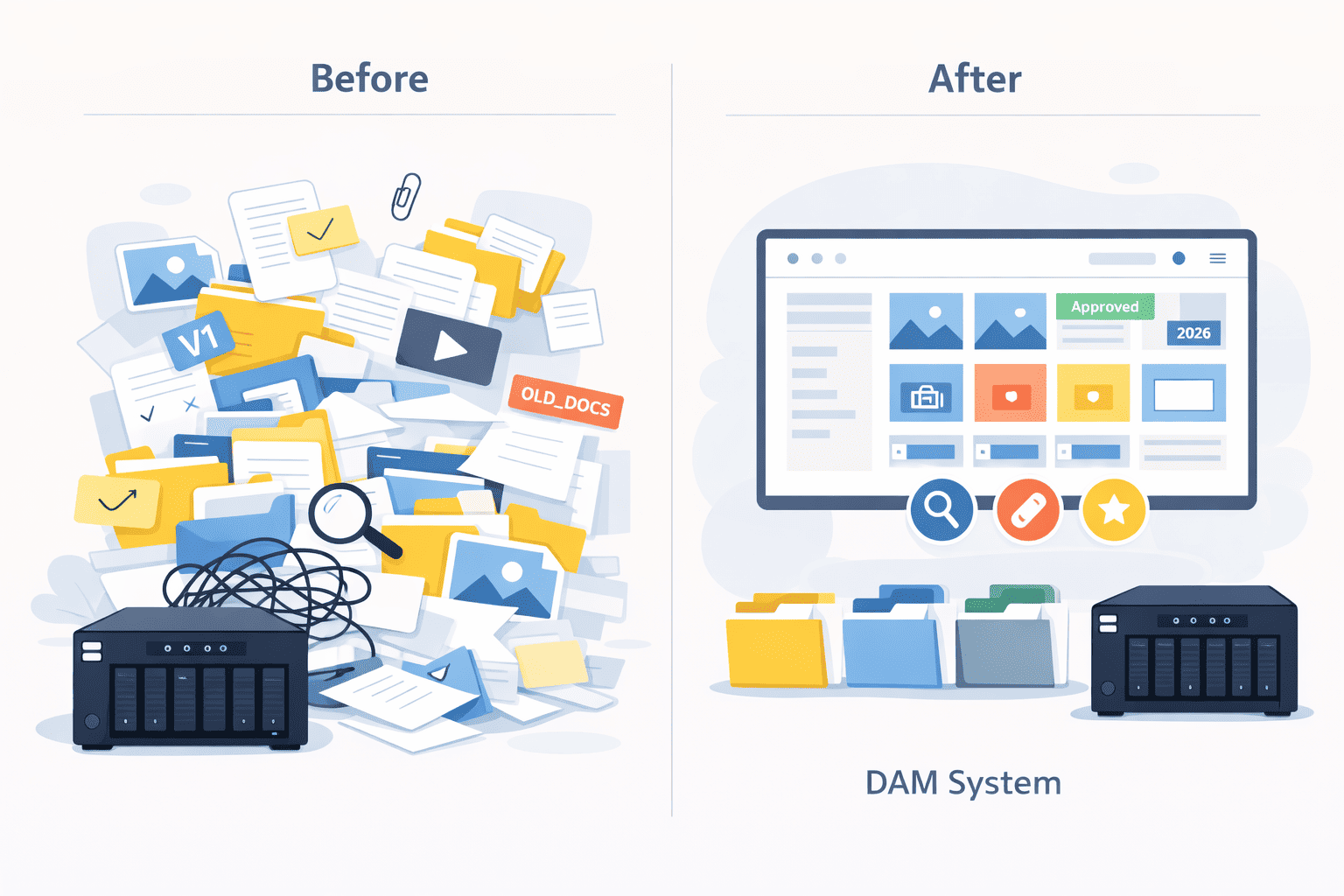
Corporate File Servers and NAS is a home for all your company’s digital assets. But this home quickly becomes a mess of tons of files and folders scattered across multiple network locations…

Something like my sons who try to find the right Lego brick among thousand of others.

Finding your way through numerous folders feels like...

Organizing this by folders or file names requires enormous time and effort and most companies and people organize this just as somehow. 

Fortunately, special programs have long existed for organizing chaos in digital documents, getting rid of duplicates and questions “where is the latest version of the required document?” Which are called Digital Asset Management solutions (DAM).

This task always has a low priority and there is usually never enough for it. The advantage of the DAM system is that it can automatically sort files using AI and metadata.

Disorganized media archives is a bottleneck in effectiveness of all your digital specialists who at least need to access them once a week.  

I was a bit surprised of how my wife classified what a DAM is: 

DAM is a black box where you put all your files in way that any file can be pulled out instantly.

NAS vs File Server: Where Companies Store Their Digital Assets

There is a vast array of file storage solutions, ensuring that your files are always accessible, but the most popular are file servers and NAS.

NAS: The Central Hub for Team's Files

Network Attached Storage, or NAS, is a dedicated file storage device connected to your network, allowing multiple users and devices to retrieve data from centralized disk capacity. It’s a specialized computer focused on one task: storing and serving files to other devices on the network.

NAS devices come with their own operating system and file system, designed specifically for managing large volumes of data. They are typically easy to set up, offering plug-and-play convenience for both home users and small to medium-sized businesses.

Key benefits of NAS

  • Centralized Data Management: All your files are stored in one place, simplifying data management.
  • Accessibility: NAS devices allow easy access to files from any device connected to the network, whether you’re in the office, at home, or on the go.
  • Scalability: Many NAS systems allow for additional storage drives to be added as needed.

Popular NAS vendors include Synology, QNAP, NETAPP, NETGEAR and Western Digital, each offering a range of devices to suit various needs and budgets.

In 2022, the network-attached storage (NAS) market was valued at $20 billion, and it is projected to reach $100 billion by 2032 with an average annual growth rate of 15%.
Global Market Insights Inc.

File Servers: The Corporate Workhorse Behind Company Data

File servers have been around for decades, serving as the backbone of many corporate IT infrastructures. A file server is a computer responsible for the central storage and management of data files so that other computers on the same network can access them.

File servers are typically more robust and customizable compared to NAS devices. They can run various operating systems, support a wide range of applications, and offer advanced features like user permissions, backups, and integration with other IT systems.

Key advantages of file servers

  • Power and Flexibility: File servers are highly configurable and can handle a wide range of tasks beyond just file storage.
  • Performance: Designed for heavy-duty operations, file servers can manage more significant loads and more complex operations.
  • Integration: File servers often integrate seamlessly with other enterprise applications and systems, providing a more comprehensive solution for larger organizations.

Popular vendors for file servers include Dell, HP, and IBM, known for their powerful and reliable server solutions.

Why Companies Add a DAM to Their NAS or File Server?

Hidden Productivity Drain of Disorganized Assets

Storing a media archive in a folder structure on a file server or NAS has one major drawback: it secretly steals a huge amount of time from employees working with the company’s files, making the company inefficient.

The success of a company is determined by the effectiveness of its employees. To increase team productivity by 20%, you can either increase your staff by 20% and spend time and money on onboarding, or increase the efficiency of your current team by 20% using automation tools. Immediately, and for 1/20 of the cost of increasing staff.

According to Gartner, on average, each designer or marketer in companies spends up to 20% of their time searching for files. For the sales department, this also poses the risk of losing clients due to untimely or outdated selections for product presentations.

Eventually, many employees perceive these inefficient 20% of their time as part of their job because they are used to it. This is especially true when employees are paid by the hour.

I worked as a graphic designer for three years, and there was nothing more exhausting, boring, demotivating, and useless than the routine search for needed files and endless sifting through folders. Failed expectations (in terms of search and search time) always result in decreased motivation and creative drive.

The companies that first start thinking about digital asset management systems are those with deadlines: for example, project delivery on time, preparation for an upcoming exhibition, presenting a suitable selection of photos to a client, and so on.
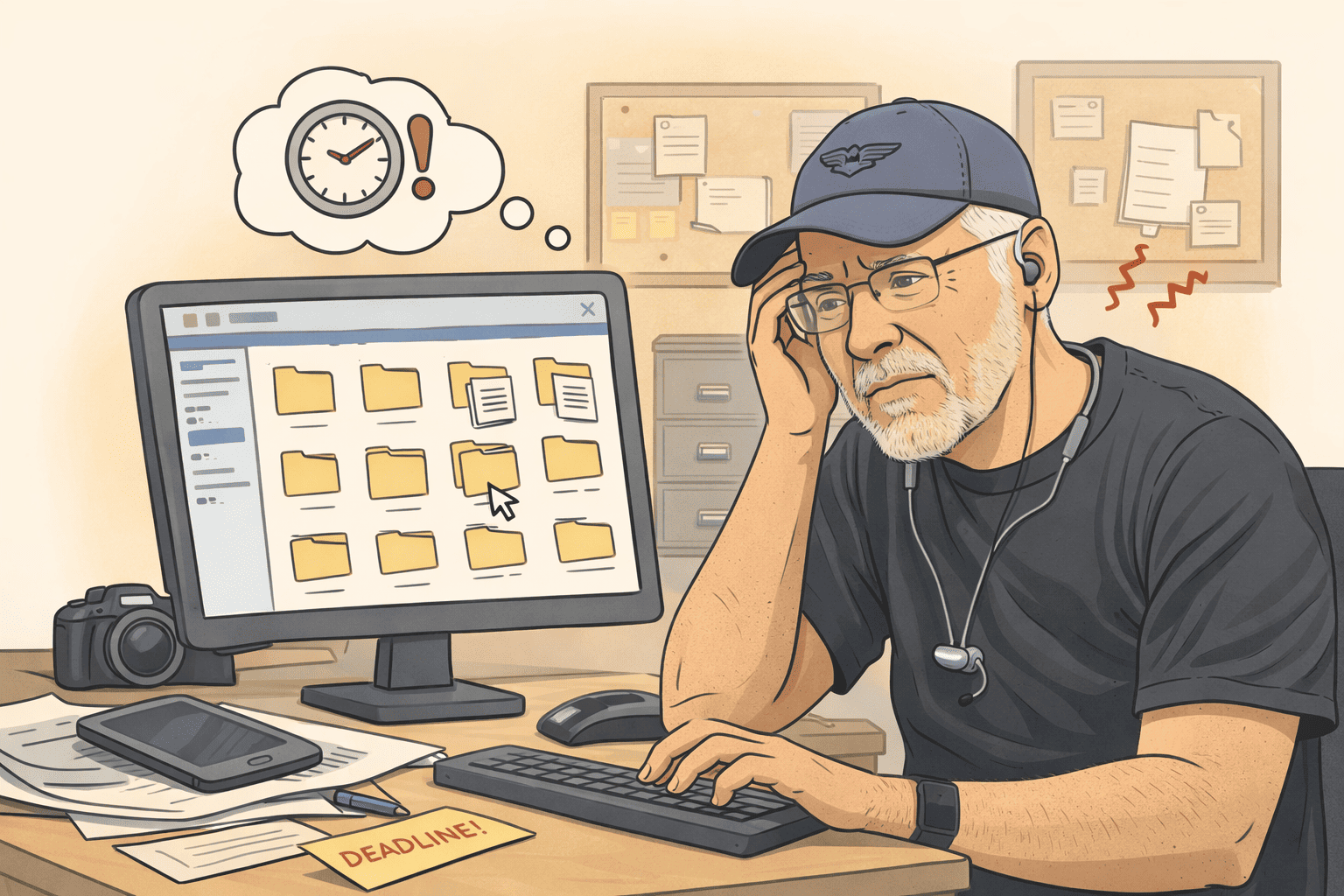
Disorganized files is a real struggle for any team member

How a DAM Turns Asset Chaos into Team Productivity

DAM, like any IT tool, increases productivity, provides instant access to the latest file versions for any employee, and automates routine tasks, leaving more time for creative tasks or tasks that require manual effort and are hard to systematize.

This makes both employees and the company more efficient. This is especially true for departments that actively work with digital content: marketing, sales, design, and digital content production.

DAM has become a real game changer for efficient team workflows

File Server vs On-Premise DAM: Key Differences

Let’s compare media archives built on a folder system on a file server/NAS with media archives built using an on-premise DAM.

Feature
On-Premise DAM
File Server or NAS
Fast searching
Yes
No
Classifying speed
Yes
No
Quality of previews
Yes
Yes
Number of formats that are supported for previews
Yes
Yes
Easy way to find and avoid duplicates
Yes
No
Working without collisions when multiple people works on the same design
Yes
No
High percentage of reusing assets
Yes
No
Fast speed of viewing large files
Yes
No
Resize or convert assets without third-party tools
Yes
No
Easy way to share large files
Yes
No
Collections and galleries
Yes
No
Granular permissions
Yes
No
SSO
Yes
Yes
Easy backups
Yes
Yes
No additional fees for file storage
Yes
Yes

Where NAS and File Servers Fall Short for Asset Libraries

1. Endless File Searches

Files can only be searched by the name of the folder or file. If the search term is not in the folder or file name, the search turns into an hours-long quest.

Long, tedious folder browsing leads to constant interruptions among colleagues, and often you have to open the wrong file just to confirm it's not the one you need.

All employees who need to find a file must know the exact path to the file, including new hires and management.

2. Folder and Naming Chaos

You have to add keywords to folder and file names, making them long and difficult to manage and read.

Typically, there’s neither time nor desire to name many files properly, so most file names end up looking like projectA_document.docx or DCM1033987.jpg.

3. Blind Browsing Without Previews

File previews are low quality and small in size. Many formats do not have previews at all. If we don’t see a thumbnail, we have to open the file with a third-party application each time to confirm it’s the right one.

4. Duplicates and Version Guessing

It’s not easy to find and accurately count the duplicates of a file. It’s often difficult to determine if a document is the latest version. When multiple designers work on the same layout, collisions frequently occur.

5. Great Assets Lost in the Archive

One of the quickest and cheapest ways to speed up the creation of digital content is by reusing previously created templates or digital assets.

Due to the difficulties or impossibility of finding files in a folder structure organization, it is often easier to create digital content from scratch. Although the content already exists somewhere, or there is a template that could make the process ten times faster.

💡 Some Daminion clients have said that after installing a DAM, they found files they didn't even know existed.

5. Long Waiting on Heavy Files

For example, 1GB TIFF, PSD, or video files may open slowly due to the bandwidth limitations of the local network.

Other Limitations

There are many other limitations that are not present in a DAM system, such as:

  • The necessity of using third-party applications for resizing images, videos, or converting files.
  • No way to create collections of files.
  • No easy way to create temporary image selections.
  • Can't limit access to files based on functionality.

How a DAM Turns Storage into a Smart File Hub

A DAM saves:

✔️ Up to 50% of the budget for media content creation by reusing easily accessible content.

✔️ Up to 30% of search time spent looking for files.

✔️ Up to 90% of file tagging time through automatic file description and batch tagging functions.

✔️ Up to 90% faster selection and presentation of relevant projects and company products to potential clients.

✔️ Up to 30% of the budget on purchasing stock photos/videos by avoiding duplicate purchases.

1. One Library. Instant Search.

All marketing and design materials on different servers and network folders are accessible through a single interface. No need to sift through hundreds of folders or bother colleagues.

A DAM scans files, tags them, and makes them easily searchable using a combination of search criteria. For example, you can tell the Daminion system to find:

all vector images with keywords “green” AND “blue” from the category “events” created between 2020 AND 2022.

Just type in a search phrase and then narrow your search using different metadata or filters.

If media files have GPS coordinates recorded, they can be quickly found on a map. It is also possible to search for content within documents.
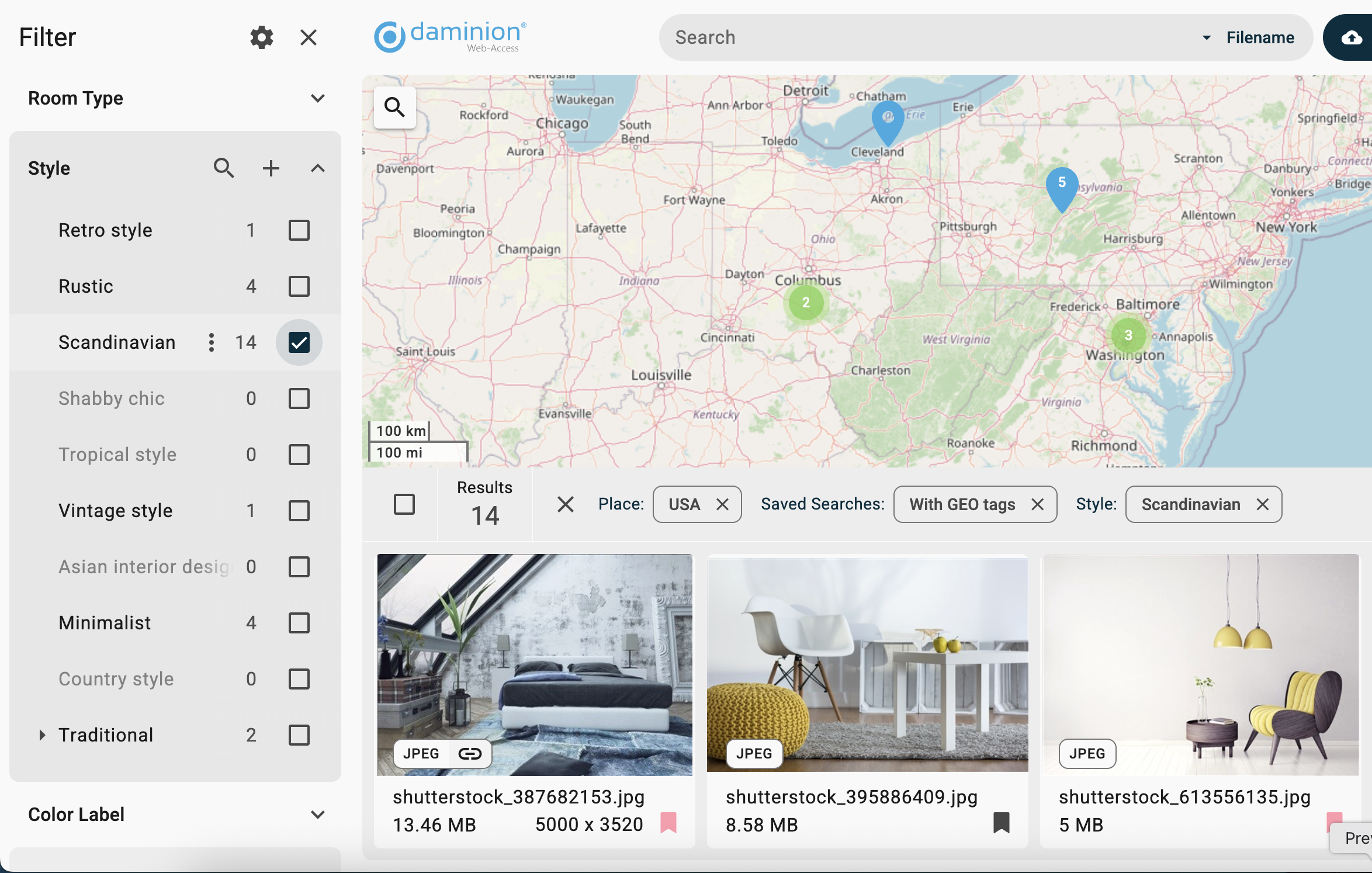
Daminion's geotagging feature and map visualization

2. AI That Tags Files for You

Before AI, the core issue that prevented the adoption of DAM systems was the resources and time a company needed to allocate in order to organize and classify the corporate media library and start using it.

Now, in the AI era, 95% of tagging is automated. DAM systems like Daminion DAM automatically create different search filters and taxonomy based on the analysis of media file content:

  • All objects and labels in media files are automatically recognized using either ChatGPT or Google Vision.
  • Facial Recognition: Just tell Daminion once who this person is, and they will be accurately recognized in all other photos. This does not require an internet connection and works in a secure environment behind your firewall.
  • All technical fields are imported from the metadata (creation date and time, image dimensions, file/folder names, camera EXIF metadata, proportions, format). GPS location is imported and available to locate on the map.
  • Automatically imported IPTC/XMP and native metadata that are stored in the images (some photostocks supply images with embedded XMP keywords and descriptions).
Daminion Photo Management with Facial Recognition
Facial Recognition Feature in Daminion

Sometimes AI cannot properly understand some very specific objects. For this case, Daminion has a batch tagging tool that allows you to assign dozens of tags to hundreds of files at once. On average, 5,000 files can be classified by one person per hour. The DAM ROI for an accurately organized media archive is huge.

Is Your DAM Investment
Going to Pay Off?

Use this checklist to evaluate the real value and performance metrics before choosing a system.

3. Unlock the Value of Existing Assets

One way to speed up digital content production is to avoid starting from scratch every time and instead actively use previously completed work. Many creatives can be produced based on existing templates, on which the company has already spent resources (time and money).

The only requirement is that they must be organized and always readily accessible.

Some of our clients have shared that before implementing Daminion, it was sometimes easier to create a calendar from scratch or even reshoot video footage rather than find it in the chaos of folders and files.
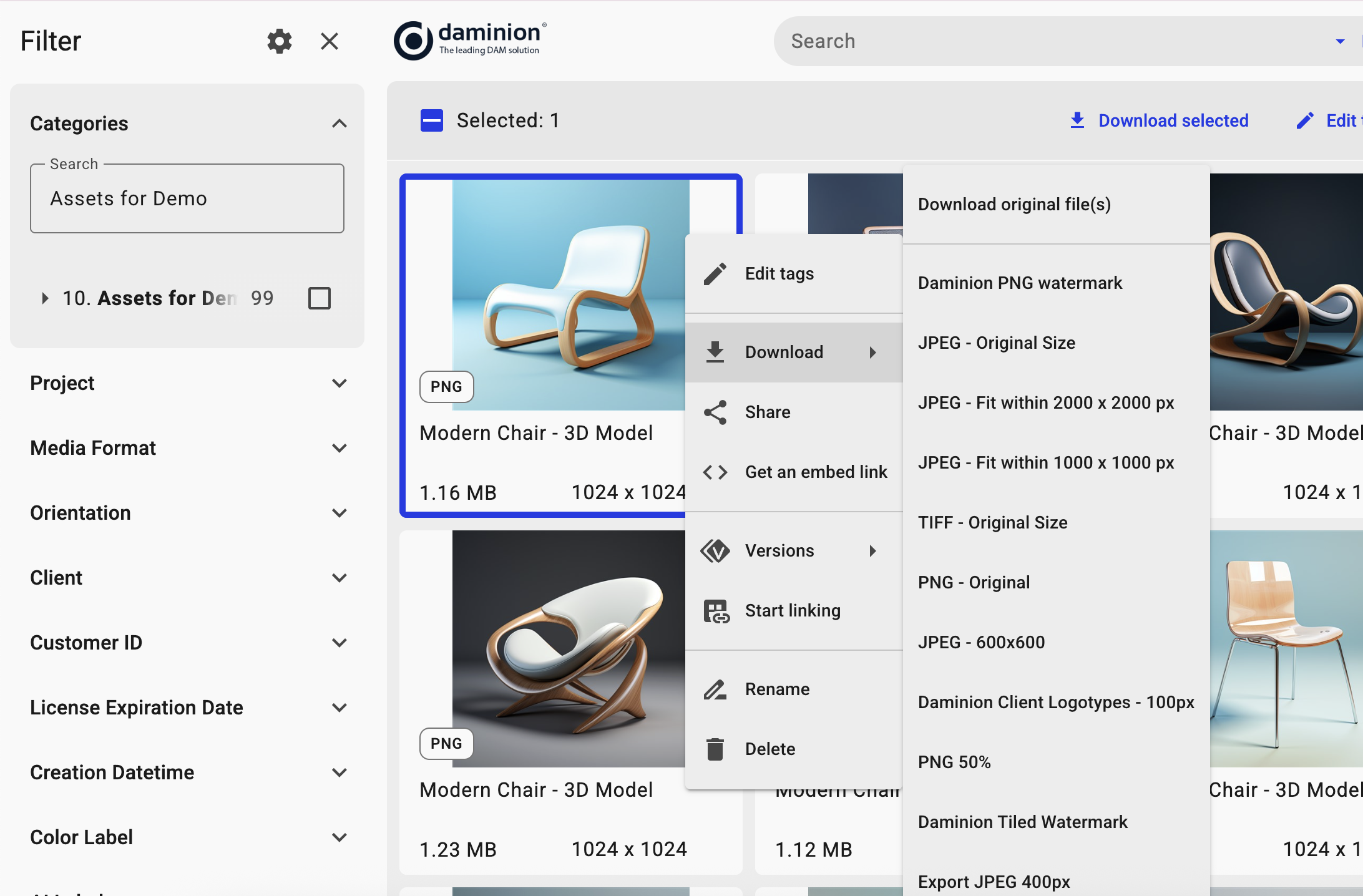
Daminion helps reuse assets for different projects and format requirements
It is an easy way to collaborate all kind of different media from all kind of different sources all are in one place“

Previously it could take hours, it could take days to find the file that we needed and now thanks to using Daminion it takes mere minutes. And we find more accurate results and more results as opposed to danger with the million different folders and we can actually find better results and use it in find stuff that we didn't even know we had
Blizzard Team

4. Visual Previews for 150+ File Formats

Without visual previews, you need to open a file with a heavy application like Illustrator or InDesign just to realize that it is the wrong brochure or drawing.

Daminion can create small proxy previews of sufficient quality for viewing, allowing you to see the file without launching native applications. This means you don't have to download a large file from the server to your local computer for 20 seconds just to confirm it's the wrong file.

For 3D formats (3Ds Max, Blender, Maya, Cinema 4D, Rhinoceros, STL, CAD, etc.), rotatable previews are generated.
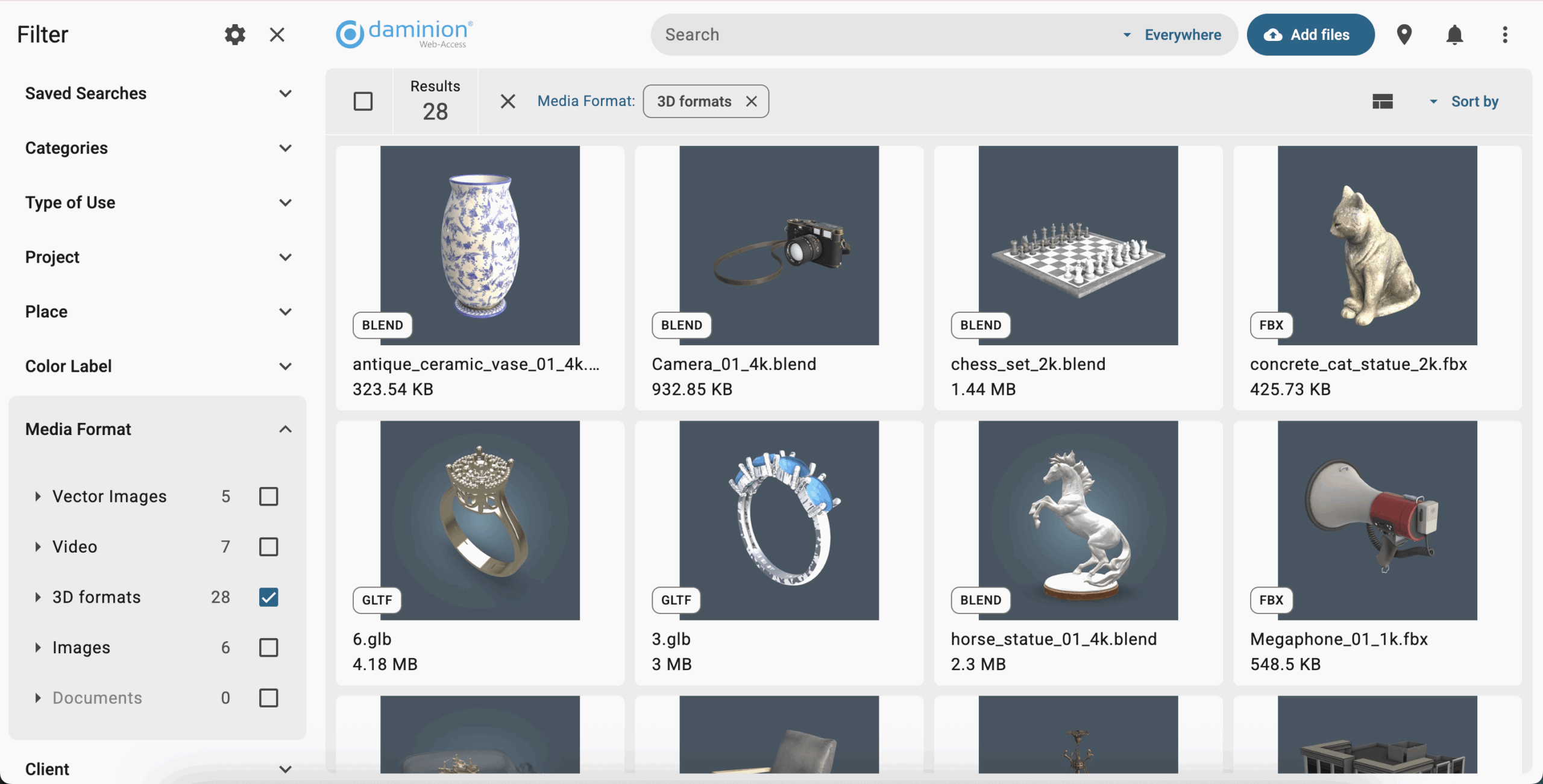
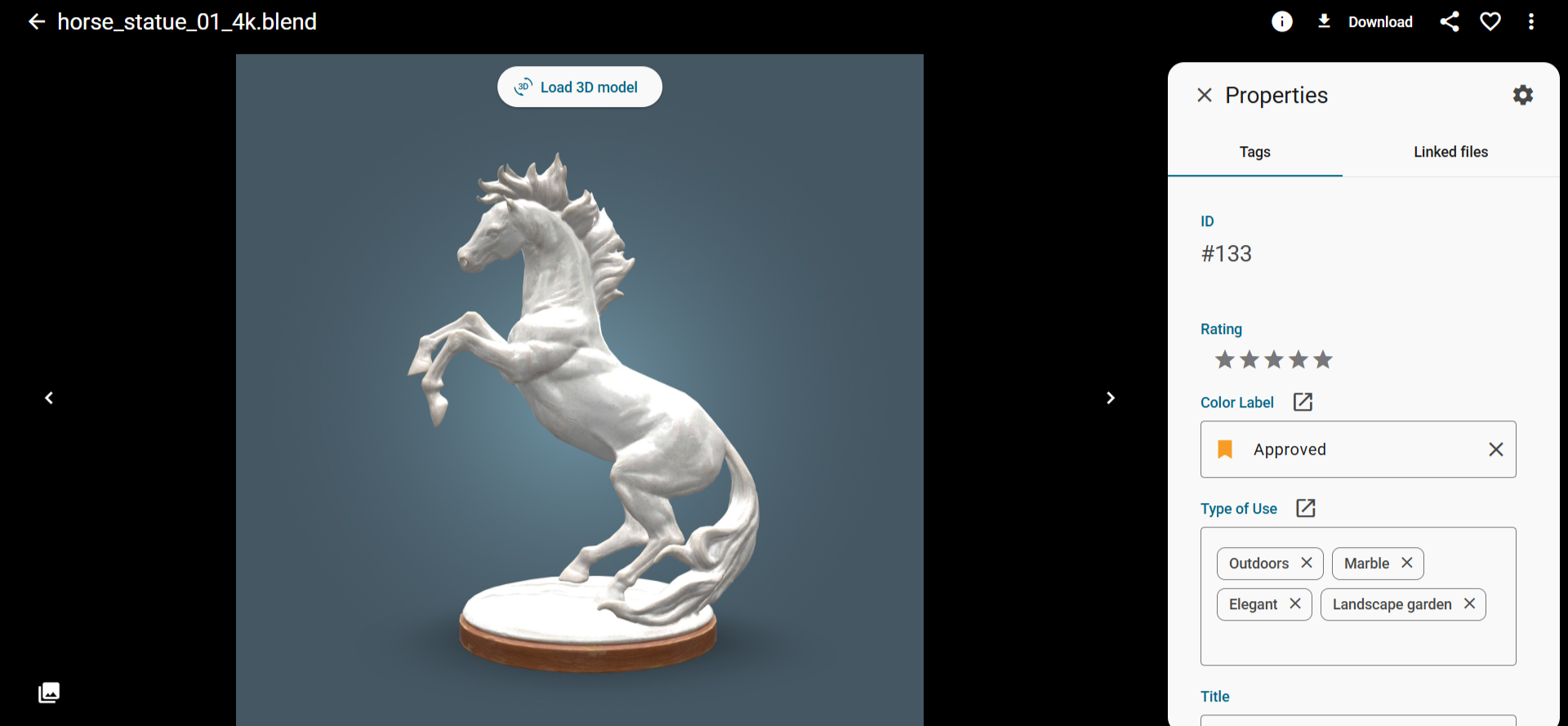
The Best Software To Manage 3D Assets
Overview of 3D models in Daminion
A 3D model with rotatable preview in Daminion

5. Large Files, Instantly Viewable

Opening large files in formats like TIFF, PSD, and Camera RAW can take significant time. To address this, Daminion DAM can create high-quality large JPG previews for instant viewing.

These previews are stored on the computer with Daminion installed, but are 100 times smaller than the original files.

6. Collaboration Without Interruptions

The core principle of effectiveness is working within time blocks and focusing on one task at a time without any distractions, ideally sitting alone in a meeting room with a black shawl over your head.
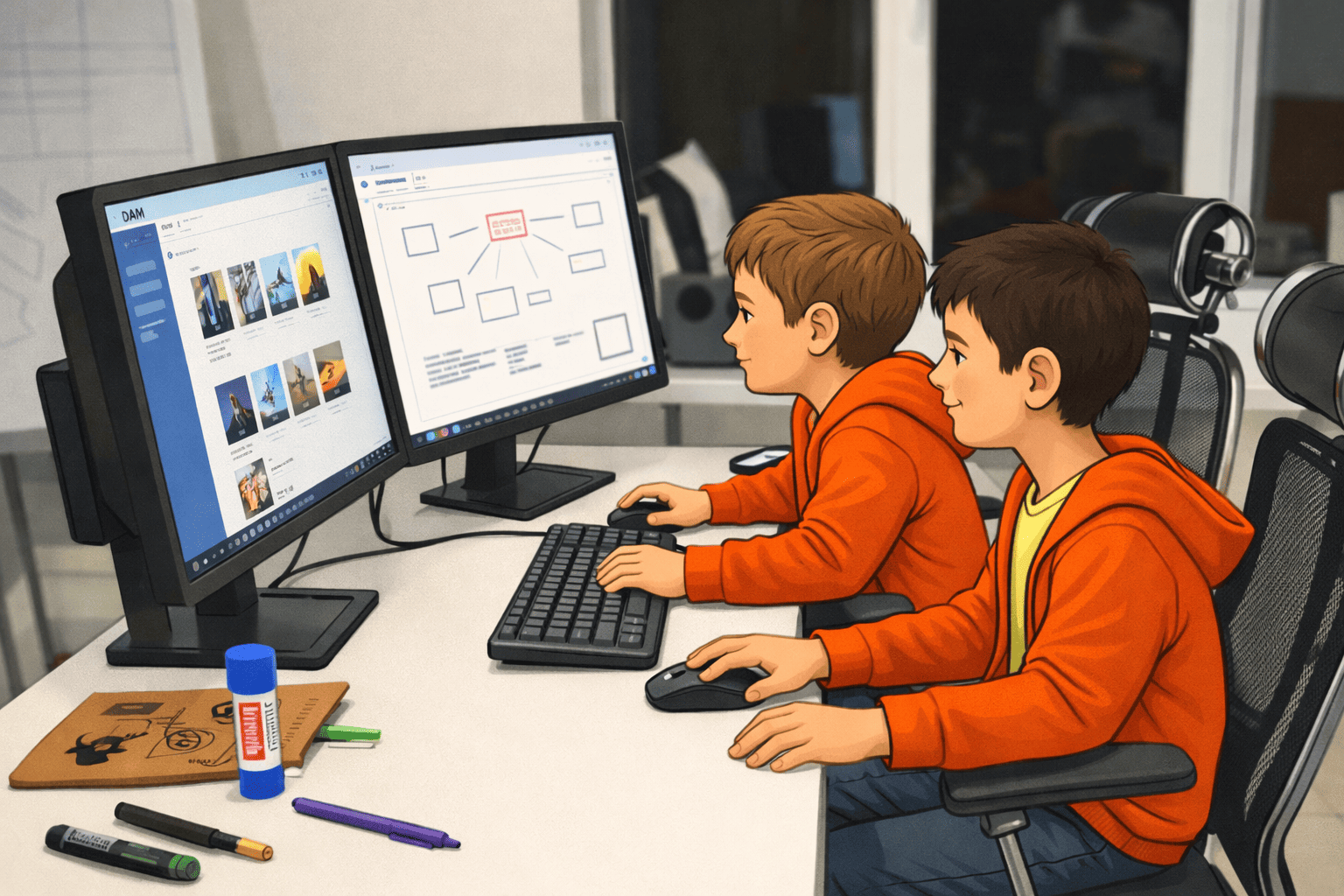
DAM helps keep everyone aligned and up-to-date

What usually happens when someone can't find something is they ask their colleagues, distracting them from their work.

DAM systems have advanced collaboration tools, so there's no need to interrupt a colleague to ask about a color or request the removal of a bad background. Simply write it in a comment on the layout and place a marker on it.

7. Easy Sharing of Large Files

Email and messengers are the most popular communication tools nowadays, but they have very inconvenient limitations for file size attachments, especially if you are sharing a collection of files, not just a single one:

  • Files might not be previewed on the recipient's computer or device.
  • The file size might be too large to open on the recipient's smartphone and could occupy a lot of space (this is often an issue as my smartphone typically has only 2% to 5% free space).
  • You don’t know when someone has opened your files. Some DAM systems allow you to track this.

DAM allows sharing files via links, eliminating the above-mentioned troubles.
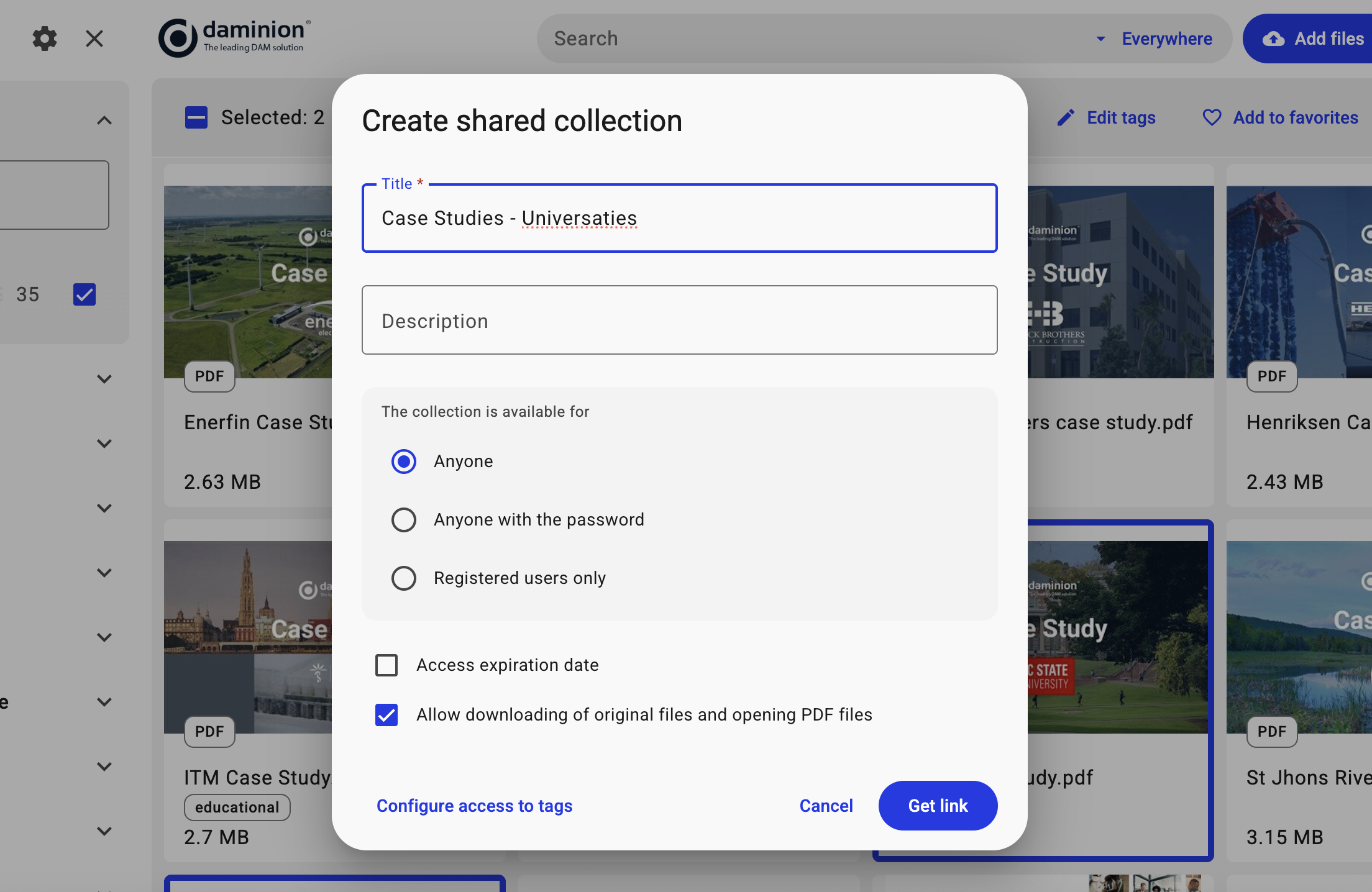
Shared Collections feature in Daminion

8. Granular Access Permissions for Every Role

In addition to restricting access at the folder and file level, a DAM system can restrict access to the archive at the level of roles, individual system functions, as well as tags and collections.
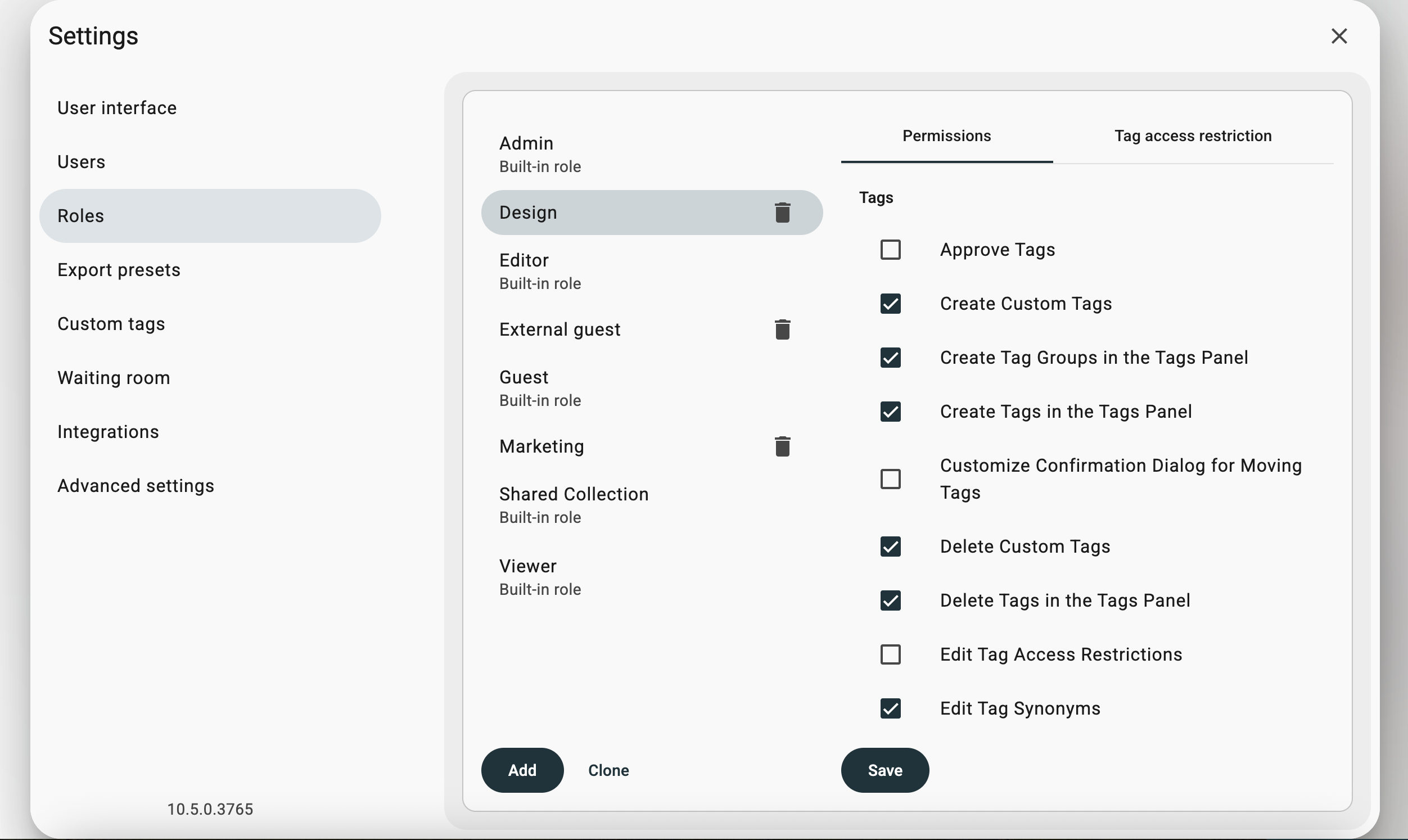
Role-based permission settings in Daminion

9. Collections for Perfect Asset Sets

Designers and marketers can create temporary collections of related assets. For example, if a user needs a good green cup illustration for an ad banner, they can add appropriate pictures to a tray and save them later as a collection.

10. More Powers of a Modern DAM

Some, but not all, possible features of DAM systems include:

  • Searching and eliminating duplicates
  • Use AND/OR/NOT commands in your searches
  • Saved searches
  • Taxonomy or Controlled Vocabulary
  • Integration with third-party applications
  • Support for EXIF, IPTC-NAA, XMP, Office, and native metadata
  • Auto-importing from a folder
  • Tag synonyms
  • Hierarchical custom tags
  • Track asset usage
  • Track license expiration
  • Version control
  • Reflecting outside file system changes automatically
  • Find similar images
  • Related assets (linked files)
  • Access for external clients or employers
  • Grant read-only access for some users
  • Resize and convert files on-the-fly without running a third-party tool that you might not have
  • Automatic file naming rules
  • Import/Export tags
  • Search by dominant colors
  • Drag and drop
  • Waiting room
  • Make PDF contact sheets
  • Export data to CSV
  • Taxonomy protection
  • Branding

What to Consider Before Implementing a DAM

Owning a car also has drawbacks, even though it provides comfort and allows you to earn money. Let's call them features.

  • An administrator is required for initial setup and configuration. But in a company with corporate file servers, there is always at least one in-house administrator. The installation and complete configuration of Daminion DAM takes about 2 hours, with remote support from the company that will explain all the nuances.
  • Users need to be shown how it works once, with a short video tutorial. Modern on-premise DAM systems are accessed through a browser, so there's nothing to install. The simple interface is similar to a familiar marketplace layout.
  • You pay the DAM system provider for continually improving and updating the software. But DAM is an investment with a high ROI, which increases the company's efficiency without expanding the staff. 

How many people would you need to hire to improve the efficiency of creative departments and the sales department? It would be 10-20 times more expensive than a tool that boosts the productivity of your current staff by 20-30%.

Step-by-Step: Deploying a DAM Solution on Your File Server or NAS

Here's how it works using the on-premise version of Daminion DAM as an example.

Daminion is like a local Google for your file server or NAS media files, automatically scanning and indexing everything, with a simple interface for quick searching, organizing, and collaborating on files.

Steps:

  • Install Daminion Server on any of the company's file servers. There are minimal requirements.
  • Point Daminion to the folders where the files are located.
  • The file indexing begins. The files themselves are not moved.
  • Using AI and metadata, Daminion will index and create a convenient media file catalog accessible through a web browser or native client.
  • If manual classification is needed, Daminion has a batch-tagging tool that allows tagging 5,000 files per hour.
  • The administrator sets up access rights, branding, and the list of fields to be displayed.
  • Send a link to the DAM in the corporate messenger along with a short video showing how the system works.

All company employees gain instant access to any files and documents using a web browser. After the DAM system is installed, any subsequent file changes will be automatically reflected in Daminion.

Still Deciding?
Take Daminion for a Test Drive

Try our DAM solution free and see how it fits your team’s daily workflow — no pressure, just thoughtful help from experts.

Different Types of DAM Systems

There are several main types of DAM systems, but only On-Premises DAM solutions are suitable for working with File Server or NAS. Let's list them and their nuances.
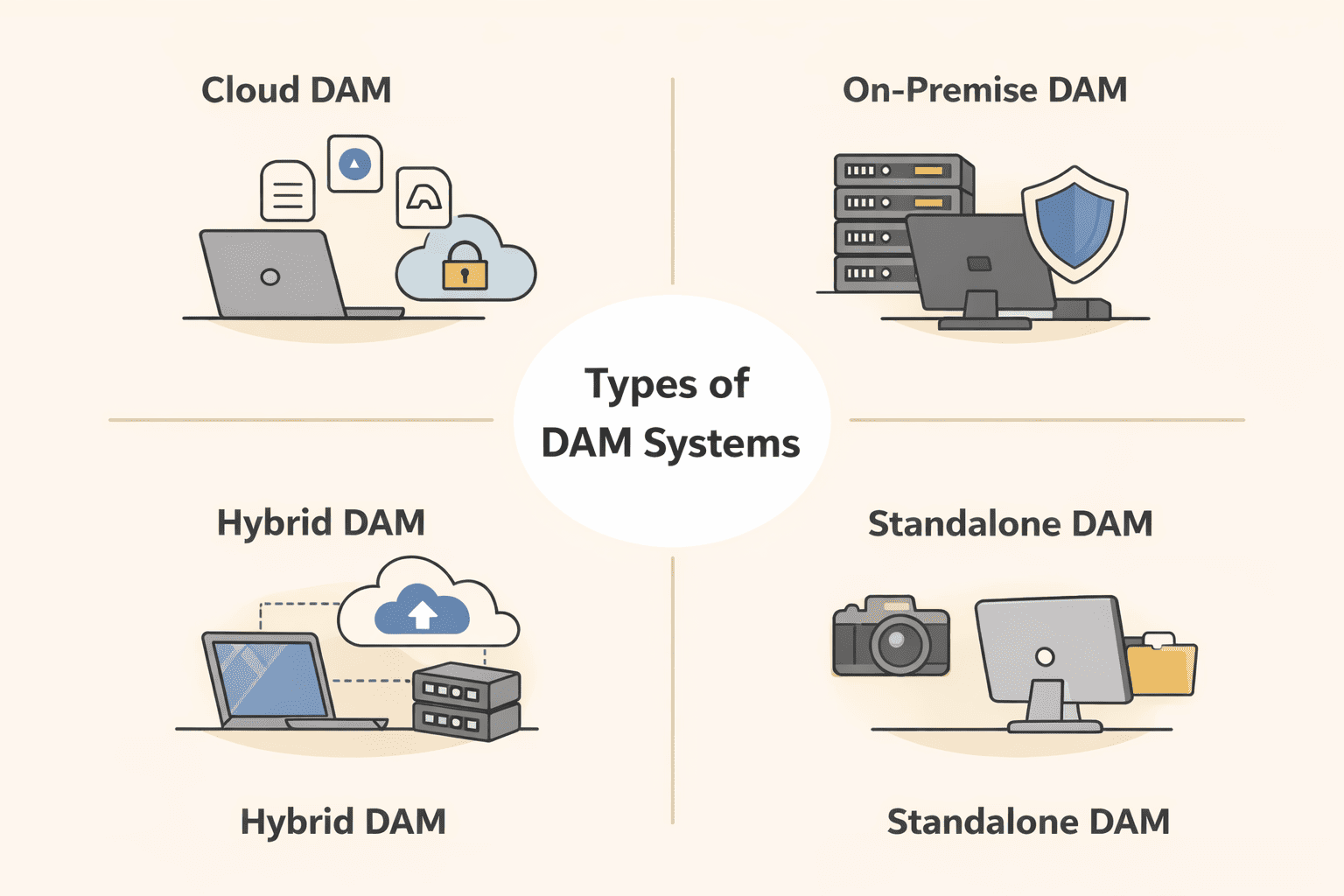
Types of DAM Solutions

1. Cloud DAM: Accessible Anywhere, with a Few Caveats

Today, most DAM systems are cloud-based. This is more convenient and profitable for vendors: development is much simpler, and so is implementation. Plus, the system can be sold to companies that don't have an IT specialist on their team or lengthy installation approval processes. Vendors additionally earn from file storage. The more storage, the higher the final price.

For vendors, the costs of supporting the diverse combinations of client-side technologies are significantly lower.

A big plus for the service provider is the subscription model – monthly or annual recurring payments. About 90% of all systems are cloud-based solutions.

But for users, things are not so simple.

Drawbacks:
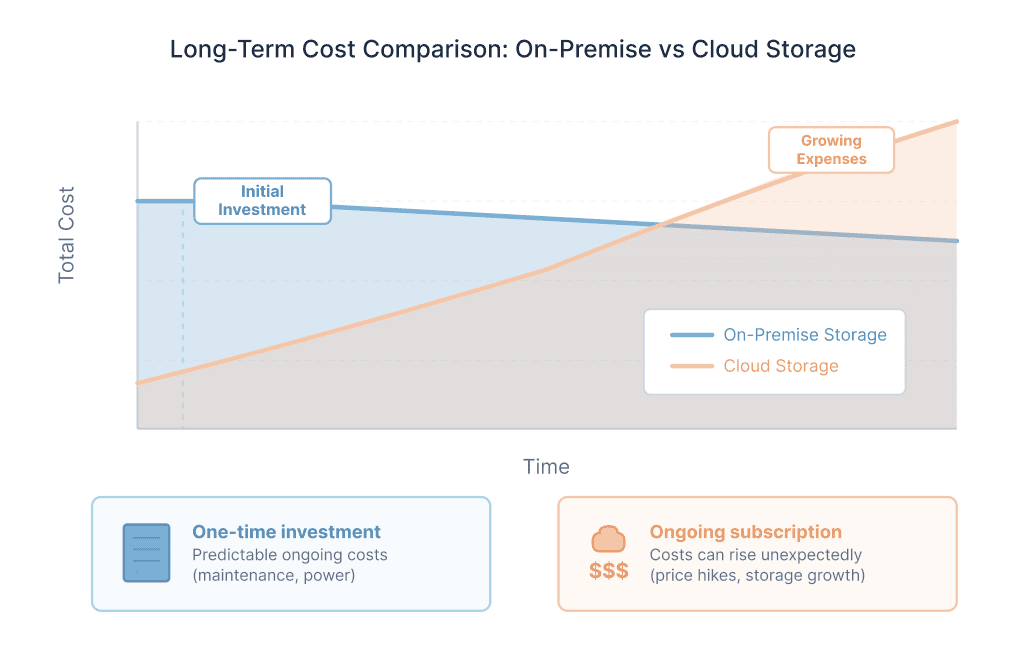
  • Expensive data storage: If you have terabytes or tens of terabytes of data, it will not be cheap. Over time, the archive size will only increase, along with the rental payments. Migration complexity will also grow.
Long-term storage cost comparison of On-Prem DAM (blue) and Cloud DAM (orange)
  • Dependence on the internet and provider reliability: If the service has technical problems, is hacked, you missed a payment, or you have internet issues while a client is waiting, you'll have to wait until everything is resolved. Reputable services usually have uptime of 99% and above, but sometimes mishaps or system updates happen at the worst possible time, like during a presentation to management or a day before an exhibition.
  • Limited data security: If you work with government organizations or have sensitive information whose leakage could harm clients or your business, Cloud DAM is beyond your control. The vendor owns all your intellectual data stored on publicly accessible servers.
  • Content duplication: Even when using a Cloud DAM system, copies of all files will be stored on local NAS/File Servers. Content duplication means there will be questions like whether the latest version of a document or logo is uploaded to the Cloud DAM or if it's forgotten.
  • Slow access speed: In case of slow internet (overloads or line breaks, access through 3G, or expensive island internet). When working with large formats like TIFF, PSD, or video, the speed will be significantly lower compared to On-Prem DAM systems.
  • Integration with local content editing packages: To open a document stored in the cloud with Photoshop, it will be downloaded to the local computer, edited, and then uploaded back to the cloud. This isn't necessarily a problem, but be ready for a number of uploads/downloads by every employee.

Advantages:

  • Convenient remote access when the company has many offices and freelancers.
  • Affordable monthly pricing for small archives and a small number of employees.
  • Easy file sharing via hyperlink. In On-Prem DAM systems, you need to set up VPN access for this or consider solutions that provide a portal function that tunnels files from the local archive to its online portal.
  • Convenient content import for mobile devices.
  • No need for an in-house IT specialist. The more cloud systems used in a company, the less the need for an IT team.

2. On-Premise DAM: Full Control Behind Your Firewall

Despite the smaller share of On-Prem systems among DAM systems, in some cases, this is the only suitable type of DAM system for a company.

Unlike cloud systems, On-Premise DAM does not create a duplicate archive; it only imports links to files. The original files remain on file servers or NAS.
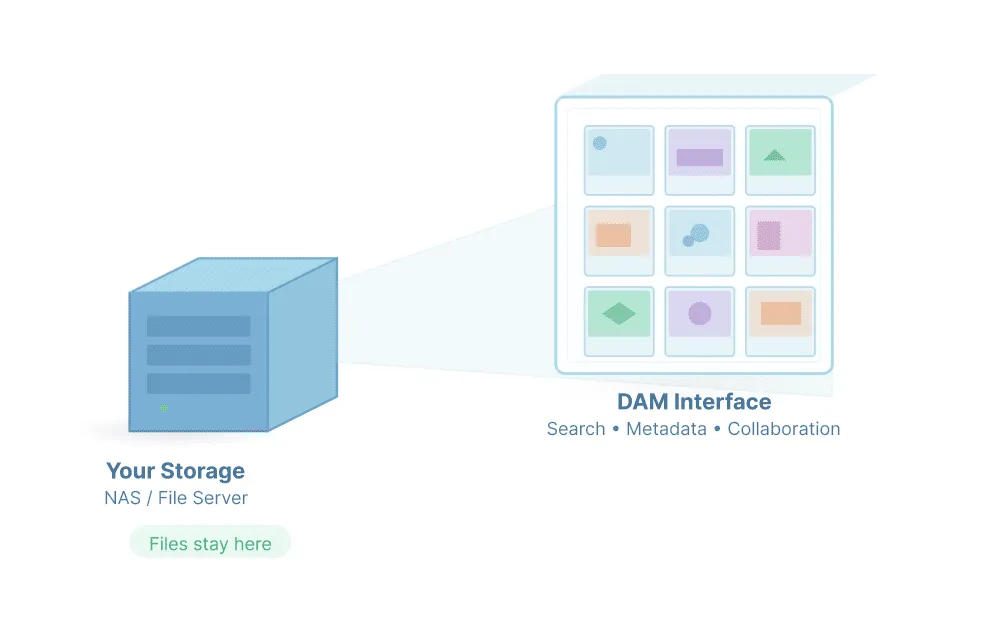
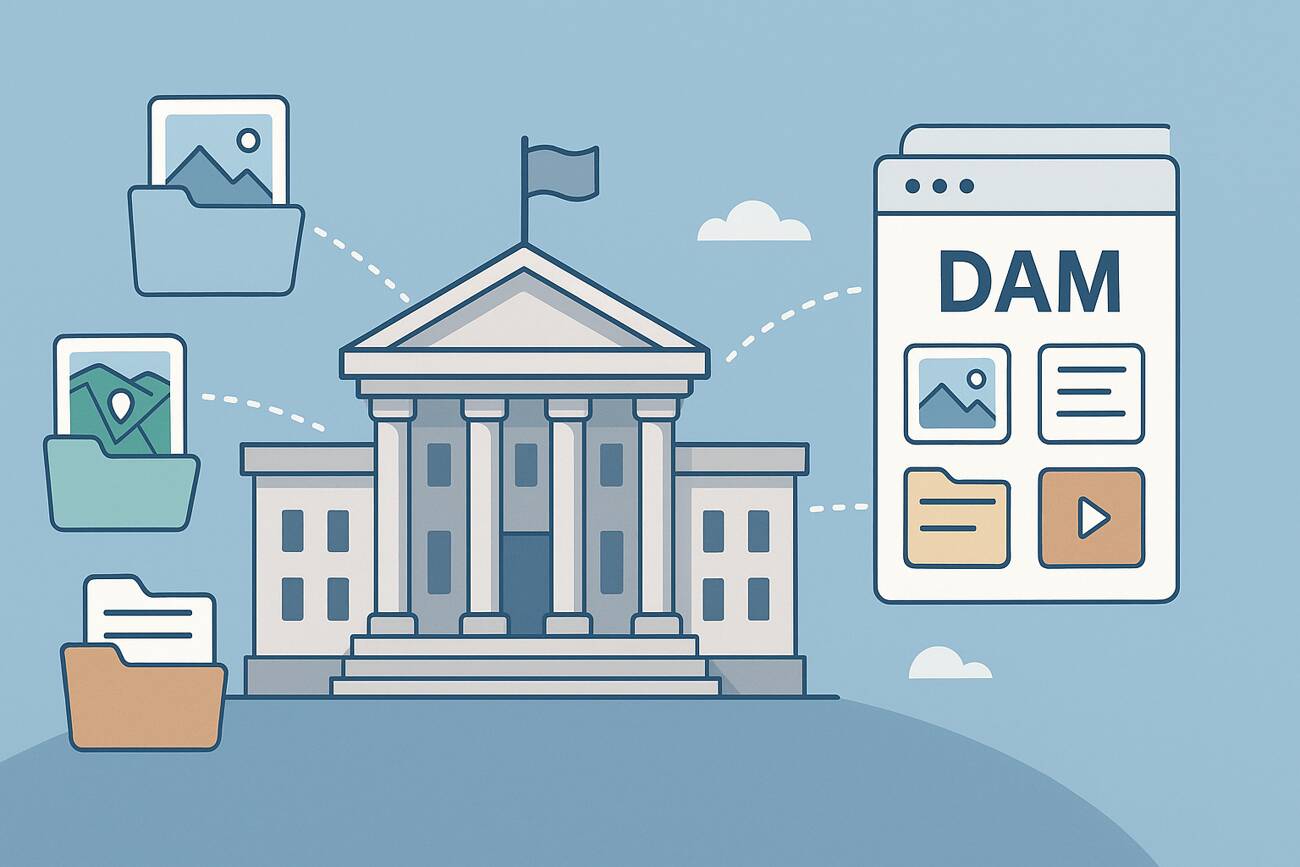
DAM works as a light overlay over your local server

An on-premise system is better suited for you if your company has an IT specialist and:

  • Data security is important. Leakage of confidential information or intellectual property can result in financial losses for the company.
  • Among your clients are government organizations or companies with non-disclosure obligations. With an On-Premise DAM system, you own your data. The DAM vendor has no access to the content. All data is behind your corporate firewall.
  • You need 100% access to the media archive at any time.
  • Fast access to files or working with large formats is important.
  • Product presentations are held at the company office (showing the client the most relevant product selections from the company's portfolio).
  • You have a large asset archive or many video files. With an On-Premise DAM solution, you don't pay anyone monthly for your archive size. As the archive size grows, rental payments do not increase.
  • Most of your designers are in-house and have direct access to the file server or NAS.
  • The company has a lot of content that is frequently reused.
  • The company has one or several offices, or there is a corporate VPN between offices.
  • You need a lifetime license (cloud systems only offer a subscription model).

3. Hybrid DAM: The Best of Both Worlds

Another increasingly popular type of DAM system is the hybrid solution. In this case, the company has its own private cloud storage or web server, where an on-premise DAM solution is installed.

This type combines many of the advantages of Cloud and On-Prem DAM systems with very few of their drawbacks.

Advantages:

  • Significantly lower file storage costs. Disk space is much cheaper for the company compared to purchasing Cloud DAM systems.
  • Convenient access when the company has many offices and freelancers.
  • Easy file sharing via hyperlink.
  • More convenient content import for mobile devices.
  • Higher level of confidentiality. The DAM vendor has no access to the content.
  • Possibility of acquiring a lifetime license.

Drawbacks:

  • An in-house IT specialist is required to manage the corporate server.
  • More expensive than On-Premise DAM but cheaper than Cloud DAM.

4. Standalone DAM: A Self-Contained System

These are small local installable solutions for a small fee designed for single-user operation.

This solution is suitable only if:

  • Only one person has access to the archive.
  • You want to quickly and inexpensively test what a DAM system is.
  • Usually, this approach is used by private professionals or very small companies. It may be a good way to quickly and cheaply test the DAM system's concept before transitioning to a full-fledged multi-user mature DAM system.

From File Storage to a Usable Asset Library

NAS devices and corporate file servers are great at storing files, but they aren’t built to manage growing media libraries. As the number of assets increases, folders turn into a maze, files get duplicated, and teams waste hours searching for the right version.

A Digital Asset Management (DAM) system adds the missing intelligence to your existing storage. It indexes your files, adds searchable metadata, generates previews, and makes every asset instantly accessible.

Instead of digging through folders, your team can find, reuse, and share media in seconds.

Curious how this works in practice? Schedule a free demo with Daminion team and discover how to turn your file server or NAS into a powerful digital asset management system.

Discover How Daminion Can Work for You

Get a free walkthrough of the features that matter most to your team.
Recommended For You
Murat Korkmaz
CEO and Co-Founder of Daminion. Here I share insights into how we build and evolve the product, thoughts on the DAM industry, and practical ideas to help you bring order to your files. I hope these reflections make managing your digital assets a little clearer — and a lot easier.
Let’s Talk

Explore our DAM system
with your personal manager

Discover the features of our DAM system with a personalized
demo from your dedicated manager.