
Video Asset Management: What’s The Best Software?

Many companies struggle with the challenges posed by in-house video production. How do you successfully collaborate throughout the production stages? Are your cloud storage costs soaring thanks to the sheer size of video files?
And, more importantly, how do you keep track of the many different images and video clips you use to keep your brand consistent?
Video asset management (VAM) software takes the pain out of managing the production lifecycle, freeing your team’s creative talent to build your brand. If video is your core business, see how media production companies use Daminion.
What is Video Asset Management?
To answer that question, let’s first ask another: what is a video asset? An asset is anything that has value to your organization, and video assets can be especially difficult and time-consuming to replace. Your assets may include:
- Raw footage;
- Reusable video clips;
- Finalized videos;
- Social media clips;
- Video advertisements.
Your video production department may also have digital assets that are not videos, such as:
- Scripts;
- Storyboards;
- Branded images;
- Production plans.
You’re probably under high pressure to meet production deadlines, you work on a wide range of projects and you have to adapt quickly when things change without warning. With all that going on, you don’t need to waste hours searching for the one shot that will add value to your current project.
When you have a team of experts collaborating to create a polished product, it can be difficult to make sure everyone’s working on the right version of a video clip.
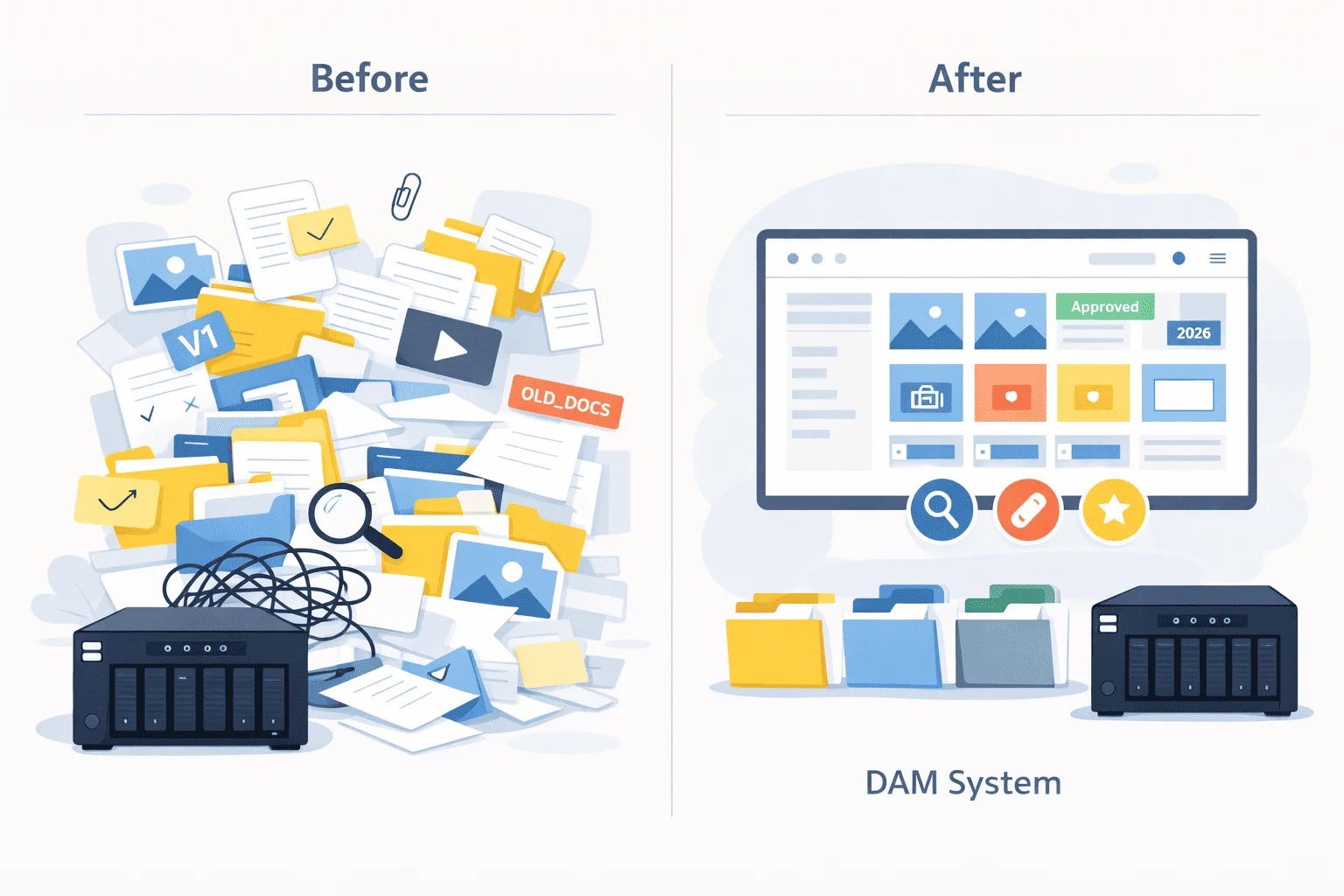
Video asset management software lets you keep all your assets in a central location and tag them so they can be found quickly. It also promotes efficient teamwork by including commenting, approval, and version control features.
In other words, digital asset management for video production is an investment in efficiency and long-term cost saving.
How Can Your Team Benefit from Video Asset Management Software?
Good VAM software makes your working day easier in many ways. Let’s have a look at a few of the benefits. Video rarely lives alone in a catalogue: broadcasters and production teams usually end up looking at broadcast media asset management once stills, audio and project files pile up next to the footage.

Discover How Daminion Can Work for You
On-Prem vs Cloud for Video Asset Management Solutions
Video asset management software may store your videos in the cloud, or at your own site (on-premise option). Some software also offers a hybrid solution, where files are stored in the cloud but are also made available offline. Which option should you choose?
One line item rarely makes it into the comparison table: egress. Cloud providers charge to move data out, and video is the worst case for it — pulling a single 4K master back for a re-edit can cost more in transfer than a month of storing it did. For teams that revisit old footage regularly, that recurring charge, not the monthly storage bill, is what eventually pushes them toward self-hosted digital asset management, where retrieval is limited by the local network instead of a per-gigabyte tariff.
Cloud storage has the advantage that you don’t have to administer your data, and you don’t need storage space on site. However, for videos, cloud storage can be unsatisfactory for a few reasons:
1. Video Files Are Typically Very Large
If you’re using ultra-high resolution for a quality product, a 5-minute MP4 file may be around 750MB, while a 30-minute video would occupy around 4GB. Since cloud storage is usually charged per GB on video asset management platforms, it can quickly become expensive.
2. Transferring Large Files Between Your Computer and the Cloud Is Heavy On Bandwidth.
his makes it slow, and can incur charges from your service provider. Even if your service provider offers an Internet speed of 200mbps, you’re unlikely to see this in practice.
- Your connection is only as fast as the slowest device in the link between you and your cloud provider;
- Upload speeds are typically only 10% of download speeds;
- Network overheads and congestion affect speeds.
- Internet connection speed is measured in bits. With 8 bits to a byte, you need to divide by 8 to understand how long a file takes to transfer.
(Minutes)
(Megabytes)
3. You Don’t Have Full Control of File Privacy and Security
For sensitive videos, this could be a problem. With cloud storage, your videos must be protected both in storage and in transit over the Internet.
Long-term costs with an on-prem software will be much lower, and you can ensure your assets are adequately protected. You can still share files over your in-house network, but they are located on your own servers.
In general, investing in storage devices is cheaper than paying for cloud storage, and applications work faster when files are stored locally. On-prem video asset management software can cut costs drastically in the long term, as well as speeding up the production process.
Key Features of Video Asset Management Software To Look Out For
With so many Video asset management solutions on the market, how do you choose a video asset manager that’s right for you? Here are the most important features that DAM offers for teams managing video assets.
- Fast and Flexible Search Facilities. Can you search by the camera’s prerecorded metadata, such as map locations, time recorded and camera settings? Can you create your own tags and categories, and use them in searches?
- Support for a Wide Range of File Formats. Does the software support all the formats you’re likely to use? You’ll need to work not only with raw footage, but also with all the file formats required by different distribution channels.
- Previews and Integration with Other Tools. Can you preview your videos with a single click? Can you easily integrate it with your existing tools, such as Adobe Premiere Pro, After Effects, Final Cut Pro or Avid Media Composer?
- Collaboration Tools. How easy will it be to collaborate with your team? Can you allow your clients to access the finished products via a link?
- Duplicates and Version Control. Can you easily identify and eliminate duplicate files? Can you see an audit trail of who has changed a file and when?
Is Your DAM Investment
Going to Pay Off?

You should also give some thought as to whether you need dedicated video asset management software with specialized tools, such as frame-based tagging, adaptive streaming and automated distribution.
In some cases, you may be better off with DAM (Digital Asset Management) software for video production, as it also allows you to manage files that are not videos. These may include images, scripts etc.
You may have many types of digital marketing assets: video management may be only one of your priorities. In this case, DAM software with good video support may be your best choice.
The Top 5 Video Asset Management Solutions
Let’s compare 5 popular software applications for managing video files.
1. Daminion
Daminion stands out as a comprehensive digital asset management software. It has strong support for video asset management, and is excellent at dealing with the large file sizes and different file formats you need for the production lifecycle.
Daminion is a solid Video asset management solution, offering all the important features needed to manage video assets for all but the largest professional production outfits.
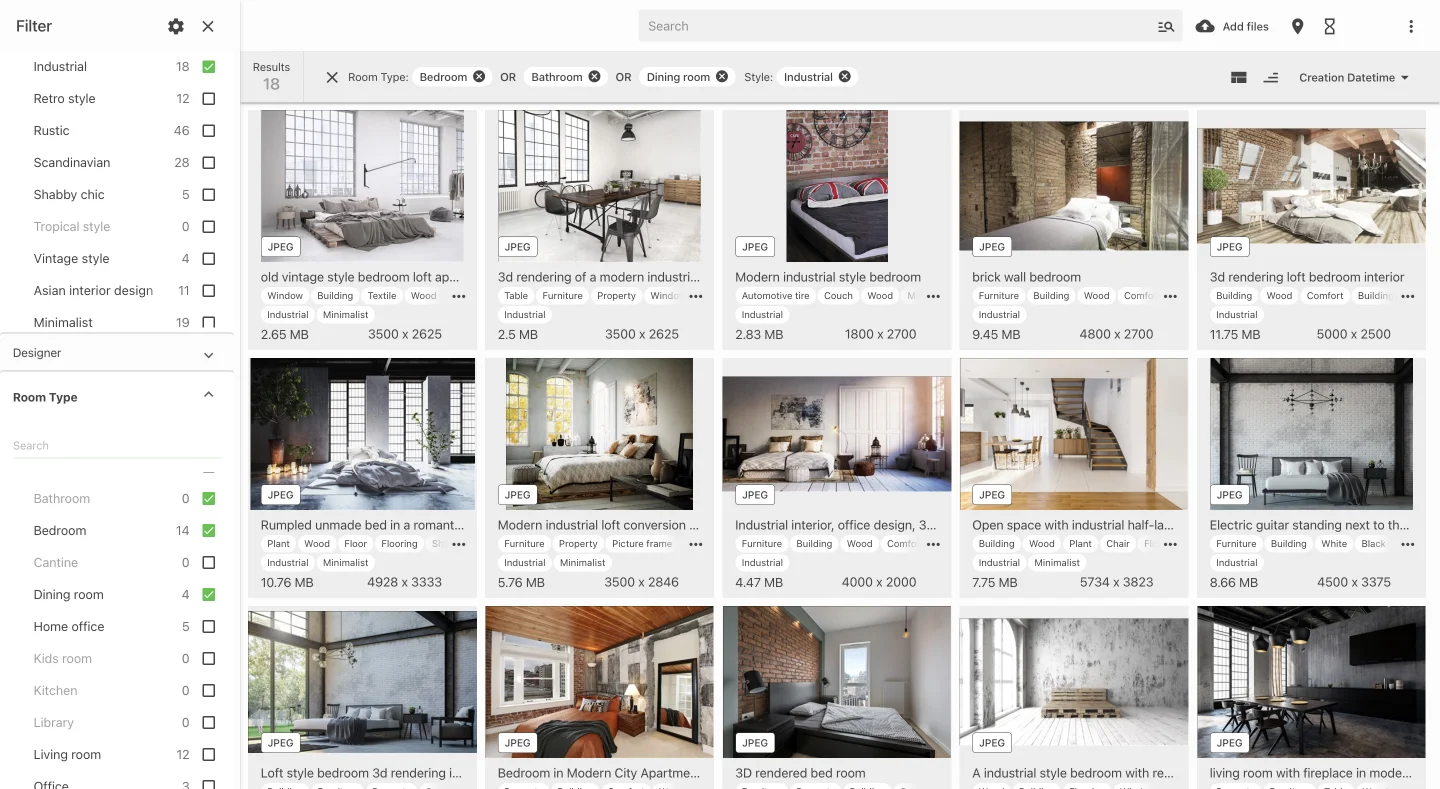
Daminion features include:
- Comprehensive metadata support, file categorization and tagging. You can keep all your project files together, and use drill-down searches to easily find the clips and images you need to complete your project;
- Excellent version control, and the ability to detect duplicate videos.
- Commenting and approval workflows let you collaborate effectively with your team, and easily share links to finished videos with your customers;
- Direct integration with Adobe Premiere Pro for video editing. You can configure which software will be used to view or to edit each file type, so it’s easy to work with any tools of your choice. Daminion’s API and SDK let you create more complex integrations.
- Extensive support of file formats, letting you work seamlessly with all types of video files and other assets. You can optionally enable video previewing, allowing you to view all types of videos directly within the software.
Daminion may not have all the complex features of a dedicated VAM solution, but it’s perfect for in-house video production, creative agencies and game developers. It has the advantage that it can manage all your digital assets: videos, images, 3D designs and documents.
Let’s look at a couple of testimonials from Daminion’s clients.

2. Adobe Experience Manager
Adobe Experience Manager (AEM) is a powerful DAM and content management solution tailored to manage and distribute all digital assets belonging to an enterprise. Since it has good support for video files and integrates seamlessly with Adobe creative solutions, it’s a good choice for video assets.
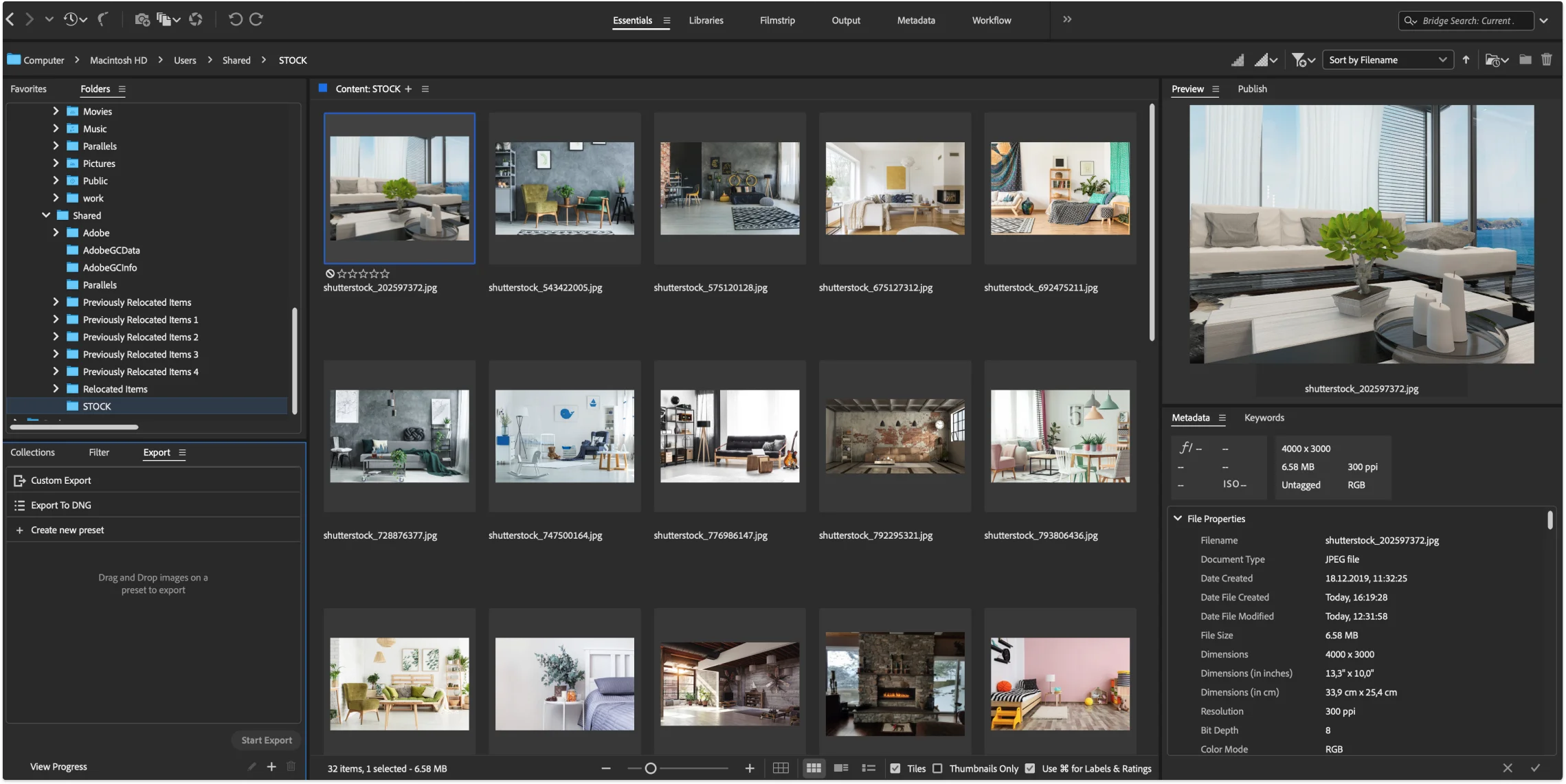
Its features include:
- Extensive metadata, cataloging, search and filtering tools;
- Comprehensive collaboration, versioning and sharing features;
- Supports a wide range of file formats, with previews available;
- Integrates with Premiere Pro and other Adobe Creative tools. Further integrations can be programmed via API;
- Pricing is geared towards very large enterprises.
AEM is a powerful asset management solution, but it’s likely to be beyond the price range of small to medium organizations.
3. Bynder
Bynder is a good, all-purpose digital asset management system, which supports most files likely to be used in video production.
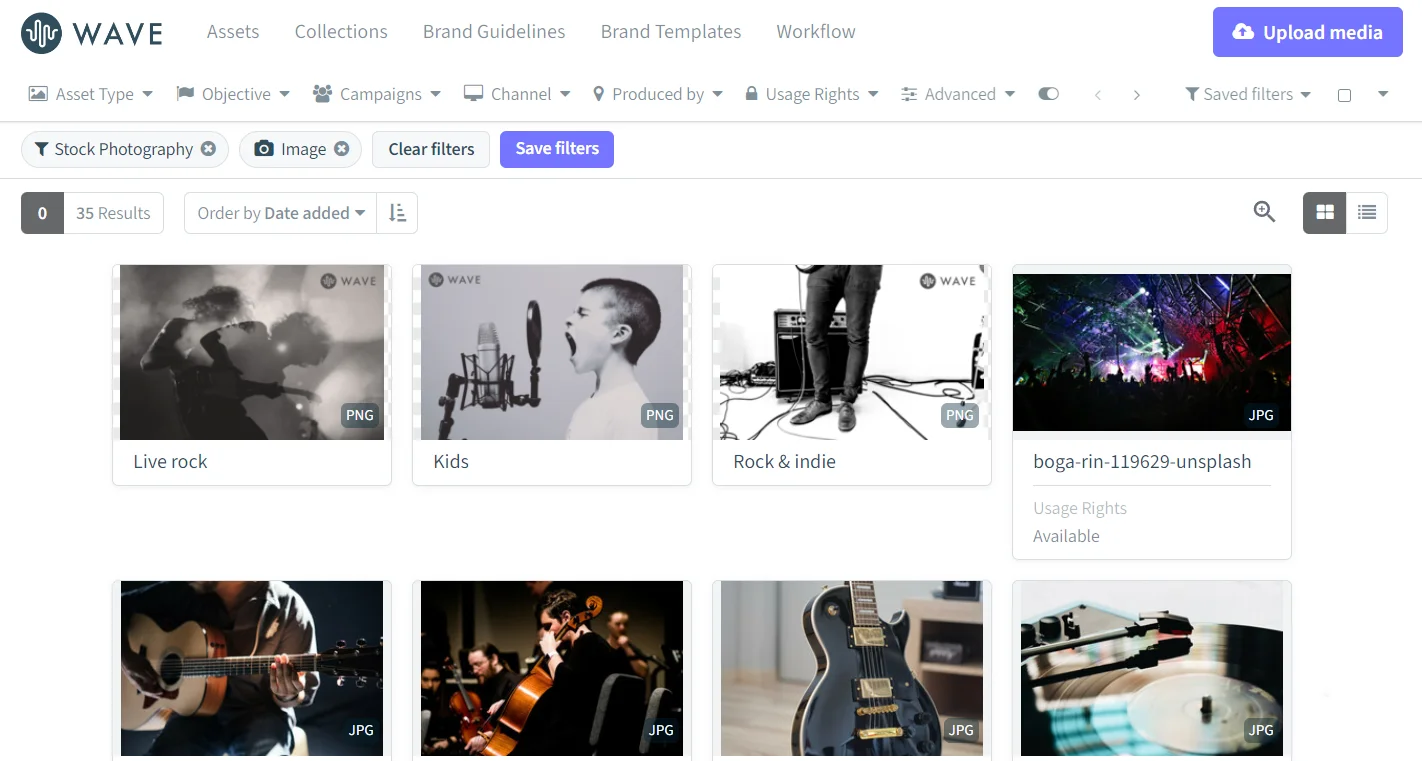
Bynder offers:
- Comprehensive and flexible tagging, metadata, search and filtering tools;
- Support for file formats commonly used in video production, with previews available;
- Integration with Adobe Premiere Pro for video editing. Other tools can be integrated via API.
- Excellent collaboration and versioning workflows;
- Cloud storage only.
Bynder’s pricing is targeted towards larger enterprises, and can become very expensive due to cloud storage costs. Transferring large video files to and from the cloud can cause bottlenecks in performance.
It’s not always able to identify duplicates accurately.
4. Canto
Canto is a versatile DAM solution with strong collaboration tools. It’s well suited to managing the video production lifecycle, with its support for a wide range of video file types.
Canto offers:
- Advanced asset organization, search and filtering features;
- Support for a wide range of file types, the ability to handle large files easily and preview support for most file types;
- Integration with most Adobe products, with other integrations available via API;
- Basic duplicates detection;
- Cloud storage, with no on-premise option;
5. Acquia DAM (Formerly Widen Collective)
Acquia DAM is a rebranded and revised update of the long-popular Widen Collective DAM. It’s very well suited to video production workflows, catering for large files and transcoding between video formats.
Acquia DAM has a full range of asset management features:
- Comprehensive and customizable tagging, metadata and search capabilities;
- Supports all major video file formats, with previews available;
- Integrates with Adobe tools. Further integrations can be programmed via API;
- Customizable collaboration, version control, sharing and approval workflows;
- Cloud-based SaaS is the only deployment option.
It has a flexible pricing structure best suited to medium to large organizations. Once again, cloud storage recurring costs must be taken into account.
Conclusion: Choosing the Right VAM Software
Video asset management software is a lifesaver for busy video production teams. You can instantly find the right clips and other assets to merge into a vibrant, memorable finished product. Your team can work effectively together wherever they’re located, and you’ll never lose important video assets.
Daminion is the top pick due to its highly competitive pricing and ability to scale for any size team. Its on-premise solution saves long-term costs and lets you work faster and more efficiently with large files.
If you’re looking for reliable VAM software that has all the important features offered by high-cost solutions, you can’t go wrong with Daminion’s on-prem video asset management software.
Why not schedule a Daminion demo today, and see for yourself how it takes the complexity out of teamwork?
Getting Started with Daminion
Store, tag, search, and share media assets like never before


Explore our DAM system
with your personal manager
demo from your dedicated manager.