
Top 10 Digital Asset Management Software Tools in 2026

Organizing Digital Assets in a Smarter Way
The sheer volume of digital content to manage keeps growing almost exponentially. Relying on digital asset management solutions has become necessary to deal with this data and workflow overwhelm. In 2025, over 70% of marketing teams worldwide had adopted DAM solutions by 2025, up from 45% in 2022 — a shift that has made the market crowded enough that picking badly is easy.
Because DAM is a highly competitive area, choosing the right platform among dozens of available options can easily get confusing. Let’s look at the DAM landscape in 2026: how DAMs differ from similar solutions, such as MAM and VAM, what benefits cloud-based and on-prem DAMs have, and what the top options are today.

Discover How Daminion Can Work for You
Why is Digital Asset Management Important?
 DAM is the most universal solution because it manages all asset types across teams, not just media or video files.
To avoid possible confusion, let’s briefly discuss how DAM differs from similar solutions focused on managing specific types of files.
Digital asset management (DAM) solutions deal with different types of data. They manage regular media files, project files from authoring applications like Adobe InDesign and Autodesk Revit, text documents, and so much more. DAM is what you choose when you need to organize the asset storage for a department or even an entire company where employees use different software, collaborate on projects, manage versions, etc.
Budget shapes this more than feature lists admit. Per-seat pricing works cleanly for a marketing department of twelve; it becomes the deciding constraint for an organisation where forty occasional contributors each need to pull a logo twice a year. Sectors that run on grant funding and volunteer labour hit this wall first, which is why digital asset management for nonprofits tends to be evaluated on licensing model as much as on capability.
Some options have a narrower focus:
- Media asset management (MAM) helps organize a library of heavy media files, such as raw footage and audio. These solutions target video production teams working on music videos and TV commercials, animation studios, agencies that specialize in producing podcasts, etc.
- Video Asset Management (VAM) caters specifically to video teams. These tools offer advanced video search, editing, transcoding, and collaboration features. They also help manage scripts, storyboards, production plans, and more.
- DAM with Geotagging Features is tailored for teams that must organize and manage geospatial data (maps, geographical data, photos with geotags, etc.) and create location-specific reports and presentations.
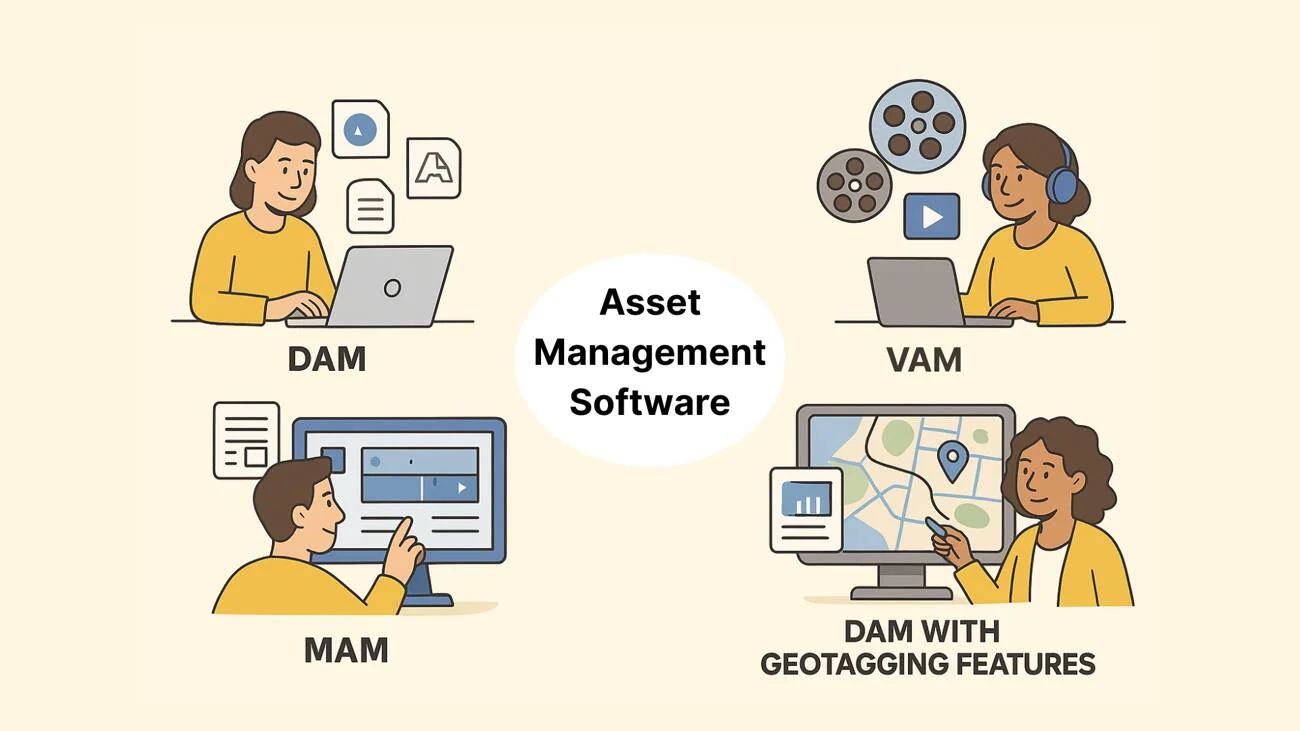
To reiterate, DAMs are simply more universal. They typically cover most of the use cases of media production teams. On top of that, a few options, including Daminion, provide support for geospatial files and GIS integration.
On-Prem vs. Cloud DAM: Two Sides of One Coin
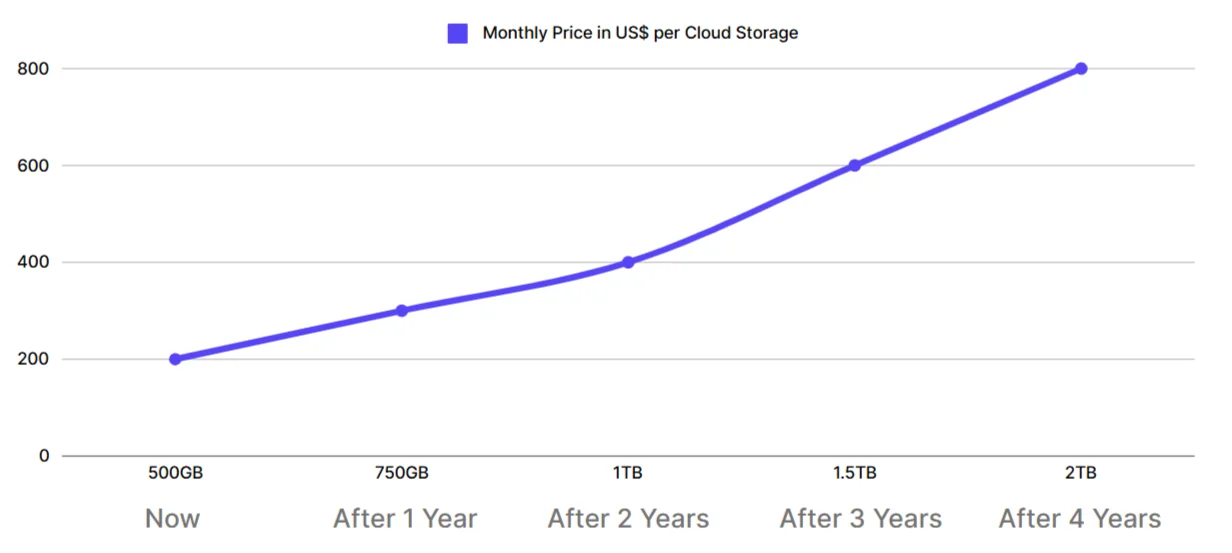
Cloud DAM looks affordable at first, but storage, bandwidth, and other extra fees add up quickly. Meanwhile, on-prem DAM offers reliable and predictable costs long-term.
Both cloud and on-prem DAM solutions have their pros and cons.
Cloud-based DAM solutions are essentially SaaS. They hide all the complexity of infrastructure management from users. The initial setup boils down to creating accounts for the team and setting privileges accordingly. After that, you open a browser, log in, upload some files, and do the tagging. Then, anyone in your team with sufficient privileges can access, download, and use those files.
Cloud DAMs work great when you need to manage a reasonable number of files that aren’t very large, and your team is all-remote.
At the same time, cloud-based solutions have some serious disadvantages:
- They are a no-go in industries with strict government and internal regulations.
- The feature set tends to be more generic, with fewer options for workflow customization.
- You have little to no control over your data safety.
- The pricing easily gets out of hand, especially if you manage large media files.
On-prem DAM solutions are typically built on top of a network-attached storage (NAS) that’s within your company’s infrastructure. They have been around for decades, so they are far more versatile and feature-complete than cloud-based solutions. They typically offer greater integration possibilities and support previews for more file formats. While they do require some technical expertise to set everything up, these days, the process is mostly following wizards.
Here are some of the disadvantages of on-prem DAMs you have to consider:
- They usually require a larger upfront investment to purchase the software and necessary hardware.
- Your IT team has to be able to handle system installation, maintenance, and upgrades, as well as data backups and disaster recovery plans.
For a much deeper dive into the differences between the two DAM types, please see our earlier article: DAM Software: On-Premise or Cloud? Who is the best?
How This List Was Put Together
The ten tools below were shortlisted from vendors that publish enough detail to be checked: current pricing, feature documentation, and supported deployment models. Each entry was verified against the vendor's own documentation and, where a trial was available, a hands-on account — not against press releases or marketing decks. Review data from teams already running the product was used to sanity-check the claims. Where a vendor quietly stopped listing a capability it once advertised, the current documentation wins over the older claim.
Two limits are worth stating plainly, because they change how you should read what follows. This is not a benchmark: the tools were not run side by side on identical hardware against identical libraries, so nothing here should be taken as a performance measurement. And Daminion is our own product — which is why the comparison below lists where it does not fit as well as where it does. If your team has no appetite for running a server, the honest answer is that a cloud-native tool on this list will serve you better, and the deployment section explains why.
Last verified: August 2026. Product claims reviewed by Murat Korkmaz, co-founder of Daminion.
Top 10 DAM Picks for Teams in 2026
For this guide, we picked 10 among the most popular DAM solutions that are well-known in the industry. Some of them have been around for decades, sometimes under different names. Others are relatively new products designed to be cloud-first and API-first.
1. Daminion
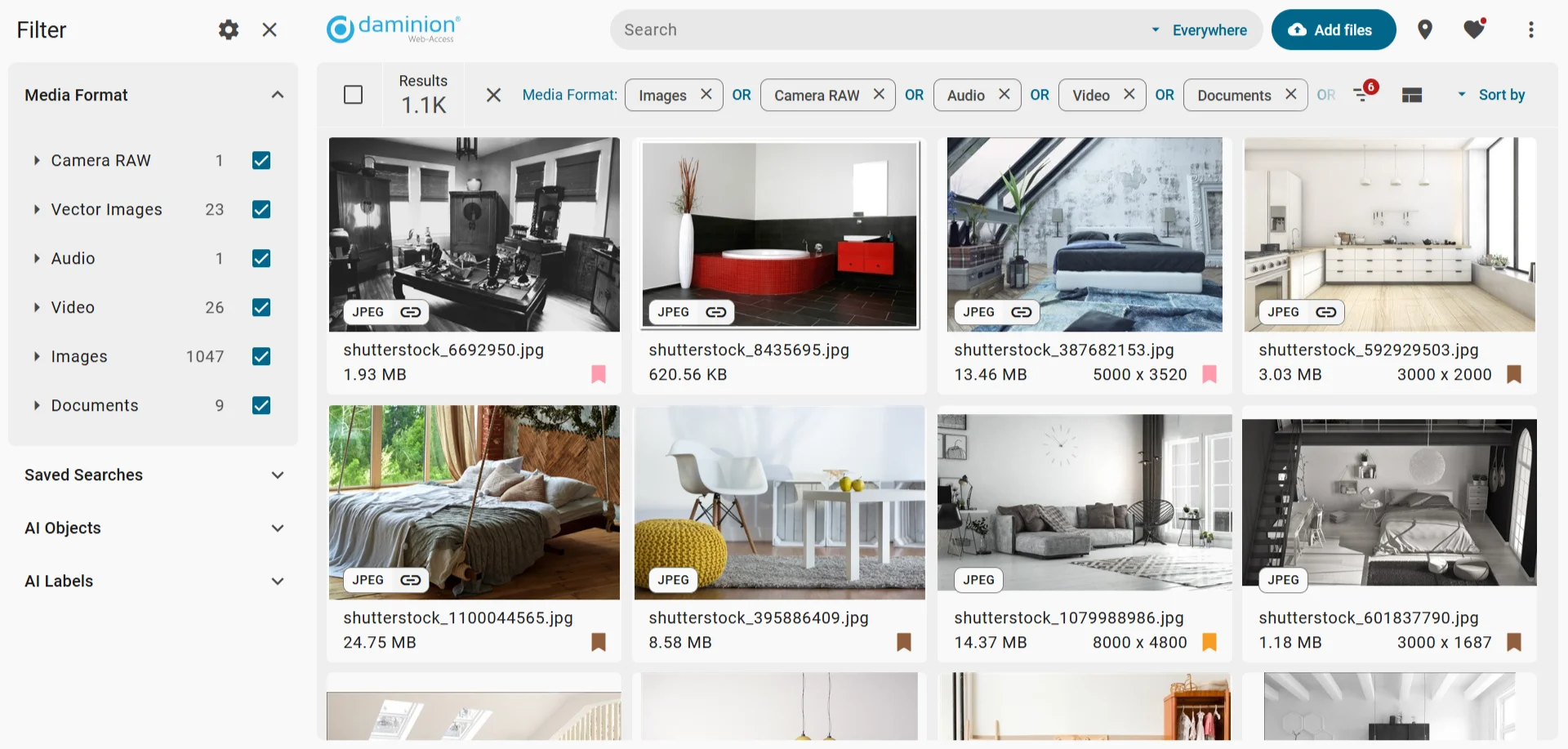
Daminion is an on-prem DAM for small to medium-sized teams with a growing library of images, videos, and many types of project files (graphic design, CAD, GIS, etc.).
Pros
- Perfectly handles digital libraries with millions of items.
- Has advanced metadata tools, controlled vocabulary for tags, and AI-based tagging.
- Integrates with Adobe Creative Suite and Creative Cloud.
Cons
- Does not have a mobile app to comment on revisions or search in the catalog.
- Not suited for freelancers with a limited budget.
Still Deciding?
Take Daminion for a Test Drive

2. Canto
Canto is a cloud-based DAM with robust metadata management, workflow automation, and brand portals suitable for mid-sized to large businesses across industries.
Pros
Cons
3. Adobe Experience Manager
Adobe Experience Manager is part of the broader AEM platform that helps organizations store, manage, and distribute digital assets like images, videos, and documents.
Pros
Cons
4. Acquia DAM (formerly Widen Collective)
Acquia is a cloud-based DAM solution targeted at enterprise-level organizations and marketing, creative, and web teams.
Pros
Cons
5. Bynder
Bynder is a cloud-based DAM platform with collaborative tools for medium to large organizations.
Pros
Cons
6. Cloudinary
Cloudinary is an API-first, cloud-based DAM solution for creative, marketing, and development teams in large organizations.
Pros
Cons
7. ImageKit
ImageKit is another API-first cloud-based DAM with support for image and video transformations, suitable for tech, marketing, and creative teams.
Pros
Cons
8. Pics.io
Pics.io is a cloud-based DAM solution that emphasizes visual collaboration, version control, and integrations with popular cloud storage services like Google Drive and Amazon S3.
Pros
Cons
9. MediaValet
MediaValet is cloud-native DAM for enterprises, targeting marketing, creative, and brand teams.
Pros
Cons
10. Brandfolder
Brandfolder is an AI-powered DAM platform focused on brand management, asset distribution, rights management, and analytics for enterprise-level organizations.
Pros
Cons
Narrowing Ten Down to Two
Most of this list can be eliminated in a few minutes, because these products are not really competing for the same buyer. Three questions do most of the work.
Where do the files have to live? If a contract, a regulator, or your own security policy requires that assets stay on infrastructure you control, the cloud-native options — Canto, Bynder, Acquia, MediaValet, Brandfolder — are out regardless of how good their feature lists look. That single constraint removes half the list before you compare anything else.
Who will actually use it day to day? API-first tools such as Cloudinary and ImageKit are built to be called by code. They are excellent when a development team needs assets transformed and delivered programmatically, and they frustrate marketing teams who expected a searchable library and a usable interface. The reverse holds too: a brand portal with approval workflows is wasted on a team whose only real need is fetching images at the right resolution.
What is actually in the library? Nearly every platform here handles photos and video competently. The field narrows sharply once CAD drawings, GIS layers, 3D models or packaged InDesign files are involved, because generating usable previews for those formats requires support that marketing-first platforms rarely bother to build.
Answer those three and the shortlist is usually two products rather than ten. The comparison table below is most useful after that filtering, not before it.
Format Support: What the Documentation Actually Says
The section above argues that file formats decide the shortlist faster than anything else. That claim is only useful with specifics, so here is what each vendor publishes in its own documentation — not what the marketing pages imply. Blank entries are meaningful: they mean the vendor does not publish that information, which is itself worth knowing before a sales call.
| Tool | CAD (DWG/DXF) | 3D | Camera RAW | InDesign | Caveat worth knowing |
|---|---|---|---|---|---|
| Daminion | DWG, DXF | OBJ, STL | Yes | INDD | DWG thumbnails require Autodesk TrueView installed on the server |
| Canto | Not documented | Not documented | — | Via Adobe Connector | No comprehensive public format list published |
| Adobe AEM | Not mentioned | GLB, glTF, OBJ, STL, USDz | Via Adobe Camera Raw | INDD, incl. metadata writeback | USDz is ingestion only — no viewing or interaction; some formats need PDF Rasterizer or ImageMagick add-ons |
| Acquia DAM | Not documented | Not documented | — | Yes, automatic | InDesign preview only works if the uploaded ZIP contains a PDF with the identical filename |
| Bynder | AutoCAD not previewable | Upload and manage | RAW, DNG | AI, EPS, PSD previewable | Documentation names SWF and AutoCAD as the two formats that cannot be previewed at all |
| Cloudinary | Stored as raw; can convert to glb | glTF, OBJ, GLB, USDZ (beta) | — | Deliverable as JPG/PNG only | .indd cannot be transformed directly; multi-file 3D models must be uploaded zipped |
| ImageKit | Not documented | Not documented | — | PSD, AI | Documentation centres on images and video; DAM is a layer on a media-processing product |
| Pics.io | DXF | PLY, STL | Broad list: NEF, CR2, CR3, DNG, ARW, ORF and others | INDD | INDD previews require "Always Save Preview Images with Document" enabled inside InDesign first |
| MediaValet | Autodesk 3D preview | Autodesk formats, Revit 2017+ | — | — | Interactive 3D viewer with orbit, pan and zoom; no comprehensive format list published |
| Brandfolder | Not documented | glTF, interactive 3D viewer | — | IND | Accepts almost any file — only JavaScript and unzipped HTML are rejected — but unlisted types upload without an automatic thumbnail |
Two patterns are worth drawing out. First, "supports 3D" covers a wide range of realities: an interactive viewer you can orbit, a static thumbnail, or an upload that stores the file and shows nothing. Adobe documents this distinction honestly for USDz; most vendors do not. Second, InDesign is the format most likely to carry hidden conditions — three of the tools here preview INDD only if something specific was done before upload.
Compiled from vendor documentation and support centres, checked August 2026. Where a vendor publishes no format list, the entry says so rather than guessing.
2026 DAM Software Comparison Table
Among leading DAM solutions, Daminion stands out by combining on-prem security, advanced metadata, and long-term cost efficiency in one system.
This table provides a quick summary of digital asset management software discussed above, highlighting their advantages, disadvantages, and recommended use cases based on company size and needs.
• Provides advanced metadata, AI tagging, etc.
• Offers Adobe Creative Cloud and other integrations.
• Robust on-prem solution for enhanced data security
• Not suited for freelances with strictly limited budget
• Advanced brand management tool
• Good range of integrations
• Slow for large asset libraries
• Seamless integration with other Adobe tools
• Complex interface
• Limited customer support
• Good range of integrations
• Inefficient for large asset libraries
• Great for team collaboration
• Can be complex to set up
• Great for handling media files
• Pricing can escalate with higher usage
• Fast global delivery via built-in CDN
• Limited asset export and reporting features
• Efficient asset organization
• Limited bulk export and cleanup tools
• Good enterprise-level support
• Complex feature setup
• Advanced brand insights
• Complex Adobe integration
The Question Nobody Asks Until It Is Too Late
Feature comparisons concentrate on what a system does while you are using it. The harder question is what happens to your work if you stop using it.
Metadata is the part that accumulates. A team spends two years tagging assets, rating them, recording who shot what and under which licence, adding project codes that mean something internally. That accumulated description is usually worth more than the files themselves, which exist in a backup somewhere anyway. So the question worth putting to every vendor on this list is a physical one: where do those tags actually live?
There are two answers. Some systems write metadata into the files, using the XMP and IPTC standards that sit inside the image or video container. Others keep everything in their own database and leave the original files untouched. The difference only matters once — but it matters enormously. Copy the files out of the first kind and the descriptions travel with them, readable by anything that understands the standards. Copy them out of the second and you get exactly what you put in: untagged files, with two years of work left behind in a database you no longer have access to.
This rarely appears in feature tables because it reads like a technicality. In practice it determines what a platform change costs you in year four, which is roughly when most teams start considering one. Do not accept an assurance here — ask for a demonstration. Request an export of ten assets, open them in something unrelated, and see what survived.
A second question in the same spirit: what format does a full catalog export take, and does it carry your custom taxonomy, or only the fields the vendor chose to map? The answer tells you whether you are buying a tool or entering a dependency.
Daminion On-Prem: Best DAM Overall
Among the DAM solutions discussed here, Daminion stands out as the best option for teams looking for cost-effective, scalable, and secure digital asset management.
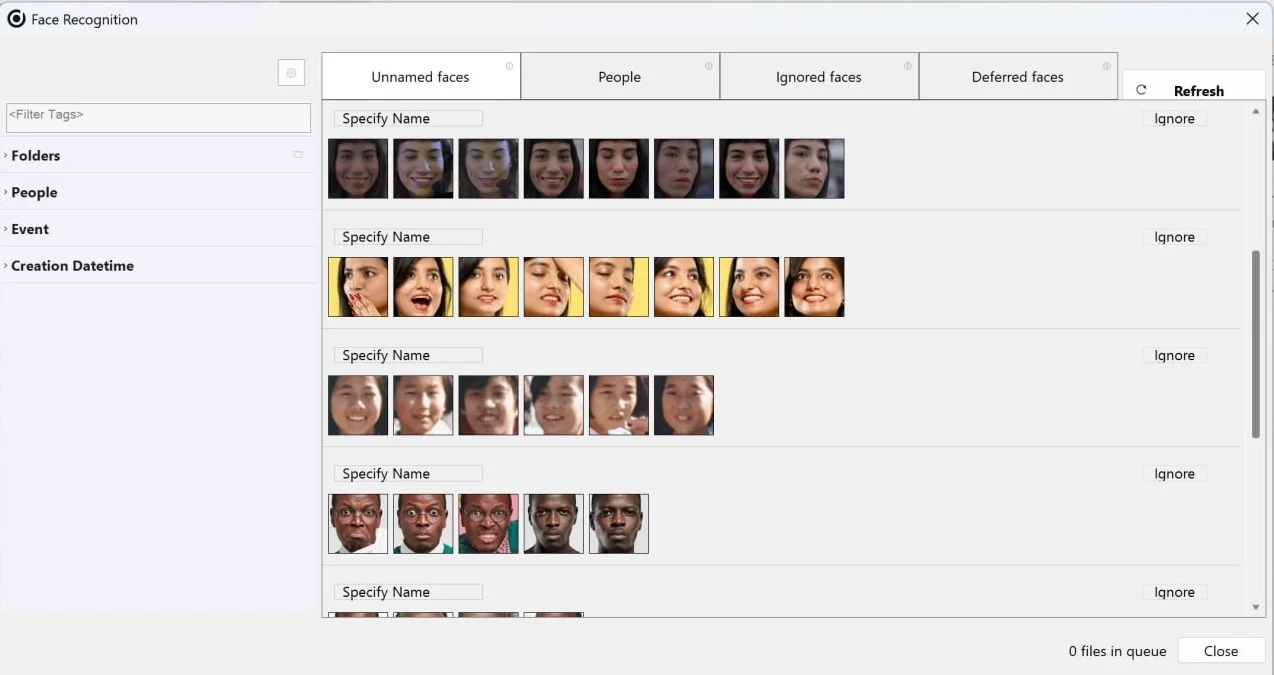
Daminion has all the key features you need to manage your digital files efficiently: robust metadata handling, customizable taxonomies, version control, automated tagging, and comprehensive search capabilities. The solution also provides collaboration tools, permission-based user access, integration options with creative software, and multi-format preview support.
Simply put, Daminion gives you all the state-of-the-art tools in one easy-to-use package.
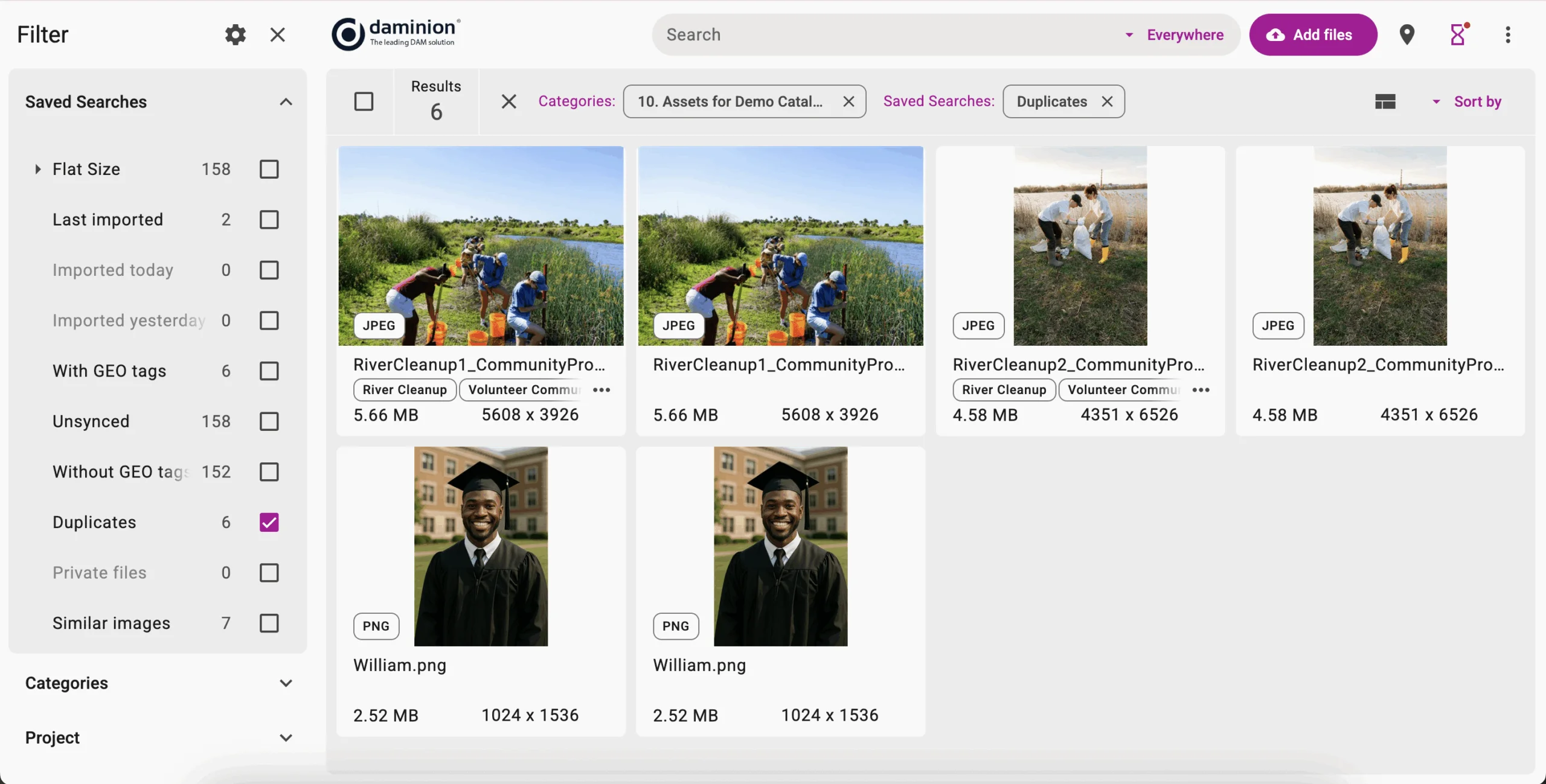
With cloud-based DAMs, you are at the mercy of the service provider when it comes to asset security. You have to trust their security protocols and safety measures. With Daminion, being an on-prem solution, you ensure your data safety. Because Daminion is a one-time purchase, it’s cost-efficient both in the mid- and long-term, especially if we are talking about storing large media files.
Typical offers for cloud-based DAMs are between $50 and $500 per 1TB per month. Meanwhile, Daminion is a one-time purchase, and so are your NAS expenses, with storage costs as low as ~$7 per 1TB for HDD and as low as ~$40 per 1TB for SSD.
Daminions also uses a state-of-the-art database engine to store all metadata about your digital assets. That’s why it stays efficient whether you have tens of thousands or millions of items to manage. Daminion scales up as your demands grow.
Final Thoughts: Finding the Best DAM Solution for Long-Term Success
When choosing a DAM system, look at the features you are getting, the learning curve, the potential for scaling up, and the long-term cost. Your ideal system should fix your current asset management problems while supporting your team’s work for years to come.
Daminion offers powerful capabilities without the ever-increasing subscription costs that come with cloud-based DAM systems. Why not book a demo so you can test Daminion for yourself?
Discover How Daminion Can Work for You


Explore our DAM system
with your personal manager
demo from your dedicated manager.