In the Daminion preferences, you can determine how Daminion should treat Metadata Information. These settings have to be made separately for shared catalogs and for local catalogs. In this article, we describe which settings can be set for the shared catalogs.
The metadata preferences for local catalogs must be set separately in the Daminion preferences dialog.
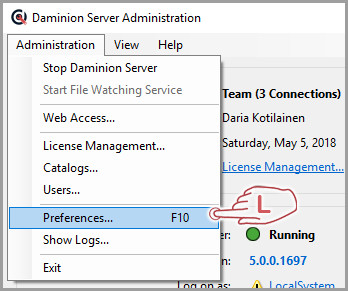
You can find the dialog for changing the Daminion Server Metadata Preferences in the program menu under the “Administration” > “Preferences …“.
Reading Metadata
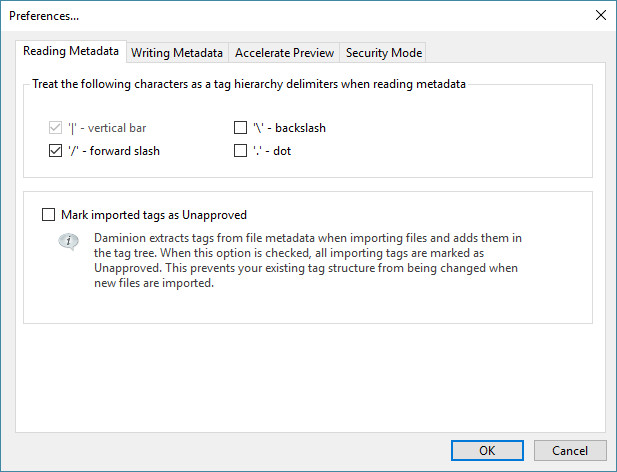
Treat the following characters as tag hierarchy delimiters when reading metadata
By default, Daminion uses the “|” character to separate Tag hierarchies.
Other programs sometimes use different characters as Tag delimiters. In order to import your metadata correctly, it may be necessary, under certain circumstances, to select the delimiter used by the external program.
Mark Imported Tags as Unapproved
Check this option to prevent your existing tag structure from being damaged when new files are imported.
Writing Metadata
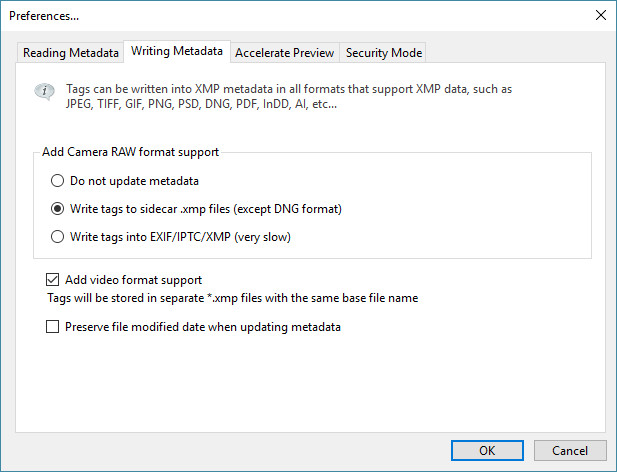
Add Camera RAW format support
Define how Daminion should handle metadata of RAW files.
- Do not update Metadata
No metadata will be stored in the RAW file. Neither in the file itself nor in a sidecar file. The information related to a specific RAW file is only stored in the Daminion catalog. Therefore, please be aware that if you open these files with an external application or send them to others by mail, the metadata information will not be available.
- Write Tags to Sidecar .xmp files (except DNG format)
Metadata will only be stored in separate sidecar files – not in the file itself, except for the Adobe DNG file format. If you activate this option, Daminion creates a separate sidecar file with the same base name as the RAW file but with the extension*.xmp. This sidecar file contains all the metadata information that was given to that specific file in Daminion. This option gives you the flexibility to have all metadata alongside your RAW file while your original RAW file remains untouched by Daminion.
- Write Tags into EXIF/IPTC/XMP
The metadata will be stored both in the XMP section of the original file and in a separate sidecar file.
Add video format support
If this option is checked, Daminion writes all assigned tags to the metadata of a video file or to XMP sidecar file (for video formats that don’t support the embedding of metadata).
Preserve file modified date when updating metadata
If you let Daminion write metadata information directly into files, you can choose whether or not it also updates the file’s modification date.
If you don’t want Daminion to make any changes at all to your master files, do not activate this option. Note that this date/time information will be stored independently within Daminion anyway.
Accelerating Preview
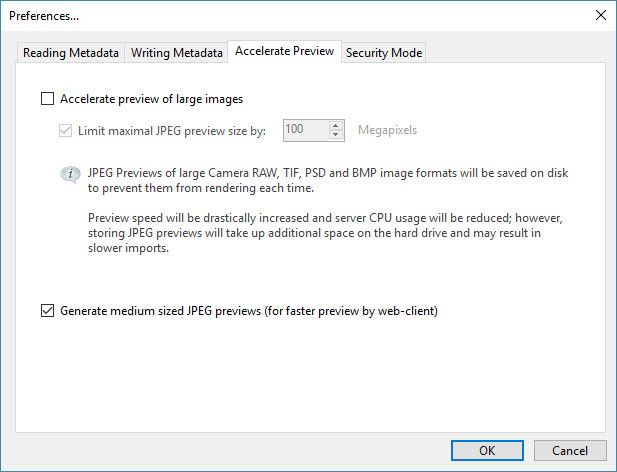
Here you can select whether Daminion should accelerate the preview of large images and set a maximal JPEG preview size, as well as select whether to generate mid-sized JPEGpreviews for faster preview by web-client.
Security Mode
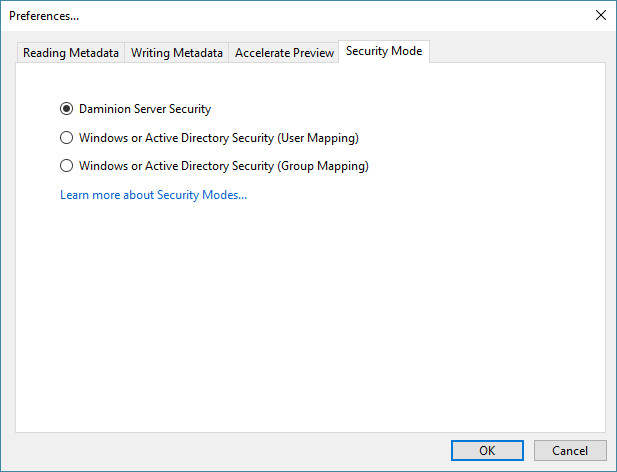
Here you can define what security mode to use when logging in to Daminion catalogs. For more information on security modes, please refer to this article.